
- Age rating17+
- CategoryProductivity
- DeveloperRENAISSANCE AI LABS LTD
- LanguagesEnglish
- Size42.0 MB
Links to the official App Store page
Download.org hosts no file of Addys AI. The button opens its official App Store page, published by RENAISSANCE AI LABS LTD. Listing last checked on Nov 20, 2026.
Screenshots

About
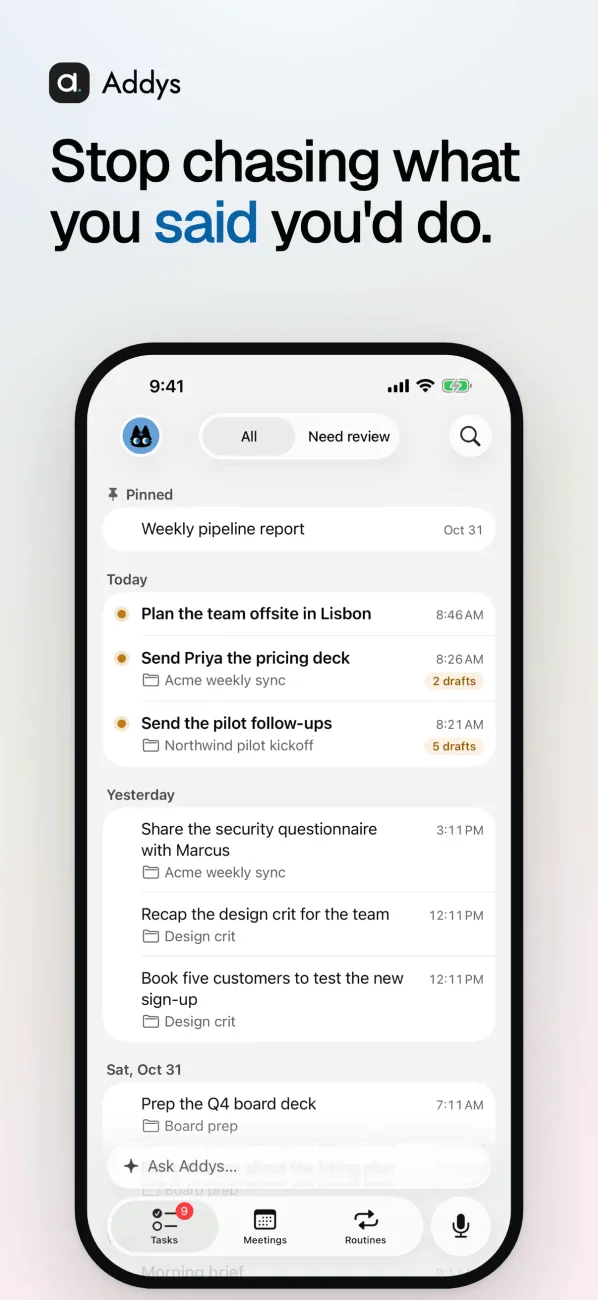
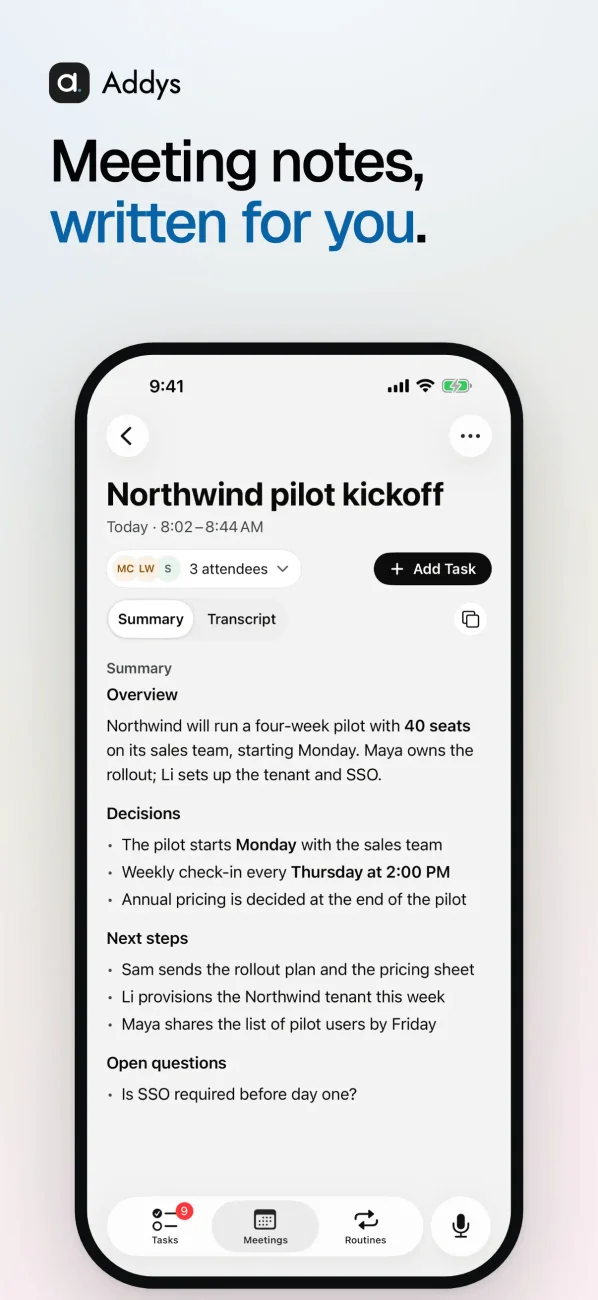
Addys turns your meetings into finished follow-up work. Record a meeting and Addys writes the notes, finds the tasks and drafts the replies. You review, edit and send. Nothing is sent until you say so.
RECORD IN-PERSON MEETINGS
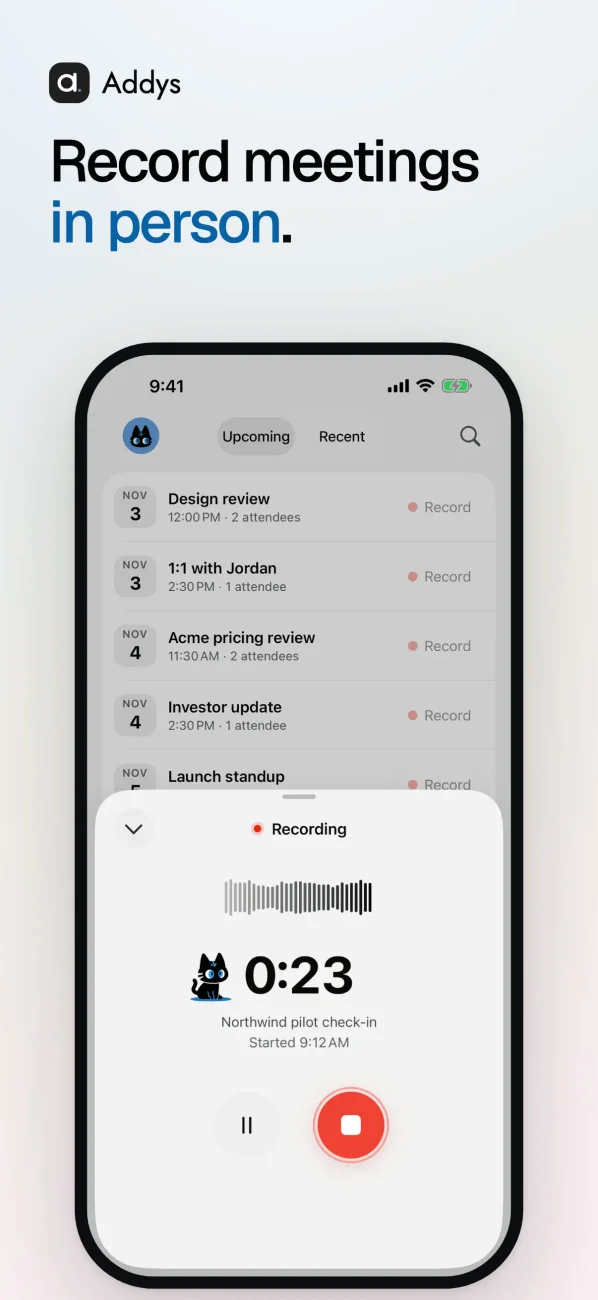
• Record from your iPhone's microphone, with one tap on the Record tab.
• Keep recording while you use other apps. A Live Activity shows the time on the Lock Screen and in the Dynamic Island, with Pause and Stop.
• Start recording from Control Center, or say "Record with Addys" to Siri.
• If an upload fails, the recording stays safe on your iPhone and Addys retries on its own.
NOTES AND TASKS, WRITTEN FOR YOU
• After you stop, Addys writes the summary and the decisions, and keeps the full transcript.
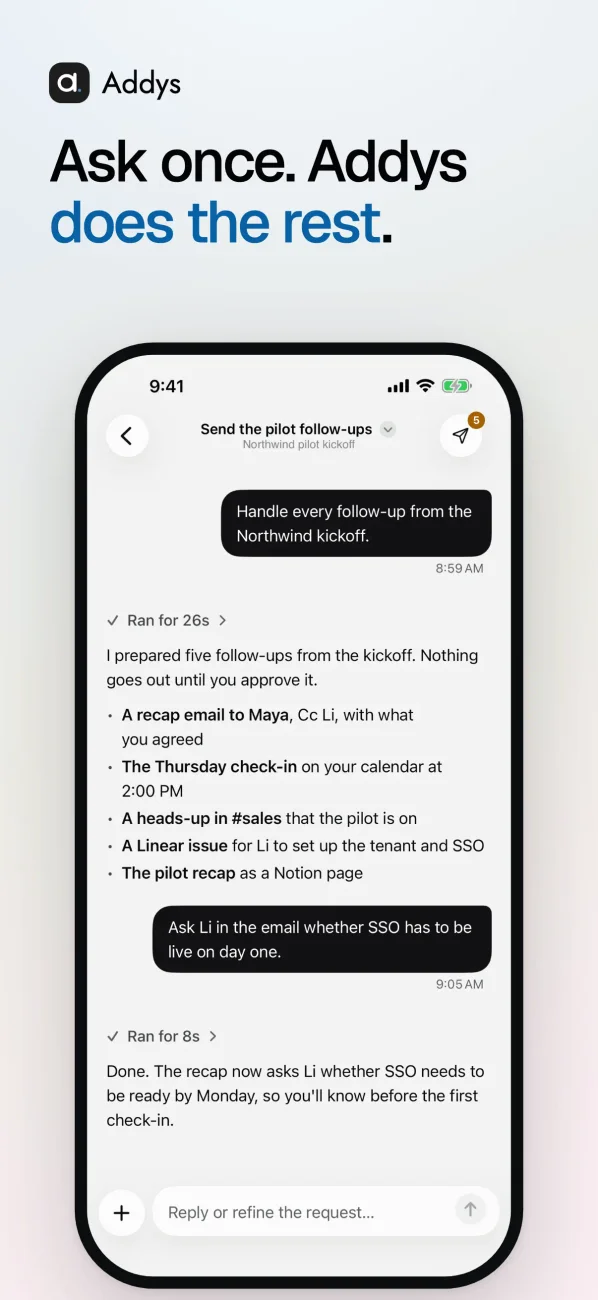
• Every follow-up becomes a task, ready to run or review.
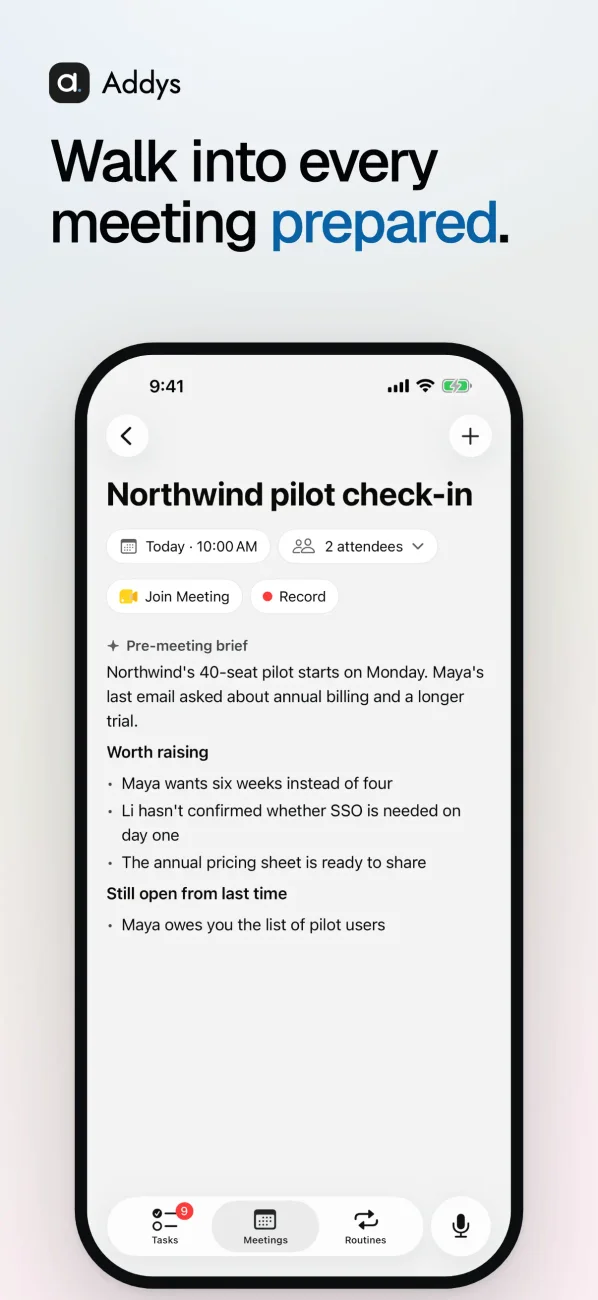
• Two hours before each calendar meeting, Addys prepares a brief with context, open threads and talking points.
DRAFTS YOU APPROVE
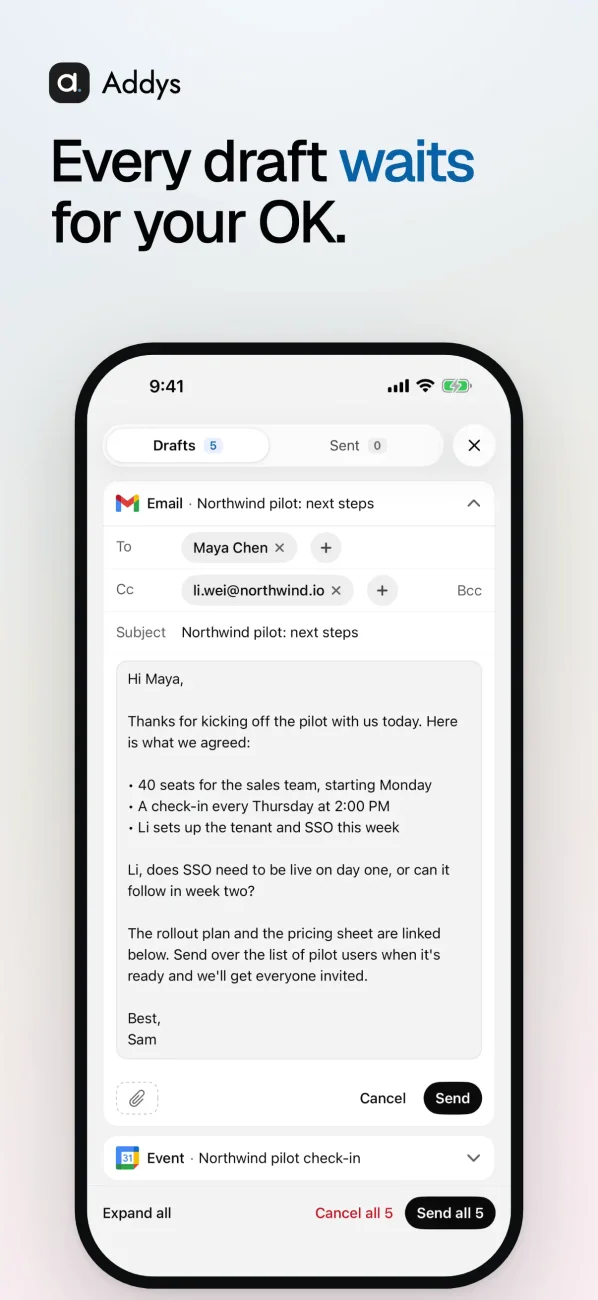
• Addys drafts a reply to the email and messages that need you, with the conversation in view so you can check it.
• Every LinkedIn invite gets its own note. Edit or remove anyone, then send them together.
• Edit any draft, then send one or all. Nothing is sent until you approve it.
• Ask Addys for more in any task, and refine the request until it's right.
WORKS FROM YOUR APPS
• Connect Gmail, Google Calendar, Slack, LinkedIn, Notion and more. Addys reads what it needs from them and prepares the work.
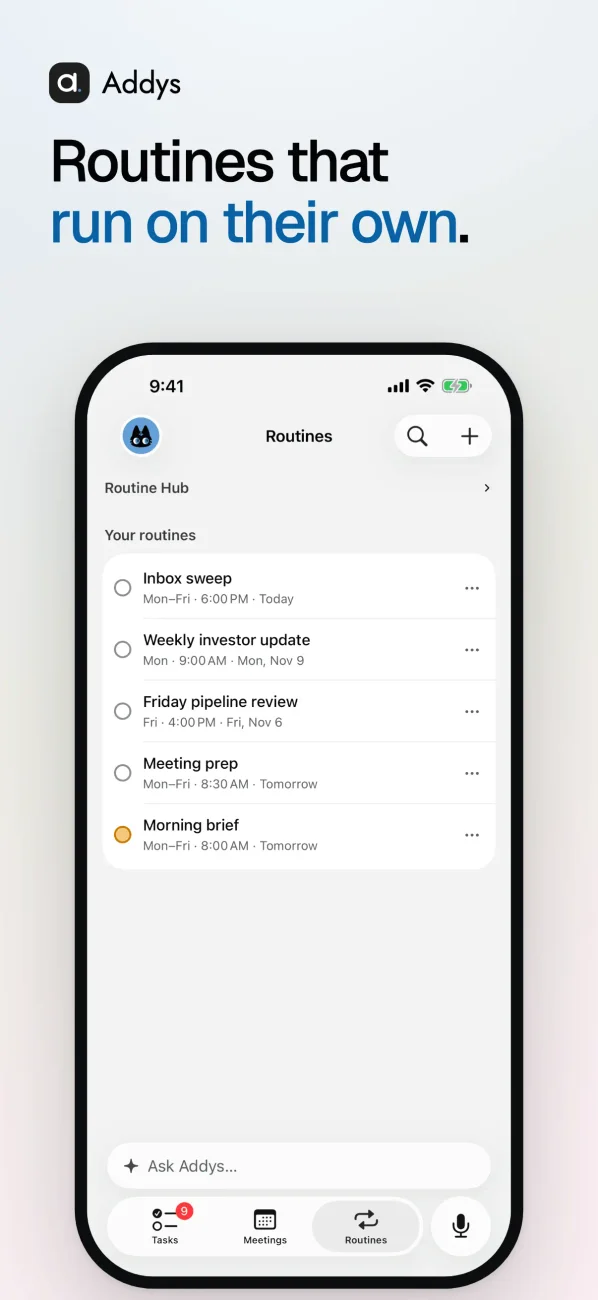
• Routines run a task on a schedule: a morning inbox briefing, weekly outreach, or a workflow you describe.
• Notifications tell you when drafts are ready for review and when a meeting is about to start.
ONE ACCOUNT EVERYWHERE
• Your tasks, meetings and drafts are the same on iPhone, on the web and in Addys for Mac.
• Sign in with Apple, Google or your email. No password needed.
PRIVATE BY DESIGN
• Addys doesn't use your data to train AI models.
• Disconnect any app, or delete your account and everything in it, from Settings at any time.
New accounts start with a 7-day free trial.
Terms of Service: https://addys.ai/terms
Privacy Policy: https://addys.ai/privacy
What’s new
Version 1.1.0 · Nov 13, 2026
• Team free trial: see when your team's free trial ends and how many people it includes, and choose Team Basic or Team Pro.
• Connected Apps are grouped and ordered the same way as on desktop.
• You can select and copy text in a task again on iOS 27.
• A cat greets you the first time you open Addys.
• Plans, notices and limits now come from Addys directly, so they stay up to date.
App privacy
What RENAISSANCE AI LABS LTD declares on the App Store about how this app handles data.
-
Data linked to you
May be collected and linked to your identity.
- Purchases
- Location
- Contact info
- Contacts
- User content
- Identifiers
- Usage data
- Diagnostics
Privacy practices may vary, for example with the features you use or your age.
Information
- Seller
- RENAISSANCE AI LABS LTD
- Category
- Productivity
- Version
- 1.1.0
- Updated
- Nov 13, 2026
- Released
- Nov 6, 2026
- Size
- 42.0 MB
- Requires
- iOS 26.0 or later
- Age rating
- 17+
- Price
- Free
- Languages
- English
- Copyright
- © 2026 Renaissance AI Labs Ltd
You might also like
-
 Learning Tree BreakdownBreaking tasks to finish more
-
 MindSpillNotes & your real calendar
-
 Sedona Release V2count assistant V2
-
 Overdrive FocusPomodoro Timer & To-Dos
-
 Brainspill: Voice To Do ListNext task on your Lock Screen
-
 Life Planner - MoteCalendarCalendar, Budget, Diary, Shift
-
 WhisperAct: Voice Task PlannerAI Notes, Reminders, Calendar
-
 Twice A Day: AccountabilityADHD Daily Planner
-
 Sol: Daily Notes & DocumentsJournal, Diary
-
 Schedy: Daily PlannerPrivate Time Blocker