
AfterClock: Tips & Earnings
Tips, shifts & paychecks
Designed for iPhone, iPad, Mac
Free · In-app purchases
- Age rating4+
- CategoryFinance
- DeveloperDavid Vernon
- LanguagesEnglish+ 1 more
- Size11.2 MB
Links to the official App Store page
Download.org hosts no file of AfterClock: Tips & Earnings. The button opens its official App Store page, published by David Vernon. Listing last checked on Nov 14, 2026.
Screenshots
About
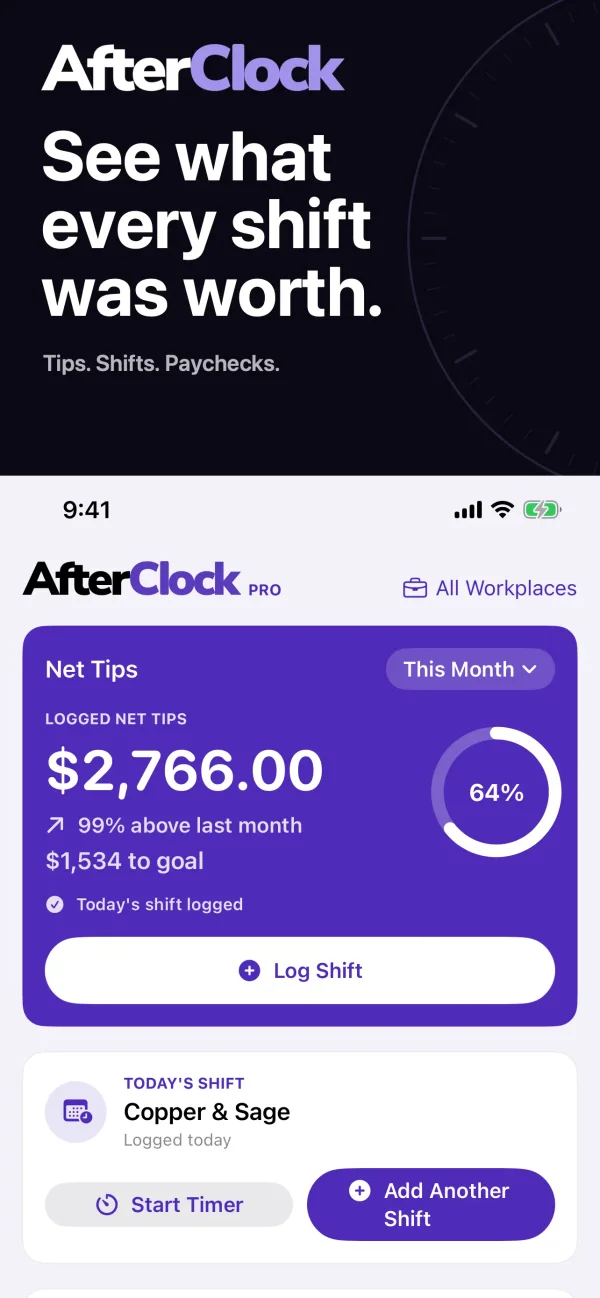
See what every shift was worth.
AfterClock is a private, local-first shift and earnings tracker built for servers, bartenders, tipped workers, and anyone who wants a clearer record of what they earned.
TRACK EVERY SHIFT
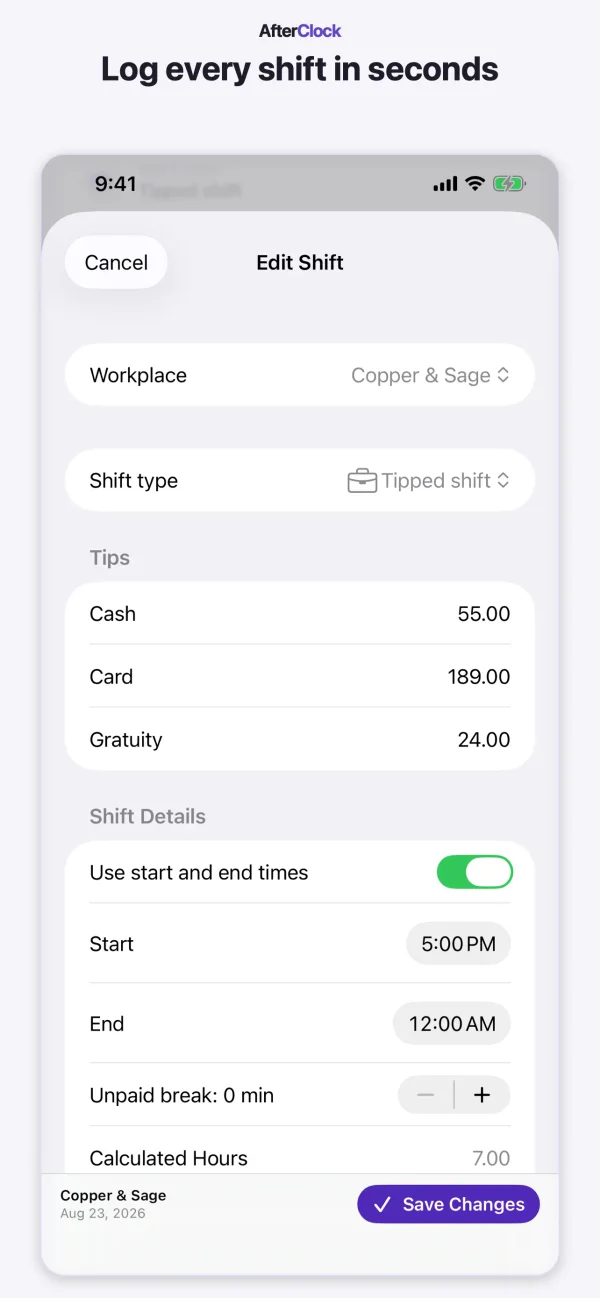
- Record cash tips, card tips, gratuity, wages, sales, tip-outs, hours, and notes
- Log multiple shifts on the same day
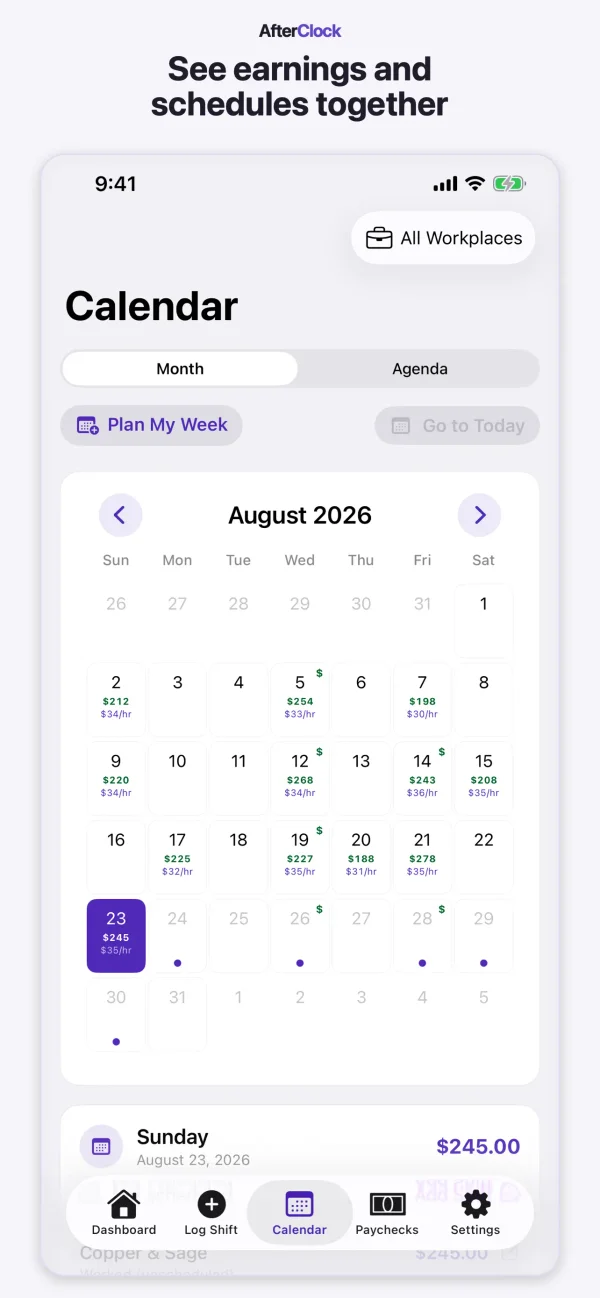
- Track scheduled shifts, call-outs, vacation, days off, and missed entries
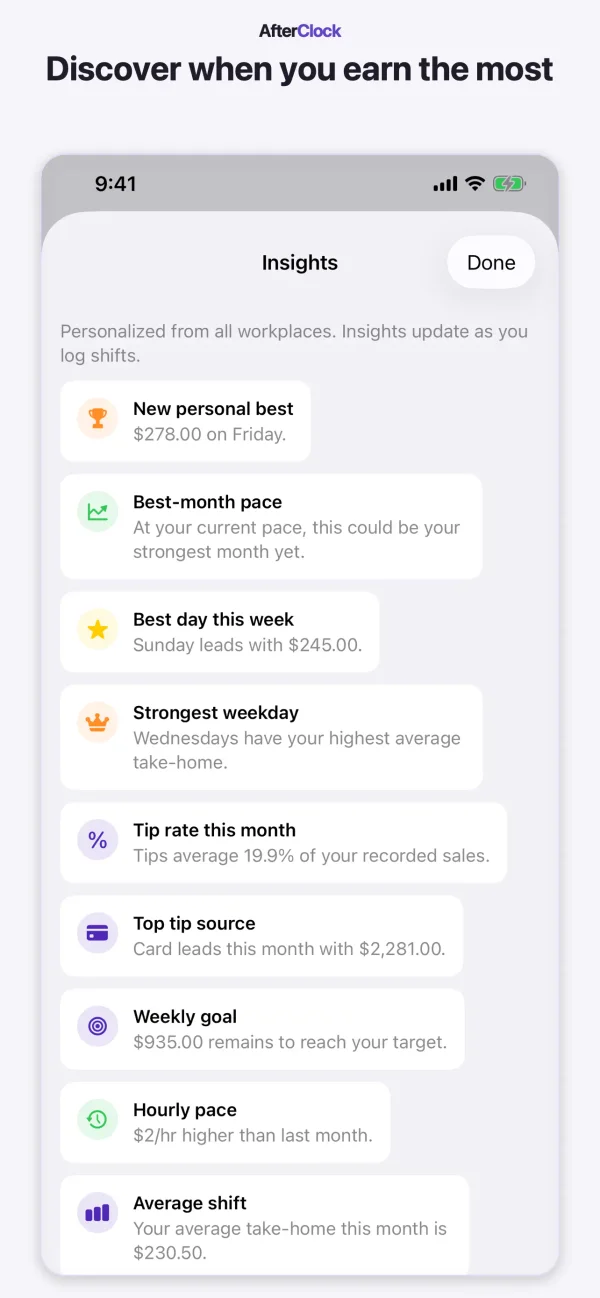
- Review your effective hourly earnings
UNDERSTAND YOUR EARNINGS
- See daily, weekly, monthly, and yearly totals
- Follow earnings trends and workplace performance
- Compare planned hours with actual hours worked
- Set goals and monitor your progress
STAY ORGANIZED
- Plan upcoming shifts
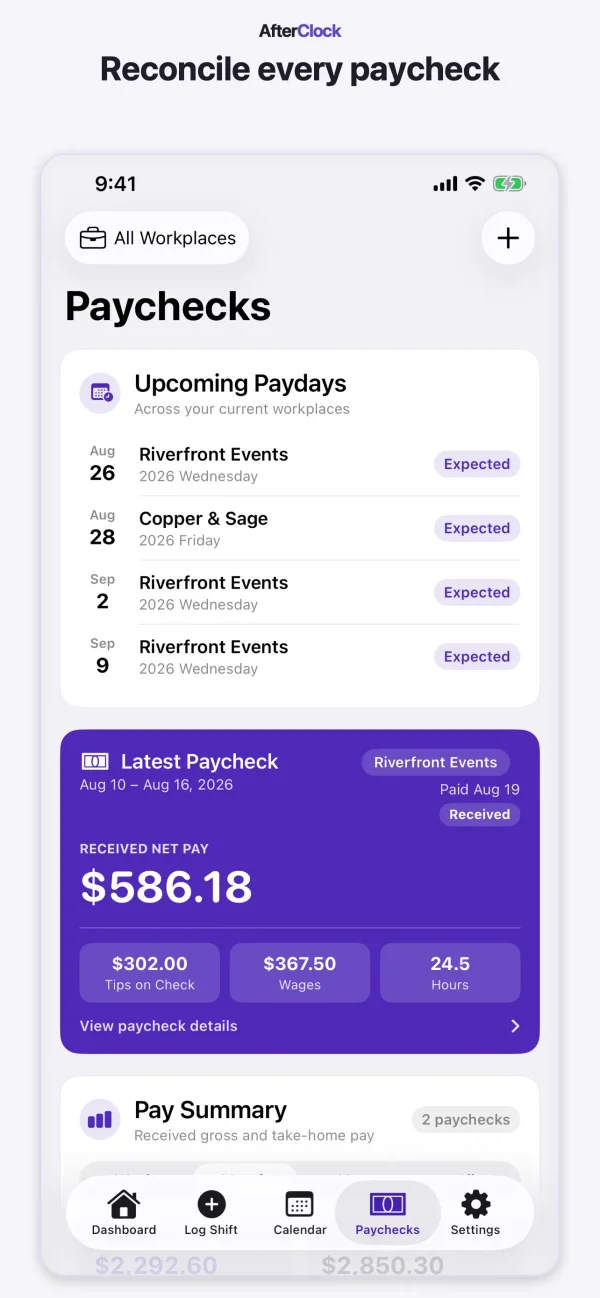
- Track pay periods and pay schedules
- Review paycheck details and reconciliation
- Export records when you need them
AFTERCLOCK FREE
Track unlimited shifts for one workplace with a basic dashboard, calendar, statistics, pay-period tracking, and one monthly goal. There are no ads and no limits on shift history.
AFTERCLOCK PRO
Unlock unlimited workplaces, the Shift Timer and Live Activity, shift templates, custom tags, advanced analytics, paycheck tracking, private iCloud sync, widgets, exports, Monthly Review, and the native Mac companion.
YOUR DATA STAYS YOURS
AfterClock stores information locally first. Pro users can synchronize through their private Apple iCloud database. Personal financial records are not stored on a developer-owned server.
AfterClock Pro is an optional auto-renewing monthly or yearly subscription. Payment is charged to your Apple Account at confirmation. Subscriptions renew automatically unless canceled at least 24 hours before the end of the current period. Manage or cancel your subscription in App Store account settings. Prices may vary by country or region.
AfterClock is a personal recordkeeping tool. It does not provide tax, payroll, accounting, financial, or legal advice. Always verify earnings and paycheck information against official records.
Privacy Policy: https://afterclock.app/privacy
Terms of Use: https://afterclock.app/terms
Support: info@afterclock.app
What’s new
Version 1.0.1 · Sep 3, 2026
Refined the AfterClock Pro upgrade experience and made small visual improvements.
App privacy
What David Vernon declares on the App Store about how this app handles data.
-
Data not collected
The developer does not collect any data from this app.
Privacy practices may vary, for example with the features you use or your age.
Information
- Seller
- David Vernon
- Category
- Finance
- Version
- 1.0.1
- Updated
- Sep 3, 2026
- Released
- Sep 2, 2026
- Size
- 11.2 MB
- Requires
- iOS 17.0 or later
- Age rating
- 4+
- Price
- Free
- In-app purchases
- Yes
- Languages
- English, Spanish
- Copyright
- © 2026 David Vernon
You might also like
-
 Earnings BeatUS Stock Earnings Calendar
-
 Timoney: Time is MoneyWhat is your time worth?
-
 Secondly: Live Salary CounterShift, wage & earnings goals
-
 Paycheck Salary CalculatorEstimate pay taxes and savings
-
 Earnedd: Live Income TrackerHourly Pay & Salary Counter
-
 Good SalaryTrack your salary live now
-
 PerHour -Time Value CalculatorTrack your time and money
-
 TimePrice - ProYour time costs money
-
 Hourly Pay Tracker - ClockedLog Income, Shifts, & Earnings
-
 Hourify: Cost in Work HoursConvert Prices to Work Time