
- Age rating4+
- CategoryProductivity
- DeveloperRyusuke Uchida
- LanguagesJapanese+ 1 more
- Size4.9 MB
Links to the official App Store page
Download.org hosts no file of AfterNotification. The button opens its official App Store page, published by Ryusuke Uchida. Listing last checked on Nov 12, 2026.
Screenshots

About
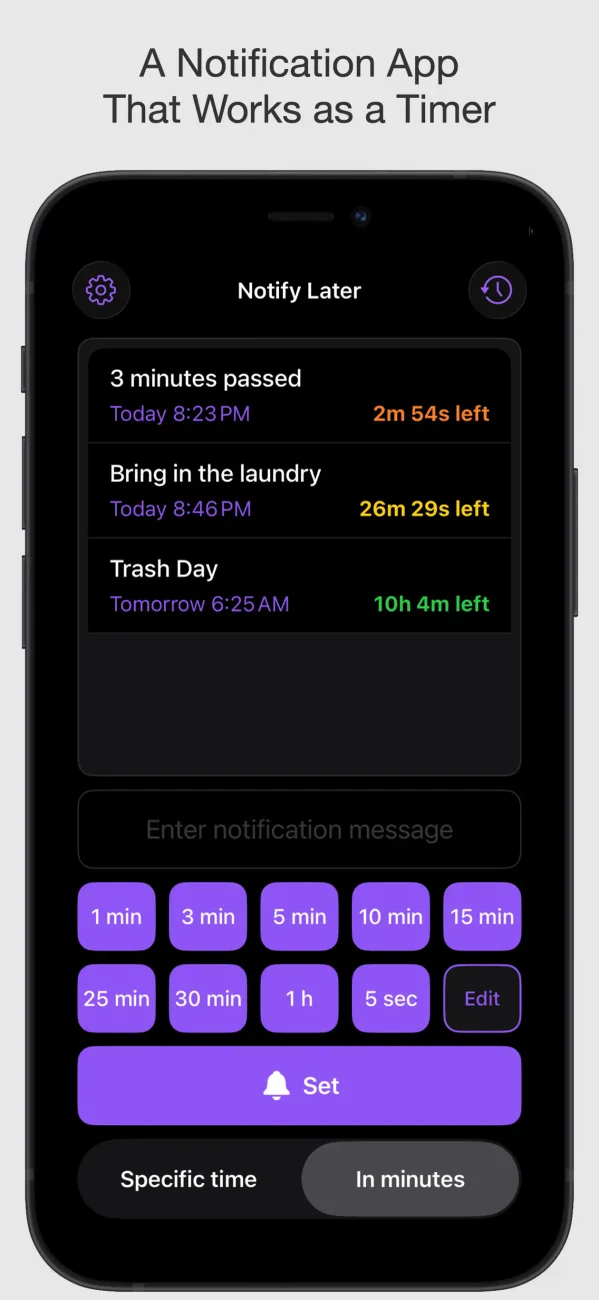
Alarms feel like too much. Reminder apps feel complicated and hard to figure out.
If that sounds like you, this simple notification app is just what you need.
It also works great as a timer.
Perfect for you if:
- You want to set notifications quickly and easily
- You don't want your music or audio content interrupted when a timer goes off
- You'd rather avoid loud alarms in public places like trains or anywhere outside home
+++ Core Features +++
[Notify After X Minutes]
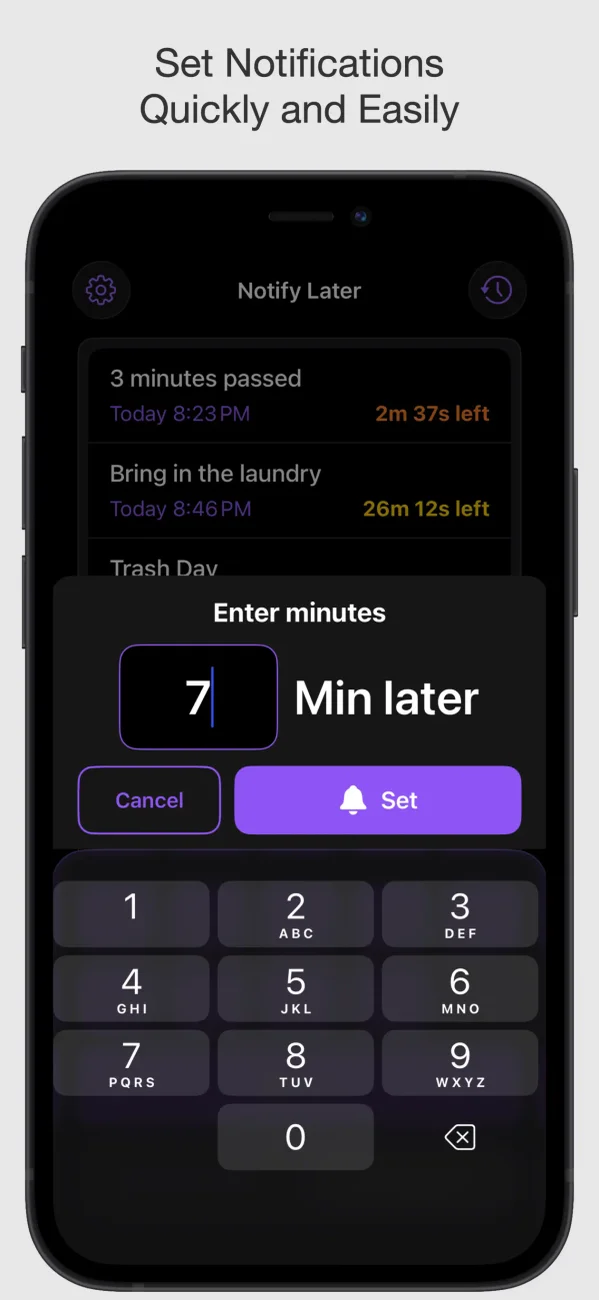
Set a notification in a single tap using preset buttons, or enter your own number of minutes.
[Notify at a Specific Time]
Pick a date and time, and you'll get notified right when it arrives.
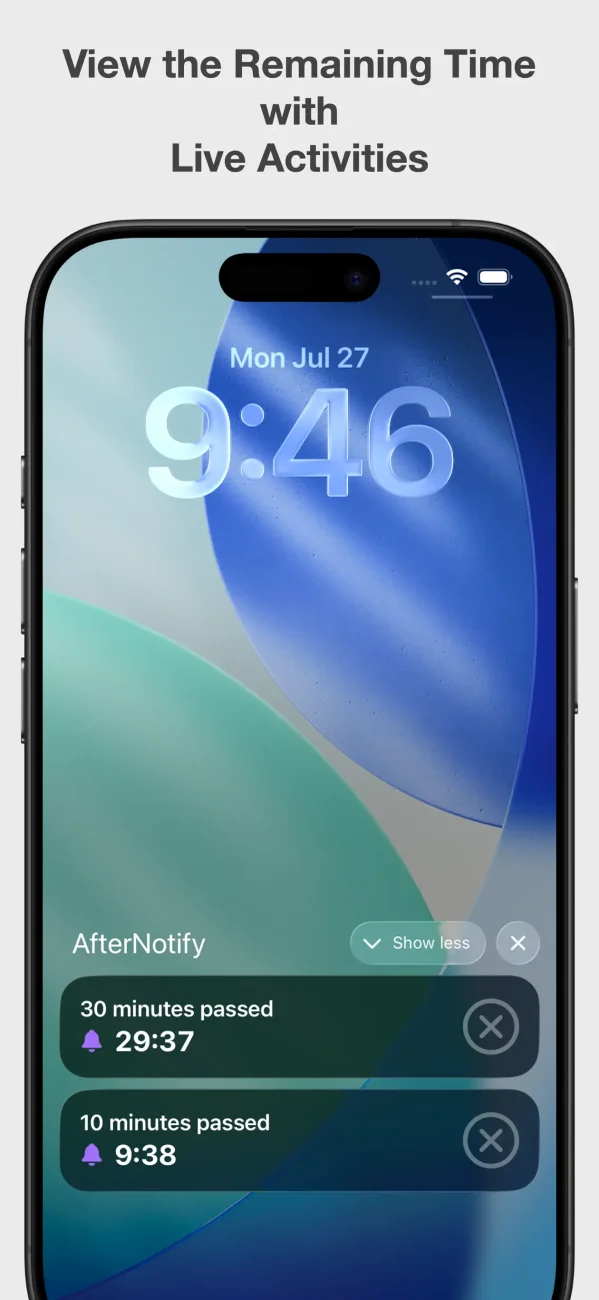
[Check Remaining Time on the Lock Screen]
See how much time is left directly from the lock screen via Live Activities.
* This feature can be turned off in Settings.
+++ More Features +++
- Change the notification sound (13 options)
- Notification history
- Customizable preset minutes
- View all scheduled notifications
and more
+++ Even More Useful Features +++
These features give you even more flexibility.
[Control Center Support]
Launch the app or set a 1, 3, 5, or 10-minute timer right from Control Center.
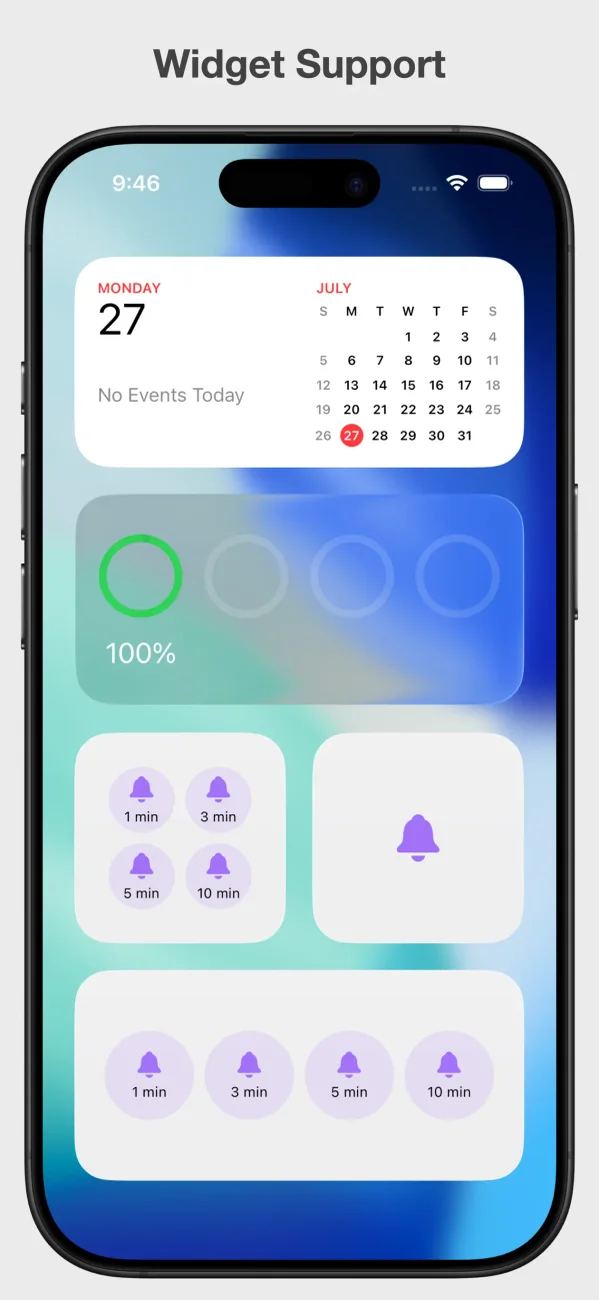
[Widget Support]
Launch the app or set a 1, 3, 5, or 10-minute timer from a widget.
[Shortcuts App Support]
Launch the app or set a 1, 3, 5, or 10-minute timer via the Shortcuts app.
Assigning these to the iPhone Action Button or Back Tap can be especially handy.
+++ You Might Also Find This Useful When... +++
- Laundry & household timers
- Light workout timers
- Timing tasks on the train
- Fridge expiration reminders
- Astronomy event notifications
- Bank transfer to-do
- Sale end date alerts
- Package delivery time reminders
And much more
We hope you enjoy using it!
- Sound Credits -
Sound effects: Otologic (https://otologic.jp)
What’s new
Version 1.0.1 · Aug 4, 2026
* Made minor improvements and fixes.
Thank you for using the App!
App privacy
What Ryusuke Uchida declares on the App Store about how this app handles data.
-
Data not linked to you
May be collected but is not linked to your identity.
- Location
- Identifiers
- Usage data
- Diagnostics
Privacy practices may vary, for example with the features you use or your age.
Information
- Seller
- Ryusuke Uchida
- Category
- Productivity
- Version
- 1.0.1
- Updated
- Aug 4, 2026
- Released
- May 14, 2026
- Size
- 4.9 MB
- Requires
- iOS 18.0 or later
- Age rating
- 4+
- Languages
- Japanese, English
- Copyright
- © 2026 One Tap Apps
You might also like
-
 NotififyReminders without a checklist
-
 NOU MAP - Simple Mind MappingOrganize Ideas. Think Clearly.
-
 Todism - Simple To-Do ListTick, Swipe & Get Organized
-
 24h Dial — Daily Time TrackerSee where your day really goes
-
 Playlyst: Tasks, Focus, HabitsA simple to-do list & schedule
-
 toDone: Done List & To-Do LogProductivity
-
 WhatsNext task managerSimple tasks with snoozing
-
 DeliveriesProductivity
-
 Minute Notes: Quick NotepadOffline notes & fast search
-
 Delivery Log(デリログ) - 配達の稼働記録Productivity