AfterSession
Private notes for therapists
Designed for iPhone, iPad
Free · In-app purchases
- Age rating4+
- CategoryMedical
- DeveloperTwinSoftware
- LanguagesEnglish+ 2 more
- Size4.2 MB
Links to the official App Store page
Download.org hosts no file of AfterSession. The button opens its official App Store page, published by TwinSoftware. Listing last checked on Nov 23, 2026.
Screenshots



About
AfterSession helps therapists, counselors, and coaches capture session notes quickly and securely — right from their iPhone or iPad.
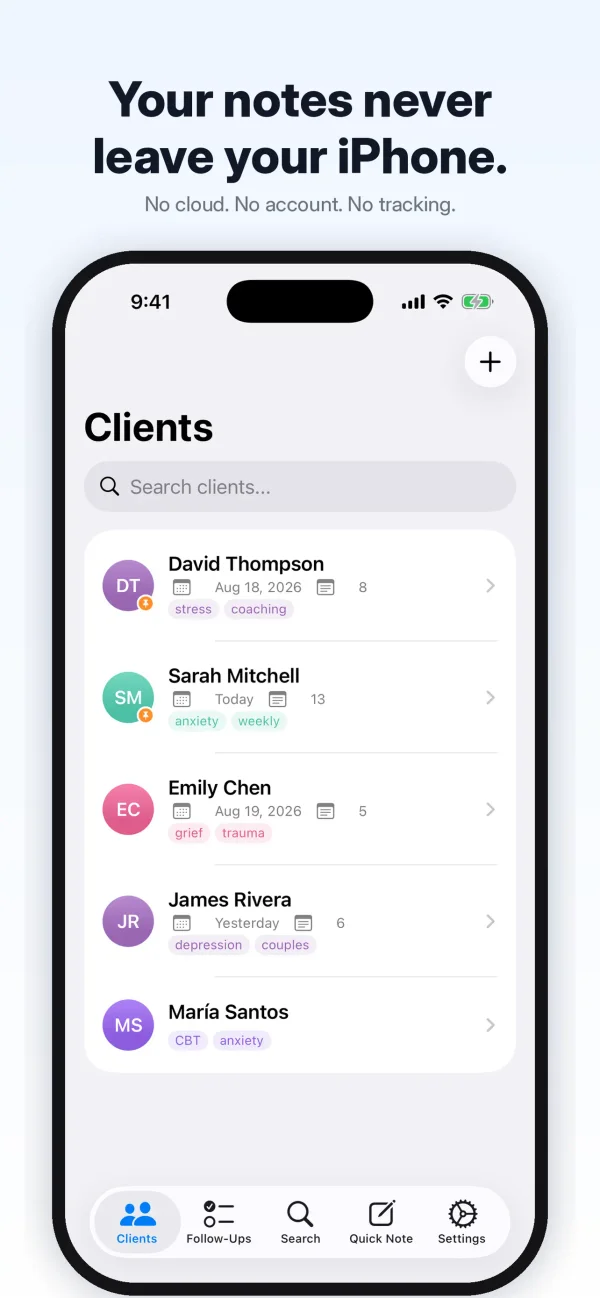
Your notes are stored on your device. No cloud. No accounts. No tracking. Just a fast, private tool built for your practice.
CAPTURE NOTES YOUR WAY
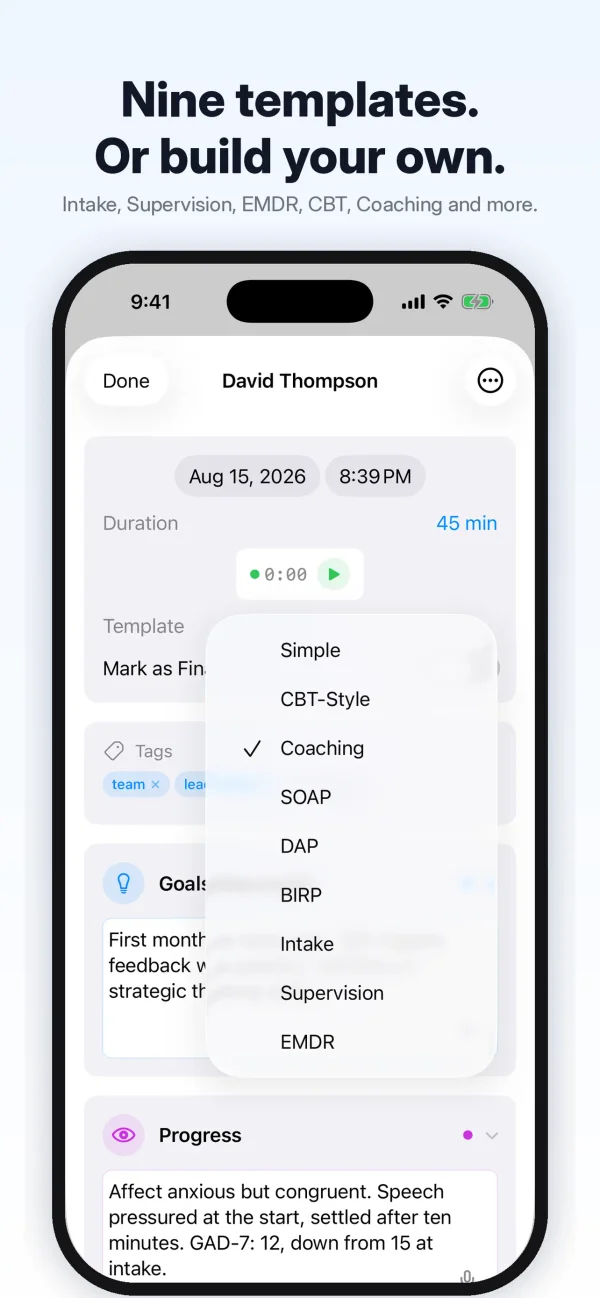
Choose from built-in templates including Simple, CBT-Style, Coaching, SOAP, DAP, BIRP, Intake, Supervision, and EMDR — designed for real clinical workflows. Dictate notes hands-free with on-device voice recognition (Pro). Use Quick Notes to jot something down between sessions and assign it to a client later. Track session date, duration with a built-in timer, and client emotional state. Mark notes as Draft or Final when you're ready.
SHARE AND DISCOVER TEMPLATES
Create your own custom templates and share them with colleagues via AirDrop, Messages, or email. Receive a shared template and import it with one tap. Build a library of templates tailored to your specialty.
ORGANIZE YOUR PRACTICE
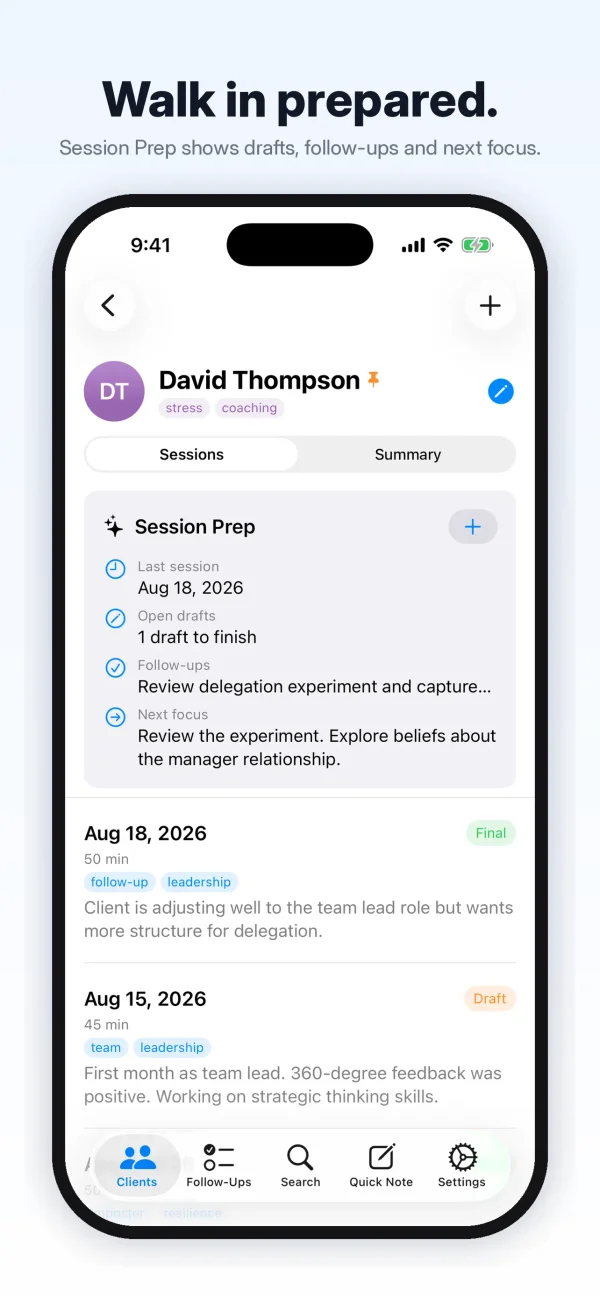
Each client gets their own space with color-coded avatars, tags, and pinning. View session history at a glance with date and status indicators. Search across all your notes instantly to find what you need.
YOUR PRIVACY COMES FIRST
Your data stays on your device unless you choose to export or share it. Lock the app with Face ID or Touch ID. iOS file-level encryption protects your data when the device is locked. Use initials or aliases for client names for an extra layer of privacy. Optional usage counters stay on your device and contain no clinical content. View, disable, delete or voluntarily export them in Settings. Nothing is sent automatically. No third-party analytics SDKs.
EXPORT AND BACKUP
Export any session note as a professional PDF with your name and credentials, or a client's full record as a single PDF or Markdown file (Pro). Back up your entire practice to a local file encrypted with a password you choose. Restore from backup with Replace or Merge options.
BUILT FOR iPHONE AND iPAD
Full split-view support on iPad for multitasking. Responsive layout adapts to any screen size. Dark mode support throughout.
AFTERSESSION PRO
Start free with up to 3 clients. Upgrade to Pro for:
• Unlimited clients
• Voice dictation with on-device speech recognition
• Client analytics with charts and trends
• Global search across all session notes
• Full client record export (PDF or Markdown)
• Password-encrypted backup and restore
• Duplicate notes with content from previous sessions
Built by a solo developer who believes your client data should stay yours. No automatic analytics transmission. No third-party analytics SDKs. Just a simple, private tool for your practice.
Privacy Policy: https://aftersessionapp.com/privacy
Terms of Use: https://aftersessionapp.com/terms
What’s new
Version 1.8.1 · Nov 20, 2026
Small improvements and fixes.
App privacy
What TwinSoftware declares on the App Store about how this app handles data.
-
Data not collected
The developer does not collect any data from this app.
Privacy practices may vary, for example with the features you use or your age.
Information
- Seller
- RODOLFO E. BAEZA MADRID
- Category
- Medical
- Version
- 1.8.1
- Updated
- Nov 20, 2026
- Released
- Feb 23, 2026
- Size
- 4.2 MB
- Requires
- iOS 26.2 or later
- Age rating
- 4+
- Price
- Free
- In-app purchases
- Yes
- Languages
- English, Portuguese, Spanish
- Copyright
- © 2026 TwinSoftware
You might also like
-
 AfterNote: Therapy NotesSOAP, DAP & Session Notes
-
 Bryl - Therapy Notes & ScribeOn-Device, Offline by Design
-
 TherapadSession Notes for Therapists
-
 Mente: Therapy PracticeFor Psychologists & Therapists
-
 Simcha AISimple Mental Health Charting
-
 Therapy Notes Keyboard NoteKeySOAP DAP BIRP GIRP Templates
-
 Therapist ToolkitTherapy tools & AI assistant
-
 Practice Pad - Therapy NotesApple Pencil HIPAA Charting
-
 Therapy Notes Scribe: VoscribeAI Scribe for SOAP & DAP Notes
-
 CliniScriptsAI-Powered Notes, Anywhere