AfterShift
Tip Tracker and Schedule
Designed for iPhone, iPod touch
Free · In-app purchases
- Age rating4+
- CategoryProductivity
- DeveloperKeaton Fisher
- LanguagesEnglish
- Size38.6 MB
Links to the official App Store page
Download.org hosts no file of AfterShift. The button opens its official App Store page, published by Keaton Fisher. Listing last checked on Nov 18, 2026.
Screenshots


About
Every shift. Every dollar.
AfterShift makes it easy to track tips, organize your schedule, and understand your earnings. Built for servers, bartenders, barbacks, and other tipped workers—with no account required.
LOG YOUR SHIFT. GET ON WITH YOUR DAY.
Enter your tips and hours, save your shift, and see your totals update. Review past shifts, make edits, and keep your earnings history organized in one place.
Working past midnight? Smart Shift Date helps assign late-night shifts to the right workday, with a cutoff you control.
YOUR SCHEDULE AND EARNINGS, TOGETHER
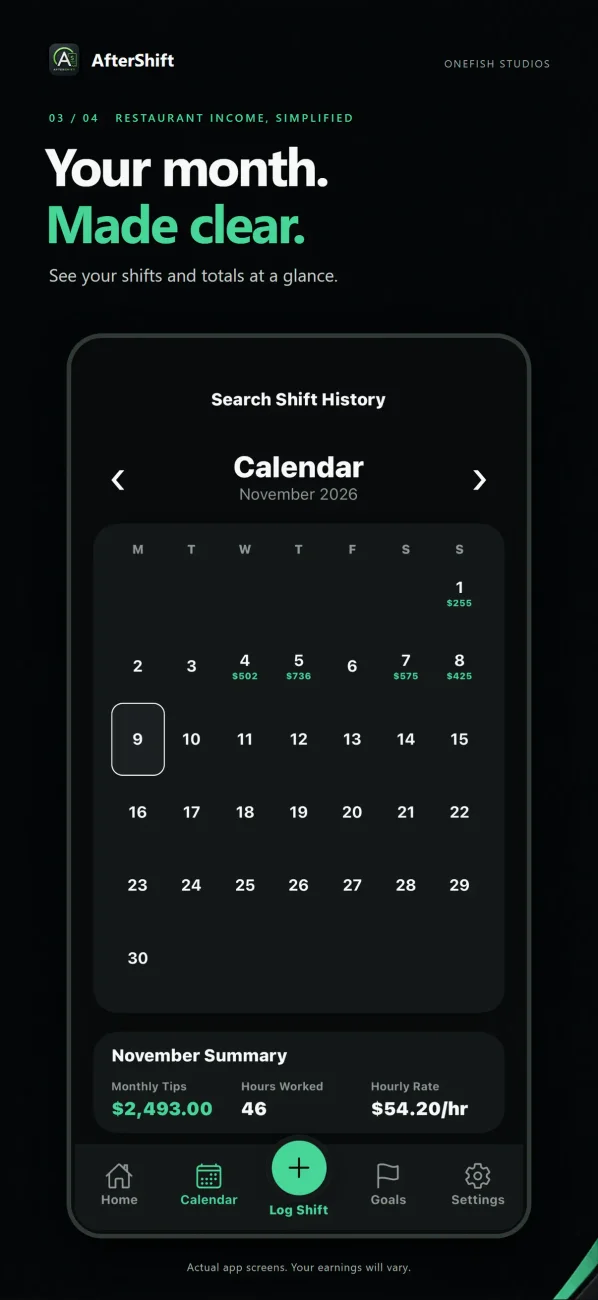
Add upcoming shifts to your calendar and log them when you’re done. Browse your history and see monthly tips, hours worked, and average tips per hour at a glance.
TURN INCOME GOALS INTO VISIBLE PROGRESS
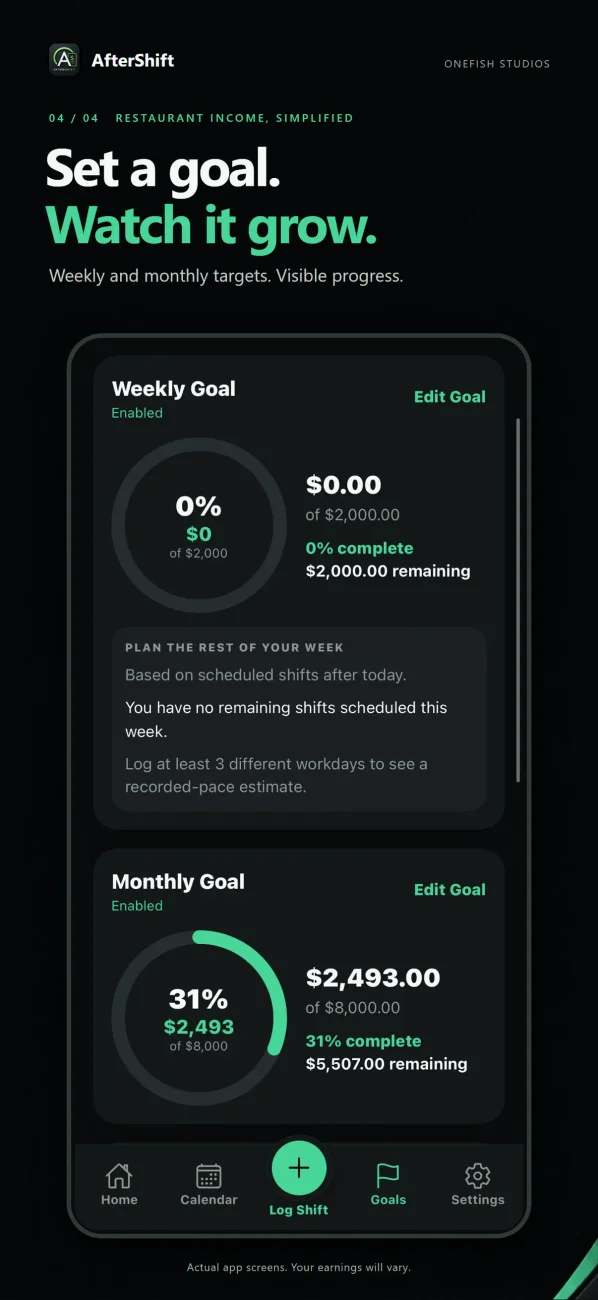
Set weekly, monthly, and yearly tip goals. See what you’ve earned, how far you’ve come, and how much remains.
KNOW WHERE YOU STAND
Check this week’s tips, hours, and completed shifts. Look back at previous weeks and spot changes in your recorded earnings—all without a spreadsheet.
GO FURTHER WITH AFTERSHIFT PREMIUM
Find your Premium tools together in one dedicated dashboard:
• Tax Estimator — Get an estimate based on your logged tips, hours, hourly wage, and tax profile.
• Recommended Tax Set-Aside — See a personalized savings guide on completed shifts.
• Earnings Insights — Explore trends and compare your performance over time.
• Custom Goals — Create goals tailored to what you’re working toward.
SIMPLER TAX PLANNING
Start with your work state and hourly wage. AfterShift adds estimated hourly wages to your logged tips to help estimate your tax liability.
Add optional details, including taxes already withheld, to refine the estimate and see how much may remain. If all your hourly pay is withheld for taxes, you can account for that too.
Tax estimates reflect the income and information you enter—not a prediction of earnings you haven’t logged.
BUILT AROUND YOUR WORKDAY
From the last table to the next shift, AfterShift helps you stay organized and understand what your work brings in.
Simple to log. Easy to understand. Made for tipped workers.
AfterShift Premium requires a subscription. Core tip tracking, scheduling, and standard goals remain available without Premium.
Tax estimates and set-aside recommendations are for informational and planning purposes only, not tax advice. They may not account for every tax, deduction, credit, or personal circumstance. Actual tax liability may differ.
Terms of Use: https://www.onefishstudios.com/apps/aftershift/terms
Privacy Policy: https://www.onefishstudios.com/apps/aftershift/privacy
What’s new
Version 2.1.1 · Nov 10, 2026
AfterShift just got simpler.
- Find your Premium tools together in one dashboard.
- Get started with tax estimates using your state and hourly wage.
- See hourly wages included alongside your logged tips.
- Account for taxes already withheld, including an option when all hourly pay goes toward taxes.
- Get improved tax set-aside recommendations for completed shifts.
- Enjoy navigation fixes and improved calculation reliability.
Tax estimates and set-aside recommendations require AfterShift Premium. Estimates are for planning only—not tax advice.
App privacy
What Keaton Fisher declares on the App Store about how this app handles data.
-
Data not linked to you
May be collected but is not linked to your identity.
- Purchases
Privacy practices may vary, for example with the features you use or your age.
Information
- Seller
- Keaton Fisher
- Category
- Productivity
- Version
- 2.1.1
- Updated
- Nov 10, 2026
- Released
- Jul 29, 2026
- Size
- 38.6 MB
- Requires
- iOS 15.1 or later
- Age rating
- 4+
- Price
- Free
- In-app purchases
- Yes
- Languages
- English
- Copyright
- © 2026 OneFish Studios
You might also like
-
 aSPICE Pro - oVirt ProxmoxSecure SPICE Client with SSH
-
 Whisper Notes - AI Note TakerAI Meeting Notes, Transcribe
-
 Visual Pre PlansPre Plan Fast, Respond Smarter
-
 GPType: AI Keyboard, AssistantEssay Writer & Grammar Check
-
 Craftable MobileProductivity
-
 Text to Speech - AI Voices TTSRead Aloud Books & PDFs - TTS
-
 The Power ListWin the day. Win your life.
-
 RealtracsList, Find and Buy Homes
-
 Just The Tips: Tip TrackerTip Tracking Made Simple
-
 Compass TimeTime and Attendance