AfterShift: Sleep & Shift Work
Recovery, naps & fatigue
Designed for iPhone
Free · In-app purchases
- Age rating4+
- CategoryHealth & Fitness
- DeveloperAntti Aittamaa
- LanguagesEnglish+ 33 more
- Size19.5 MB
Links to the official App Store page
Download.org hosts no file of AfterShift: Sleep & Shift Work. The button opens its official App Store page, published by Antti Aittamaa. Listing last checked on Nov 20, 2026.
Screenshots



About
Your day starts when your shift ends. AfterShift tracks sleep and recovery by your roster, from the end of one shift to the start of the next.
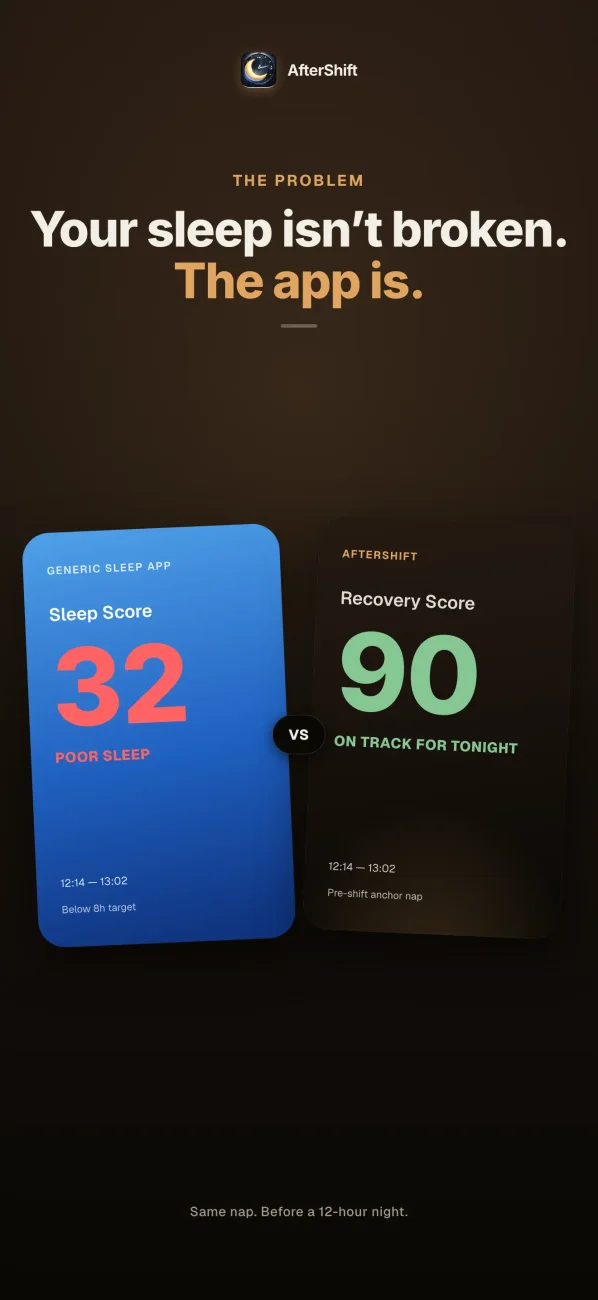
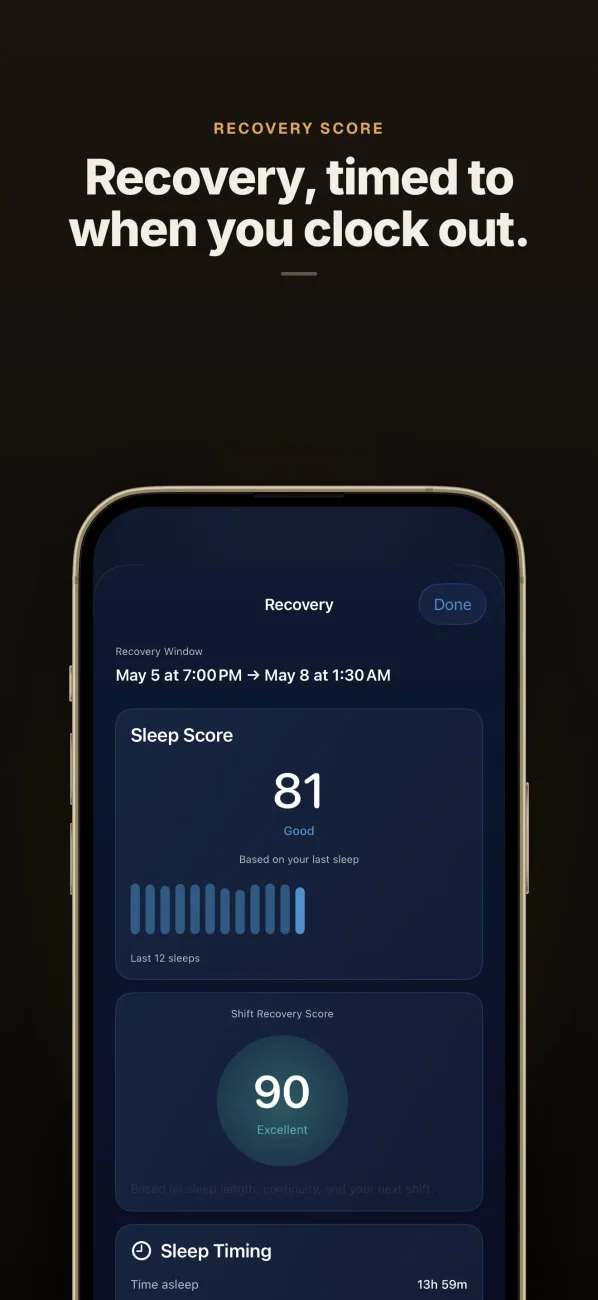
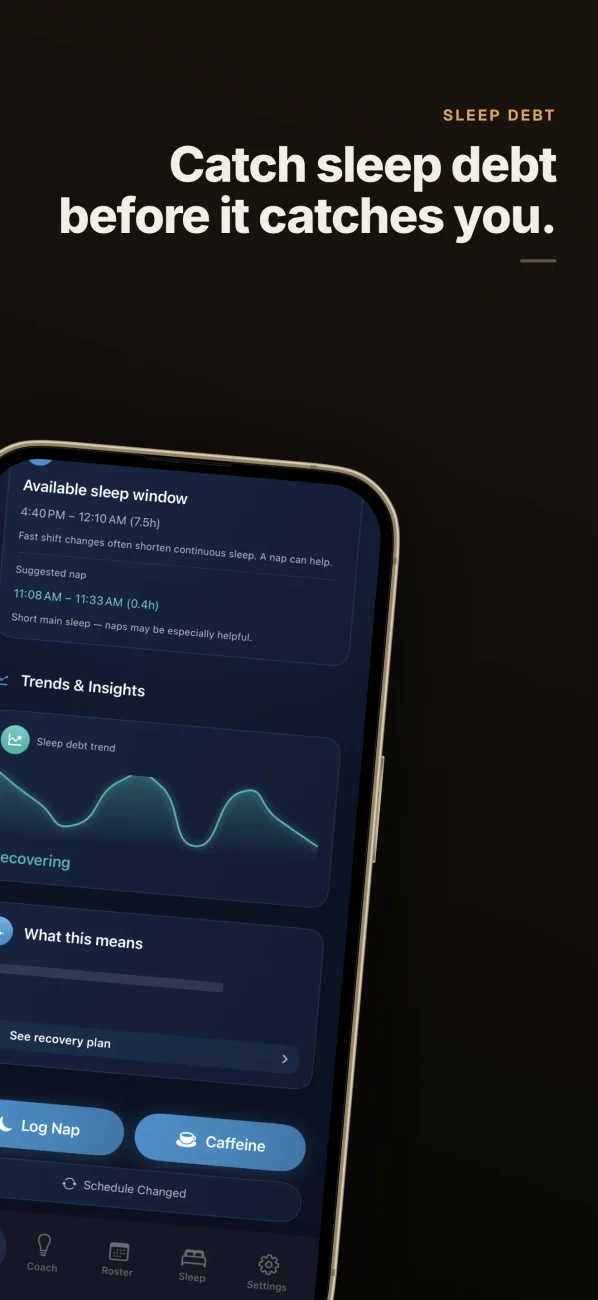
Sleep apps that reset at midnight grade you against a day you don't work. AfterShift starts counting when your last shift ends and stops when your next one begins. Readiness, sleep debt, and your recovery timeline all live inside that window, so a run of nights or a quick turnaround is judged on its own terms.
Your roster, filled in
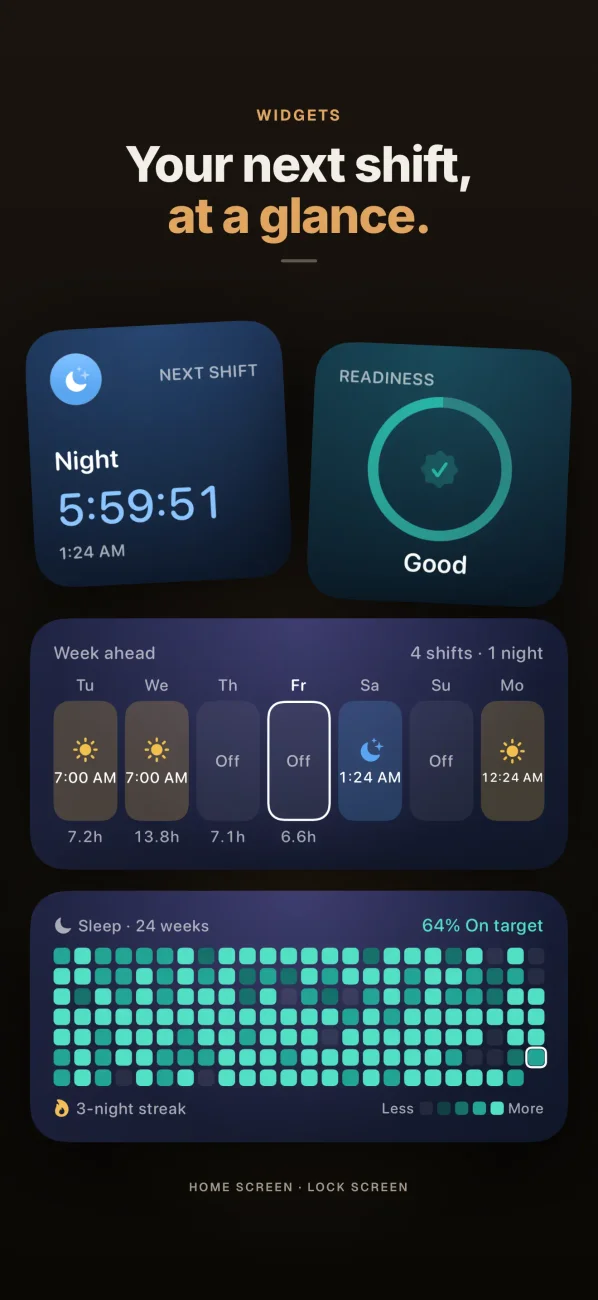
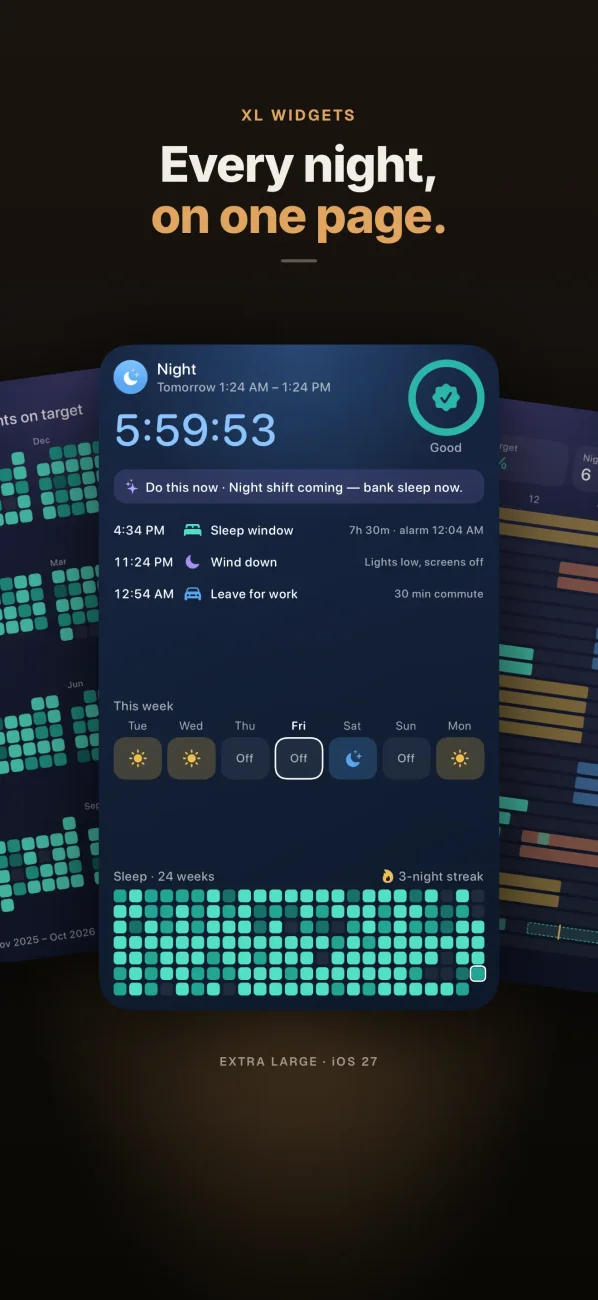
Set your rotation once and AfterShift fills in the next 8 weeks, then keeps them filled, so you stop typing shifts in one by one. Name every shift your roster has, and give your rest days names too. For 12-hour rosters, you set your shift types' hours once. If your shifts already live in a calendar, calendar import reads event titles and start times and suggests Day, Evening, Night, or On-call. It recognizes shift words in 13 languages.
Every nap counts
Last night's sleep imports itself from Apple Health, even in the background, once your sleep is saved to Health. The nap before a night shift counts toward readiness, sleep debt, and your Shift Recovery Score at full value. Start an anchor nap and it counts down in the Dynamic Island, then logs itself when it ends. A long-press fixes sleep you logged yourself. Change its start and end, or delete it so it stops counting. Sleep from Apple Health stays as Health recorded it.
Timed to the shift ahead
Wind-down, caffeine cut-off, and nap reminders are set from your next shift start, so a 7 p.m. start gets its own cut-off. All of them are free. Widgets count down to the shift ahead on your Home Screen and Lock Screen.
Ready for on-call weeks
Work three or more on-call shifts in a week and AfterShift treats it as an on-call week, with recovery expectations to match. Before an on-call shift you get a flexible rest window. Scores stay honest about it. The Shift Recovery Score caps at 75 when you're on call and at 79 when the gap between shifts is short, and the Sleep Score caps at 84 on call.
Help for sleeping at odd hours
21 sleep techniques chosen for shift work, in a library you can open whenever sleep won't come.
Built for iPhone Duo
On iPhone Duo, your tabs move into the side bar. Unfold it and Today, Roster, and Settings open into two columns.
Private on your iPhone
You don't create an account, and nothing syncs to a cloud. Your data stays on your iPhone and is never sent to a server. AfterShift contains no third-party SDKs, and it reads your sleep from Apple Health without ever writing to it.
Free and Premium
Start free: track your roster, name your shifts, import your sleep, and get Sleep Timing, sleep stages, the sleep debt trend, your Recovery plan, and shift-timed reminders. Premium adds Readiness and both scores, the Sleep Score and the Shift Recovery Score. It also brings sync from several calendars, overtime tracking, and PDF recovery reports. On Premium, explanations and reminder wording are written by Apple Intelligence on your iPhone (iOS 26 or later, on a supported device).
Premium comes monthly or yearly, each with a 7-day free trial for eligible users, or as a one-time Lifetime purchase. Family Sharing works on all three.
AfterShift is for iPhone. Start free, set your rotation once, and let AfterShift plan your sleep around your shifts.
Terms of Use (EULA): https://www.apple.com/legal/internet-services/itunes/dev/stdeula/
What’s new
Version 3.0.3 · Nov 17, 2026
Some rosters take six, eight, or twelve weeks to come back around. AfterShift now holds the whole cycle.
Your whole rotation, set up once
Rotations can now run up to 12 weeks, so a 6-week or 8-week cycle fits in a single rotation. Build it week by week: copy a week you've already planned, or add a week to the end. Long cycles fold into week sections, so they stay easy to read and edit. Set it up once, and your roster fills 8 weeks ahead and keeps itself filled. It's free on every plan.
Works with the settings you rely on
If you use VoiceOver or Voice Control, AfterShift now works with them. Turn text up to the largest Accessibility size, and screens rearrange to fit. Reduce Motion swaps slides and zooms for simple fades. Increase Contrast makes text and borders stronger, and all 14 color themes are easier to read. On the roster, each shift shows its own symbol, so you don't have to tell a day shift from an evening shift by color.
Both updates are free for everyone. For Readiness and your Shift Recovery Score, try Premium monthly or yearly free for 7 days if you're eligible, or unlock it with a one-time Lifetime purchase. Family Sharing covers every plan.
App privacy
What Antti Aittamaa declares on the App Store about how this app handles data.
-
Data not collected
The developer does not collect any data from this app.
Privacy practices may vary, for example with the features you use or your age.
Information
- Seller
- Antti Aittamaa
- Category
- Health & Fitness
- Version
- 3.0.3
- Updated
- Nov 17, 2026
- Released
- Jan 5, 2026
- Size
- 19.5 MB
- Requires
- iOS 17.6 or later
- Age rating
- 4+
- Price
- Free
- In-app purchases
- Yes
- Languages
- English, Arabic, Catalan, Croatian, Czech, Danish, Dutch, Finnish, French, German, Greek, Hebrew + 22 more
- Copyright
- © 2026 Aittamaa
You might also like
-
 OffShift – Shift Work SleepShift worker sleep & recovery
-
 ShiftSleep: Shift Work SleepWhen to Sleep for Your Shifts
-
 SleepShift: Night Shift SleepBody clock planner for nurses
-
 Shift Worker Sleep ManagementSleeping Coach Night/Day Work
-
 Timeshifter Shift WorkBetter sleep and energy
-
 Clairoe: Life in RhythmPersonalized daily schedules
-
 AutoSleep: Watch Sleep TrackerSleep Cycle Monitor & Alarm
-
 Athlytic: Fitness & RecoveryHRV Sleep & Training Coach
-
 SleepWatch - Top Sleep TrackerTracker, Sounds, Alarm & Coach
-
 Bevel: AI Health CoachExercise, Sleep & Nutrition