
- Age rating4+
- CategoryUtilities
- DeveloperKevin Stewart
- LanguagesEnglish
- Size5.2 MB
Links to the official App Store page
Download.org hosts no file of AgePony: File Encryption. The button opens its official App Store page, published by Kevin Stewart. Listing last checked on Nov 14, 2026.
Screenshots
About
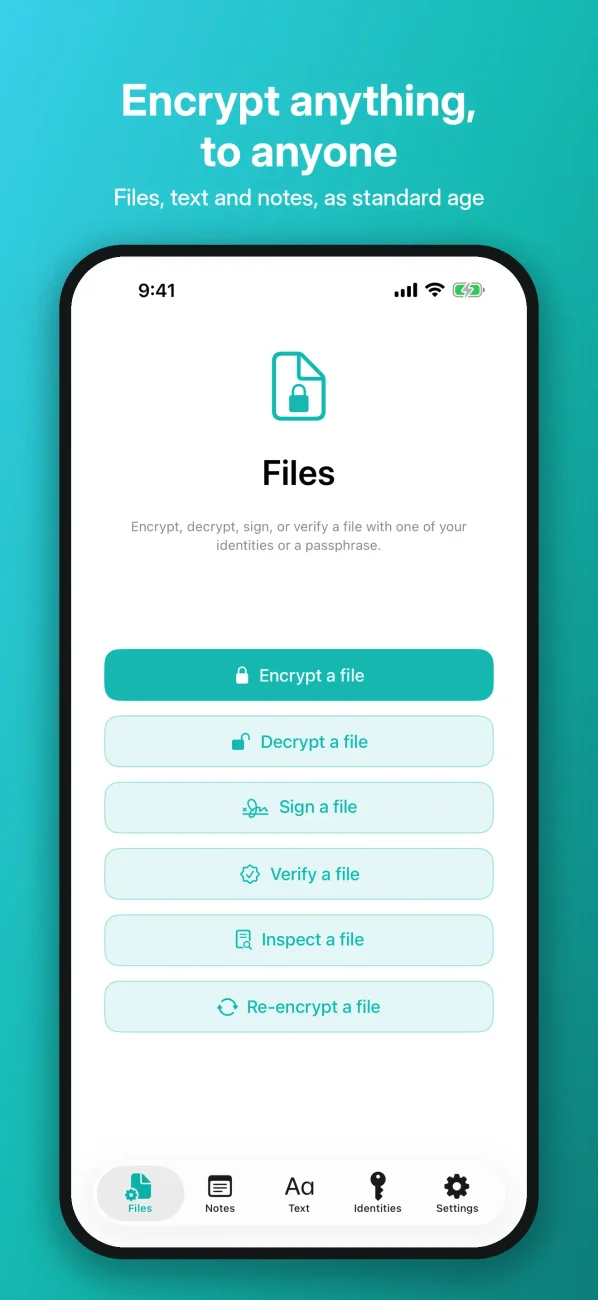
Modern file encryption and signing for iPhone, built on the age protocol. Encrypt anything to anyone, sign files so others can verify they came from you, and keep every byte on your device. No accounts, no servers, no key-management headaches.
POST-QUANTUM
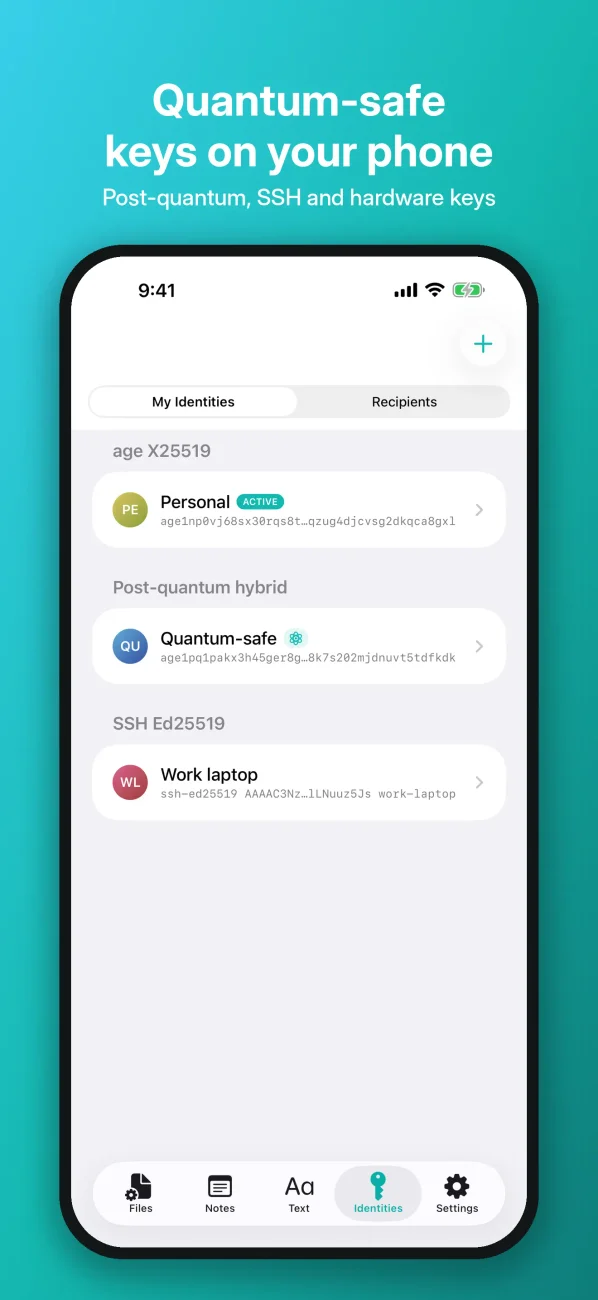
Hybrid ML-KEM-768 + X25519 recipients, so a file captured today stays private even if X25519 falls to a quantum computer years from now. Interoperable with the age CLI 1.3 and newer. Files already on a classical key? The re-encrypt tool moves them across.
ANY SIZE
Encrypt, decrypt, sign and verify files of any size. Nothing is held in memory, so a 1 GB video behaves like a text file.
ENCRYPT TO ANYONE
• Anyone's published SSH keys, fetched by their username
• Any age public key, classical (X25519) or post-quantum
• Any SSH public key (ed25519 or RSA)
• A passphrase, when you don't need recipient keys at all
SIGN FILES
Prove a file came from you and hasn't been altered. Sign on its own, producing a detached signature anyone can check without AgePony. Or sign and encrypt in one step, sealing the signature inside the file so the ciphertext never reveals who sent it. Signatures are verified automatically as a file decrypts.
• Sign with an in-app SSH key (ed25519 or RSA)
• Sign with a Secure Enclave key, generated in hardware and never exportable
• Sign with an external hardware security key over NFC, including keys protected by a PIN
• Standard SSHSIG signatures, verifiable with the usual SSH command-line tools
• Verify signatures from other people right inside the app
BUILT ON AGE
A clean-room implementation of the age v1 file format, a modern, simpler alternative to older encryption tools. X25519 key agreement, ChaCha20-Poly1305 authenticated encryption, scrypt for passphrase-protected files. Bit-perfect with the reference age CLI: encrypt on your phone, decrypt on your laptop, and back again.
HARDWARE, PAPER, NEXT PHONE
• Secure Enclave decryption keys, quantum-safe if you like
• Decrypt with a security key over NFC
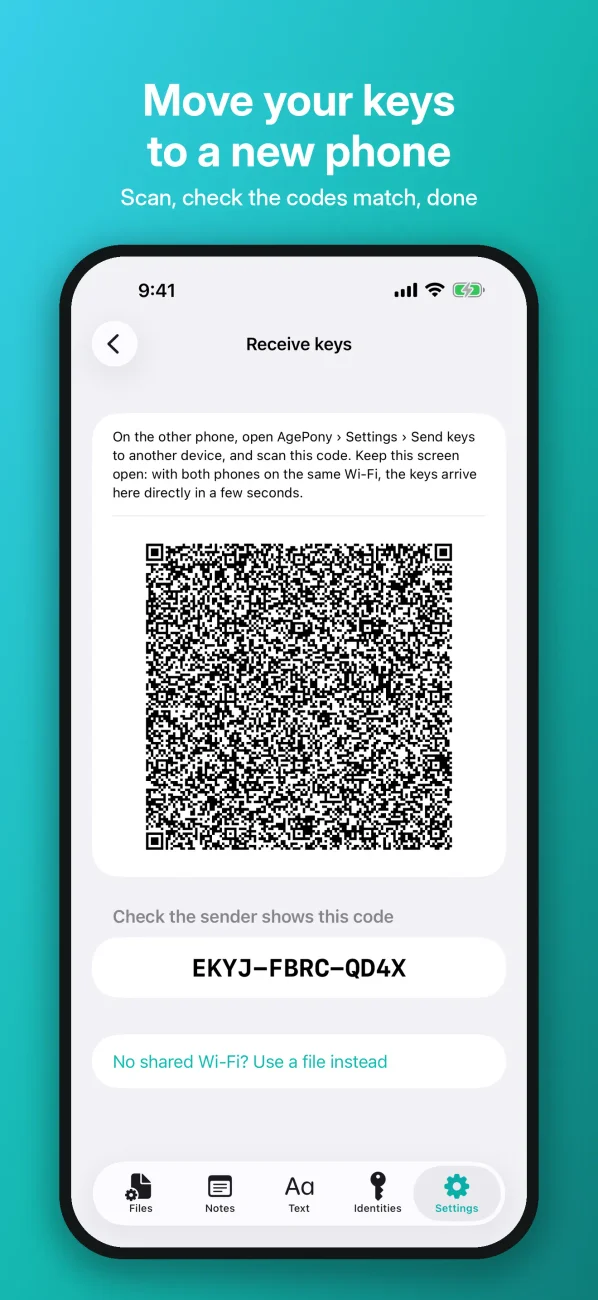
• Move keys to your next phone over Wi-Fi
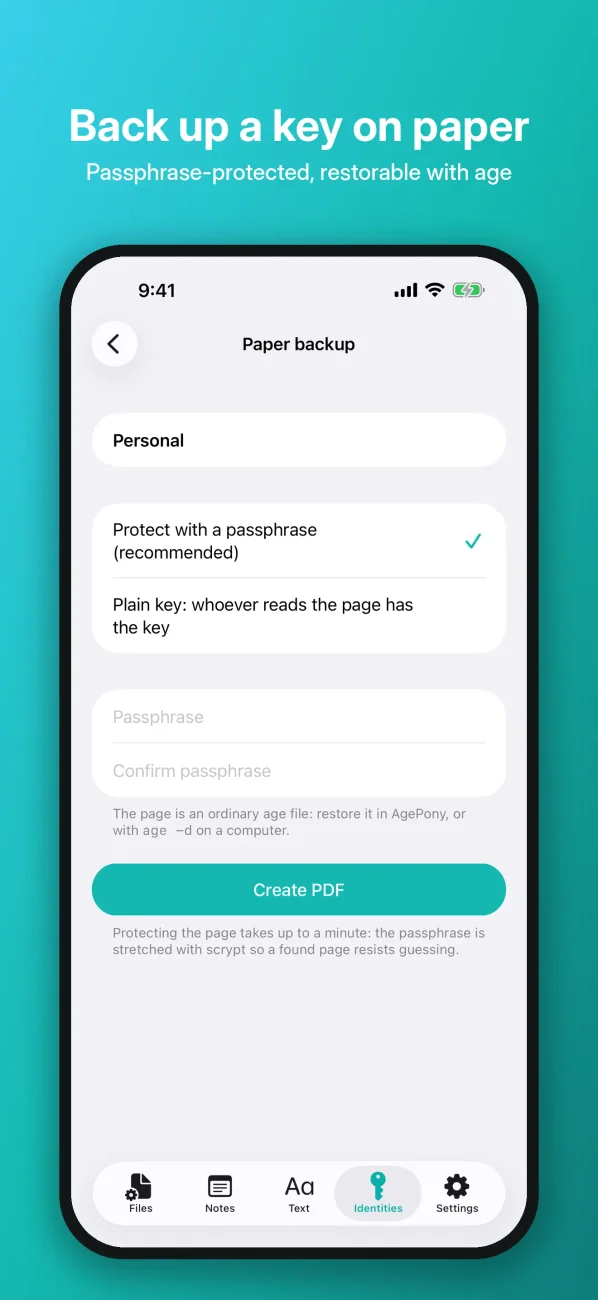
• Passphrase-protected paper backups
ENCRYPTED NOTES
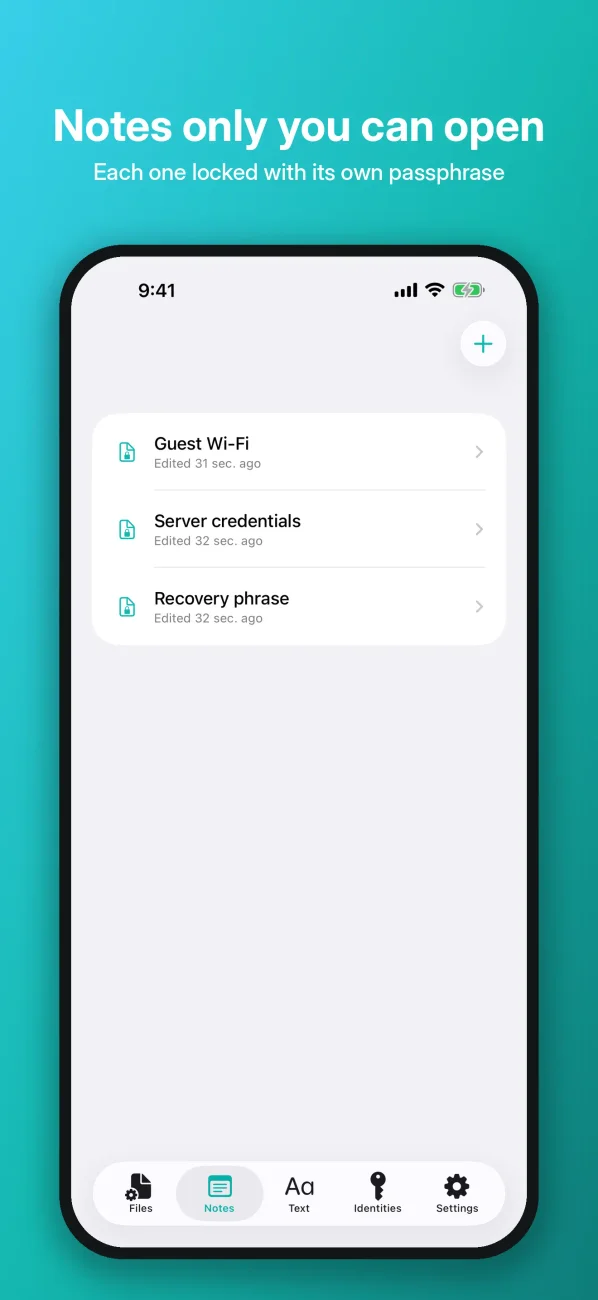
Passphrase-locked notes for secrets that never need to leave your device: recovery phrases, API keys, server credentials. Each note has its own passphrase, stretched through scrypt into its wrapping key. Forget it and the body is gone for good. That is the point.
EVERY KIND OF DATA
• Files: encrypt anything from the Files app
• Several at once: one archive, or one encrypted file each, your choice
• Text: armored age blocks for paste-into-email use
• Inspect: see what any age file is encrypted to, without decrypting it
• .age files: tap "Open in AgePony" from the Files app
LOCAL-FIRST, ZERO BACKEND
No accounts. No cloud sync. No telemetry. No analytics. No advertising. No third-party SDKs. Your vault stays on your device, encrypted at rest with a master key in the iOS Keychain that Face ID or Touch ID unlocks. The only internet request AgePony ever makes is fetching someone's published SSH keys, when you ask.
FOR THE DEVELOPER SECURITY COMMUNITY
If you have ever wished file encryption were simpler, age is the answer and AgePony is age on your phone. Sending someone an encrypted file without coordinating keys first takes one tap and their username. The interface is deliberately minimal: files, notes, text, identities, settings.
OPEN SOURCE
Apache 2.0. Source code linked from agepony.com.
COMPATIBILITY
• Any age v1 implementation, including the reference command-line tool
• Post-quantum recipients need age CLI 1.3 or newer
• Reads and writes both binary and PEM-armored age files
• Requires iPhone with iOS 17.0 or later
PRIVACY
AgePony collects nothing and there is no server. Your data never leaves your device unless you export it. Policy: agepony.com/privacy.
SUPPORT
Documentation, FAQ, and contact: agepony.com/support
Email: NorseHorse@norsehor.se
Built quietly in Alabama by NorseHorse. Sibling to PGPony, the same idea for OpenPGP keys.
What’s new
Version 5.1.1 · Oct 29, 2026
AgePony 5.1.1 fixes the issues found in an internal security review of 5.1.0, and adds a Paste button to Decrypt text.
Security
- Setting your first app password now asks for Face ID or your passcode first.
- ssh-ed25519 keys that can't be encrypted to safely are refused.
- Decrypted copies are removed when AgePony starts and when it locks, so a force-quit no longer leaves one behind.
- In Face ID only mode, if a face is added in Settings, AgePony asks for your app password before using your keys.
- With No lock and an app password, decrypting, signing and showing a key now ask for the app password instead of the device passcode.
- A hardware key that stops working no longer hides a YubiKey the file is also encrypted to.
- A file can't make AgePony retry a hardware key over and over, and a PIN is never sent twice after the key loses contact.
Fixed
- Decrypt text now checks signatures and shows who signed.
- A signature that fails to verify is shown in red, with "Decrypted, signature failed" on files.
- Very large passphrase settings in a file get a clear message instead of a crash.
- Encrypt text scrolls to the result, and the buttons at the bottom of both text screens line up.
Everything still runs on your device. No tracking, no ads.
App privacy
What Kevin Stewart declares on the App Store about how this app handles data.
-
Data not collected
The developer does not collect any data from this app.
Privacy practices may vary, for example with the features you use or your age.
Information
- Seller
- Kevin Stewart
- Category
- Utilities
- Version
- 5.1.1
- Updated
- Oct 29, 2026
- Released
- Jun 2, 2026
- Size
- 5.2 MB
- Requires
- iOS 17.0 or later
- Age rating
- 4+
- Price
- Free
- Languages
- English
- Copyright
- © 2026 Kevin Stewart
You might also like
-
 CypherAirOffline OpenPGP Encryption
-
 Libre Key CompanionManage your keys and cards
-
 StealthOS: Private BrowserTor, PGP & Password Manager
-
 Cinder - compress videosOn-device video compressor
-
 Ente LockerEnd-to-end encrypted vault
-
 Easy PGPEasyPGP - Secure Encryption
-
 OnionSharePrivacy + Productivity
-
 Cape MobilePrivacy-first mobile carrier
-
 Ente Auth - 2FA AuthenticatorSecure sync across devices
-
 RustDesk Remote DesktopRemote access and control