Agro Measure Map Pro
Area, distances and Topography
Designed for iPhone, iPad, iPod touch
$74.99 · In-app purchases
- Age rating4+
- CategoryUtilities
- DeveloperBlue Blink One, SL
- LanguagesEnglish+ 24 more
- Size243.4 MB
Links to the official App Store page
Download.org hosts no file of Agro Measure Map Pro. The button opens its official App Store page, published by Blue Blink One, SL. Listing last checked on Nov 26, 2026.
Screenshots
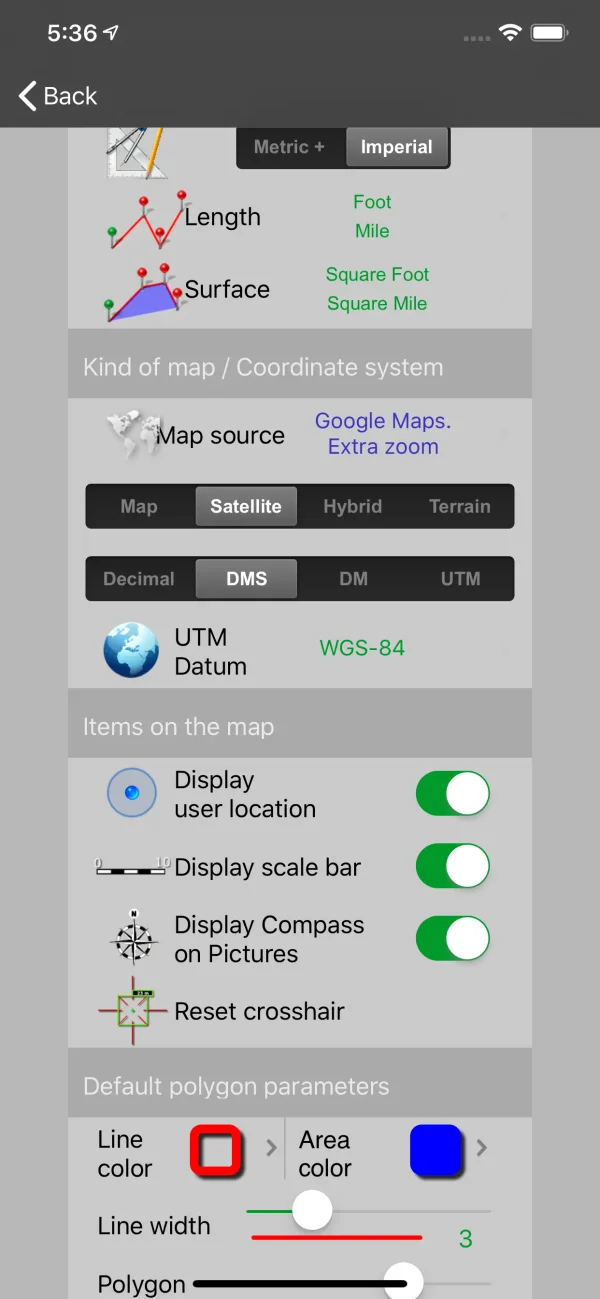
About
Agro Measure Map Pro lets you quickly and easily measure multiple distances, perimeters and areas with laser sharp precision! It even takes into account the curvature of the earth’s surface. Use it for small areas or large, then share your findings via iTunes or email. Click “...More” to learn why you should download this App today!
Calculate surface areas, fields, plots, forest areas or dimensions for fencing, spraying, plowing or anything you need for field work without having to go to the spot to take measurements. Only one finger to calculate with astonishing accuracy all these measurements over satellite images.
That’s what Agro Measure Map Pro is for, to put a powerful, portable measuring tool right in the palm of your hand. Your iPhone, iPod touch or iPad can now provide you with totally precise measurements of any distance, from as small as one tenth of a meter to as big as thousands of kilometers or miles.
Just one "magic" button for all the operations to easily place points without loosing its professional accuracy.
Some features you get in Measure Map Pro:
* Attractive, smooth, easy navigation and use
* For iPhone and iPad
* Retina display
* Apple or G00GLE Maps with extra zoom level.
* Displays Maps View: Map, Satellite, Hybrid and Terrain.
* More maps with extra zoom level through in-app purchase: Bing, Yahoo Maps, and ArcGIS. And MapQuest, Open Street, Open Cycle, World Street and more in the future
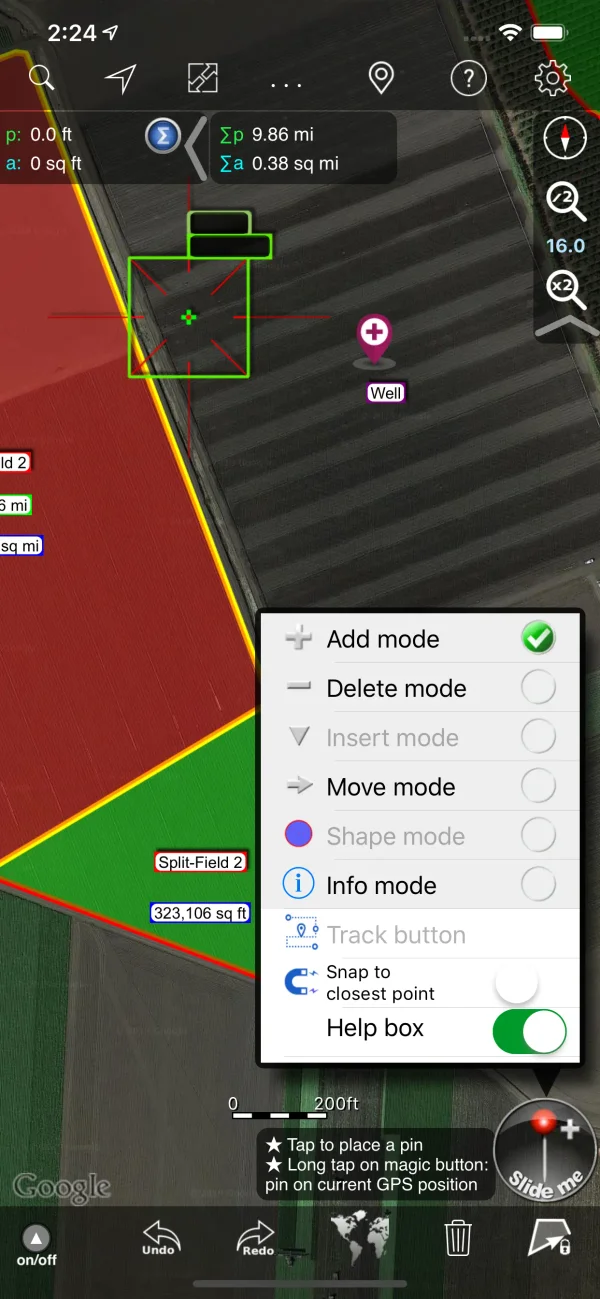
* Operations: Add, delete intermediate pins, insert between pins, move pins, get info.
* Circles and rectangles
* Multiple areas and routes on screen
* Display of altitude above sea level, azimuth and angle
* Undo and redo operations as needed
* AirPrint and iCloud support
* Calculates azimuth or bearing
* Search for current location, text (villages, places of interest, etc.) or an area or route
* Lots of longitude and surface measurement units
* Intermediate distances between pins can be displayed
* Ability to select color, thickness and transparency
* Working format: Measure Map, KMZ, KML (G00GLE Earth), CSV (Excel), GPX, Image (PNG) and PDF
* Export and import of surfaces and routes via e-mail, iTunes, AirDrop and Dropbox.
* Save to photo album
* Download surfaces and routes from the Internet.
* Apple Pencil drawing mode (with iPad Pro)
Differences with the non-pro version:
* Calculates multiple areas and routes simultaneously
* Ability to create inner polygons as "holes".
* Drawing of shapes: circle and rectangle.
* More maps with extra zoom level through in-app purchase
* Calculates azimuth or bearing
* Displays altitude above sea level, azimuth and angle.
* Imports KML, KMZ and GPX format files besides exporting them.
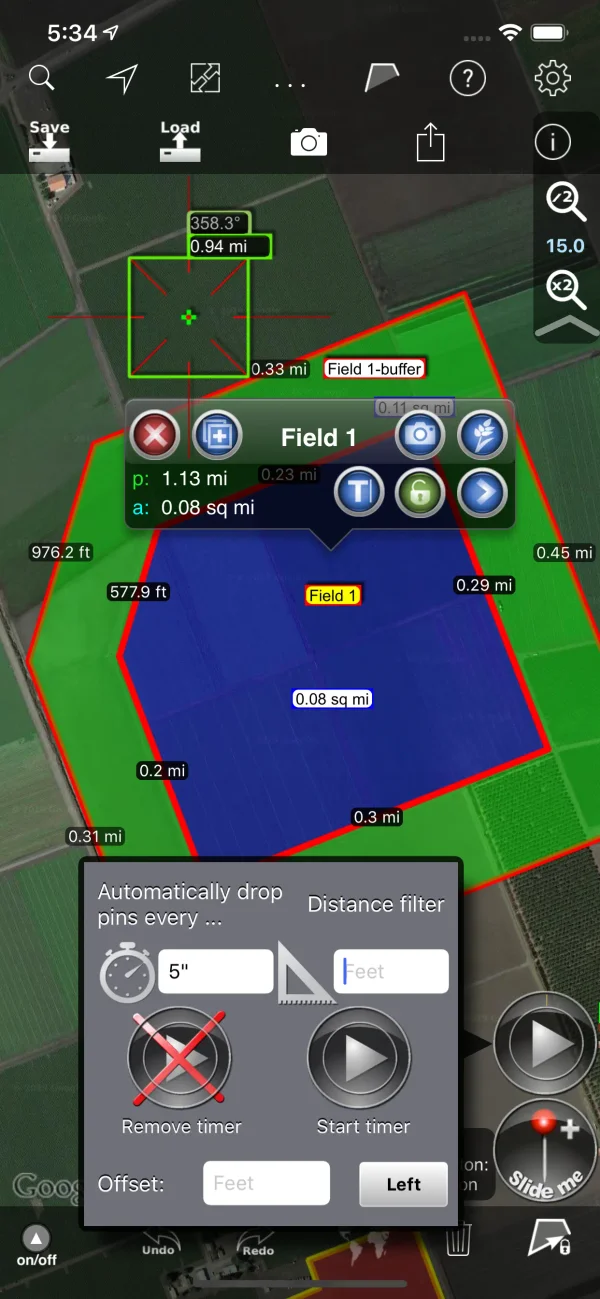
* Track mode: drops pins on current GPS position at regular intervals.
(Continued use of GPS running in the background can dramatically decrease battery life)
* Coordinate system DM
* Apple Pencil drawing mode (with iPad Pro)
* Autosave
Agro exclusive Features:
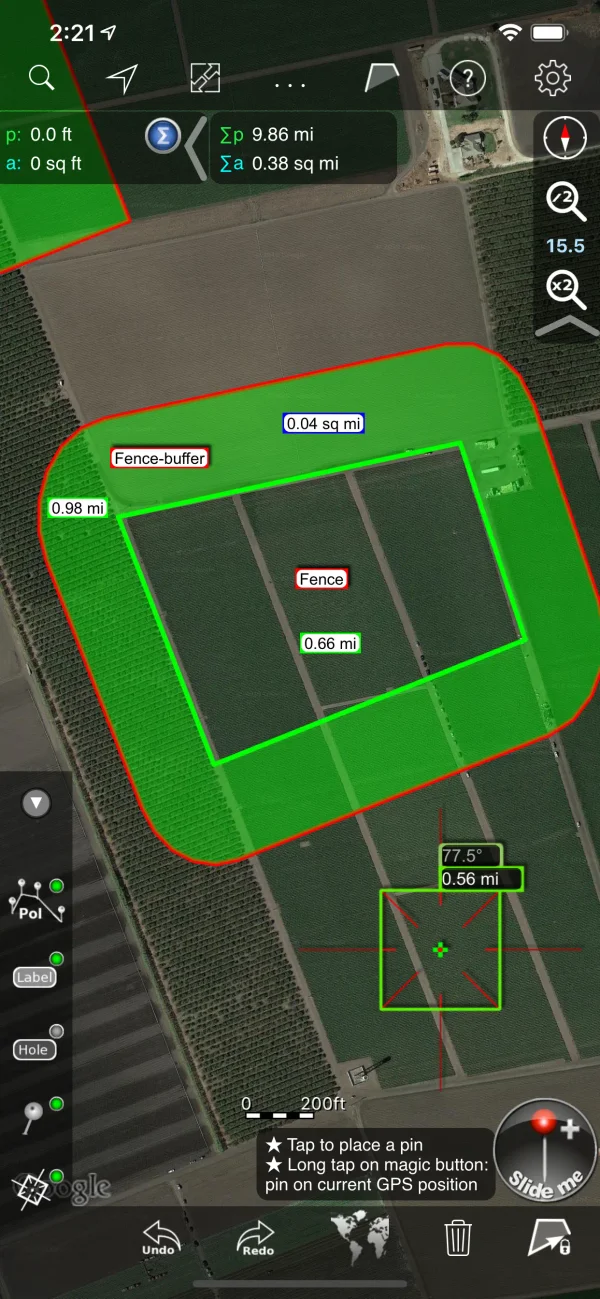
- A Buffer area generator. Enter a distance and Agro M.M. Pro will create a buffer area around any polygon.
- A Grid generator to calculate the number of seedlings and best position to maximise it.
- Split and join polygons for rearrangement of fields and crops.
- More to come with your suggestions. Please send them to info@globaldpi.com.
If precise measurements are important to you, this is the app you need. You won’t find one that is better, more accurate and easier to use.
Terms of use: https://www.apple.com/legal/internet-services/itunes/dev/stdeula/
What’s new
Version 10.1 · Nov 25, 2026
What's new in 10.1
• Layers that travel with your project: image layers, MBTiles maps and reference layers are uploaded to our servers when you are logged in, so the project shows them on your other devices, and to anyone you send it to. Projects from Measure Map Online now open with their MBTiles maps and reference layers too.
• MBTiles maps are saved with the project, with a row in the Layers list and a panel of their own (name, transparency, delete). Files of up to 1 GB.
• Place an image layer while seeing the picture, from Files or your photo library.
• Grids: the map stays smooth with a grid shown, and seedlings are counted while you drag it.
• Choose Polygon, Polyline or Spot from a menu on the mode button.
• Groups show their outline on the map, with their actions on the group's name.
• Outlines that cross themselves are measured lobe by lobe.
• Your work is saved a few seconds after every change.
• A faster map: Google, Bing and HERE tiles load in the background, HERE maps are back, and tiles are not requested over and over without a connection.
• Smoother Apple Pencil drawing, with one Undo step per stroke.
• GPS points are taken only from recent, precise positions, and GPS recording stays fast on long walks.
• Many fixes: figures in some units and angles, coordinates, KML, GPX, GeoJSON and CSV files, Undo, crashes and translations.
App privacy
What Blue Blink One, SL declares on the App Store about how this app handles data.
-
Data linked to you
May be collected and linked to your identity.
- Location
- Contact info
- User content
- Identifiers
- Usage data
-
Data not linked to you
May be collected but is not linked to your identity.
- Diagnostics
Privacy practices may vary, for example with the features you use or your age.
Information
- Seller
- Blue Blink One, SL
- Category
- Utilities
- Version
- 10.1
- Updated
- Nov 25, 2026
- Released
- Jan 29, 2015
- Size
- 243.4 MB
- Requires
- iOS 15.0 or later
- Age rating
- 4+
- Price
- $74.99
- In-app purchases
- Yes
- Languages
- English, Catalan, Danish, Dutch, French, German, Greek, Hindi, Hungarian, Indonesian, Italian, Japanese + 13 more
- Copyright
- © 2021 Blue Blink One, SL
You might also like
-
 Decibel Q: Sound & Light MeterNoise,Audio,Frequency Analyzer
-
 SN110Utilities
-
 M8 Systems FieldM8Irrigation from your phone
-
 GuardaUtilities
-
 Proposal Writer 4Utilities
-
 Kine_Tik+Gyroscopes Barometer and GPS
-
 Concrete Calculator 2025Concrete Calculator Plus
-
 PuconAppUtilities
-
 Mapp.itMonitor crops in real-time
-
 Agtech Meeting 2026Utilities