
AI CountCamera-Object Counting
Count anything you need
Designed for iPhone, iPod touch
Free · In-app purchases
- Age rating4+
- CategoryUtilities
- Developer思源 伍
- LanguagesEnglish+ 1 more
- Size7.6 MB
Links to the official App Store page
Download.org hosts no file of AI CountCamera-Object Counting. The button opens its official App Store page, published by 思源 伍. Listing last checked on Nov 12, 2026.
Screenshots
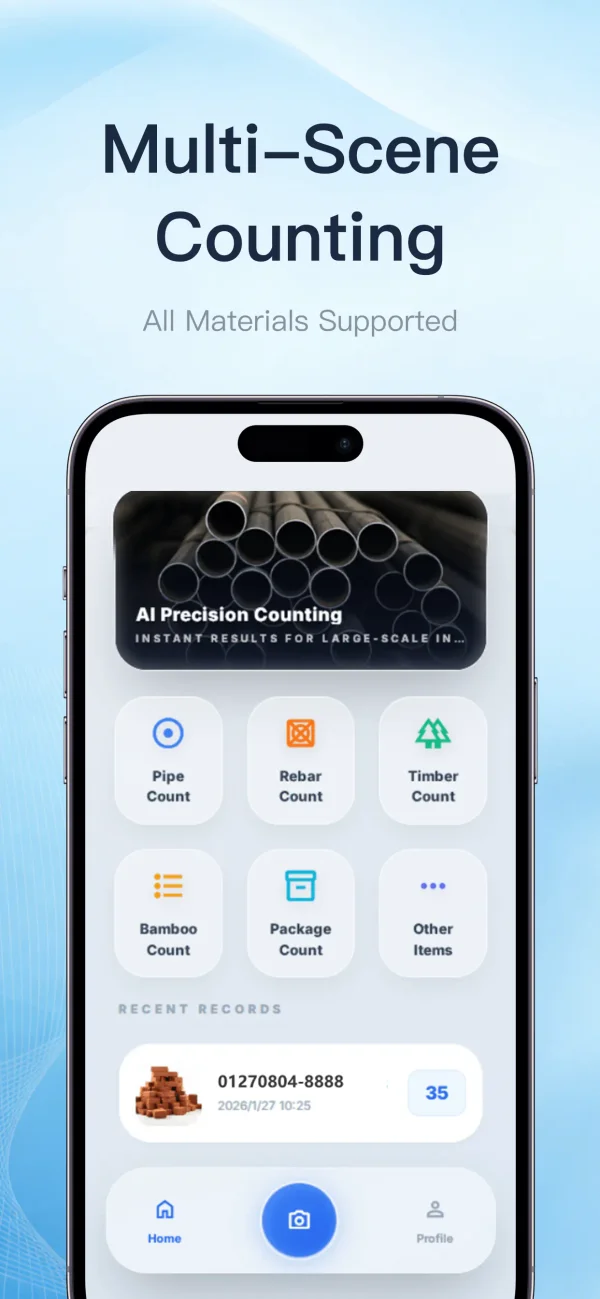
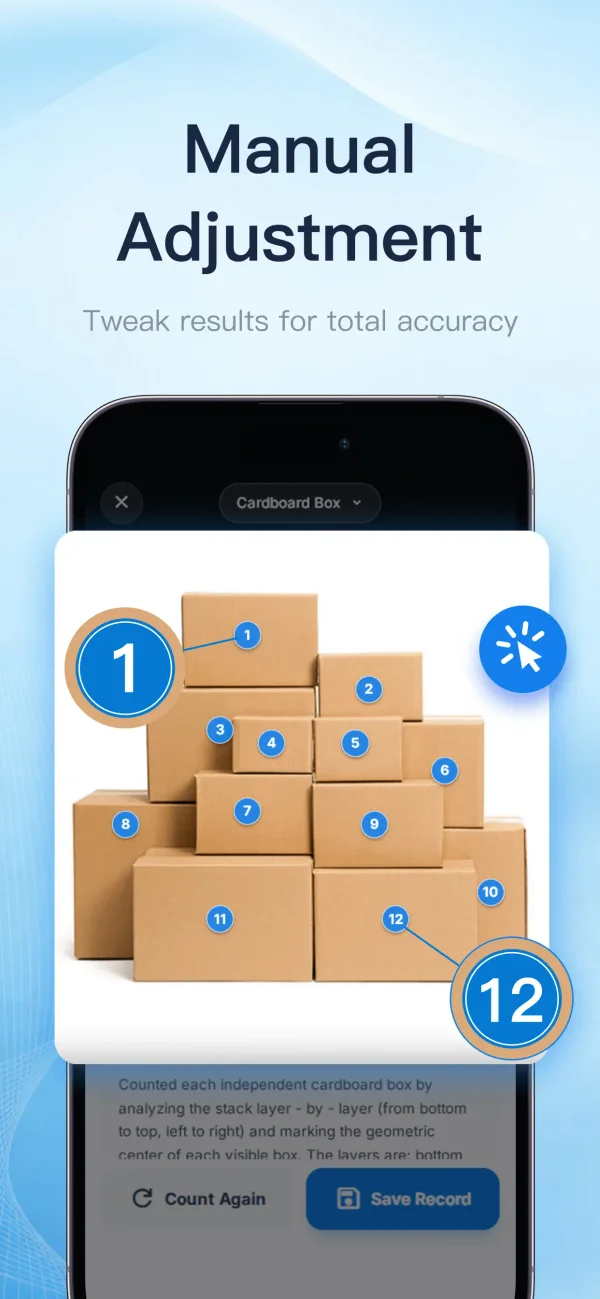


About
AI-Powered Accurate Recognition, One-Click Counting, Making Inventory Effortless!
Are you still struggling with large-scale material counts? Manual counting is time-consuming and error-prone? Try the "AI CountCamera —a professional inventory solution powered by AI image recognition. It instantly tallies items like steel bars, pipes, logs, bricks, and more with high accuracy, saving time, effort, and hassle!
Core Features
AI-Powered Instant Recognition
Utilizes advanced image recognition algorithms to automatically scan and identify object endpoints in photos. It supports various materials like steel bars, pipes, bamboo sticks, and packages, generating results in seconds without manual input.
Combines speed (e.g., 1-second recognition) and adaptability (e.g., 99% accuracy even in low-light conditions).
Manual Adjustments for Precision
After AI counting, users can manually add or remove marks by tapping missed or misidentified objects, ensuring full accuracy. This is ideal for complex scenarios like overlapping items.
Historical Records & Export
Automatically saves counts with details like material type, quantity, and timestamp. Records can be exported as PDF or Excel for easy tracking and management.
Simple Workflow
A four-step process: Open app → Select material type → Take photo → AI counts → Save. Designed for ease of use, even for non-experts.
Use Cases
Construction: Count steel bars, pipes, bricks swiftly.
Warehousing: Inventory logs, bamboo sticks, or packages.
Production QC: Batch checks of parts or raw materials.
Daily Life: Any scenario requiring quick counts (e.g., pills, seeds).
Why It Stands Out
Offline Functionality: Core features work without internet, ideal for remote sites.
Bulk Processing: Handles multiple photos in one batch, boosting efficiency.
Specialized AI Models: Tailored algorithms for materials like steel bars or logs, reducing errors in cluttered environments.
This tool transforms tedious manual counts into a smart, efficient process—whether on construction sites, in warehouses, or daily tasks.
[Membership Instructions]
1. Monthly card member:
Price: ¥18/month
Period: One-time deduction
2. Annual card members:
Price: ¥88/year
Period: One-time fee deduction
3. Permanent member:
Price: ¥68
Period: One-time payment, lifetime access to the feature
4. Annual subscription:
Price: $6.99/year
Subscription period: annual
5. Monthly subscription:
Price: $3.99/month
Subscription period: Monthly
6. Weekly subscription:
Price: $2.99/week
Subscription period: weekly
Payment: After the user confirms the purchase and makes the payment, it will be charged to the iTunes account
[Regarding automatic renewal and payment]
1. Payment: After the user confirms the purchase and makes the payment, it will be charged to the iTunes account
2. Automatic renewal: Apple iTunes account will be charged 24 hours before the expiration date. After the charge is successful, the subscription period will be extended by one subscription period
3. Service cancellation: You can cancel the service by following these steps on your Apple device: Go to "Settings" --> "iTunes Store and App Store" --> click on "Apple ID", select "View Apple ID", enter the "Account Settings" page, click on "Subscription", and manage automatic renewal services. To cancel, simply close the service 24 hours before the end of each billing cycle, and no further charges will be applied within 24 hours before expiration.
[Agreement]
1. User Agreement: https://dianshu.dingxuanhui.com/useragreement_ios
2. Privacy Agreement: https://dianshu.dingxuanhui.com/privacypolicy_ios
What’s new
Version 1.0.1 · Apr 29, 2026
Optimize user experience and fix known bugs
App privacy
What 思源 伍 declares on the App Store about how this app handles data.
-
Data used to track you
May be used to track you across apps and websites owned by other companies.
- Identifiers
-
Data not linked to you
May be collected but is not linked to your identity.
- Identifiers
Privacy practices may vary, for example with the features you use or your age.
Information
- Seller
- 思源 伍
- Category
- Utilities
- Version
- 1.0.1
- Updated
- Apr 29, 2026
- Released
- Jan 28, 2026
- Size
- 7.6 MB
- Requires
- iOS 15.0 or later
- Age rating
- 4+
- Price
- Free
- In-app purchases
- Yes
- Languages
- English, Simplified Chinese
- Copyright
- © 2026 siyuan wu
You might also like
-
 智能点数-数钢管、数钢筋、数签子Utilities
-
 Count CameraCountThings from Photos
-
 闪电数钢管-一键拍照扫描计数Utilities
-
 拍照计数王-点数神器数钢管Utilities
-
 Count Things +Count This - Pill Counter
-
 AI Photo CounterCount anything on your camera
-
 Count Things: Photo CountingCamera scanner & counter
-
 CountHelper-Count FastCount smarter, not harder
-
 Object Counting from PhotosScan pills, coins & things
-
 CountVision – AI Object CountCount anything from photos