
AI Message Generator
AI suggests message content
Designed for iPhone, iPad, iPod touch
Free
- Age rating4+
- CategoryUtilities
- DeveloperJunta Shoji
- LanguagesEnglish+ 1 more
- Size46.9 MB
Links to the official App Store page
Download.org hosts no file of AI Message Generator. The button opens its official App Store page, published by Junta Shoji. Listing last checked on Nov 18, 2026.
Screenshots
About
"We will politely put into words your feelings that AI has felt."
◢ Overview
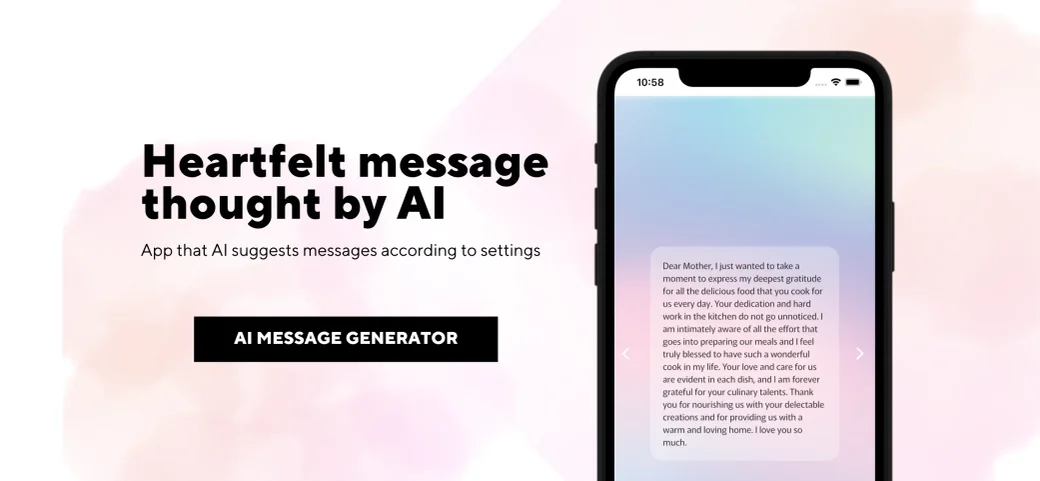
"AI Message Generator" is an application that AI proposes a message that matches the settings by setting the theme, destination, content, tone, and number of characters. For example, you can use it when you are worried about how to write a message such as a birthday message or a business email. It is also recommended for those who find it troublesome to write by themselves or who are not confident in their writing skills.
◢ Merit
• Since you can easily receive message suggestions, you can easily create messages.
• Since the message proposed by AI uses appropriate wording and grammar, you can create professional sentences without mistakes.
• By setting items, the type of message created changes, so you can create more appropriate sentences.
• Since AI automatically generates without relying on templates, you can create unique messages without creating messages similar to others.
• Save time by creating different types of messages simply by changing settings.
◢ Main function list
• Message creation function
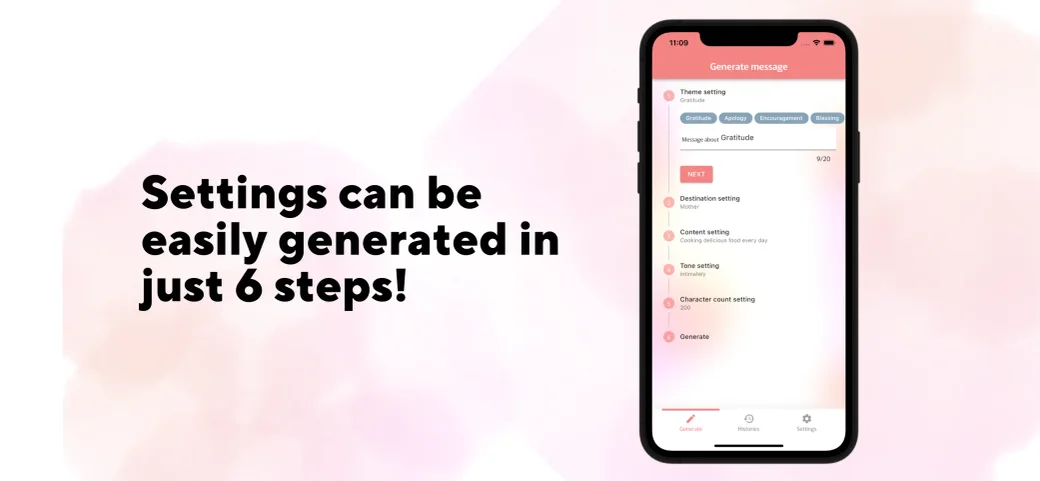
Just by setting the theme, recipient, content, tone, and number of characters, a message created by AI will be created.
• Message sharing function
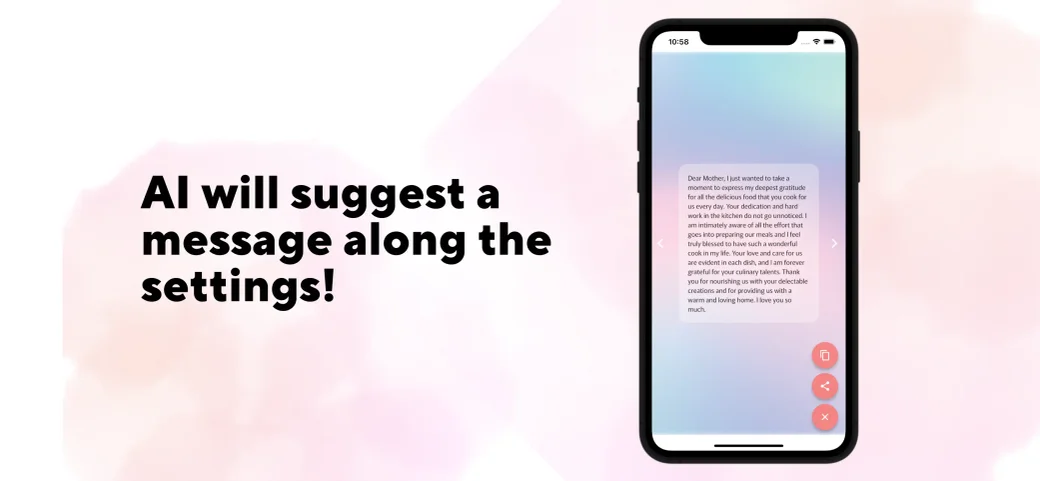
You can copy the message you created and share stylish message cards with several designs.
• History function
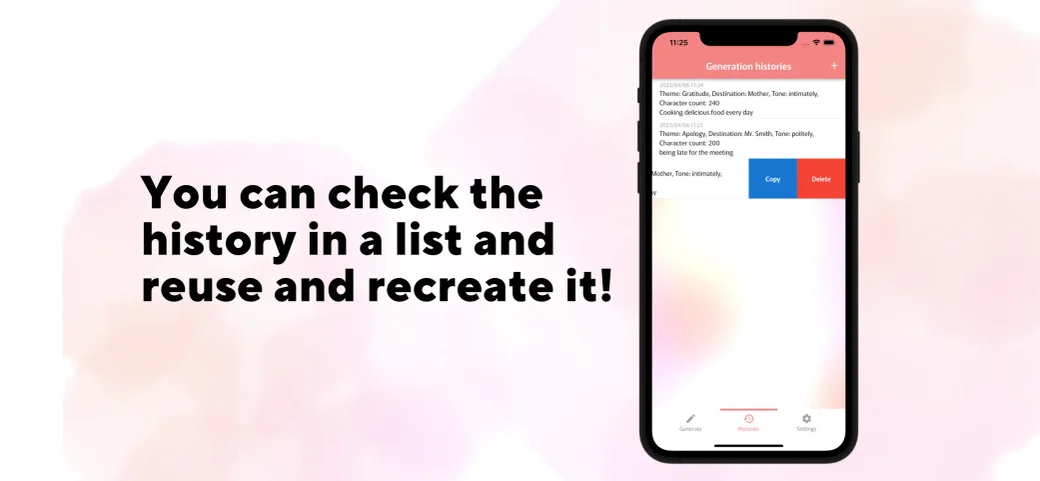
You can check the messages created in the past, and reuse them to recreate them.
◢ Pricing
It is available free of charge.
◢ How to Use
1. Download the app and install it.
2. Launch the app and set the theme, destination, content, tone, number of characters, etc.
3. When you click the "Generate" button, AI will suggest a message that matches your settings.
4. Review the suggested message and text copy or share an image if desired.
◢ Developer
Cinnamonista (https://cinnamonista.com/)
- Privacy policy(https://cinnamonista.com/privacy)
What’s new
Version 1.0.4 · Jan 7, 2024
・Minor bug fixes
App privacy
What Junta Shoji declares on the App Store about how this app handles data.
-
Data used to track you
May be used to track you across apps and websites owned by other companies.
- Usage data
-
Data not linked to you
May be collected but is not linked to your identity.
- User content
- Usage data
- Diagnostics
Privacy practices may vary, for example with the features you use or your age.
Information
- Seller
- Junta Shoji
- Category
- Utilities
- Version
- 1.0.4
- Updated
- Jan 7, 2024
- Released
- Apr 10, 2023
- Size
- 46.9 MB
- Requires
- iOS 13.0 or later
- Age rating
- 4+
- Price
- Free
- Languages
- English, Japanese
- Copyright
- © 2023 Junta Shoji
You might also like
-
 AI Keyboard・ReplyAssistantTranslate, Grammar Spell Check
-
 TextAI - AI Texting AssistantText Message Writer & Rizz
-
 Quick Replies - Paste KeyboardAuto Copy & Text Expander Fast
-
 AI Grammar Check: AI WriterAI Reword Writing Proofreader
-
 Help me write this card!...use AI to write your cards
-
 AI Chatbot Personal AssistantReal Conversation with the Bot
-
 AI Story Generator-Write NovelAI Story & Novel Generator
-
 Rizz Mentor AI:Flirt AssistantFlirting Pickup Lines Replies
-
 Correct me: AI writing helperKeyboard grammar & spell check
-
 LazyBoard: Text ExpanderQuick Reply & Paste Keyboard