Voice Memo AI - Convoxa
Transcribe Meeting Notes
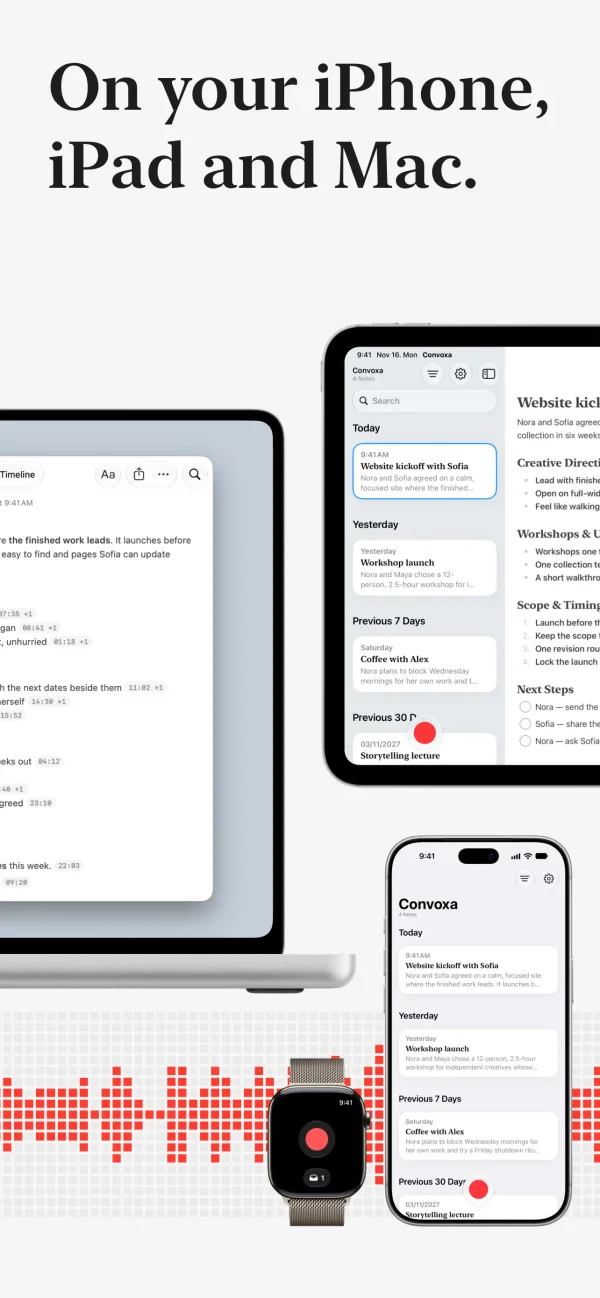
Designed for iPhone, iPad, Mac
Free · In-app purchases
- Age rating4+
- CategoryProductivity
- DeveloperKaram Al-Askar
- LanguagesEnglish+ 18 more
- Size38.5 MB
Links to the official App Store page
Download.org hosts no file of Voice Memo AI - Convoxa. The button opens its official App Store page, published by Karam Al-Askar. Listing last checked on Nov 25, 2026.
Screenshots

About
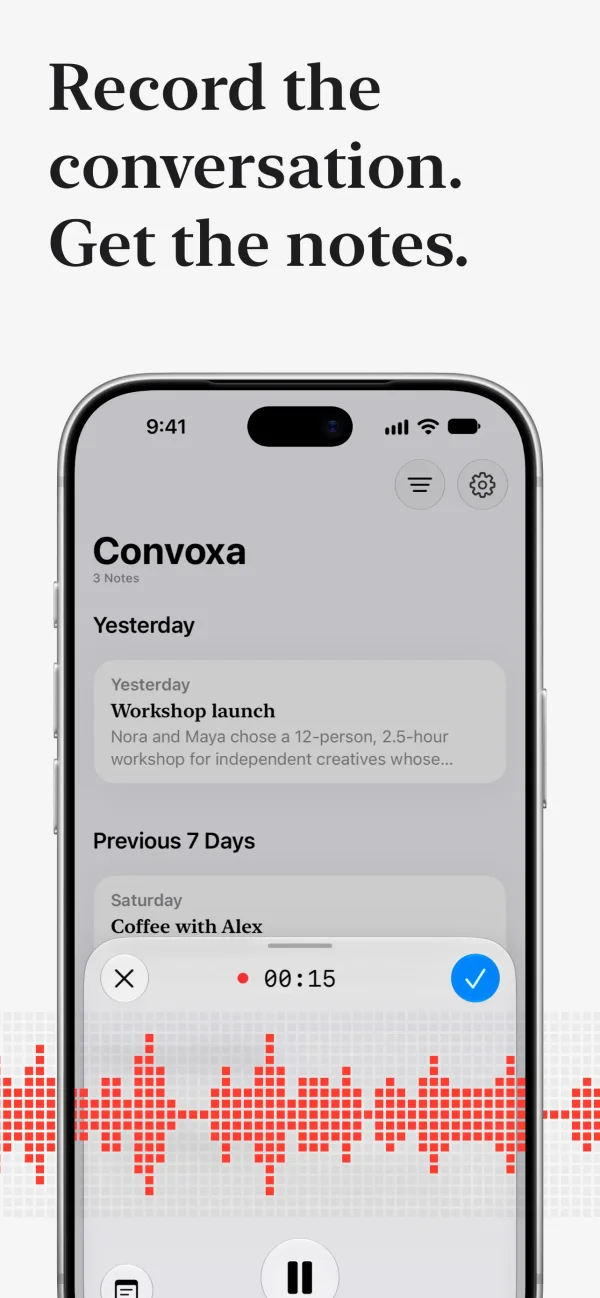
Record any meeting, lecture, or conversation. Convoxa transcribes it and writes the notes for you: what was discussed, what was decided, what you said you'd do.
One press to start. Free every month.
PRESS ONCE
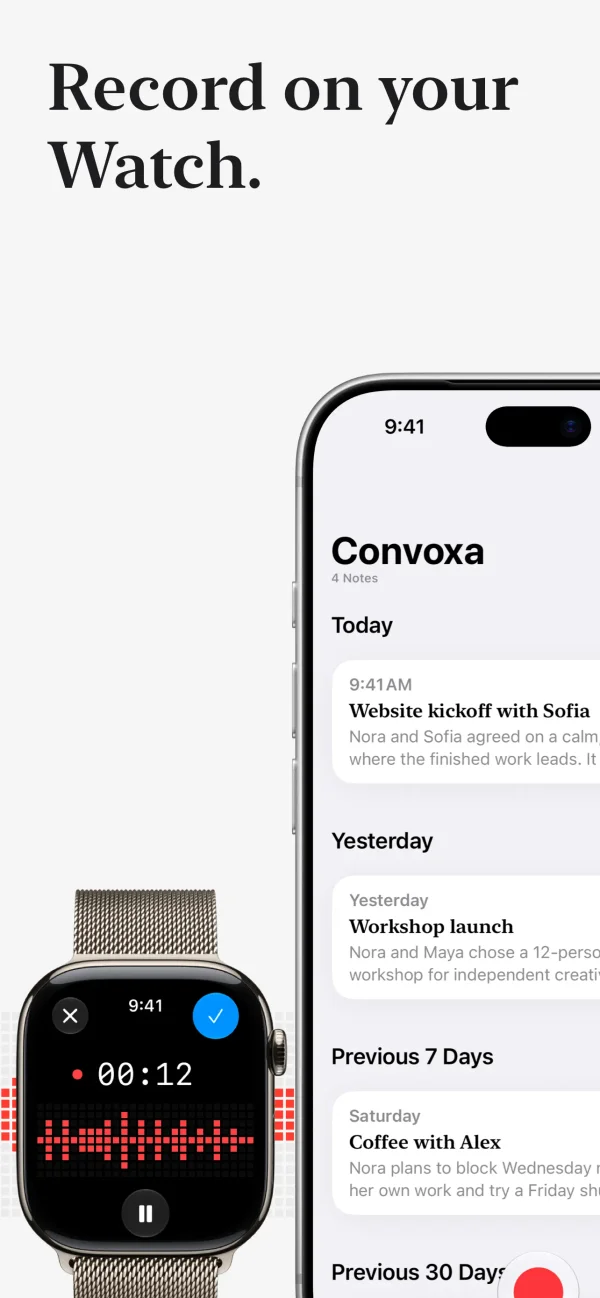
Action Button, Siri, Lock Screen, Control Center, or your Apple Watch. Start at the top of a meeting or halfway through it. A two-hour lecture, a quick client call, a thought in the car.
BE PRESENT
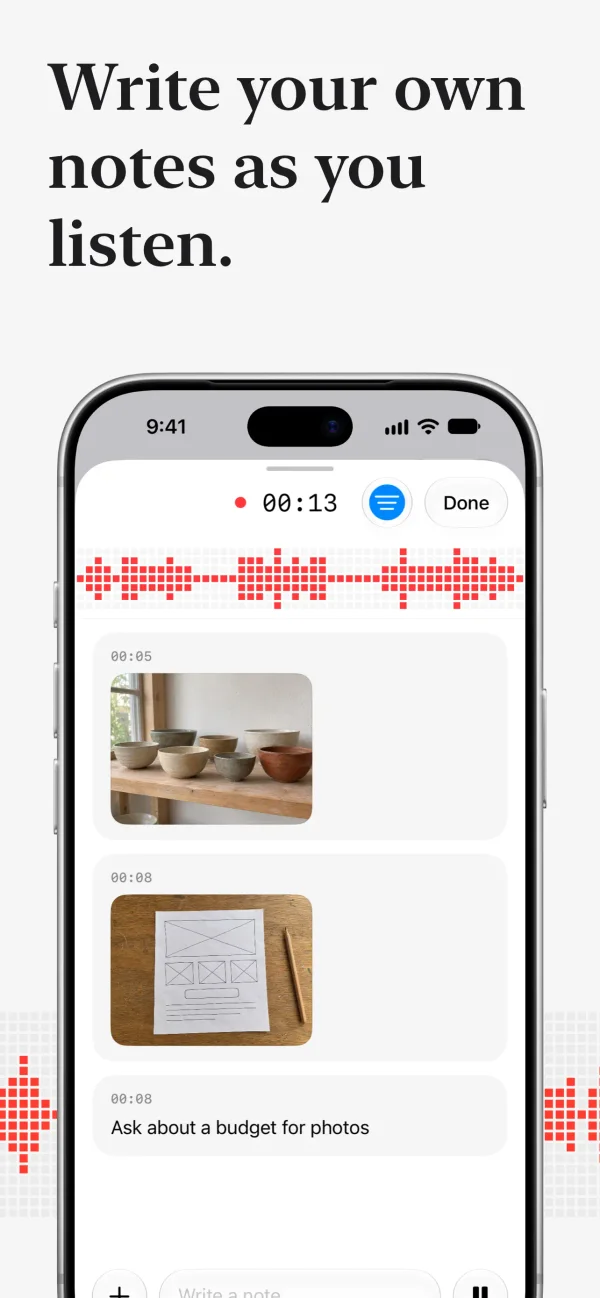
You listen. Convoxa keeps track. When someone puts up a slide or sketches on the whiteboard, snap it. It won't end up as an attachment at the bottom of the note: Convoxa reads it and writes it in where the discussion happened.
THE NOTE WRITES ITSELF
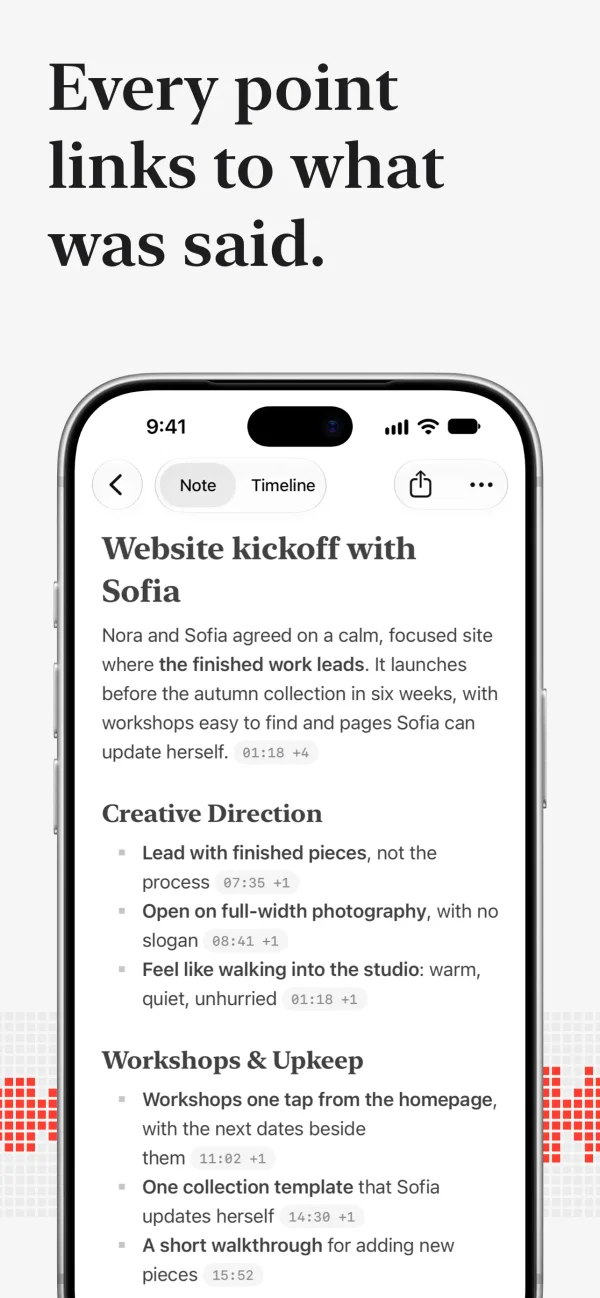
When you finish, the note is ready: headings, key points, decisions, and a checklist of next steps. And it's yours to edit, not a read-only recap. Rewrite a line that missed the point, tick off tasks as you finish them, highlight, restructure.
HEAR IT AGAIN
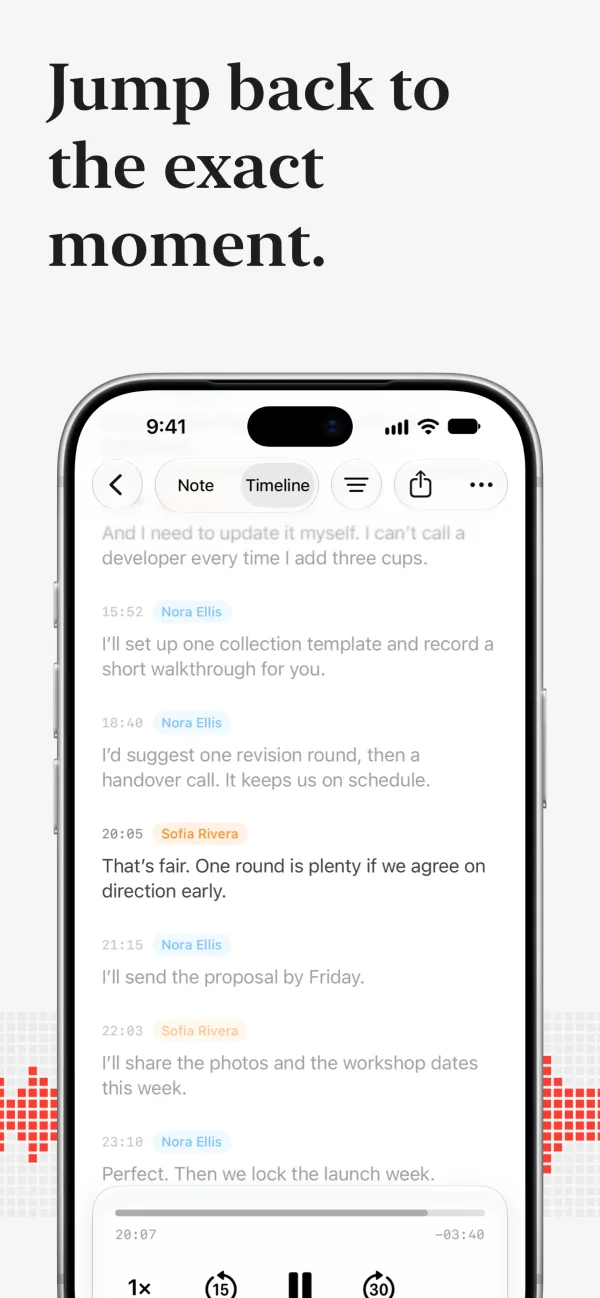
Every line in the note links back to the moment it came from. Tap it to hear exactly how it was said: the quote for your article, the date your professor mentioned, the number the client agreed to.
CLOUD OR ON-DEVICE
Cloud transcription understands 60+ languages. On-device mode works completely offline and shows the transcript live as you record. Either way, Convoxa labels who said what. On-device mode uses Apple Intelligence, available on iPhone 15 Pro and later in supported languages and regions.
CONFIDENTIAL BY DEFAULT
On-device transcription never sends your audio anywhere. It doesn't leave your iPhone, because it never needs to.
If you choose cloud transcription for accuracy or language coverage, the audio is deleted as soon as it's processed. It is never stored, never shared, and never used to train AI models. Neither are your notes.
FIND ANYTHING
Search every note from Spotlight without opening the app, or ask Siri: "What did we decide about the launch?" (requires Siri AI, where available). Everything syncs privately over iCloud, so a meeting recorded on your iPhone is on your iPad and Mac before you sit down with it. Export as plain text, Markdown, or PDF.
Build your own workflows with Shortcuts: bring in audio from other apps, or send your notes wherever you work.
PRICING
Convoxa Free: 5 recordings every month, up to 30 minutes each, with every feature included, cloud transcription too.
Convoxa Pro: unlimited recordings and transcription, on-device and cloud, monthly or yearly. Cloud recordings can run up to 3 hours each. Fair use applies.
Payment will be charged to your Apple Account at the confirmation of purchase. Subscription automatically renews unless it is canceled at least 24 hours before the end of the current period. Your account will be charged for renewal within 24 hours prior to the end of the current period. You can manage and cancel your subscriptions by going to your account settings on the App Store after purchase.
Terms and Conditions: https://www.convoxa.com/terms
Privacy Policy: https://www.convoxa.com/privacy
What’s new
Version 3.0 · Nov 20, 2026
Convoxa 3.0 is here.
• Convoxa Pro is now unlimited. Record as much as you want in On Device and Cloud modes, with no monthly hour limits and no price increase. Terms apply.
• Convoxa Free now renews every month: 5 notes, up to 30 minutes each.
• Meet Quantize, a fresh new look: pixel-grid waveform, serif headings, a new app icon, and a redesigned recording sheet.
• Pause and finish recordings from your Lock Screen or Dynamic Island, and see live audio levels on Apple Watch.
• Follow every step from recording to transcript to notes, with cloud notes delivered as soon as they're ready.
App privacy
What Karam Al-Askar declares on the App Store about how this app handles data.
-
Data not linked to you
May be collected but is not linked to your identity.
- User content
- Identifiers
- Usage data
Privacy practices may vary, for example with the features you use or your age.
Information
- Seller
- Karam Al-Askar
- Category
- Productivity
- Version
- 3.0
- Updated
- Nov 20, 2026
- Released
- Feb 3, 2026
- Size
- 38.5 MB
- Requires
- iOS 26.0 or later
- Age rating
- 4+
- Price
- Free
- In-app purchases
- Yes
- Languages
- English, Arabic, Czech, Danish, Dutch, Finnish, French, German, Hungarian, Italian, Japanese, Korean + 7 more
- Copyright
- © Karam Al-Askar
You might also like
-
 Thought Capture: OllyVoice Memos & Brain Dump
-
 Hours tracker - TimoTime Calculator & Work Log
-
 VivaDicta - Speech to TextVoice Transcription with AI
-
 Whispr: Voice to Text KeyboardPrivate AI Dictation, Offline
-
 bypassgpt undetectable aihumanizer - human ai
-
 Tasks Pro: To-Do & PlannerVoice Tasks & Daily Planner
-
 Shelver: Home OrganizationHome Inventory Tracker
-
 Jot - Instant Brain DumpQuick ADHD Voice Notes & Lists
-
 Nyblit 2: To-Do List & PlannerState-Based Productivity
-
 Speech to Text - SonoAI Note Taker