
Balèn
Lecture recordings into notes
Designed for iPhone, iPad, Mac
Free · In-app purchases
- Age rating4+
- CategoryEducation
- DeveloperALESSANDRO FERDINANDO VERRENGIA
- LanguagesEnglish+ 5 more
- Size33.8 MB
Links to the official App Store page
Download.org hosts no file of Balèn. The button opens its official App Store page, published by ALESSANDRO FERDINANDO VERRENGIA. Listing last checked on Nov 26, 2026.
Screenshots


About
Balèn — description of features and functionality
PURPOSE
Balèn is a study tool for university students. It converts recordings of
lectures into structured written notes that the student can read, correct and
keep. It runs on iPhone, iPad and Mac.
CORE WORKFLOW
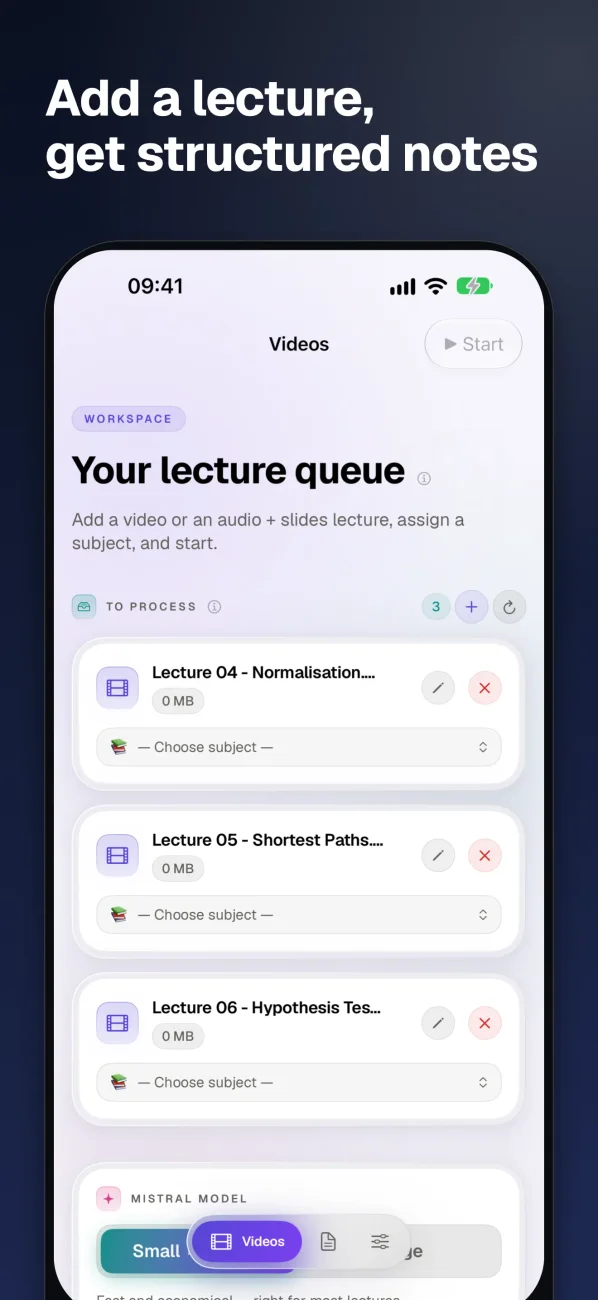
The user imports a lecture in one of two forms: a video recording, or an audio
recording together with the lecturer's PDF slides. The app then:
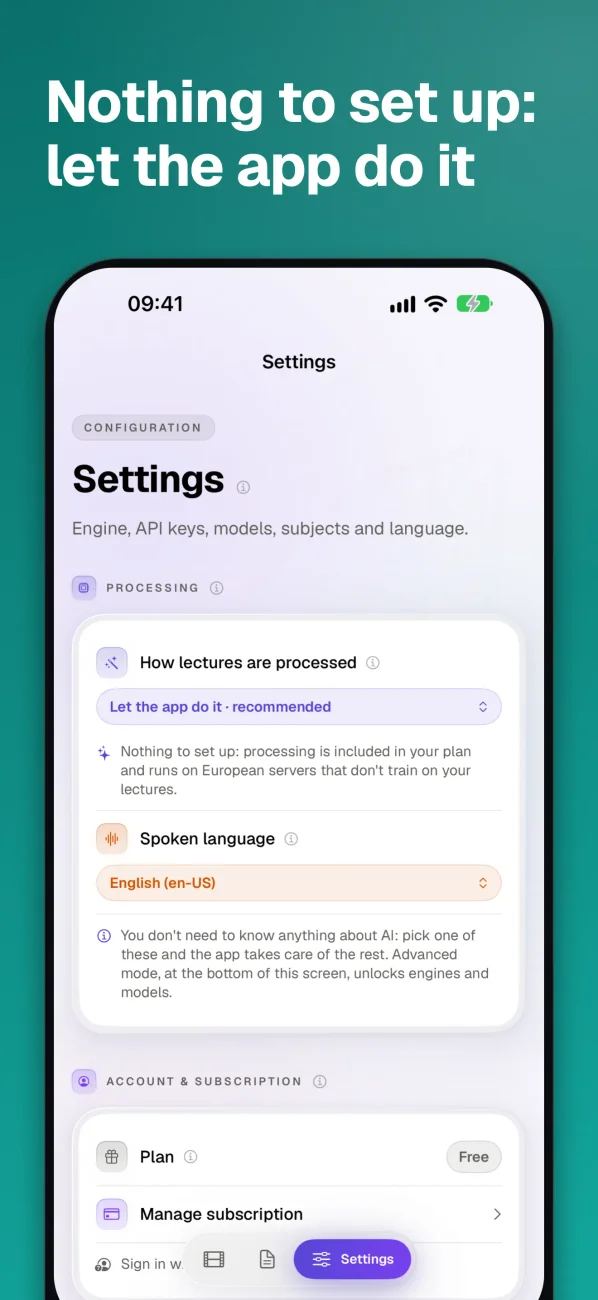
1. Transcribes the speech to text. By default this runs on the device, using
either Apple's speech recognition or a Whisper model executed locally. In
Settings the user can instead choose cloud transcription with Mistral AI's
Voxtral; the app states that the audio leaves the device before it is used.
2. Extracts the visual material — frames from the video, or pages from the PDF —
and aligns it with the point in the transcript where it appears.
3. Sends the transcript and those images to a language model, which organises
them into notes with headings, sections and timestamps.
4. Returns the notes as Markdown, which the user can read in the app, edit,
export, or render as a formatted PDF.
FEATURES
- Subjects: lectures are grouped by course, each with its own name, colour and
icon, so notes stay organised across a semester.
- Five levels of detail, from a short recap to a full write-up of the lecture.
- Editing on the page: the user can edit the text with a formatting toolbar,
highlight, move, resize, add or delete figures, and draw or annotate with
Apple Pencil directly on the notes.
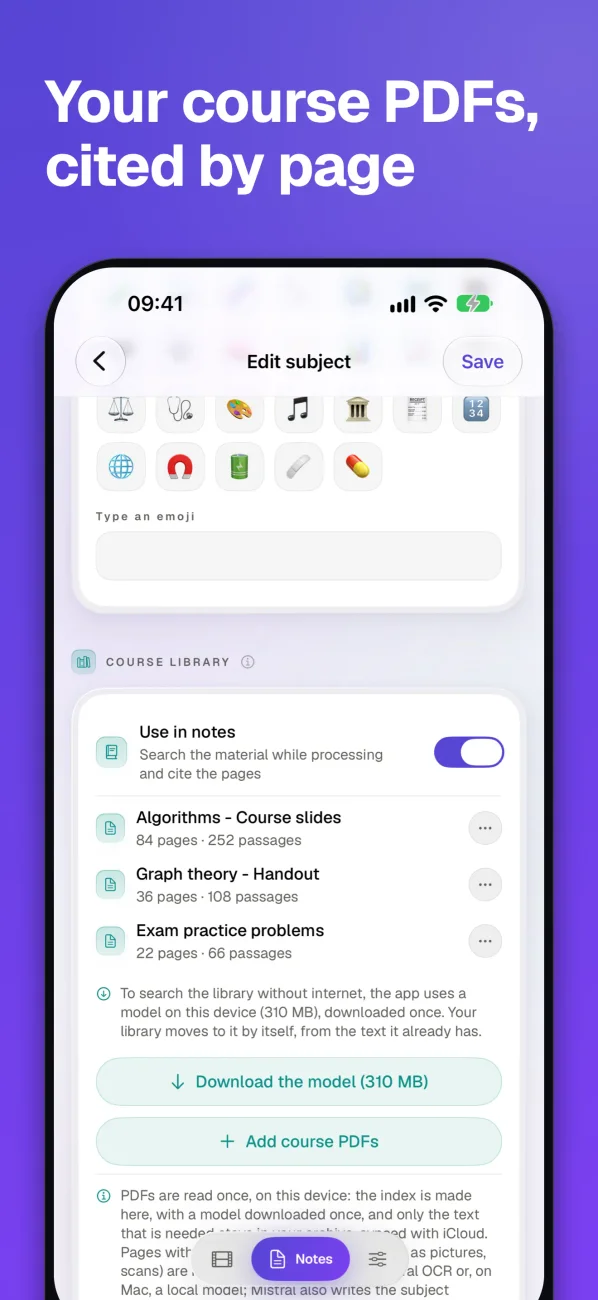
- Course library: for each subject the user can add the course's own PDFs. The
app indexes them on the device and, while writing the notes, uses them to
make definitions and formulas precise, citing the page. Pages with little
or no text are read with Mistral AI's OCR through our server.
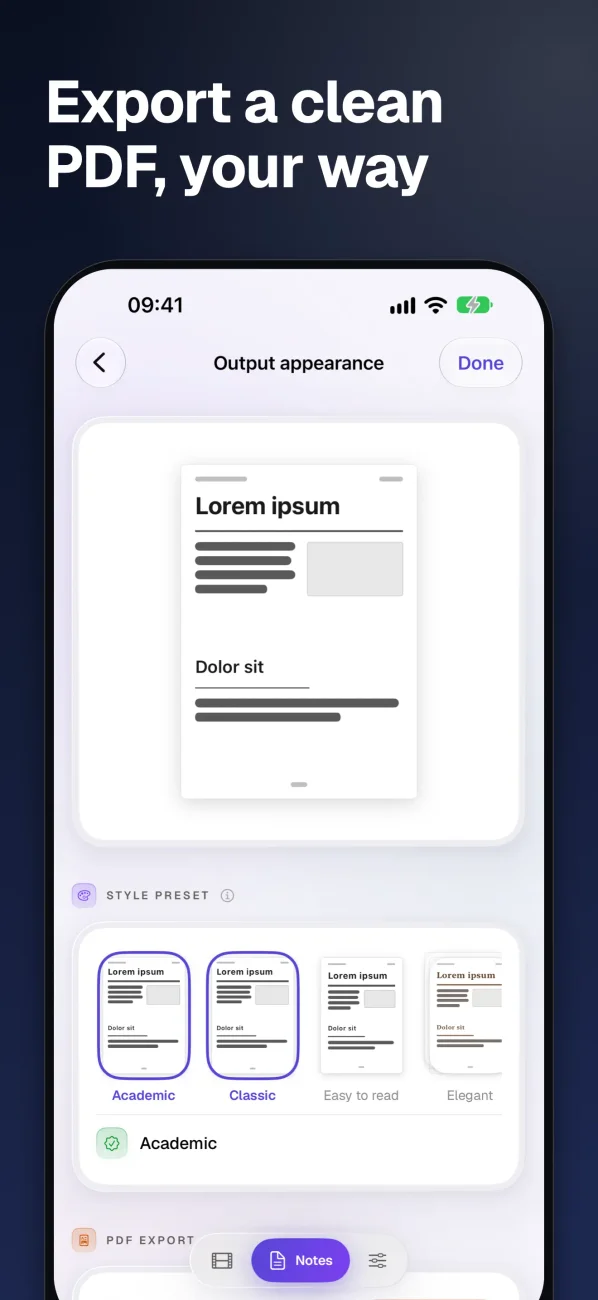
- PDF export with ready-made layout presets or a custom layout, with or
without the user's drawings.
- A processing queue: several lectures can be lined up and processed in
sequence; a long lecture interrupted partway resumes from where it stopped
rather than starting again.
- Parallel processing of multiple lectures, on the Pro tier.
- Notes are plain Markdown files owned by the user, exportable at any time.
- Interface and generated notes in English, Italian, Spanish, French, German
and Chinese.
- Settings, subjects and notes sync across the user's devices through iCloud;
API keys are kept in the iCloud Keychain.
- Sign in with Apple for identity; no account of ours is created and no email
address is collected.
PROCESSING ENGINES
The user chooses where their material is processed, and the app states the
consequence before every run:
- Local: a language model running on the user's own Mac through LM Studio,
combined with on-device transcription. No content leaves the user's hardware.
- Managed engine: the transcript and slide images are relayed by a server we
operate to Mistral AI, a European provider that does not train on API data.
It is used for the free trial lectures and is included with the paid tiers as
a monthly allowance.
- The user's own API key: content is processed under the user's own account
with Google Gemini, Alibaba Qwen or Mistral AI.
SUBSCRIPTIONS
A free tier includes a 3-day trial with one lecture per day; after the trial,
notes already created stay readable. Two auto-renewable monthly
subscriptions, Plus and Pro, remove the limit and add a monthly allowance on
the managed engine; Pro adds parallel processing and a larger allowance.
Purchases are handled entirely through the App Store.
WHAT THE APP DOES NOT DO
It contains no advertising, no analytics or tracking SDK, and no user-generated
content shared between users. It ships with no third-party material: every file
processed is supplied by the user from their own device. Generated notes are
produced by AI models and are presented as material to verify, not as official
or certified course content.
What’s new
Version 2.0 · Nov 25, 2026
Balèn is the new name of the app, with a new icon. Your notes, API keys and subscriptions stay where they are.
What's new:
• Edit your notes right on the page: move and resize figures, format text, highlight, and draw with Apple Pencil.
• Course library: add your course PDFs and Balèn searches them while writing your notes, citing the pages.
• Export the PDF with or without your drawings, with real page breaks.
• Choose the model directly from the Video screen.
• Faster iCloud sync.
App privacy
What ALESSANDRO FERDINANDO VERRENGIA declares on the App Store about how this app handles data.
-
Data not linked to you
May be collected but is not linked to your identity.
- User content
Privacy practices may vary, for example with the features you use or your age.
Information
- Seller
- ALESSANDRO FERDINANDO VERRENGIA
- Category
- Education
- Version
- 2.0
- Updated
- Nov 25, 2026
- Released
- Aug 21, 2026
- Size
- 33.8 MB
- Requires
- iOS 17.0 or later
- Age rating
- 4+
- Price
- Free
- In-app purchases
- Yes
- Languages
- English, French, German, Italian, Simplified Chinese, Spanish
- Copyright
- © 2026 Alessandro Ferdinando Verrengia
You might also like
-
 Sharda AI UniversitySharda AI University
-
 Eroodite: AI Study BuddyExams, flashcards, AI tutor
-
 Hekko: AI Note TakerMeeting & lecture notes, quiz
-
 AkWWEducation
-
 Lernix AI: Study AnythingPDF, Audio & YouTube Notes
-
 ChatEDU: AI Study Guide & QuizPDF Flashcards, Tests & Notes
-
 SCE.NETEducation
-
 Tasawwur: Visual Study TutorStudy guides with drawings
-
 myPoliFileEducation
-
 Clear Arabic Grammar ReferencePrinciples of Arabic Grammar