
Air Transfer-File Sharing
Clipboard sync, data transfer
Designed for iPhone, iPad, iPod touch
Free
- Age rating4+
- CategoryUtilities
- Developer意 田
- LanguagesEnglish+ 16 more
- Size47.7 MB
Links to the official App Store page
Download.org hosts no file of Air Transfer-File Sharing. The button opens its official App Store page, published by 意 田. Listing last checked on Nov 23, 2026.
Screenshots
About
'Air Transfer' is a clipboard extension tool, and you can also manage the clipboard synchronously with your computer.After installing the software on the mobile phone or Mac, you can access the local clipboard through the browser on other platforms, and support file uploading
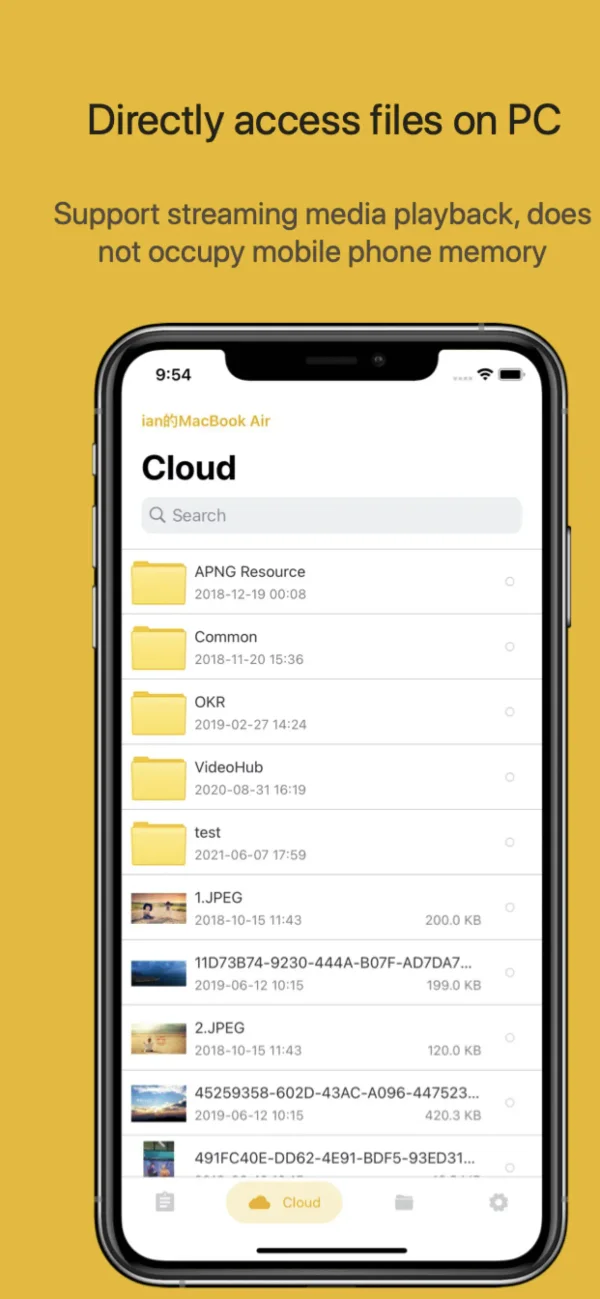
'Air Transfer' for Mac can be searched and downloaded in the app store. You can browse and manage files on your computer directly on your phone, without downloading them, and without taking up storage space on your iOS device.
Special Feature
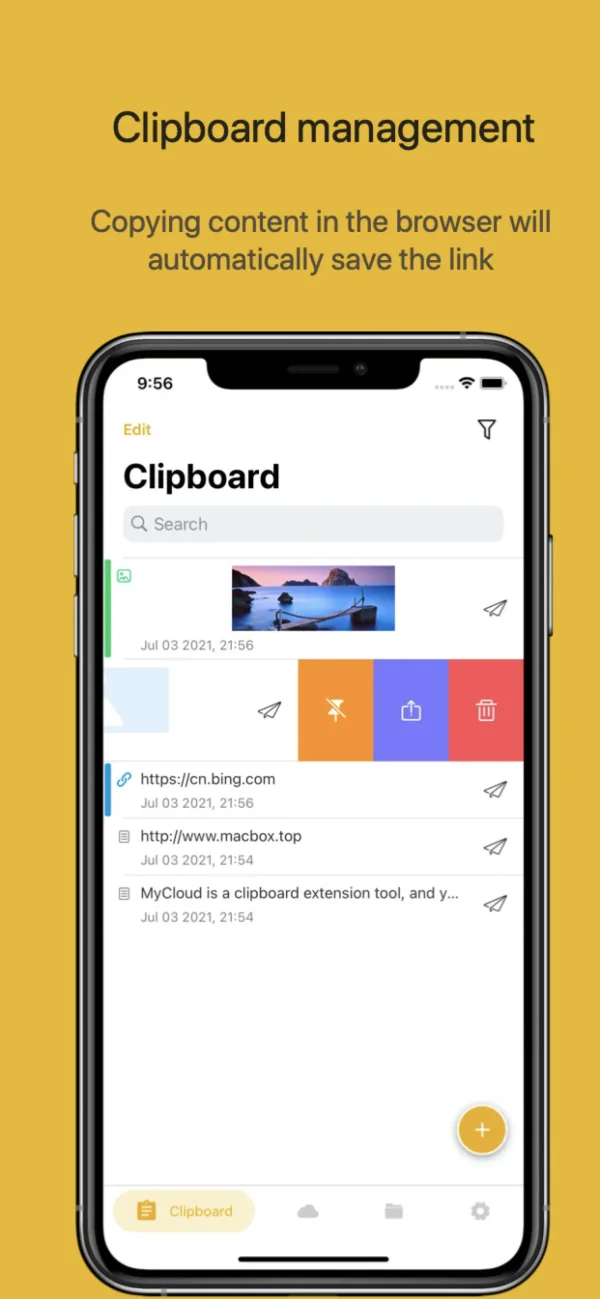
1. Clipboard
• No need to open the App, just swipe to the negative screen to automatically save the latest clipboard
• The content copied in the browser will automatically save the current web page link
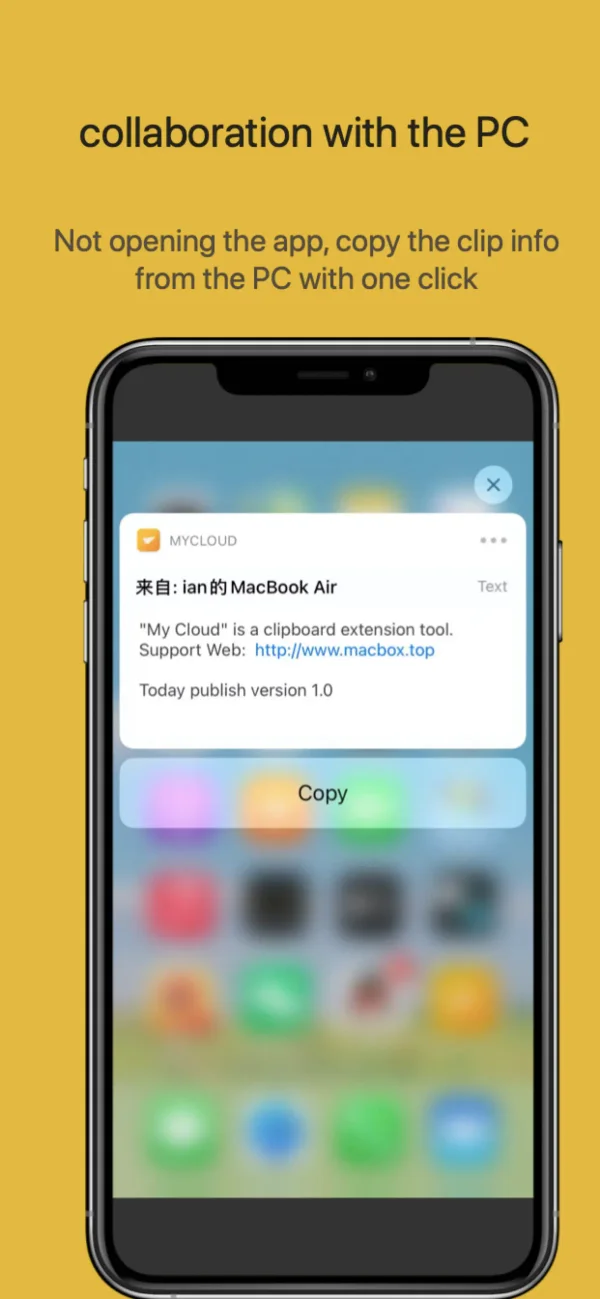
• Send the clipboard to the phone on the Mac, and display it in the form of a system notification. Pull down the notification directly and click to copy to use, no need to open the App
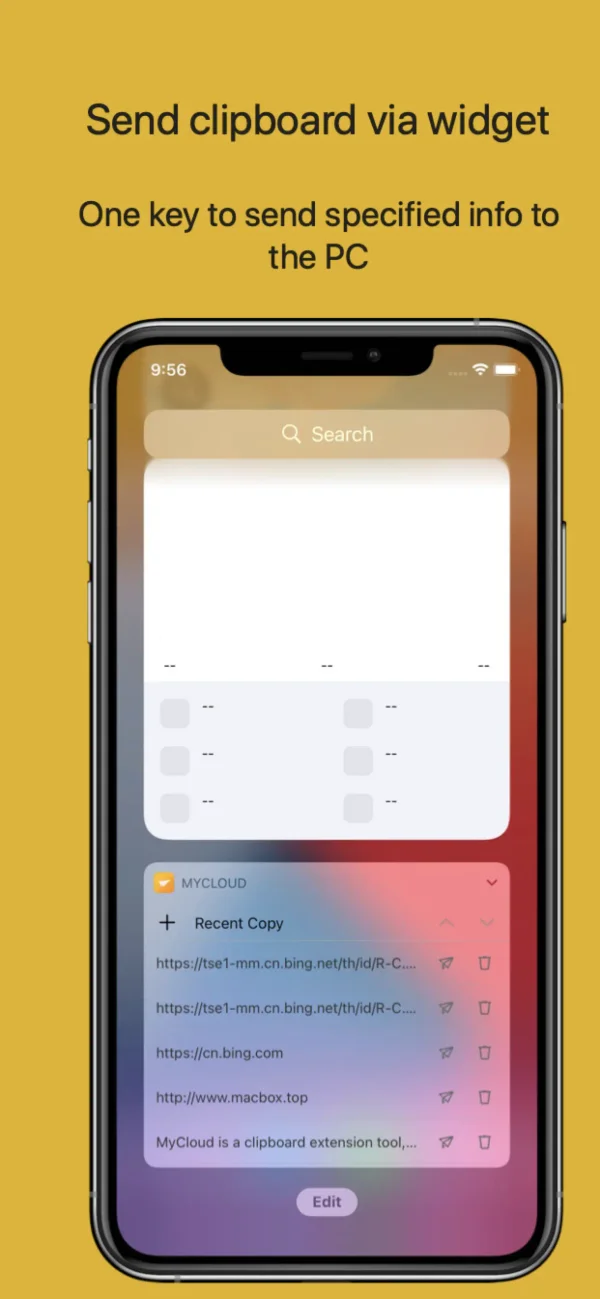
• Click on the negative screen to send the clipboard to the computer without opening the app
2. Manage computer files
• After setting up shared folders in MyCloud on Mac. All visible content in this folder can be directly accessed on the phone. Support online preview. The video and music will be played in streaming mode, which does not occupy the phone memory
• Support search function, quickly locate the specified file on the mobile phone
• Support downloading files on the computer to the local for easy offline viewing. At the same time, you can also upload local files to your computer
• Support almost all file formats. Including full format picture browsing, audio, video, code (highlighted display), markdown, word, excel, ppt, etc.
Three, open network interface
All the above functions are accomplished through HTTP POST/GET requests. All interface information can be viewed on the Mac side.
If you are a programmer, you will be able to access and operate files on your computer through the interface on any platform
If you are a novice who is just starting to learn programming, this will be a good tool for you to learn network programming
What’s new
Version 2.5 · Aug 30, 2026
Bugs fixed
App privacy
What 意 田 declares on the App Store about how this app handles data.
-
Data not collected
The developer does not collect any data from this app.
Privacy practices may vary, for example with the features you use or your age.
Information
- Seller
- 意 田
- Category
- Utilities
- Version
- 2.5
- Updated
- Aug 30, 2026
- Released
- Jul 3, 2021
- Size
- 47.7 MB
- Requires
- iOS 11.0 or later
- Age rating
- 4+
- Price
- Free
- Languages
- English, Arabic, Dutch, French, German, Indonesian, Italian, Japanese, Korean, Malay, Portuguese, Russian + 5 more
- Copyright
- © TY 2021
You might also like
-
 NearbySend: Fast File TransferCross-Platform Sharing Tool
-
 Seamless - Sync links & imagesShare text and files
-
 File Transfer Secure DropAir Transfer - Moive & Photo
-
 51SHAREFile Transfer&Share
-
 JSON Viewer & FormatterValidate,Beautify,Compare JSON
-
 Upload Remote - Share via WiFiSend files to any device, fast
-
 Prompt Manager: AI PromptsSave,organize&reuse AI prompts
-
 Easy Transfer - Wifi TransferPhotos & files to PC over WiFi
-
 File Transfer:PhotoSync ToolUpload Photos、Video Transfer
-
 Text Recognizer: Scan & PDFOCR scanner, PDF editor & QR