
AirPocket: eOCI & eVisa Wallet
India Travel & eArrival Card
Designed for iPhone
Free · In-app purchases
- Age rating4+
- CategoryTravel
- DeveloperA&Y Partners
- LanguagesEnglish
- Size41.1 MB
Links to the official App Store page
Download.org hosts no file of AirPocket: eOCI & eVisa Wallet. The button opens its official App Store page, published by A&Y Partners. Listing last checked on Nov 26, 2026.
Screenshots



About
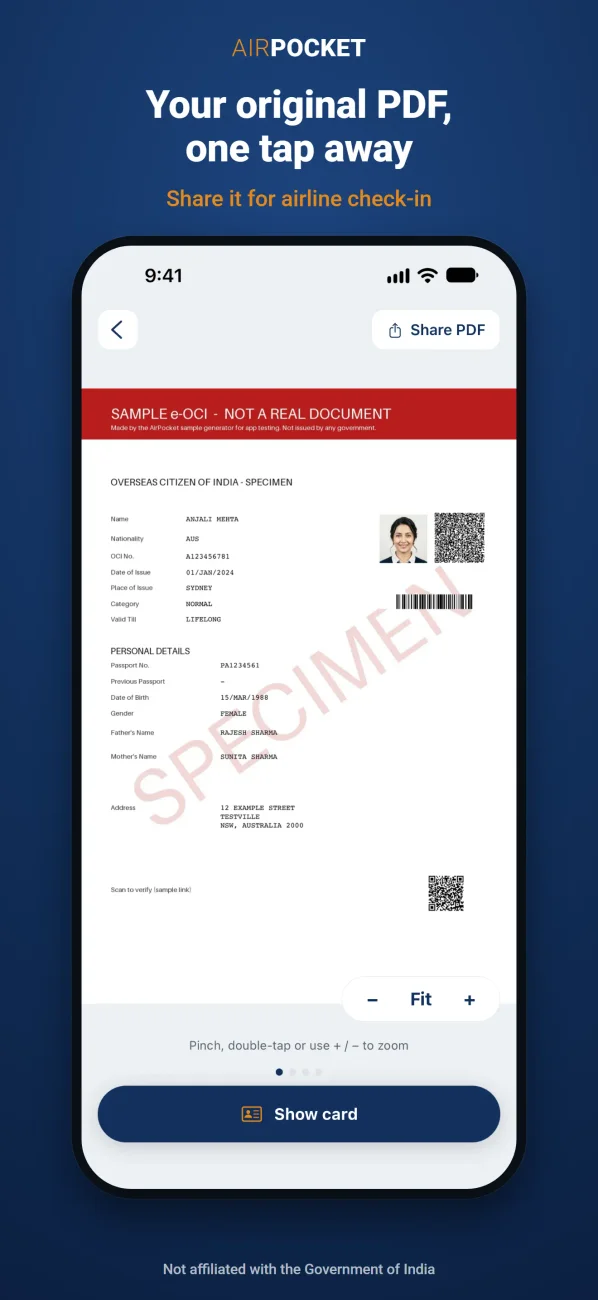
AirPocket keeps a secure, personal copy of your family's OCI documents (the e-OCI, also written eOCI) and Indian visas (the India e-Visa, or eVisa) on your iPhone: a clear digital card with the original PDF one tap away. It also helps you fill in the India e-Arrival card (eArrival) from details you've already saved. No account, nothing sent to us, and cards work offline.
Your family's India travel documents, ready when you travel.
DISCLAIMER
AirPocket is an independent third-party app developed by A&Y Partners. It does not represent any government entity and is not affiliated with, authorized, or endorsed by the Government of India or the Ministry of Home Affairs. AirPocket does not issue, renew, alter, or verify Overseas Citizen of India (OCI) documents, e-OCIs (the digital OCI card), e-Visas or e-Arrival cards, and never submits a government form for you.
OFFICIAL SOURCES
e-OCIs, e-Visas and e-Arrival cards are issued by the Government of India. For official information, use the government's own websites:
• OCI Services portal: https://ociservices.gov.in
• e-OCI FAQs: https://ociservices.gov.in/onlineOCI/eOCICardFAQs
• Indian Visa Online (e-Visa and e-Arrival card): https://indianvisaonline.gov.in
• Ministry of Home Affairs: https://www.mha.gov.in
SHOW IT IN SECONDS
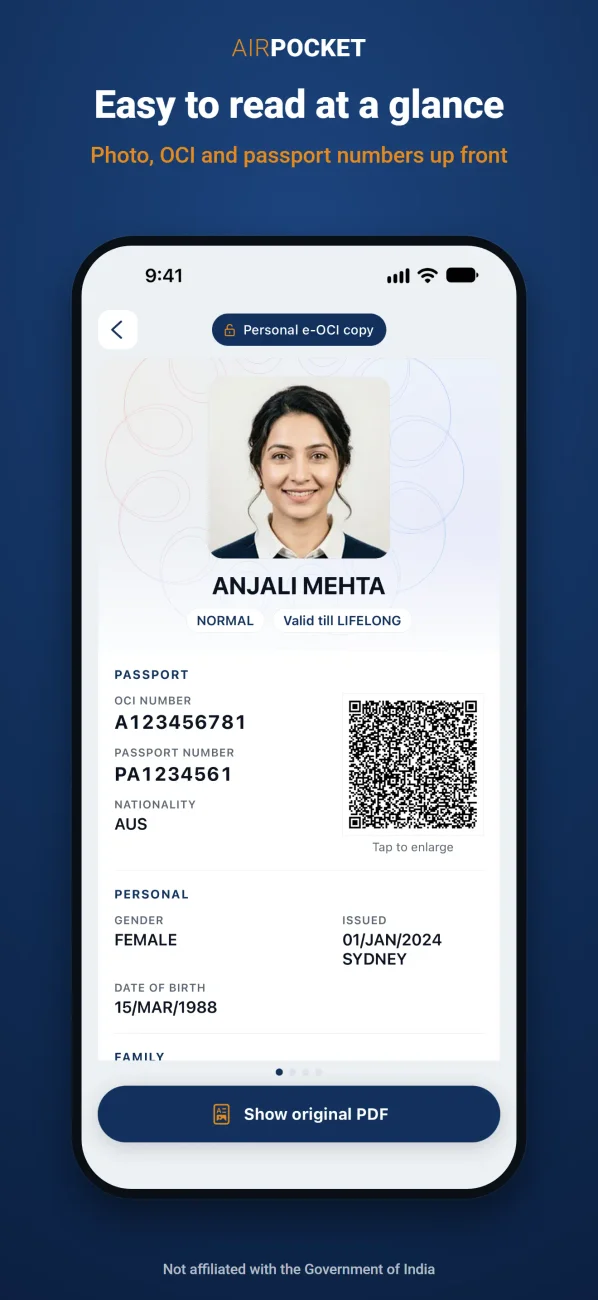
• Photo, name, document and passport numbers in large, high-contrast type
• The untouched original PDF in one tap, with pinch-to-zoom
• QR code full-screen at maximum brightness, ready to scan
• Share the original PDF for airline check-in
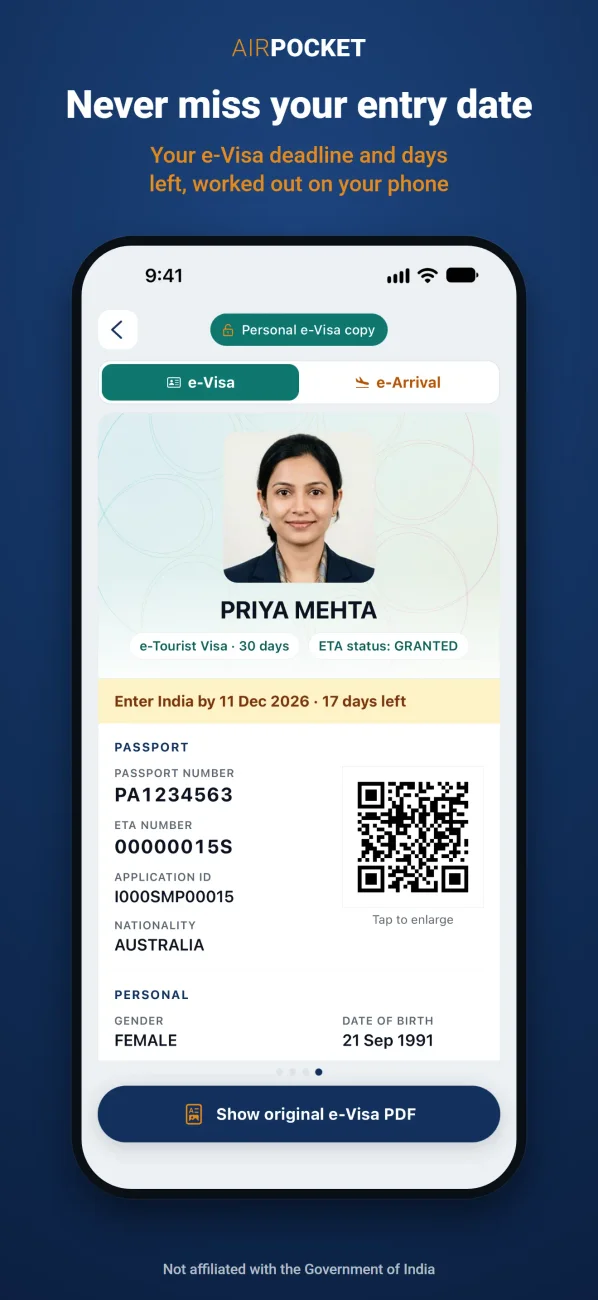
E-VISA, KEPT AND CHECKED
• Status, visa type, validity and the date to enter India by, at a glance
• Check status in the app: the official status page opens with your application ID and passport number typed in. You enter the security code, and a granted e-Visa saves straight to its card
E-ARRIVAL CARD, READY FOR YOU TO CHECK
• Names, nationalities and passport numbers come from each traveler's saved card
• AirPocket opens the official e-Arrival page and types in your answers. You review every field, enter the security code and tap Submit yourself
• Each traveler's e-Arrival card is saved with their card, and a check shows who is done
• Your address in India and contact details can be remembered for next time, and deleted any time in Settings
WORKS IN AIRPLANE MODE
Cards, QR codes and PDFs open with no Wi-Fi or signal. Only the e-Visa status check and the e-Arrival form need internet.
BUILT FOR PRIVACY
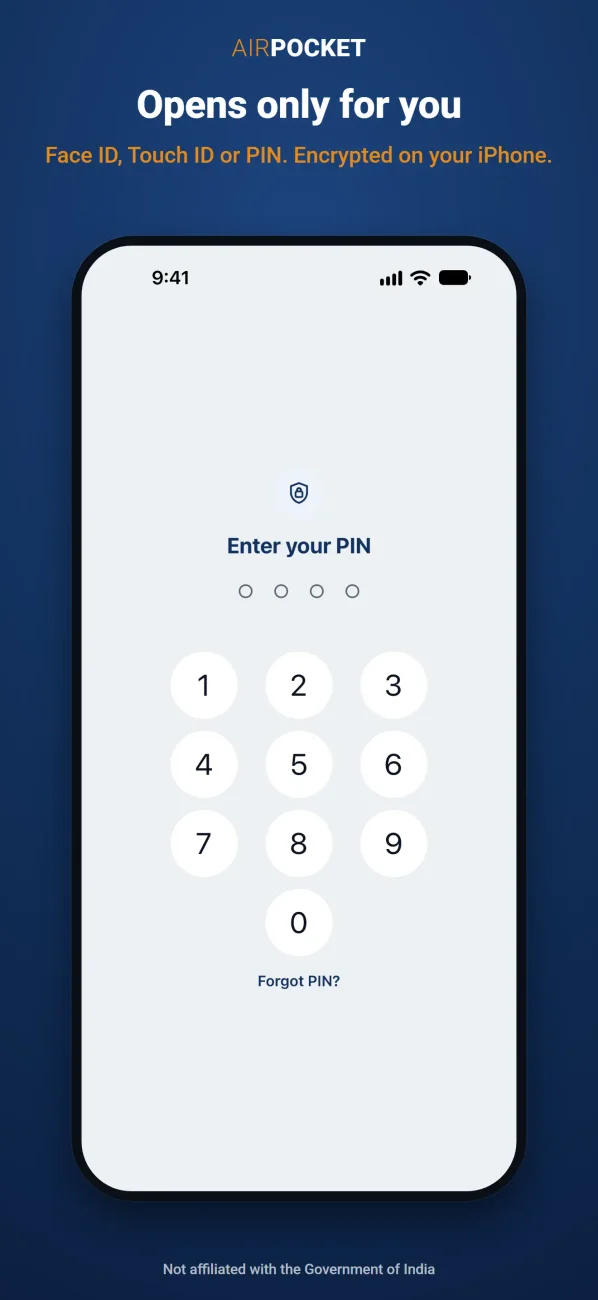
• Unlocks with Face ID, Touch ID or your PIN
• Five wrong PINs in a row erase all cards from this iPhone
• Card screens hidden from screenshots and recordings
• Encrypted with a key in your iPhone's Keychain
• No accounts, no ads, no analytics, no tracking
• Left out of iCloud and computer backups
STORED ONLY ON YOUR IPHONE. NEVER SENT TO US.
Your documents and card details stay on your iPhone and never go into any cloud. Details leave your iPhone only when you choose to fill in an official government form, and then go straight to that government website.
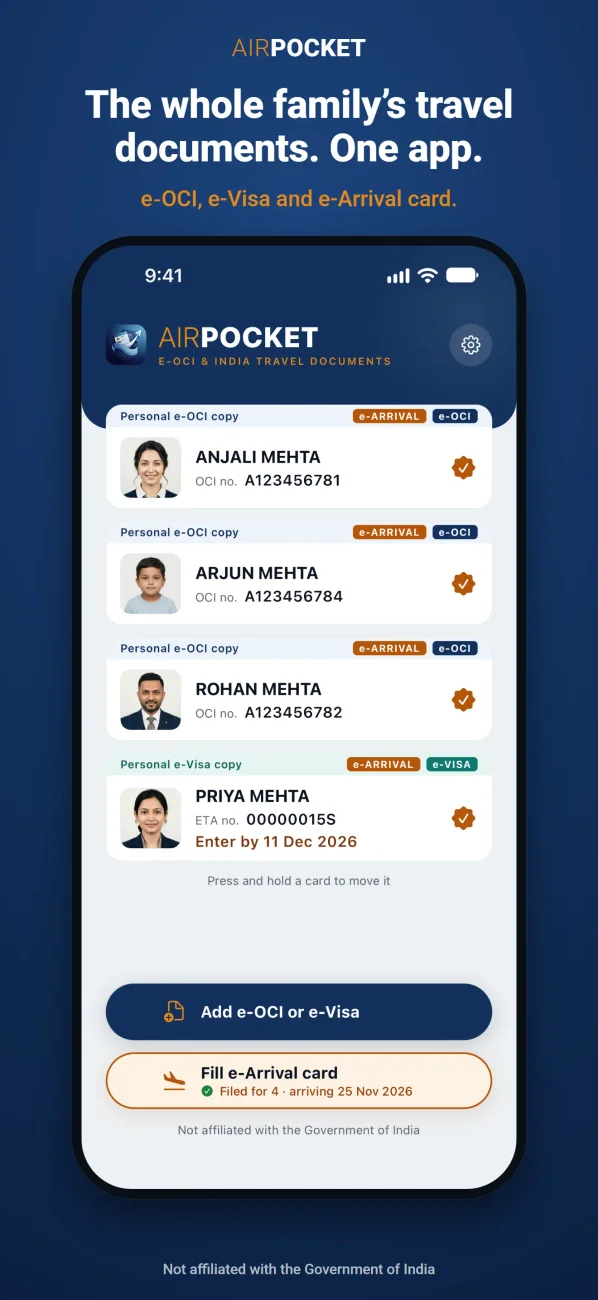
THE WHOLE FAMILY IN ONE APP
Keep cards for your partner, children and parents together, swipe between them, and press and hold to reorder. Your first card is free; add the whole family with a one-time Family Pack, no subscription.
HOW IT WORKS
Download your e-OCI PDF from the OCI Services portal, or your e-Visa PDF from Indian Visa Online. Open it in AirPocket, or share it from Files, WhatsApp or Mail. Check the details and save.
IMPORTANT NOTICE
AirPocket provides a personal convenience copy. It is not an official identity document and does not replace your OCI card, e-OCI, e-Visa, e-Arrival card or passport. Always carry your passport and the documents your airline and border authorities require. QR codes are copied from your original PDF; the app does not verify legal status or document validity. You are responsible for the answers you submit on the e-Arrival card. Your data is never backed up to iCloud, so on a new iPhone you add your PDFs again.
What’s new
Version 1.0.3 · Nov 25, 2026
• Now holds India e-Visas as well as e-OCIs
• Retrieve your Indian e-Visa in the app and save it as a card
• Fill in the India e-Arrival card: details from your saved cards go into the official form for you to check and submit
• Updated Terms of Use and Privacy Policy
App privacy
What A&Y Partners declares on the App Store about how this app handles data.
-
Data not collected
The developer does not collect any data from this app.
Privacy practices may vary, for example with the features you use or your age.
Information
- Seller
- A&Y PARTNERS PTY LTD
- Category
- Travel
- Version
- 1.0.3
- Updated
- Nov 25, 2026
- Released
- Oct 28, 2026
- Size
- 41.1 MB
- Requires
- iOS 16.4 or later
- Age rating
- 4+
- Price
- Free
- In-app purchases
- Yes
- Languages
- English
- Copyright
- © 2026 A&Y Partners Pty Ltd
You might also like
-
 EV charging Point: Station mapFind EV Chargers Near You
-
 A&B CabsTravel
-
 Cab9 DriverTravel
-
 IRCTC-Indian RailwaysTravel
-
 Tracker for Air IndiaLive flight radar & Status
-
 Tespit Vehicle DashboardYour Custom Cockpit
-
 JETSET World TravelTravel
-
 Metro Italy: Offline City MapMilan and Rome Metro Planner
-
 Simple Currency Converter₊Live Exchange Rates for Travel
-
 Swiss Tour GuideTravel Guide, Top Attractions