
Aisma AI Video Editor & Eraser
Remove Objects, Swap Faces
Designed for iPhone, iPad
Free · In-app purchases
- Age rating12+
- CategoryPhoto & Video
- DeveloperFrostPixel LDA
- LanguagesEnglish
- Size68.2 MB
Links to the official App Store page
Download.org hosts no file of Aisma AI Video Editor & Eraser. The button opens its official App Store page, published by FrostPixel LDA. Listing last checked on Nov 26, 2026.
Screenshots

About
Aisma is an AI video editor for clips you have already shot. Pick a video, describe the change in one plain sentence, and get back an edited clip that keeps your framing, camera move and original sound. No masking, keyframes or green screen.
REMOVE OBJECTS AND PEOPLE FROM VIDEO
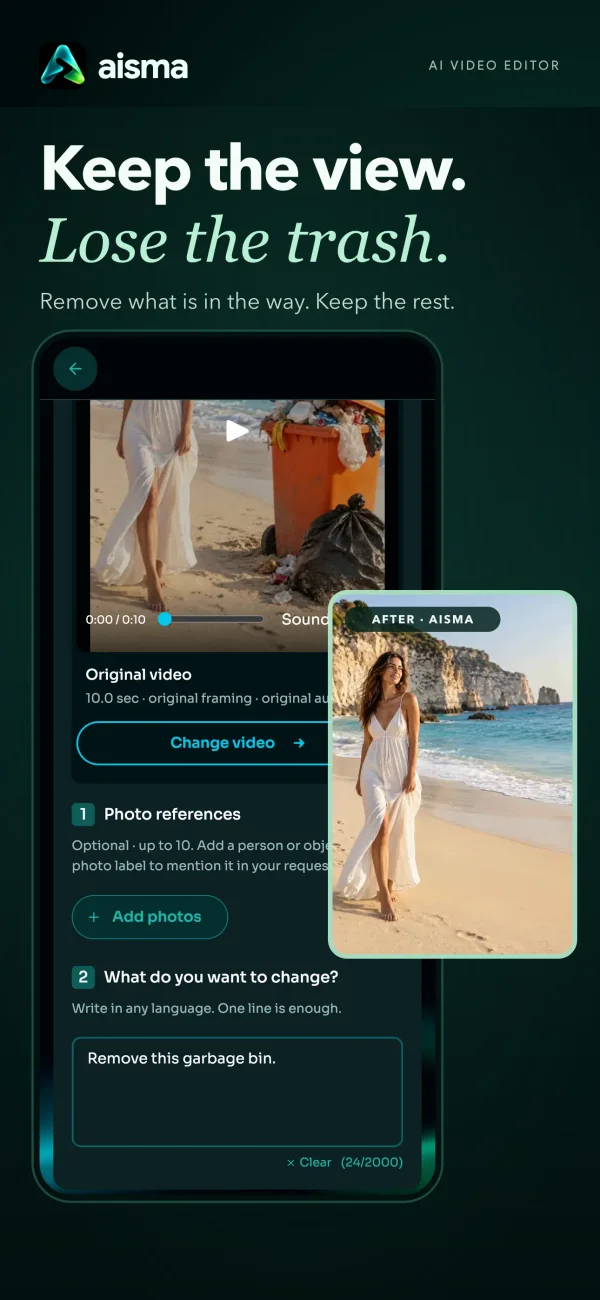
Use Aisma as a video eraser: name what should go and it leaves every frame. Remove a photobomber walking behind you, tourists in front of a landmark, a trash bin on the beach, a parked car, a sign or a cable on the table. Aisma follows the object or the person through the whole clip and fills the space with what belongs there.
CHANGE THE VIDEO BACKGROUND
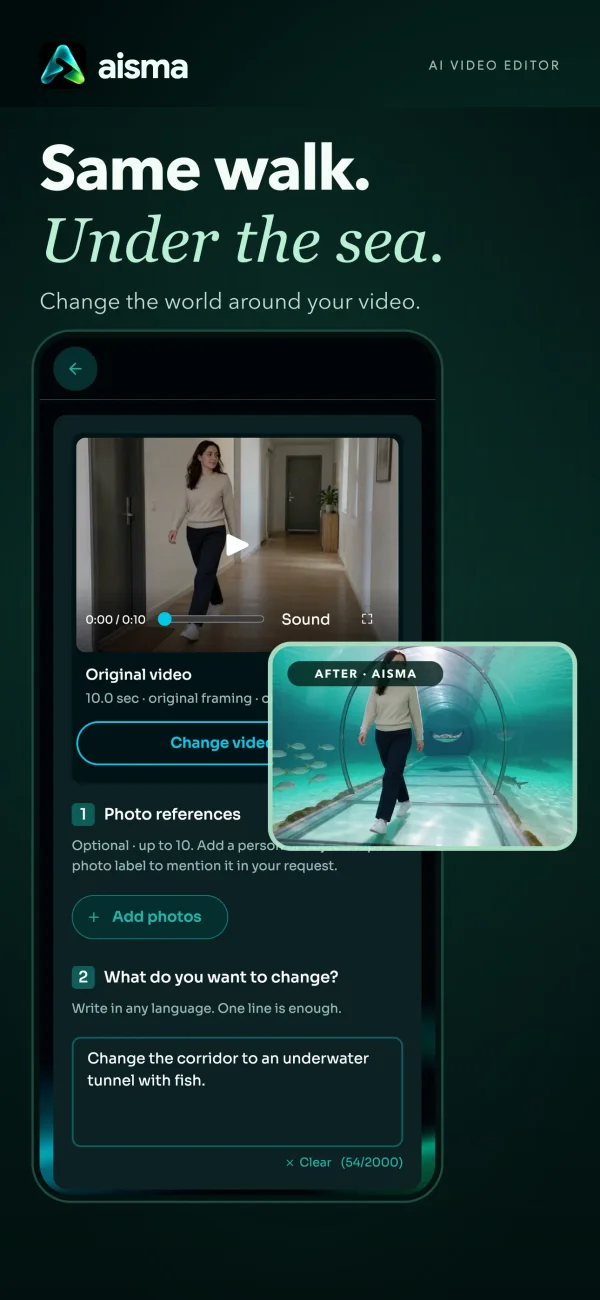
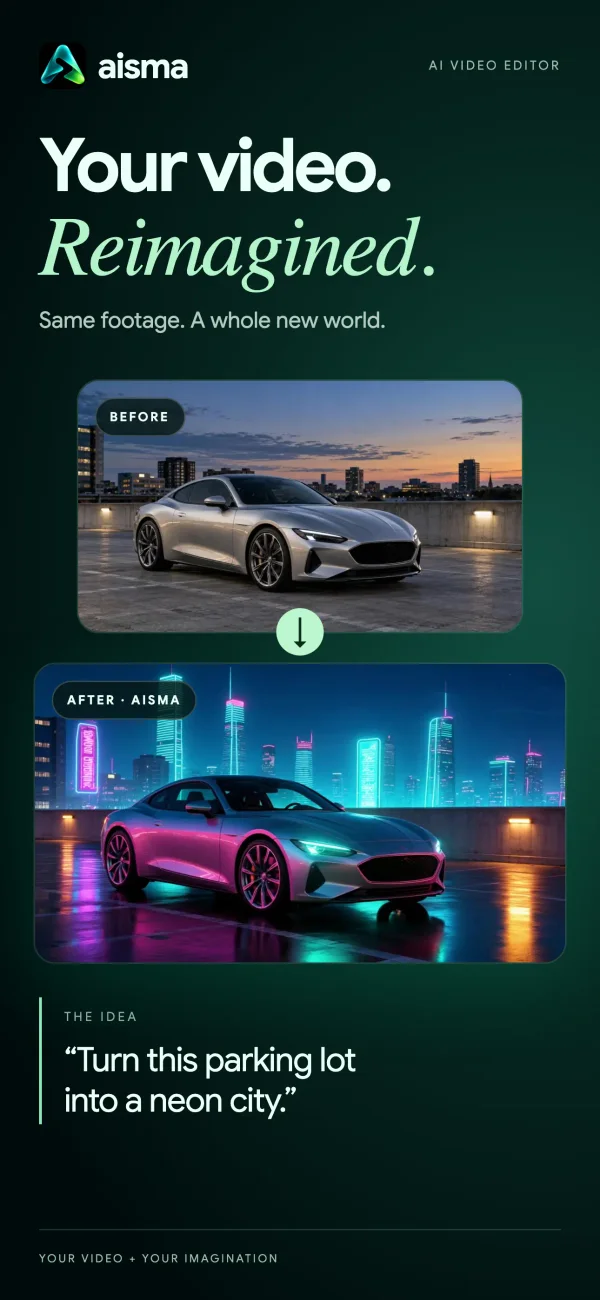
A video background changer that needs no green screen. Move your clip to a snowy street, a neon city, a beach at sunset or under the sea. The people, their motion and the camera move stay as you filmed them.
FACE SWAP AND REPLACE A PERSON IN A VIDEO
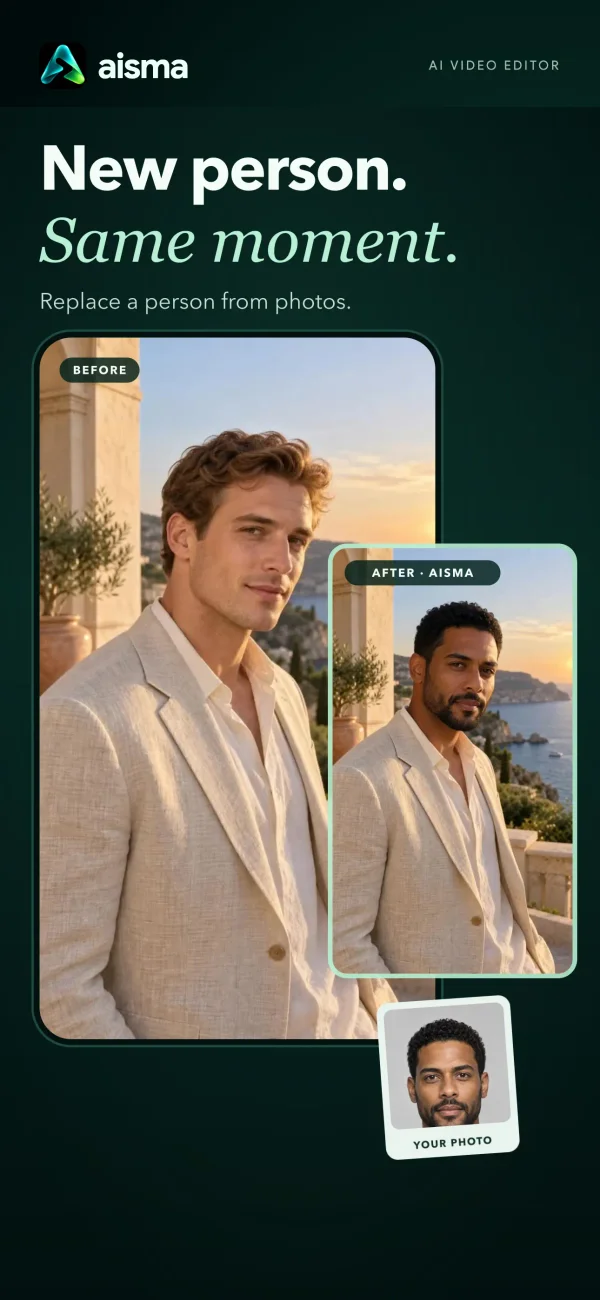
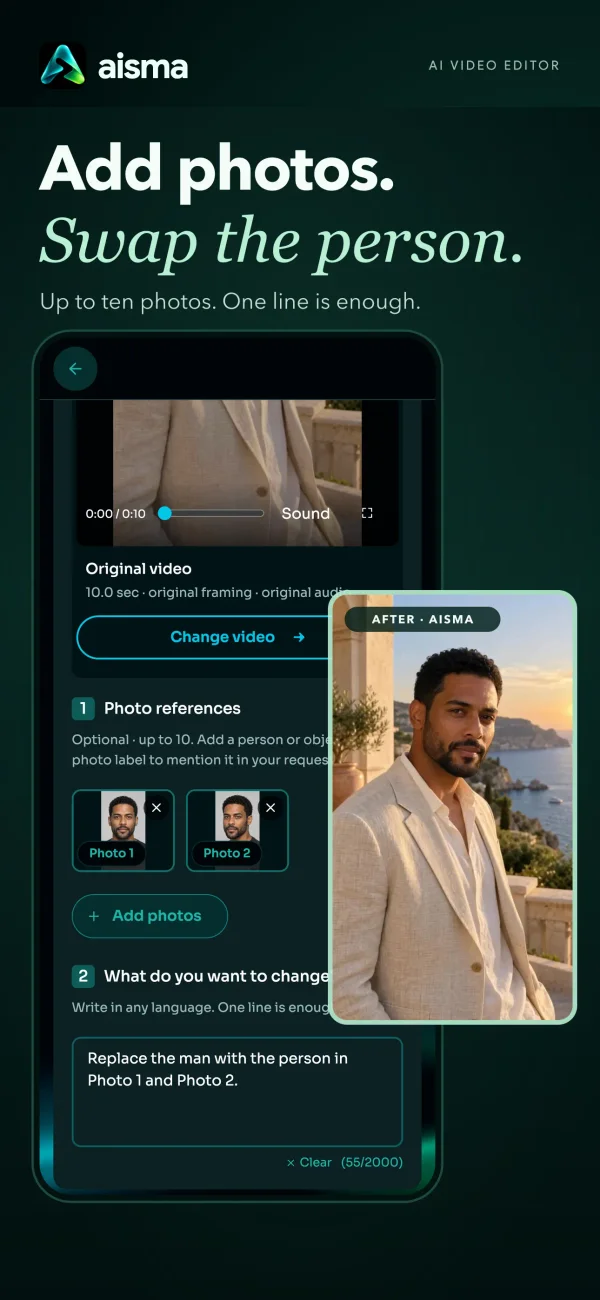
Add clear photos of the new person and say who to replace. Aisma swaps the face or the whole person in your video and keeps the gestures, timing and setting. Turn a friend into a costumed character from one photo, or replace one person in a group clip and leave everyone else as filmed.
CHANGE CLOTHES AND OUTFITS
Change clothes in a video from a garment photo or a short description: a new jacket, a dress, a different shirt color or a new hairstyle, even partway through the clip.
RESTYLE: VIDEO TO ANIME, CARTOON AND FILM LOOKS
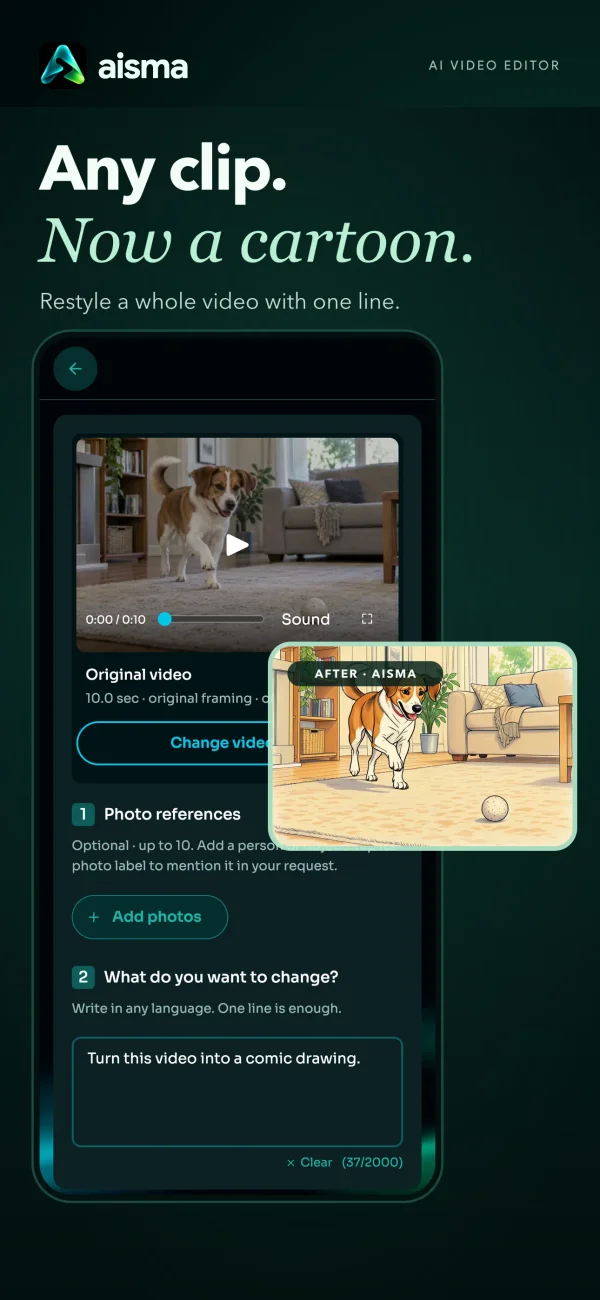
Turn a video into anime or a cartoon, give it a film look, a new season or new light. One line of text is the whole brief.
SWAP A PRODUCT OR AN OBJECT
Replace the bottle, jar or box in your hand with the one in your photo, or change one object in the scene and keep everything else.
HOW IT WORKS
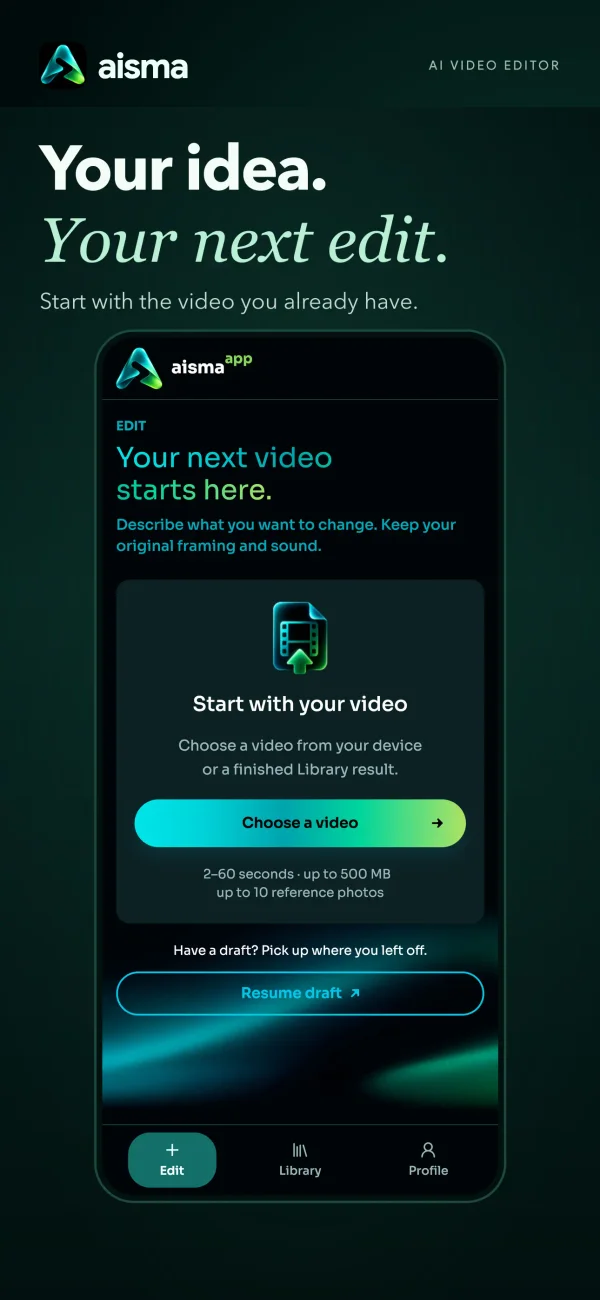
1. Choose a video of 2–60 seconds, up to 500 MB, from your phone or your private Library.
2. Describe the change in any language, the way you would brief an editor. You can add up to ten reference photos.
3. Pick 720p or 1080p and start the edit. Aisma follows the whole clip, shot by shot.
4. Your result lands privately in your Library. Watch it, save it, share it, or redo a single part without starting over.
WHY PEOPLE EDIT VIDEO WITH AISMA
• You describe the result instead of learning a timeline.
• Original framing and original audio are kept.
• One brief can hold several changes, for example remove a person and change the background.
• Every result is private to your account until you share it.
GOOD TO KNOW
• Say what should change and what should stay; one clear sentence is enough.
• Use photos of yourself or of people who agreed to it. Results that look real should be labeled when you post them.
Unused credits are returned under the displayed settlement rules. Weekly subscriptions renew automatically until cancelled; manage them through the store used for purchase. One-time credit packs are also available. Purchased credits do not expire.
Questions: support@aisma.ai
Terms: https://aisma.ai/terms
Privacy: https://aisma.ai/privacy
Support: https://aisma.ai/support
What’s new
Version 11.0.1 · Nov 25, 2026
A clearer preview for your first edit, better recovery after connection interruptions, and an improved purchase screen.
App privacy
What FrostPixel LDA declares on the App Store about how this app handles data.
-
Data used to track you
May be used to track you across apps and websites owned by other companies.
- Purchases
- Location
- Identifiers
- Usage data
- Other data
-
Data linked to you
May be collected and linked to your identity.
- Purchases
- Location
- Contact info
- User content
- Identifiers
- Usage data
- Diagnostics
- Other data
Privacy practices may vary, for example with the features you use or your age.
Information
- Seller
- FROSTPIXEL, UNIPESSOAL LDA
- Category
- Photo & Video
- Version
- 11.0.1
- Updated
- Nov 25, 2026
- Released
- May 3, 2023
- Size
- 68.2 MB
- Requires
- iOS 16.4 or later
- Age rating
- 12+
- Price
- Free
- In-app purchases
- Yes
- Languages
- English
- Copyright
- © 2026 FROSTPIXEL, UNIPESSOAL LDA
You might also like
-
 Captions AI: Video SubtitlesAdd Talking Videos Auto Text
-
 CutStory: Split & Cut VideoStory Splitter, Trim for Reels
-
 Passport Picture ID Photo SizeVisa Maker Editor Booth Studio
-
 The photo slideshow maker HQPicture video maker,slide show
-
 Toonita: Cartoon & Comic MakerPhoto to Caricature & Sketch
-
 Reels maker & Subtitles - FlixTemplates, AI Tools, Captions
-
 Photo Timer Camera: LenspalPhotobooth・Selfie Burst Taker
-
 Screen Recorder – Record VideoLivestream Recording・Face Cam
-
 PixMe: AI Photo EditorSelfie & Body Photo Filters
-
 New Profile Pic Avatar MakerCartoon Photo & Portrait