
AITagger Pro
AI Stock Photography Metadata
Designed for iPhone, iPad
Free · In-app purchases
- Age rating4+
- CategoryProductivity
- DeveloperRohane Hamilton
- LanguagesEnglish
- Size20.5 MB
Links to the official App Store page
Download.org hosts no file of AITagger Pro. The button opens its official App Store page, published by Rohane Hamilton. Listing last checked on Nov 18, 2026.
Screenshots
About
AITaggerPro is the only app on the App Store specifically designed for stock photographers to generate professional metadata using advanced AI technology. Whether you're managing hundreds of photos for commercial stock agencies or preparing editorial submissions, AITaggerPro transforms hours of tedious keyword research into seconds of automated precision.
Built by photographers for photographers, AITaggerPro understands the unique requirements of stock photography platforms. Generate commercially-optimized or editorial-formatted metadata with a single tap, ensuring your photos meet agency standards and maximize discoverability.
KEY FEATURES
Advanced Metadata Control
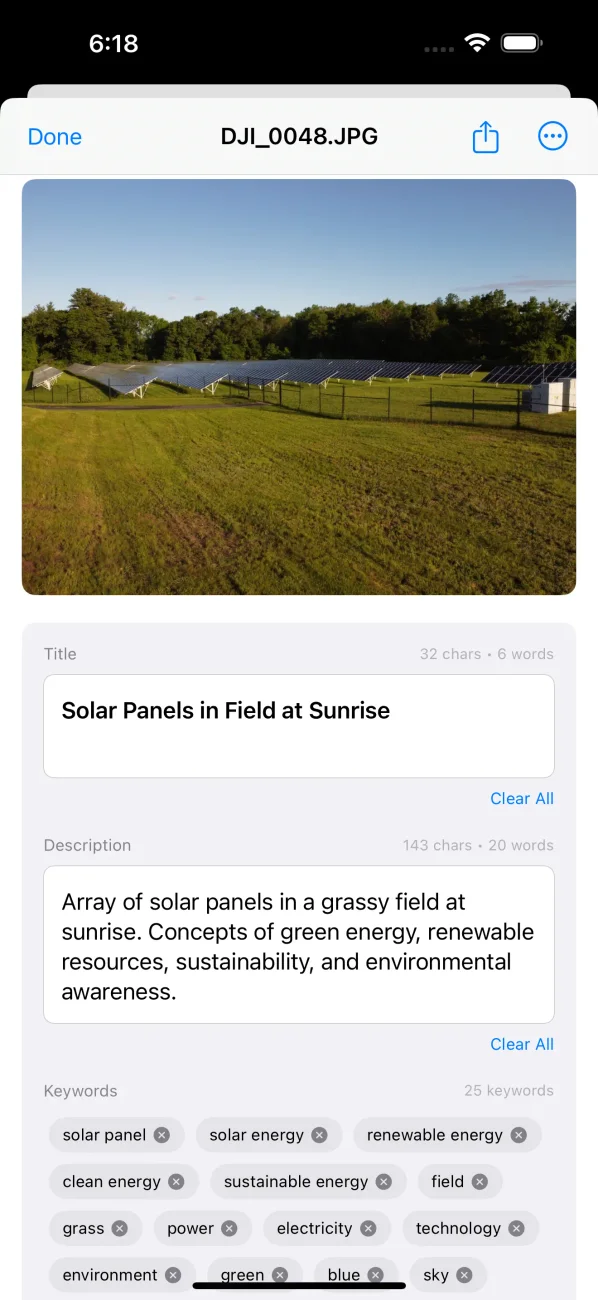
• Edit and refine generated metadata
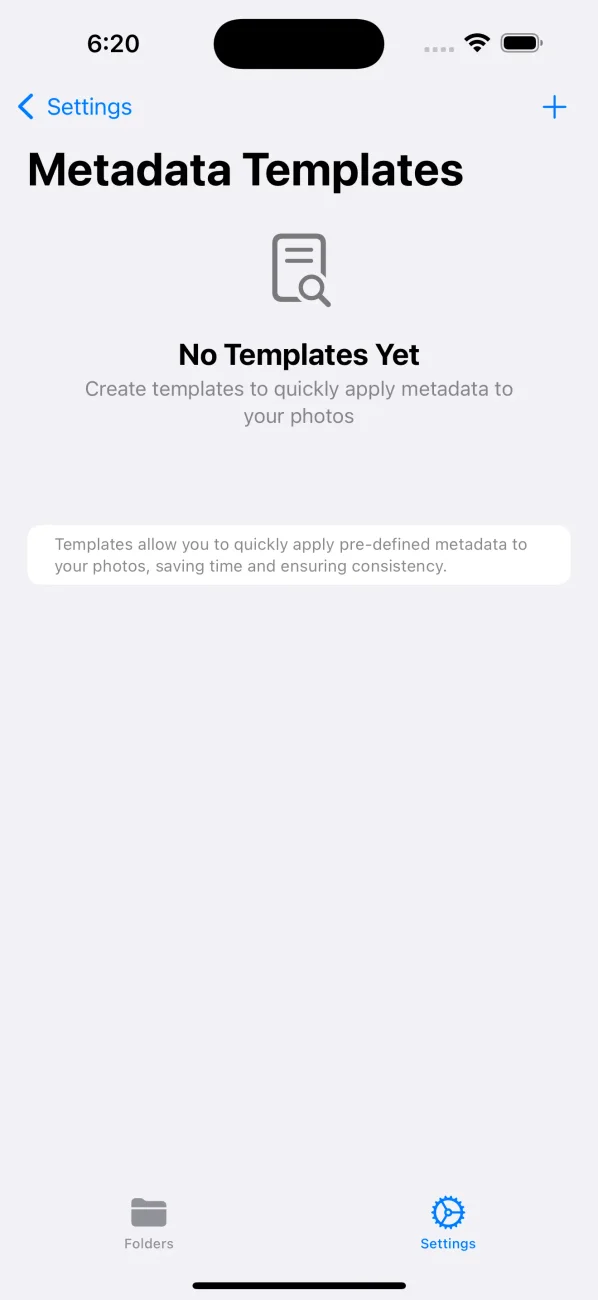
• Create reusable metadata templates
• Copy/paste metadata between photos
• Save custom templates for consistent branding
Flexible Export Options
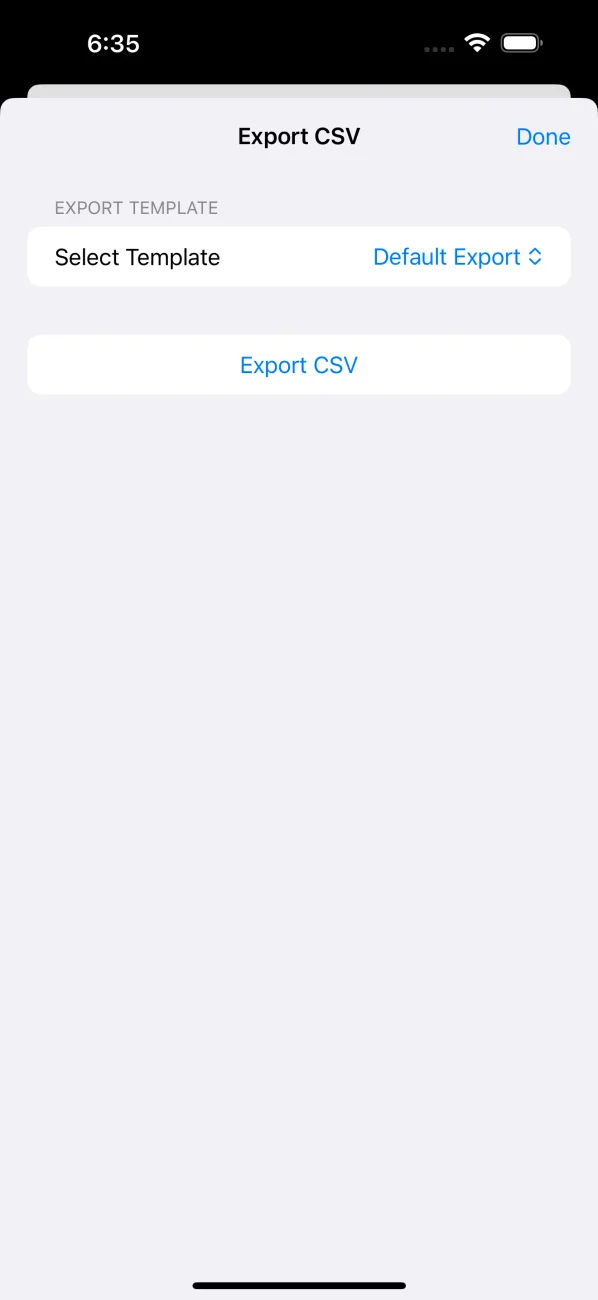
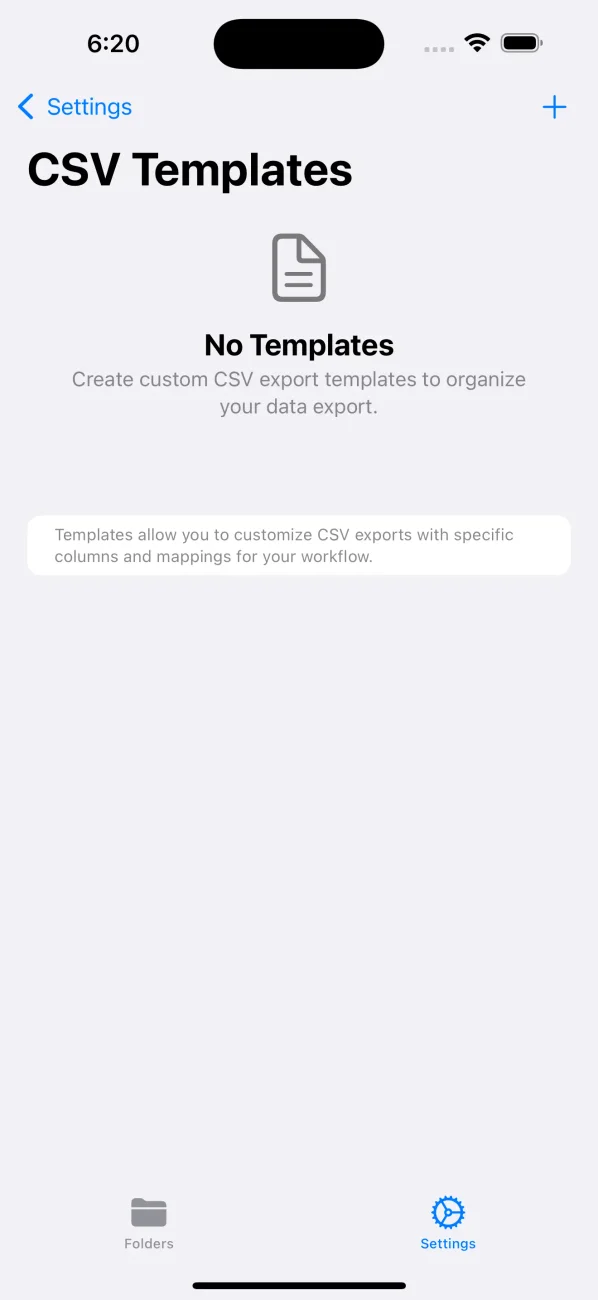
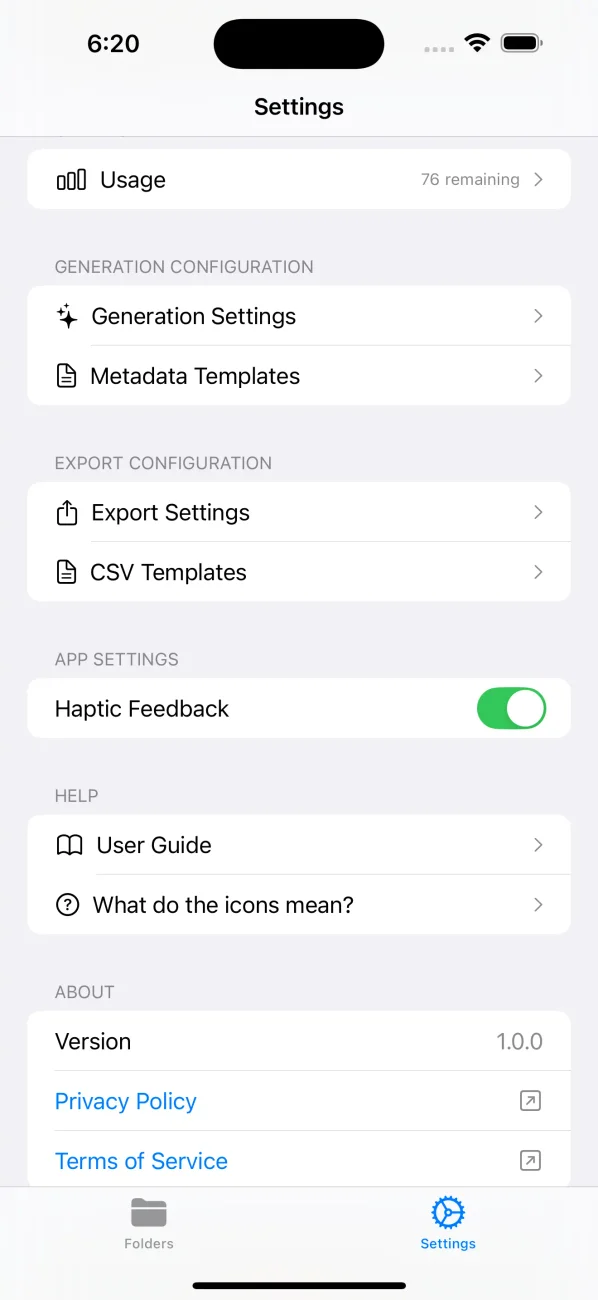
• Create custom CSV export templates for any stock agency
• Design CSV formats for specific agency requirements
• Export CSV files with complete metadata
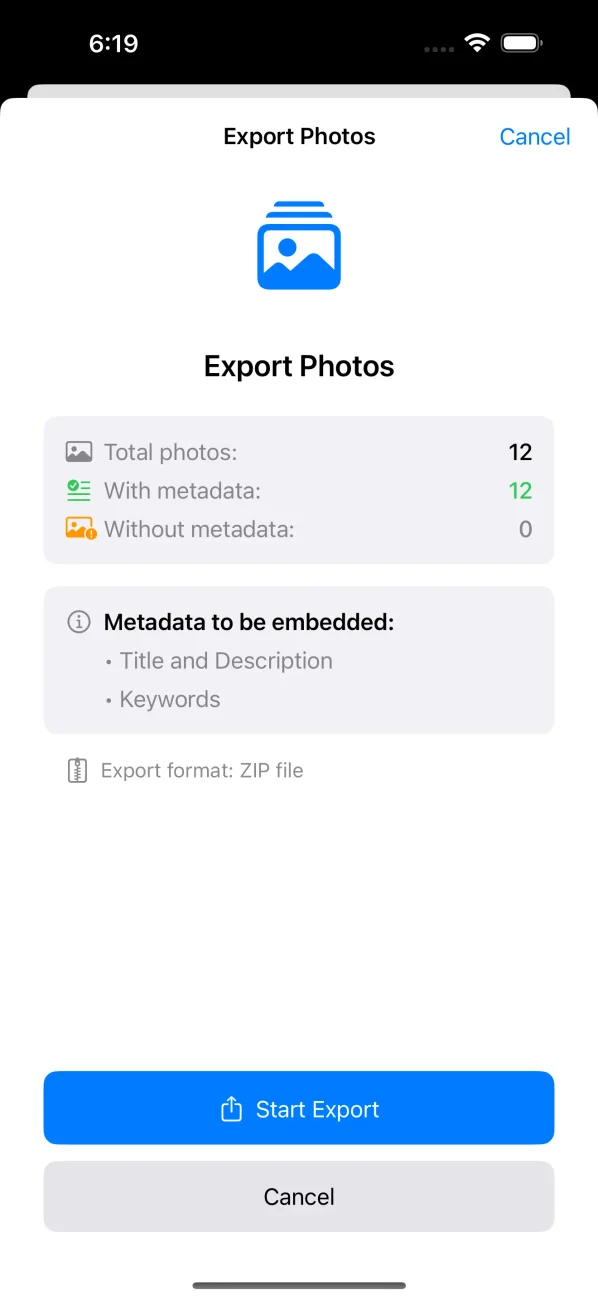
• Embed metadata directly into photos (IPTC/EXIF)
• Batch export with embedded metadata
• Save and reuse CSV templates for different platforms
Custom CSV Templates
• Build personalized CSV export formats for each stock agency
• Configure column order, headers, and data formatting
• Save templates for Shutterstock, Adobe Stock, Getty, and more
• Create templates for specialized use cases
• Export identical photos to multiple agencies with different formats
Customization & Post-Processing
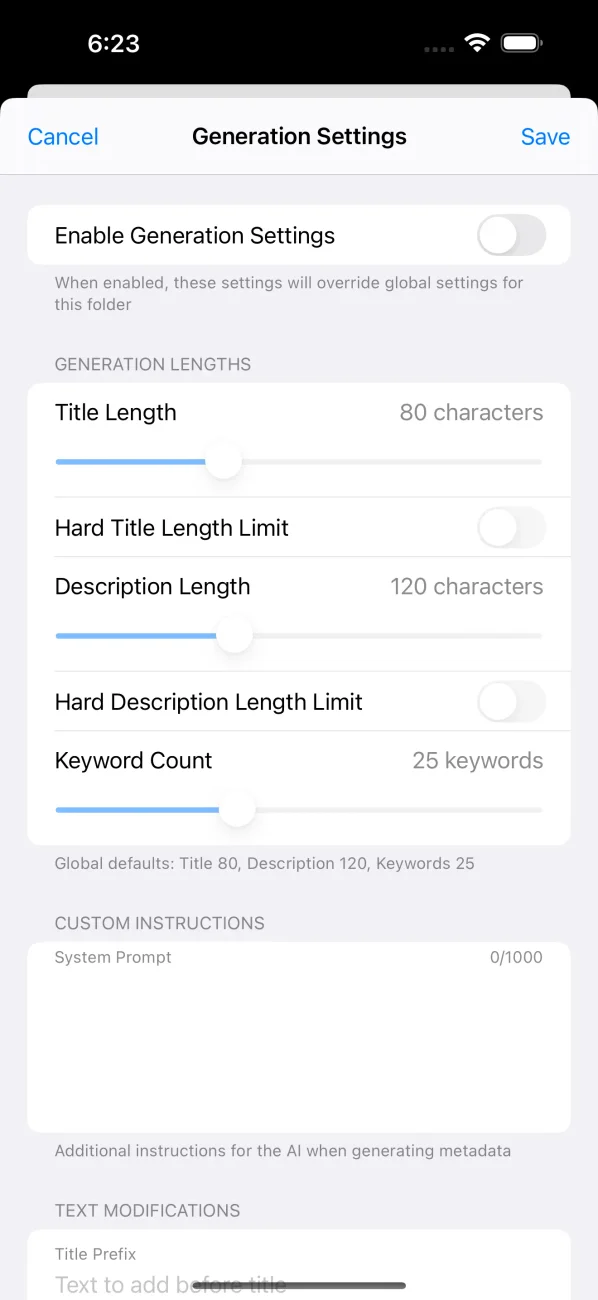
• Custom system prompts for personalized results
• Auto-append/prepend text to titles, descriptions, keywords
• Adjustable title and description length
• Control keyword count (5-60 keywords)
• Folder-specific configurations override global settings
Batch Processing Power
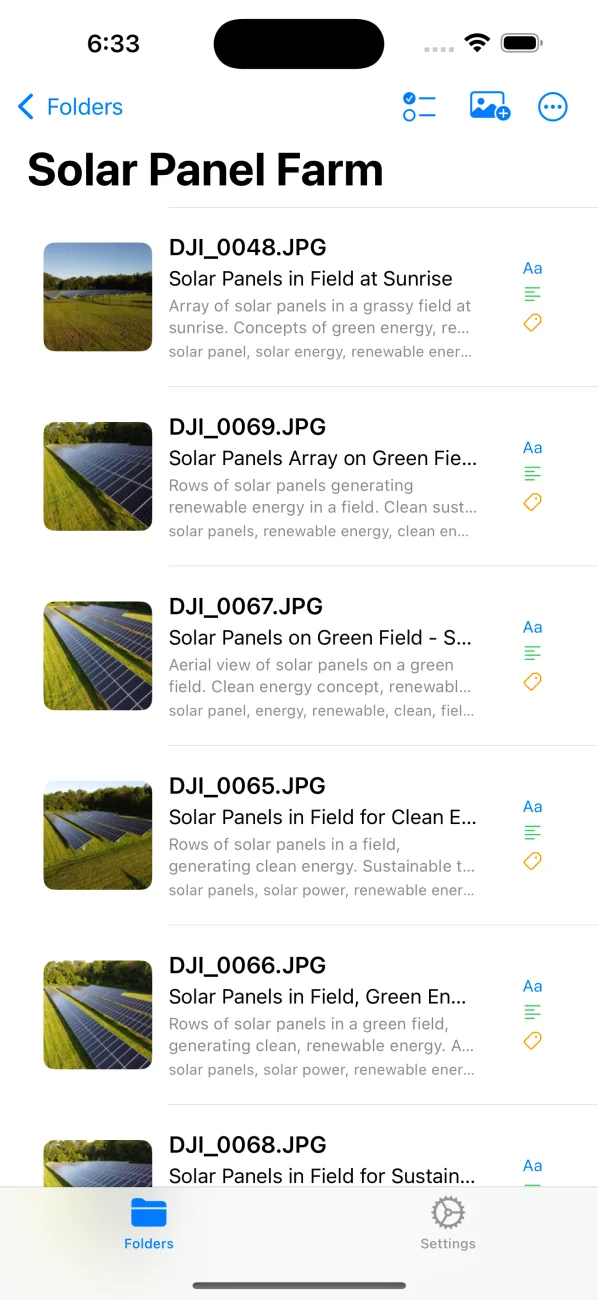
• Generate metadata for hundreds of photos in seconds
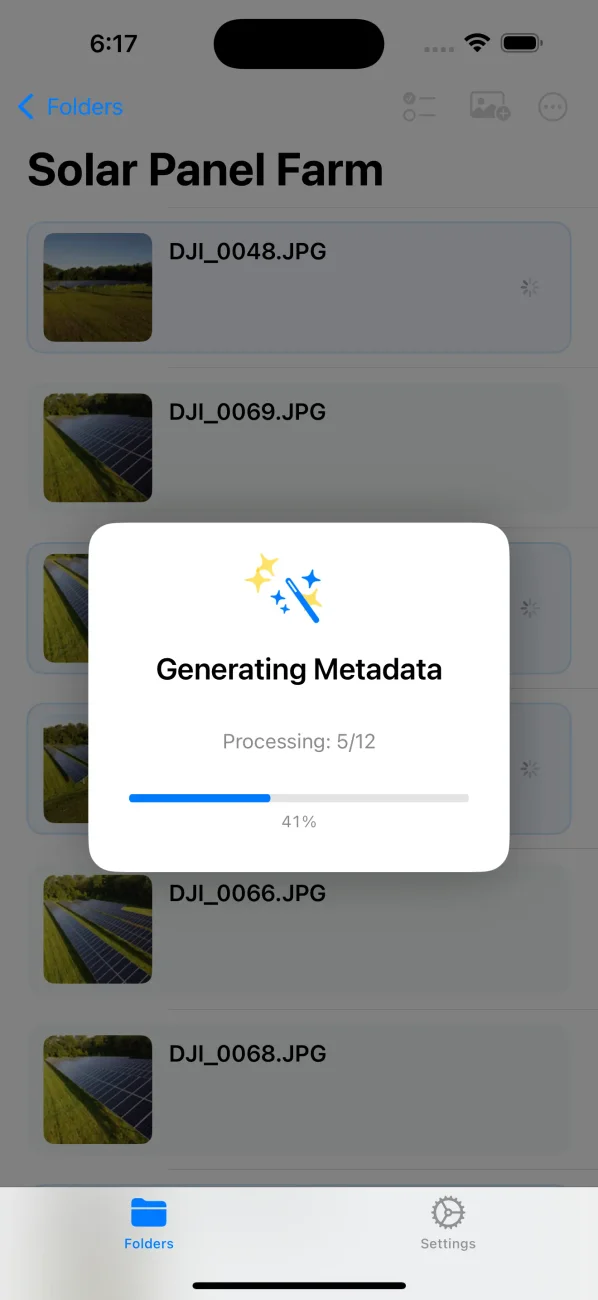
• Process entire folders with one-tap batch generation
• Smart queue management for large photo collections
Stock Photography Optimized
• Commercial use formatting for major stock agencies
• Editorial use formatting with proper structure
• Agency-specific category selection
• Customizable output for different platform requirements
Professional Organization
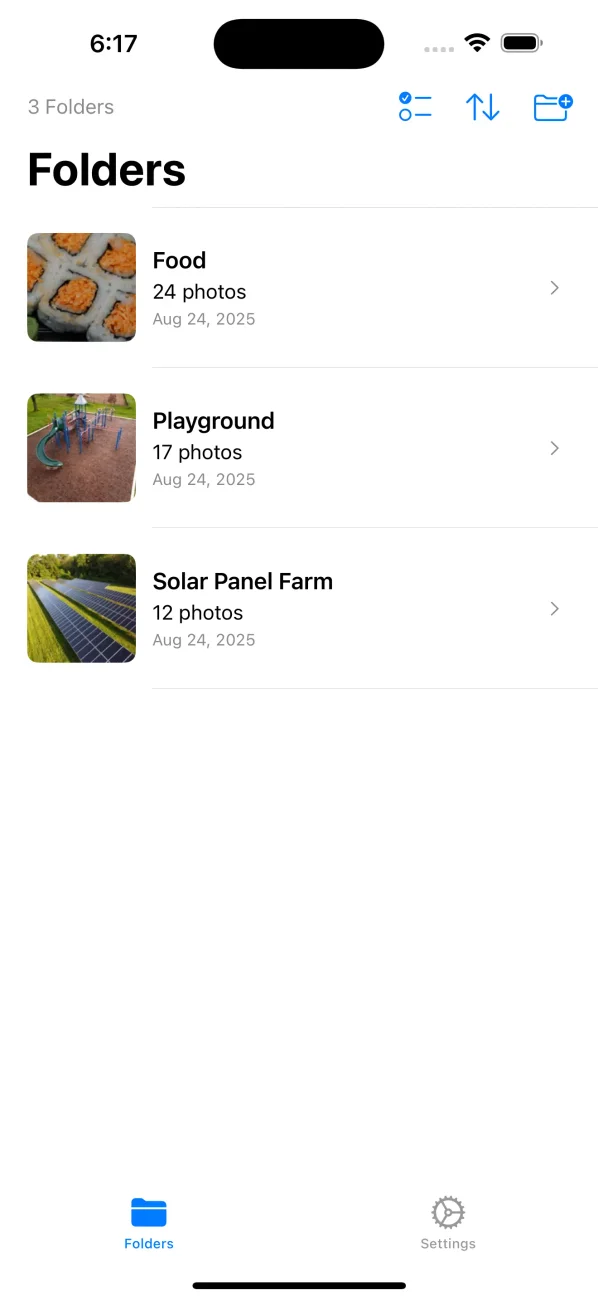
• Folder-based photo management system
• Folder-specific generation settings
• Visual thumbnails for easy navigation
• Preserve original filenames throughout workflow
Smart Features
• Metadata clipboard for quick copying
• Template library management
• Usage tracking and history
• Offline mode with sync when connected
SUBSCRIPTION PLANS
Free Tier
• 100 credits per month
• Perfect for trying the app
• Credits refresh monthly
Pro Plan - $9.99/month
• 8,000 credits per month
• Ideal for professional photographers
• Credits refresh monthly
Extra Credits - $3.99
• 600 additional credits
• Never expire
• Use when you need more generations
Each generation (title + description + keywords) uses 1 credit
WHY CHOOSE AITAGGERPRO?
Save Hours of Work
What traditionally takes 5-10 minutes per photo now takes seconds. Process entire shoots in the time it used to take for a single image.
Increase Sales Potential
Professional metadata improves searchability and discoverability on stock platforms, directly impacting your sales potential.
Consistent Quality
Maintain consistent metadata quality across your entire portfolio with templates and standardized formatting.
Streamlined Workflow
From import to export, every feature is designed to minimize friction in your stock photography workflow.
Agency Compatibility
Custom CSV templates ensure seamless uploads to any stock photography platform, eliminating manual reformatting.
PERFECT FOR:
• Professional stock photographers
• Editorial photographers
• Photography agencies
• Content creators
• Anyone selling photos online
• Photographers working with multiple stock agencies
Terms of service: https://www.aitaggerpro.com/terms
Privacy Statement: https://www.aitaggerpro.com/privacy
Support: aitaggerpro@gmail.com
What’s new
Version 1.2 · Dec 18, 2025
Video Support (New Major Feature)
- Full video metadata generation - Import videos and generate AI-powered titles, descriptions, and keywords
- Video folder management - Create dedicated video folders, import videos from Photo Library or Files app
- Batch video processing - Process multiple videos with progress tracking and status indicators
- Video export - Export video metadata to CSV and export videos as ZIP files
- Video metadata templates - Apply templates to videos, including bulk "Apply to All" functionality
- Video info sheet - View detailed video metadata and storage information
- Editorial indicator - Visual indicator for editorial content in video lists
- Video job history - Track video processing history (unified with photo history)
Camera Capture (New Feature)
- Take photos directly in-app - Capture photos using your device camera and have them automatically imported with metadata generation
Files App Import (New Feature)
- Import photos from Files app - Add photos directly from the Files app to your folders
- Import videos from Files app - Add videos directly from the Files app to your video folders
Metadata Improvements
- Extract embedded metadata - Import existing EXIF/IPTC metadata from your images automatically
- Helper text support - Add custom helper text to guide AI metadata generation
- Capture date editing - Edit capture dates for both photos and videos
- Title/description swapping - Option to swap title and description in CSV exports for specific agency requirements
Account Management (New Feature)
- Manage Account view - View user profile and account deletion option
UI/UX Improvements
- Dual-phase progress tracking - Enhanced progress indicators during metadata generation
- Visual feedback for processing states - Clear indicators for processing, completion, and failure
- Select All functionality - Improved selection in folder detail views
- Loading indicators - Better feedback when loading agency credentials
- Improved button labels - Clearer button labels throughout the app
Performance & Stability
- Memory optimization - Improved memory usage in fullscreen image viewer
- Improved error handling - Better error feedback management
App privacy
What Rohane Hamilton declares on the App Store about how this app handles data.
-
Data linked to you
May be collected and linked to your identity.
- Purchases
- Contact info
- User content
- Identifiers
Privacy practices may vary, for example with the features you use or your age.
Information
- Seller
- Rohane Hamilton
- Category
- Productivity
- Version
- 1.2
- Updated
- Dec 18, 2025
- Released
- Aug 29, 2025
- Size
- 20.5 MB
- Requires
- iOS 18.6 or later
- Age rating
- 4+
- Price
- Free
- In-app purchases
- Yes
- Languages
- English
- Copyright
- © 2025 Rohane Hamilton
You might also like
-
 Punch List: Snag & Site ReportPhoto defects to PDF, offline
-
 Home Scout - Home InventoryLocate, Track, Maintain Easily
-
 Fine Art FoundryYour Art at Your Fingertips
-
 Home Inventory Tracker: FindItPantry & Home Manager - No Ads
-
 KeybThe Productivity Keyboard
-
 Zistil - Store, Pack, ProtectHome inventory with family
-
 InstaSave: Saved Reels ManagerFind any reel you ever saved
-
 Whisper: On-Device AIAI that stays on your phone
-
 Home Stock: House InventoryHousehold Contents Tracker App
-
 HomeHoldQuick Home Inventory Organizer