
- Age rating4+
- CategoryUtilities
- Developer1Moby Co., Ltd.
- LanguagesEnglish+ 14 more
- Size11.4 MB
Links to the official App Store page
Download.org hosts no file of All Sensors. The button opens its official App Store page, published by 1Moby Co., Ltd. Listing last checked on Nov 17, 2026.
Screenshots

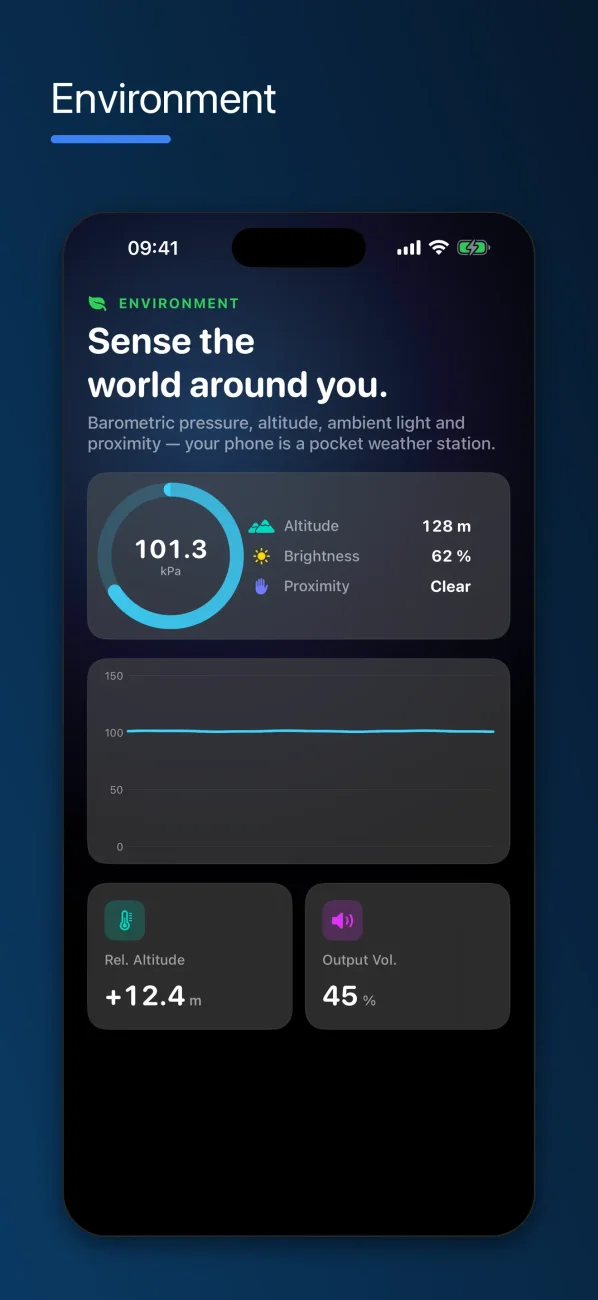
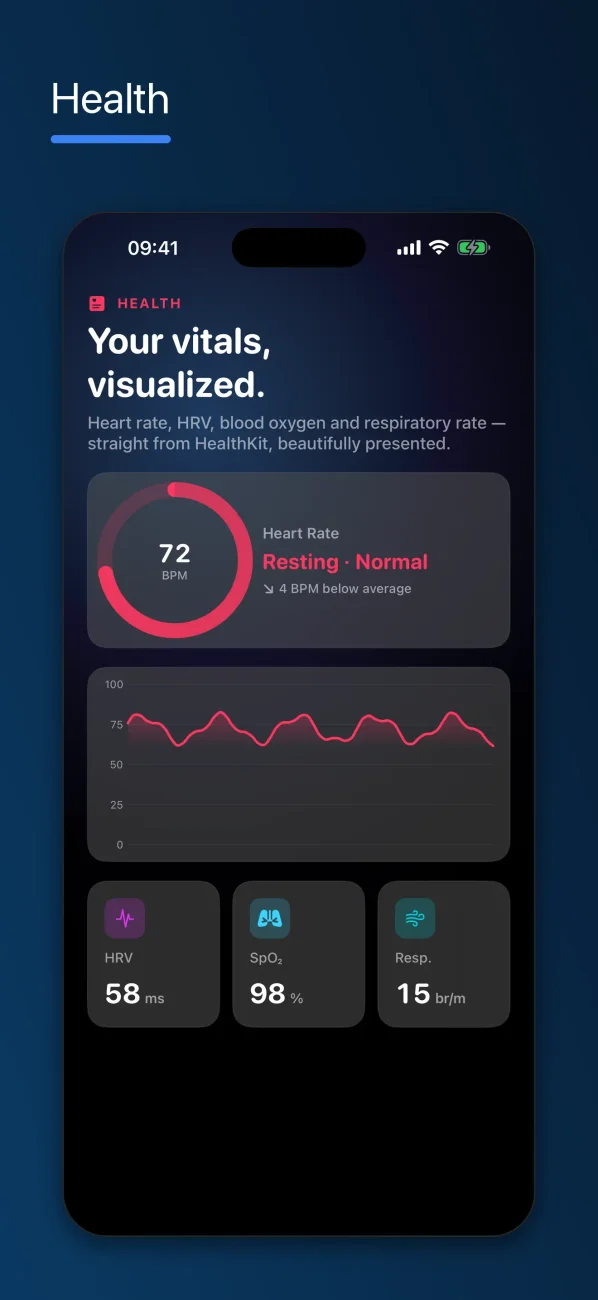

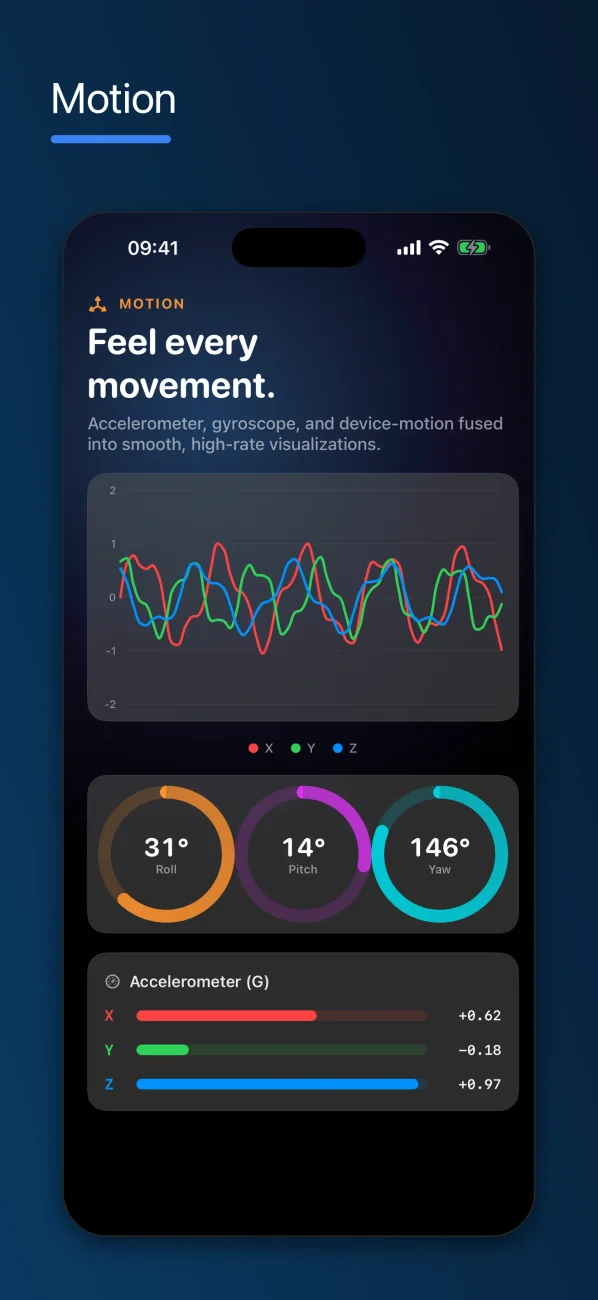
About
All Sensors is a focused utility for seeing — really seeing — what every sensor on your iPhone or iPad reports, in real time.
Twenty-one sensors, one clean dashboard:
• Motion: accelerometer, gyroscope, magnetometer, device motion (fused IMU), pedometer, altimeter, motion activity classifier
• Location: GPS coordinates, speed, altitude, heading (true & magnetic), barometric pressure
• System: battery level & charging state, thermal state, CPU cores & load, memory pressure, storage usage, screen brightness
• Connectivity: Wi-Fi network type, cellular carrier & radio technology, Bluetooth state and discovered peripherals
• Hardware: camera capabilities, lens enumeration, microphone audio levels, ambient light estimate, proximity, torch level
Each sensor has its own detail screen with three-axis charts, gauges, raw value readouts, and a live magnitude calculation. Tap into any sensor to see what's actually being read by the underlying iOS APIs (CMMotionManager, CLLocationManager, CMAltimeter, CMPedometer, CMMotionActivityManager, CBCentralManager, NWPathMonitor, AVCaptureDevice, ProcessInfo, UIDevice, HKHealthStore).
▼ Show-Off Mode
Tap the Show-Off banner on any sensor detail screen and the device transforms. The sensor takes over the full screen with a theatrical visualization — flight HUDs, compass roses, gravity wells, oscilloscopes, gauges, lighthouses. There are 74 unique full-bleed visualizations across 21 sensors. Swipe horizontally to switch sensors, swipe vertically to cycle variants, tap the grid icon to jump to any of them. It's a great way to demo what your phone is doing right now to a friend, a class, or yourself.
▼ Logger
A real recorder. Pick any subset of sensors, set a sample rate (60 Hz down to 1 Hz, per sensor), tap record, walk around. When you stop, your session shows up in a browser with timeline, sensor-by-sensor breakdown, and one-tap export to CSV or JSON for analysis in Numbers, Excel, Python, R, or whatever you use. Logs are stored in a local SQLite database under your app's Documents folder; nothing is uploaded.
▼ HealthKit
The Health tab shows HealthKit metrics such as heart rate, blood oxygen, respiratory rate, steps, energy, distance, body measurements, and profile values when you grant read access. The app does not write to HealthKit.
▼ Siri & Shortcuts
"Get Sensor Reading", "Start Sensor Recording", "Stop Sensor Recording", and "Export Sensor Data" are wired as App Intents. Add them to a Shortcut, ask Siri, automate from Focus modes.
▼ Privacy
Every reading stays on your device. There is no analytics SDK, no ad SDK, no crash reporter, no remote backend. The app makes no outbound network requests except a single optional ping to 1.1.1.1 when you ask the Network sensor to test connectivity.
Built for developers, makers, students, hardware hobbyists, geocachers, weather watchers, and anyone who's ever wondered what their phone really knows about itself.
What’s new
Version 1.1 · Jun 24, 2026
First public release.
• 21 device sensors with per-sensor detail screens
• Show-Off Mode — 74 full-bleed visualisations across all sensors. Tap the gradient banner on any sensor to enter; horizontal swipe switches sensor, vertical swipe cycles variant.
• Logger — multi-sensor recording with per-sensor sample rate; export to CSV or JSON
• HealthKit integration (read-only)
• Siri Shortcuts: "Get Sensor Reading", "Start/Stop Sensor Recording", "Export Sensor Data"
• Built for iPhone and iPad; supports portrait and landscape
If you find a sensor reading that looks wrong, please tell us — we want this to be the most honest sensor explorer on the App Store.
App privacy
What 1Moby Co., Ltd. declares on the App Store about how this app handles data.
-
Data not collected
The developer does not collect any data from this app.
Privacy practices may vary, for example with the features you use or your age.
Information
- Seller
- 1Moby Co., Ltd.
- Category
- Utilities
- Version
- 1.1
- Updated
- Jun 24, 2026
- Released
- Jun 8, 2026
- Size
- 11.4 MB
- Requires
- iOS 17.0 or later
- Age rating
- 4+
- Price
- Free
- Languages
- English, Arabic, Bengali, French, German, Hindi, Italian, Japanese, Korean, Portuguese, Russian, Simplified Chinese + 3 more
- Copyright
- © 2026 1Moby
You might also like
-
 MeshDropPrivate nearby file sharing
-
 SearchAppsFind Your Perfect App
-
 VaultMeshPassword manager. P2P sync.
-
 AuraVideoYour Private Player
-
 Kept: Receipts & DocumentsProof, serials & expiry alerts
-
 Remotely ProA terminal client for the road
-
 ContactioContact Merge and Fix
-
 WordHint for SafariEnglish words explained inline
-
 Sensor Toolkit10 tools for measuring
-
 Dark SurfCustom Dark Theme