- Age rating4+
- CategoryNavigation
- DeveloperPeter Santangeli
- LanguagesEnglish+ 14 more
- Size1.8 MB
Links to the official App Store page
Download.org hosts no file of Altitude Drive. The button opens its official App Store page, published by Peter Santangeli. Listing last checked on Nov 6, 2026.
Screenshots
About
See your altitude change in real time. Altitude Drive fuses GPS with your iPhone's barometric pressure sensor for a live elevation readout on iPhone and on CarPlay.
WHAT IT SHOWS
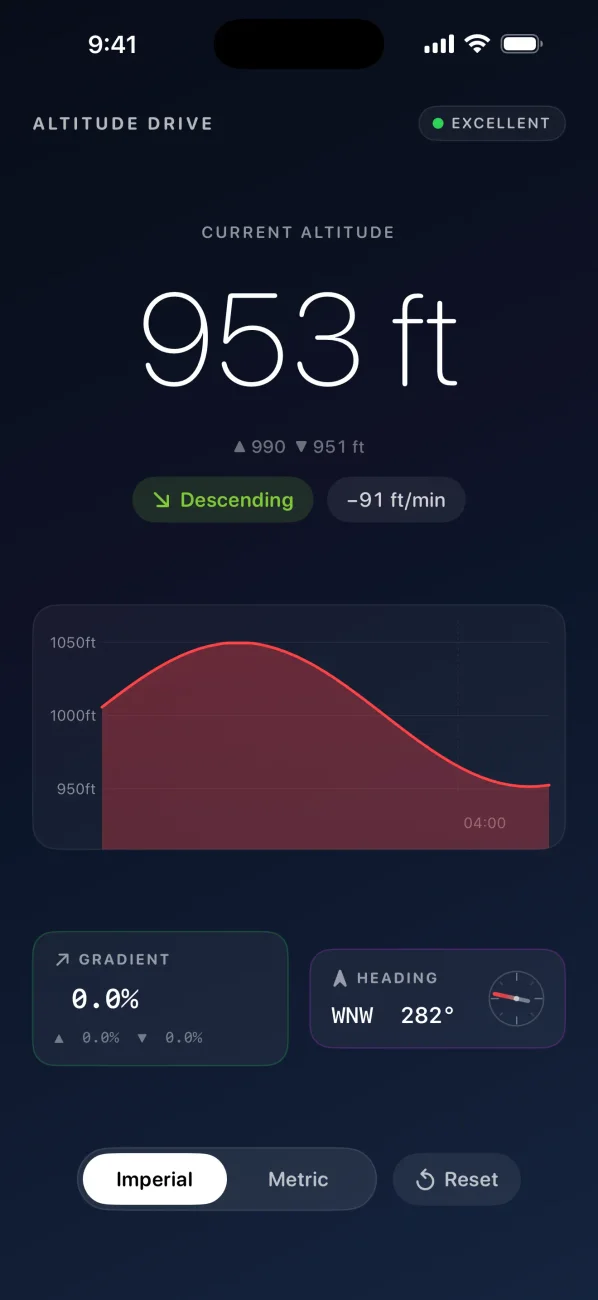
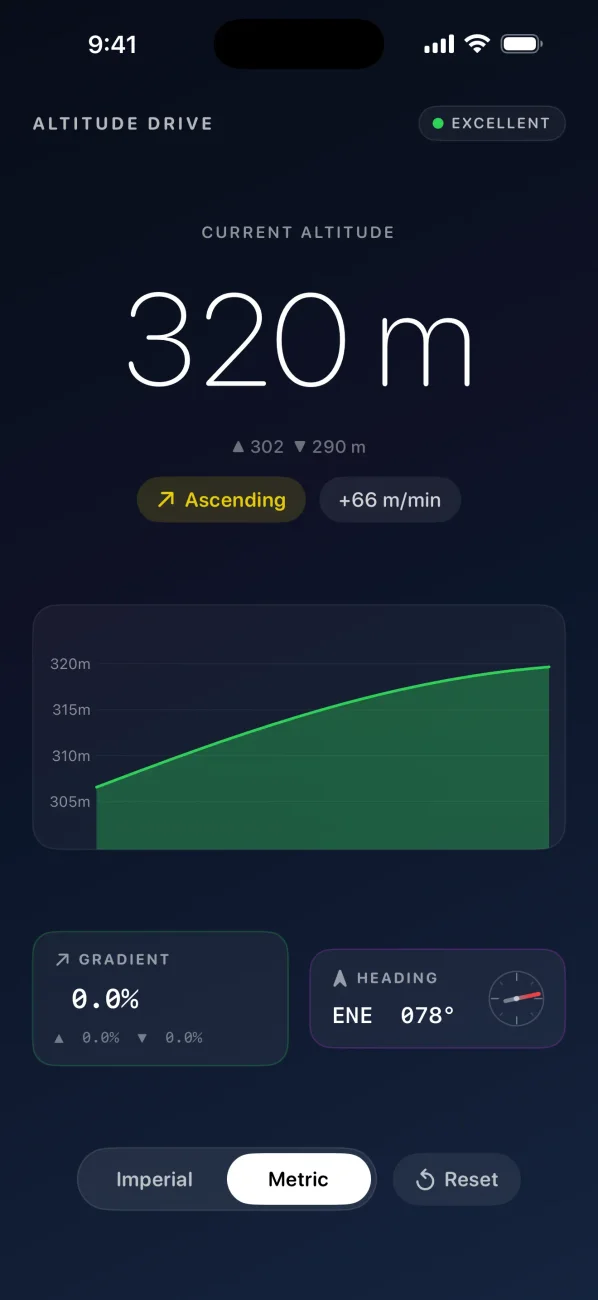
• Current altitude in feet or meters
• Vertical rate of climb or descent (ft/min or m/min)
• Road gradient as a percentage — the same definition highway grade signs use
• Compass heading with cardinal labels
• 5-minute altitude history graph
WHY IT'S ACCURATE
GPS altitude alone is noisy and slow. Altitude Drive pairs it with your iPhone's barometric pressure sensor for the small, fast changes — so a single step or a subtle road grade shows up immediately, while the GPS keeps the absolute reading honest.
DESIGNED FOR THE ROAD — AND THE TRAIL
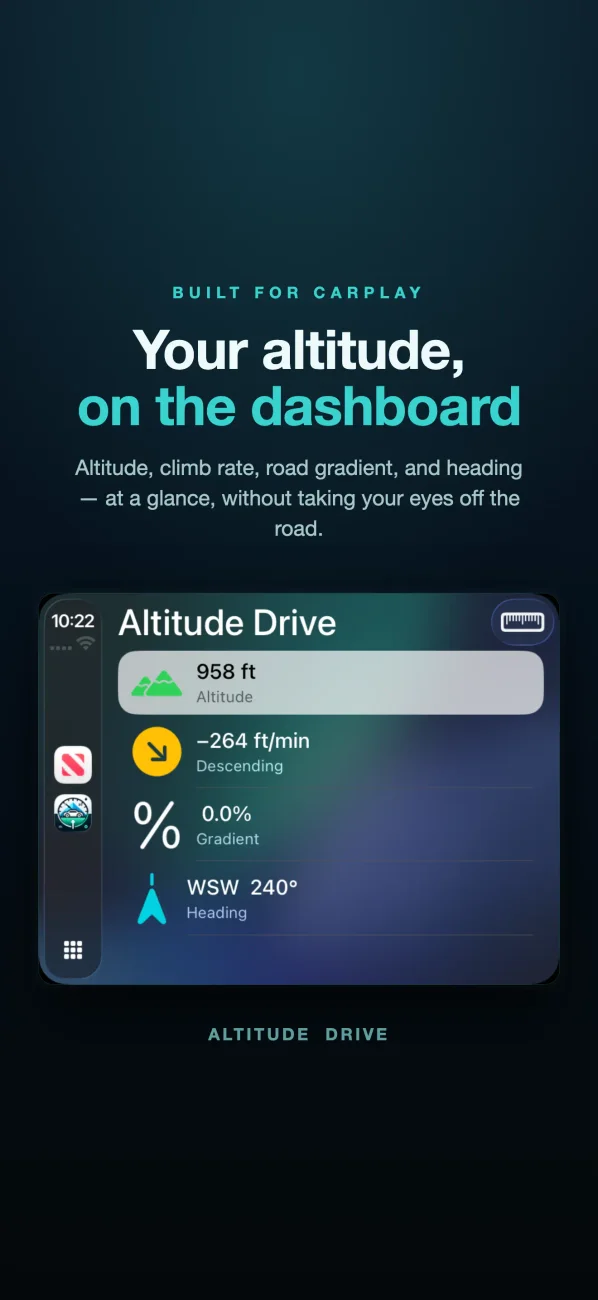
On CarPlay, a clean dashboard view shows altitude, trend, gradient, and heading at a glance. Color tells you both direction (red, white, or green for descending, level, ascending) and severity (green through yellow to red as the rate intensifies) without taking your eyes off the road.
On the phone, everything is large, monospaced, and readable in motion. Mount it on the dash, hand it to a passenger, or take it on a hike.
TRIP COMPUTER
Like a car's trip computer, Altitude Drive remembers the highest and lowest elevation you reach and your steepest climb and descent. Reset with a single tap for a new drive — your trip is kept even across app launches.
PRIVATE BY DEFAULT
No accounts. No ads. No analytics. No third-party SDKs. Your location data is processed entirely on your device and is never transmitted anywhere.
REQUIREMENTS
iPhone running iOS 17 or later. Location ("When In Use") and motion permissions, asked once on first launch.
What’s new
Version 1.3 · Oct 10, 2026
Trip computer — Altitude Drive now remembers the highest and lowest elevation and the steepest climb and descent of your drive. Reset with a tap to start fresh, and your trip is kept even if you close the app. On CarPlay, toggle the trip readings on or off from the nav bar.
App privacy
What Peter Santangeli declares on the App Store about how this app handles data.
-
Data not collected
The developer does not collect any data from this app.
Privacy practices may vary, for example with the features you use or your age.
Information
- Seller
- Peter Santangeli
- Category
- Navigation
- Version
- 1.3
- Updated
- Oct 10, 2026
- Released
- Jul 22, 2026
- Size
- 1.8 MB
- Requires
- iOS 17.0 or later
- Age rating
- 4+
- Price
- $2.99
- Languages
- English, Arabic, Dutch, French, German, Hindi, Indonesian, Italian, Japanese, Korean, Portuguese, Russian + 3 more
- Copyright
- © 2026 Peter Santangeli
You might also like
-
 RV-PilotAltimeter, level & trip log
-
 Altimeter DashboardGPS Altitude & Compass
-
 Altimeter Elevation WatchAltimeter for CarPlay
-
 Find My Location detailsCoordinates,altitude,address
-
 Watch Compass: GPS TracksHeading, Widgets & History
-
 GPS Stats - Speedometer & HUDAltitude, Slope & Trip Tracker
-
 Speed GPS – speedometerSpeed, trips and the sky
-
 LLOCSDatabase of Places for Maps
-
 GPS Altimeter: Elevation MeterReal-time elevation for hikers
-
 Destinazione SubasioEsplora il Monte Subasio