
- Age rating4+
- CategoryBusiness
- Developerstudio 216
- LanguagesEnglish
- Size217.4 MB
Links to the official App Store page
Download.org hosts no file of Altoura Frontline. The button opens its official App Store page, published by studio 216. Listing last checked on Nov 21, 2026.
Screenshots

About
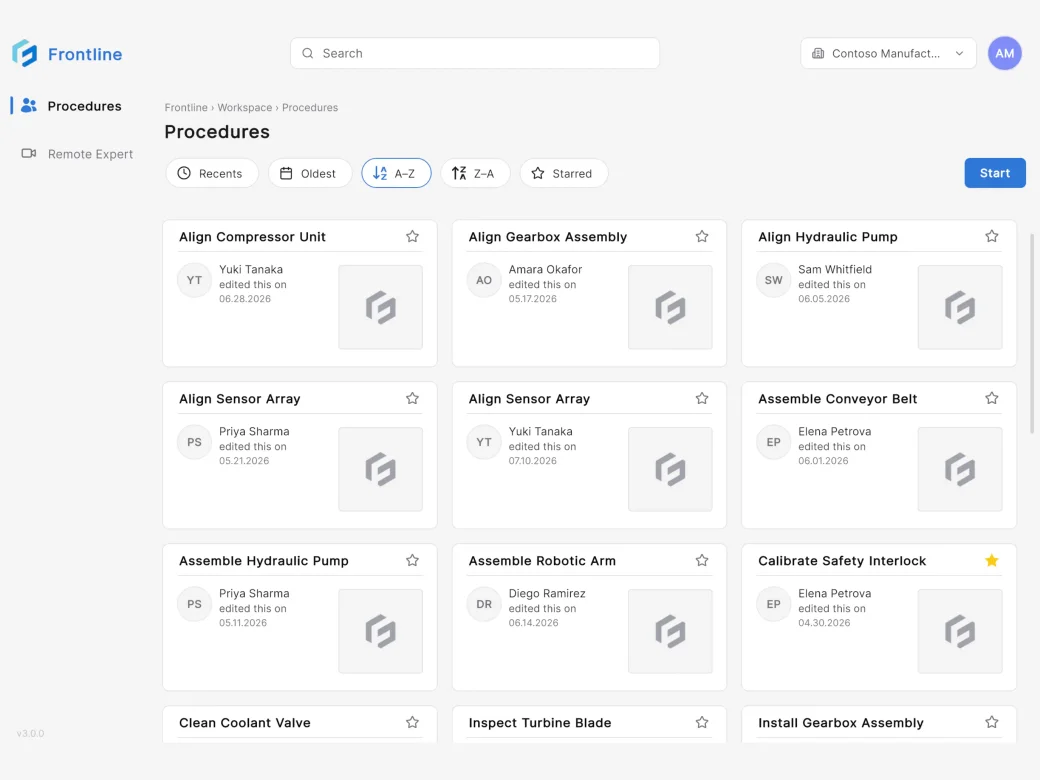
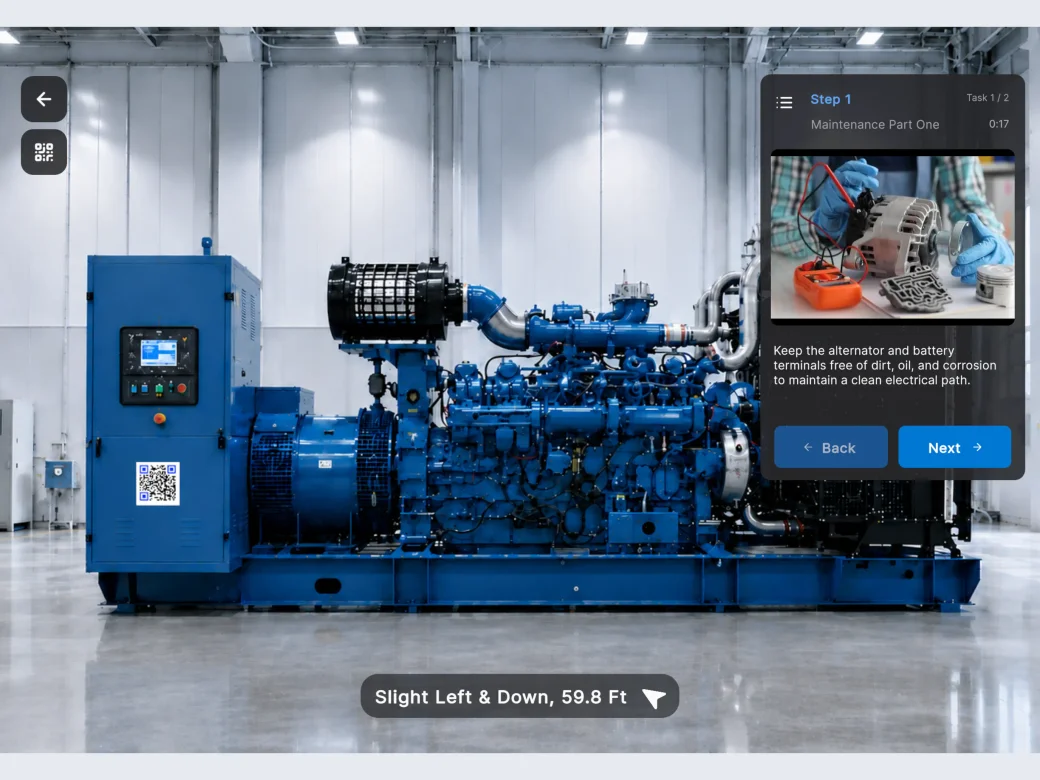
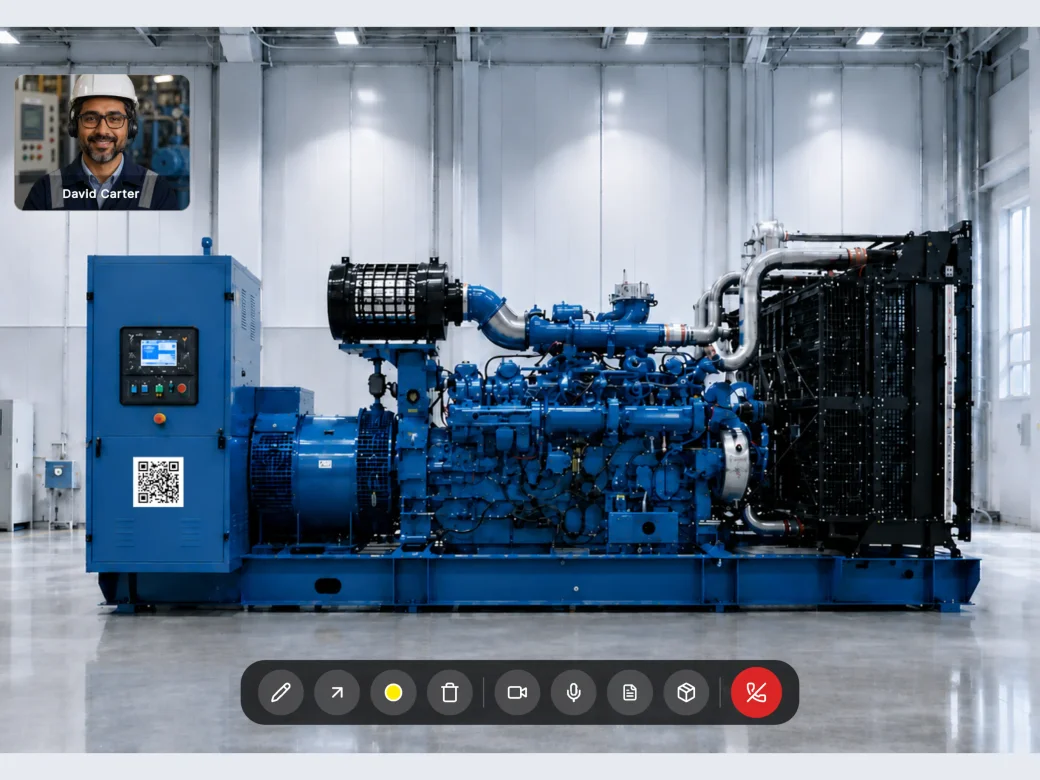
Altoura Frontline empowers enterprises to enhance frontline productivity by blending seamlessly into physical workspaces with guided AR overlays and step-by-step digital work instructions. Remote Expert connects frontline teams with global specialists through live MR annotations, file transfer, and desktop sharing—reducing downtime and eliminating costly travel. Prodigy AI transforms existing SOPs into interactive step-by-step procedures without any development dependency.
What’s new
Version 10.00.00 · Oct 15, 2026
What's new in Altoura Frontline 10.00.00
New features
• Hierarchy Window: see every object in the scene in one collapsible panel, and jump to any item with find-in-scene.
• New interaction system: a redesigned way to select and work with content in the scene.
• Draco and KTX2 support: compressed GLB models are now supported, for lighter assets.
• Faster, more reliable loading of GLB models.
• Style support: consistent visual styles for procedure content, including procedures imported from Microsoft Guides.
• LMS integration: launch training from your organisation's LMS using SCORM 1.2, with completion reported back.
• Improved analytics for procedures.
Improvements
• Refreshed procedure dashboard: procedure cards now show the procedure icon, and your profile picture appears at the top.
• Add existing photos and videos from your iPad library to a step.
• Capture photos and videos directly from a step.
• Name aliasing: give objects clear, readable names in the Hierarchy Window.
• Audio support in the step panel.
• Per-axis scaling for triggers and objects.
Fixes
• Videos now play automatically when a step loads.
App privacy
What studio 216 declares on the App Store about how this app handles data.
-
Data not collected
The developer does not collect any data from this app.
Privacy practices may vary, for example with the features you use or your age.
Information
- Seller
- studio 216 inc
- Category
- Business
- Version
- 10.00.00
- Updated
- Oct 15, 2026
- Released
- May 6, 2026
- Size
- 217.4 MB
- Requires
- iOS 17.0 or later
- Age rating
- 4+
- Price
- Free
- Languages
- English
- Copyright
- © 2020 Studio216
You might also like
-
 Hololight Space SpectatorBusiness
-
 Manifest for iPadAR Work Instructions
-
 Tandem by Apprentice.ioBusiness
-
 Hololight StreamProductivity
-
 Taqtile MakerTurn videos into work guides
-
 Orbatic Catalogue - Create PDFTiles, Marble, Laminate & More
-
 Trimble UnityProductivity
-
 Frontline Spatial WorkplaceThe next dimension workplace
-
 Uptale PlayerBusiness
-
 Manitowoc IceBusiness