
- Age rating4+
- CategoryGames
- DeveloperIntellivision
- LanguagesEnglish+ 8 more
- Size129.8 MB
Links to the official App Store page
Download.org hosts no file of Amico Home. The button opens its official App Store page, published by Intellivision. Listing last checked on Nov 17, 2026.
Screenshots
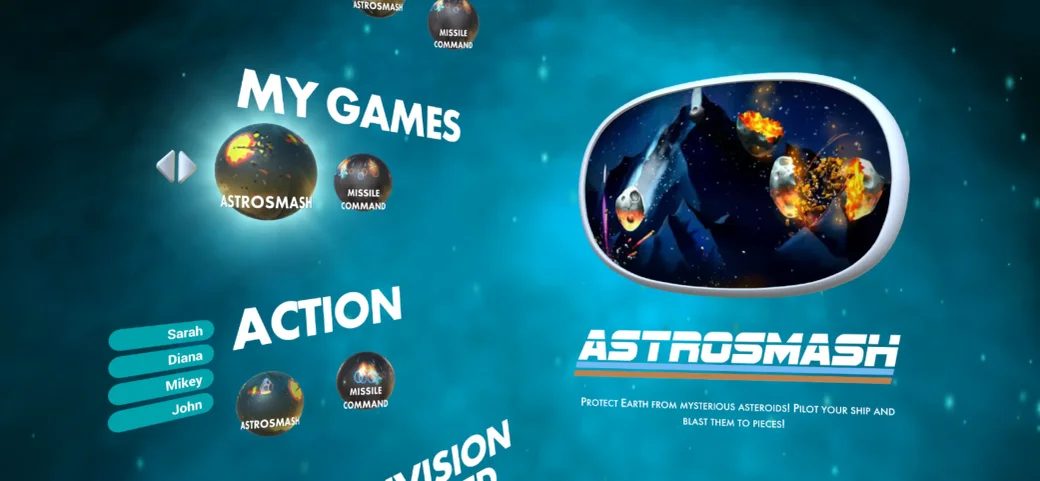
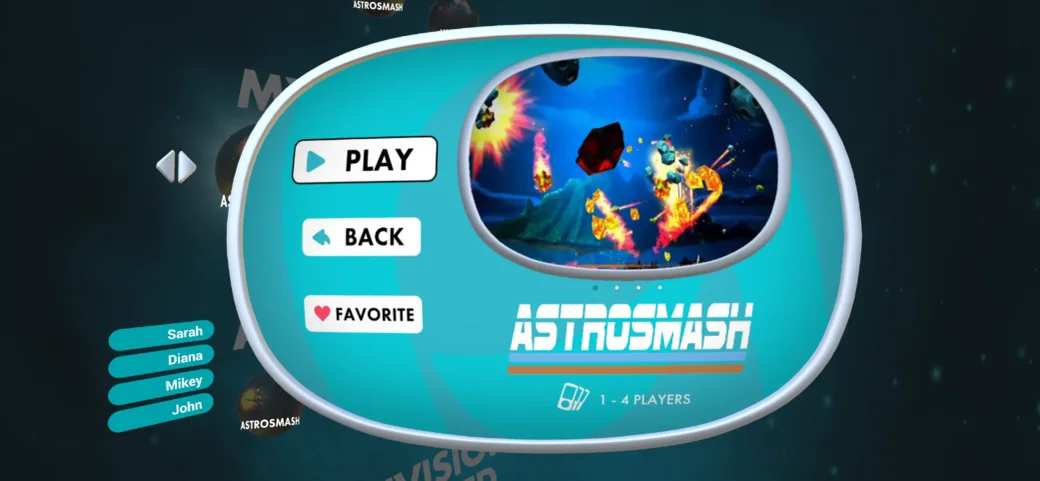
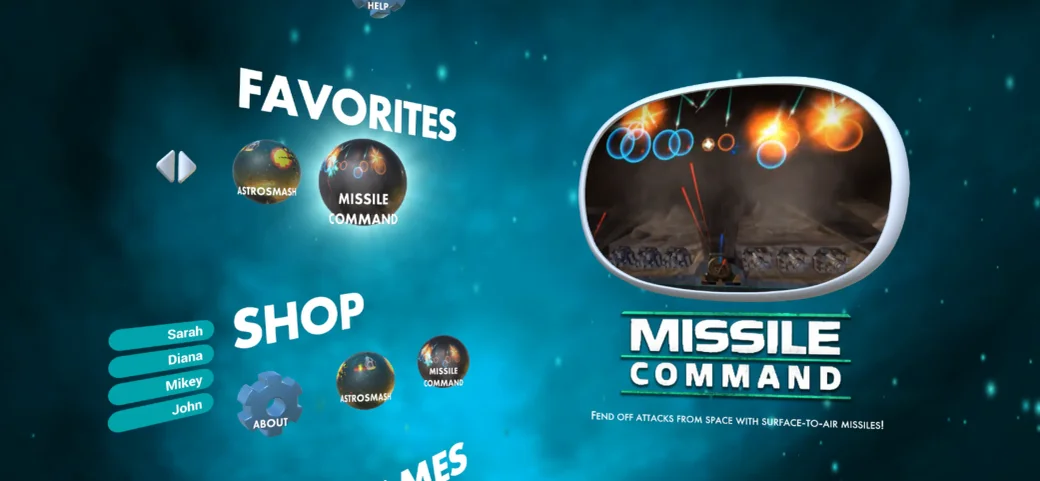

About
Amico Home turns your TV streaming device, tablet, or smartphone into a “couch play” multiplayer gaming console!
The companion Amico Controller app turns your smartphone or tablet into a game controller that connects to Amico Home over your home Wi-Fi network.
Amico games are designed for you to enjoy a local multiplayer experience with your family and friends of all ages. All Amico games are family-friendly with no in-app purchases and no playing with strangers over the Internet! The mission of Amico is to bring people together for simple, affordable, family entertainment.
Open Beta Notice: Amico Home is in the early days of widespread adoption. In the unlikely event that you encounter a bug, or if you have suggestions for improvement, kindly email the details to us at support@amicogaming.com. We appreciate your help and suggestions!
Requirements
1. This FREE Amico Home app – helps you find and play Amico games.
2. The FREE Amico Controller app – turns smart devices into Amico game controllers.
3. A Wi-Fi network shared by all participating devices.
Setup Steps
1. Install the Amico Home app on one device to act as the “console”.
2. Install one or more Amico game apps on the same device as the Amico Home app.
3. Install the Amico Controller app on one or more separate devices to act as wireless game controllers. Connect up to 8 controllers* to Amico Home!
We recommend installing Amico Home on a TV streaming device or a smart device that connects by HDMI cable** to your TV for the big screen experience! A tablet is also a nice alternative host that provides a large enough screen for players to gather around.
How to Start Play
1. Launch the Amico Home app or any Amico game app on the console device.
2. Players launch the Amico Controller app on their devices, which automatically connect to the console device over a shared Wi-Fi network.
Players move seamlessly between Amico Home and Amico games. From Amico Home you will launch the games you’ve already installed. When you exit a game, control returns to Amico Home where you can choose another game to launch or browse the “SHOP” to buy more games.
Buying Amico Games
You can find Amico Home games on our publisher page on the device’s app store. Amico games are tagged on their app icon with the letter ‘A’ from the Amico logo. It is the same letter-logo shown on the Amico Home app icon and Amico Controller app icon.
You view all the available Amico games in the Amico Home app’s “SHOP” area. Selecting “BUY” on a game in the Amico Home app launches the device’s app store to the game’s product page where you will manually operate the console device to complete the purchase. Return to the Amico Home app once the purchase is complete to continue playing while the new game installs. After the new game finishes installing, it will appear in the Amico Home app’s “MY GAMES” area.
How to End Play
There are two ways to end your Amico Home session:
A) Remotely: Open the Amico Controller menu by pressing the little round menu button. Select “Console” then “Close Amico Home” and answer “Yes” to confirm.
B). Directly: On the Amico Home device, use the device’s standard procedure for closing apps to close the currently running Amico game app and/or Amico Home app.
————————————————————————————
“Amico” is a trademark of Amico Entertainment, LLC.
* See each game for how many players are supported. Typically, 1 to 4 players are supported, but some games may allow up to the system limit of 8.
** Some high-end smart devices support HDMI out with an adapter. See the Amico Club site for information about supported devices and TV compatibility: https://amico.club/users/videoDeviceList.php
*** If the Amico Home app is not installed when you exit a game, it launches the device’s app store to the Amico Home app page.
What’s new
Version 1.5.6 · Dec 12, 2024
Fix to scrolling control in the Help section for answers longer than one screen.
App privacy
What Intellivision declares on the App Store about how this app handles data.
-
Data not collected
The developer does not collect any data from this app.
Privacy practices may vary, for example with the features you use or your age.
Information
- Seller
- Intellivision Entertainment, LLC
- Category
- Games
- Version
- 1.5.6
- Updated
- Dec 12, 2024
- Released
- Dec 12, 2024
- Size
- 129.8 MB
- Requires
- iOS 12.0 or later
- Age rating
- 4+
- Price
- Free
- Languages
- English, Arabic, Dutch, French, German, Italian, Polish, Portuguese, Spanish
- Copyright
- © 2024 Amico Entertainment, LLC
You might also like
-
 BigPEmuGames
-
 Retro Cloud Playeremulator for legacy gaming
-
 Mars 2055Alone on Mars?
-
 Radio Ball 3DFast-paced endless tunnel game
-
 Emu2600 XLA classic console emulator
-
 GEKKO C64The best Commodore 64 Emulator
-
 ZX81Sinclair ZX80 / ZX81 & TS1000
-
 AMUSEMENT ARCADE TOAPLANTruxton and other classics!
-
 Emu64 XLA fast Commodore 64 Emulator
-
 Burger Chef ClassicBuild Burgers & Crush Enemies