- Age rating17+
- CategoryUtilities
- DeveloperSIMONE DI MAMBRO
- LanguagesItalian+ 6 more
- Size42.9 MB
Links to the official App Store page
Download.org hosts no file of aMule Remote. The button opens its official App Store page, published by SIMONE DI MAMBRO. Listing last checked on Nov 12, 2026.
Screenshots

About
aMule Remote is a remote control for your aMule server (amuled) running on a NAS, Raspberry Pi, Unraid or any home computer. It connects over the EC (External Connections) protocol, the same one used by aMuleGUI, so you can manage everything from your iPhone, iPad, Mac, Apple Vision Pro or Apple TV.
MAIN FEATURES
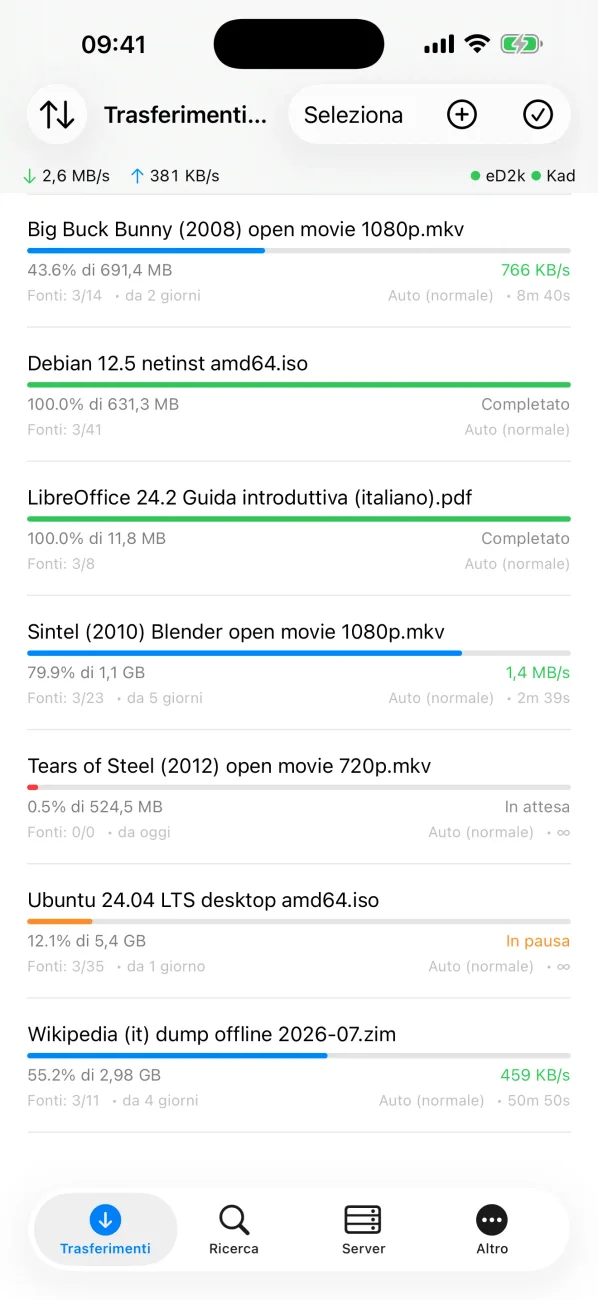
- Transfers: download queue with progress, speed, sources and ETA; pause, resume, stop, priority, categories and delete, also in multi-selection.
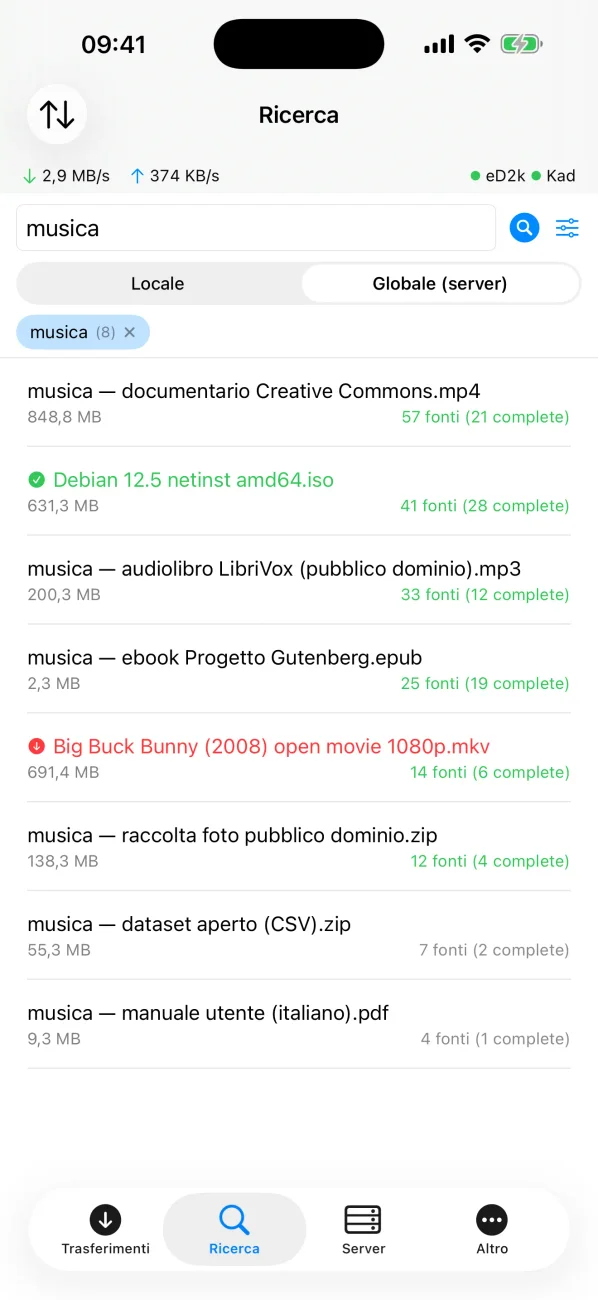
- Tabbed search: local and global (server), with filters for type, extension and size. Several searches at once, each in its own tab.
- Servers: list with users, files and ping; connect with a tap, add and remove, update the list, eD2k and Kad network control.
- Server statistics and log in real time.
- Offline mode: after the idle period, or when the app goes to the background, the connection is closed to save battery and data, but the last data stays on screen and the connection resumes by itself at the first tap or when you come back.
- iCloud sync (optional): your server profiles and their passwords follow you on every device, through your own iCloud account and iCloud Keychain.
- Quick actions: long-press the app icon (pause all, resume all, add a link, search); on the Mac the same actions live in the Dock menu and in the Transfers menu.
- Notifications: download started and completed, aMule server unreachable or reachable again, connection lost, eD2k/Kad drops and reconnections. Nothing to configure in the app: how you receive them is decided in the system Settings. On iPhone they also reach your Apple Watch.
- Apple Watch app: speeds, network status and download queue at a glance.
- Apple TV app: transfers, search, servers and statistics on the big screen, driven by the Siri Remote (Play/Pause pauses or resumes the highlighted download); type with the iPhone keyboard or dictate with Siri.
- Siri and Shortcuts on every platform: status, download and upload speed, queued downloads, status/pause/resume/priority of a single download, add eD2k links, search files, eD2k and Kad control.
- Clipboard: paste several eD2k links at once (or any text that contains them) and share a download's eD2k link to Notes, Messages or Mail.
- Guided introduction at the first launch, with restore of your server profiles from the iCloud backup.
- Server profiles, light/dark theme, 7 app colors that tint the whole interface, Face ID / Touch ID lock, 7 languages.
- On the Mac: full remote editor of the aMule preferences (bandwidth, ports, servers, files, security, folders) and the shared files list.
aMule Remote does NOT download files to your device and contains no catalog of content: it is simply a control panel for YOUR aMule server. It collects no personal data; the server address and password stay on your device, in the Keychain (or in your own iCloud account if you turn sync on). Free software under the MIT license.
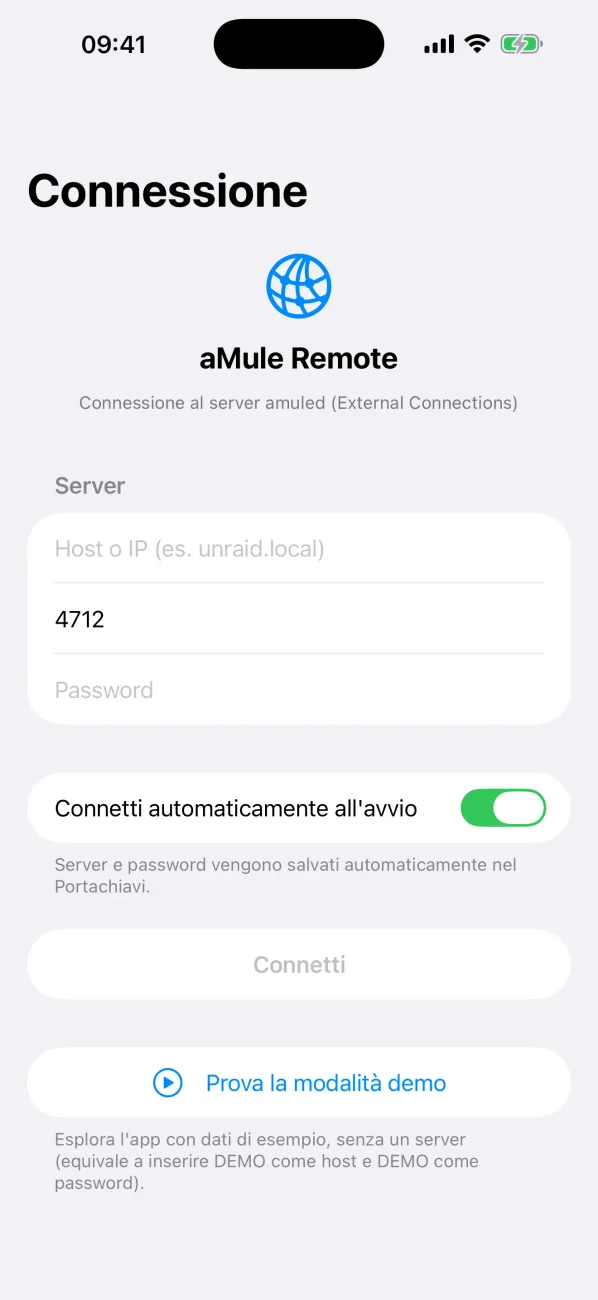
Try it right away with the built-in demo mode, no server needed. Requires an amuled server with External Connections enabled.
What’s new
Version 1.5.1 · Nov 2, 2026
We update the app regularly to fix bugs, improve performance and make your experience even better.
App privacy
What SIMONE DI MAMBRO declares on the App Store about how this app handles data.
-
Data not collected
The developer does not collect any data from this app.
Privacy practices may vary, for example with the features you use or your age.
Information
- Seller
- SIMONE DI MAMBRO
- Category
- Utilities
- Version
- 1.5.1
- Updated
- Nov 2, 2026
- Released
- Aug 31, 2026
- Size
- 42.9 MB
- Requires
- iOS 17.0 or later
- Age rating
- 17+
- Languages
- Italian, Arabic, Simplified Chinese, French, English, Spanish, German
- Copyright
- © 2026 Simone Di Mambro
You might also like
-
 OCR Subtitle UltraAny Subtitle, Readable.
-
 NZB-MuleNZBLNK & NZB downloader helper
-
 Prox Deck: Proxmox VE ClientVM, LXC, SSH & VNC Manager
-
 OCR SubtitleAny Subtitles, Readable
-
 QS MilanoUtilities
-
 SiLog - Film Darkroom LabFilm Dev, Recipes & Archive
-
 IPTV Player: M3U & Live TVLive TV, Guide & Favorites
-
 Melon PickerPick the Perfect Watermelon