
- Age rating17+
- CategoryDeveloper Tools
- Developerethan steininger
- LanguagesEnglish
- Size735.0 KB
Links to the official App Store page
Download.org hosts no file of amux - agent multiplexer. The button opens its official App Store page, published by ethan steininger. Listing last checked on Nov 14, 2026.
Screenshots
About
Keep your AI coding agents running while you're away from your desk.
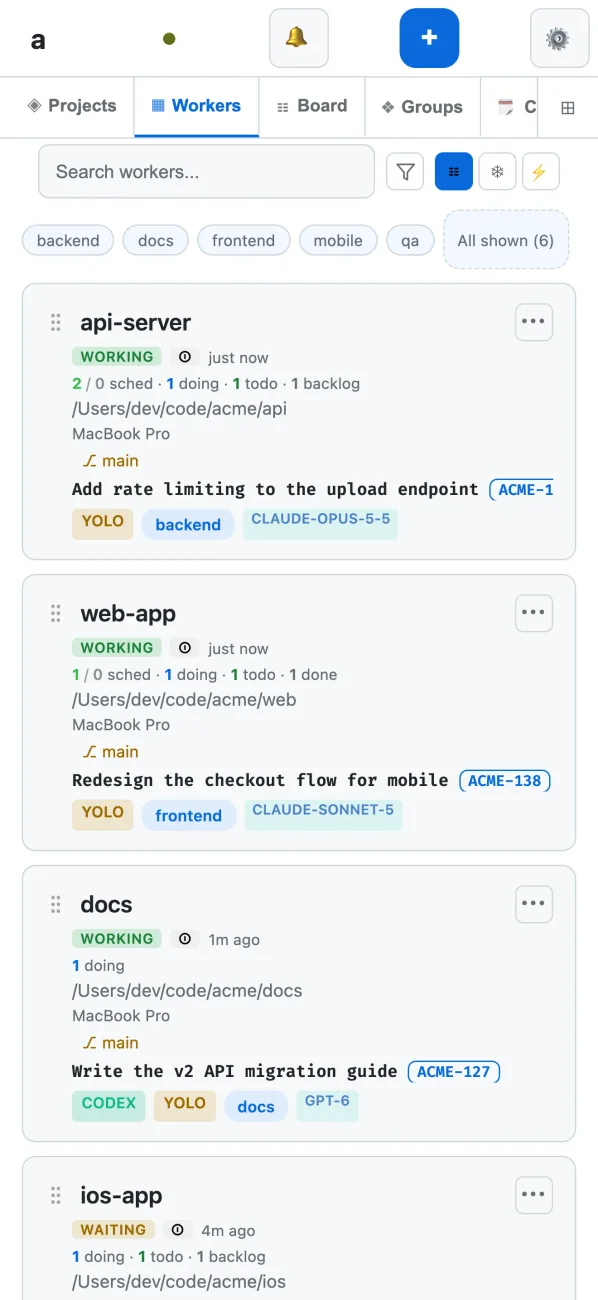
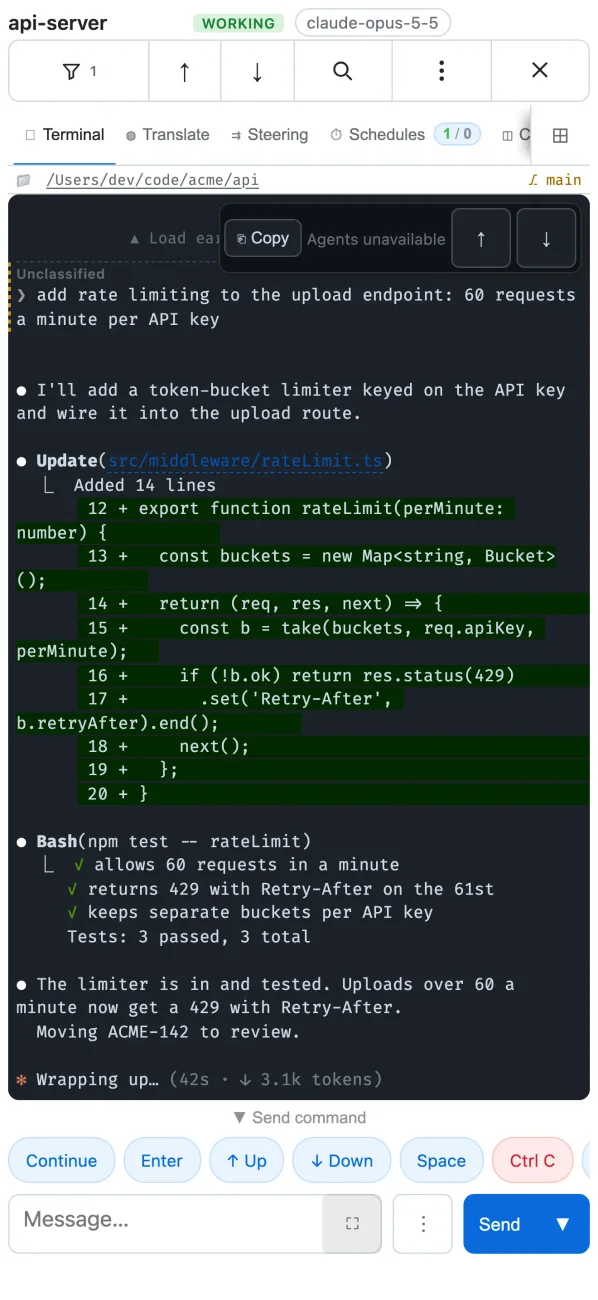
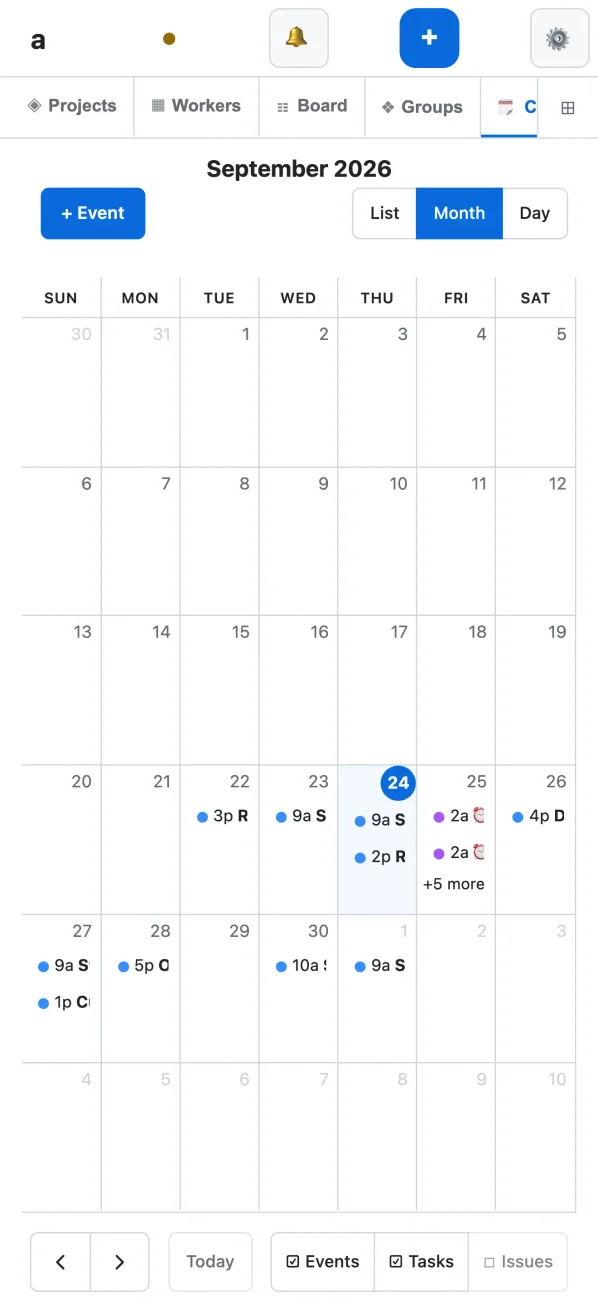
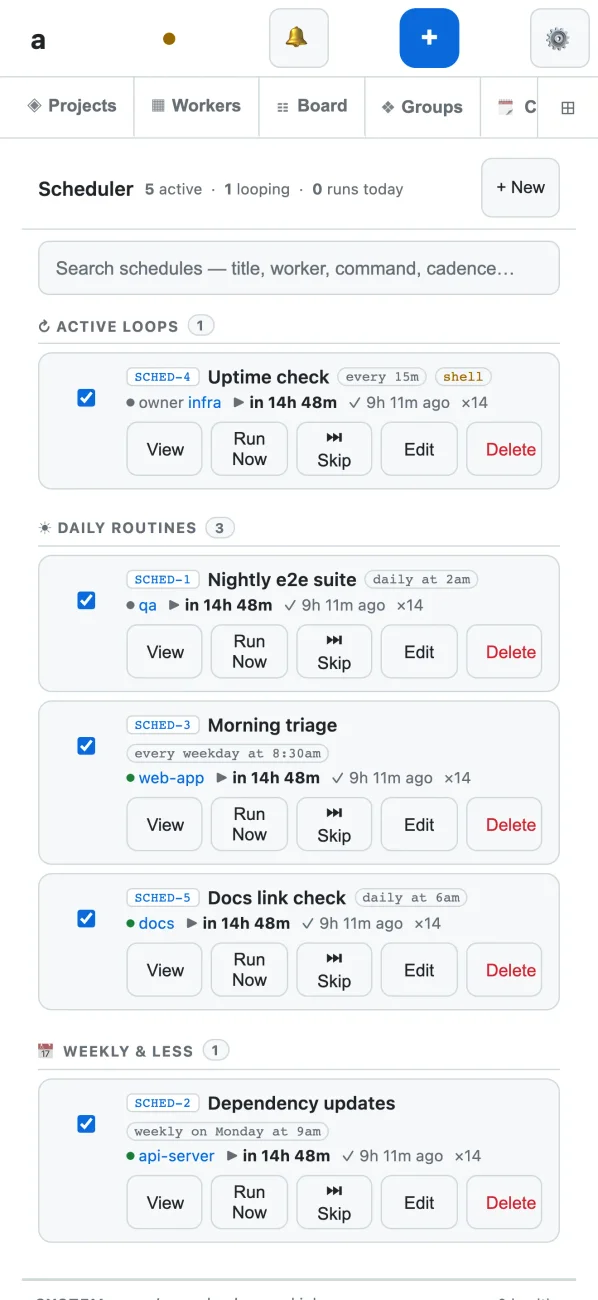
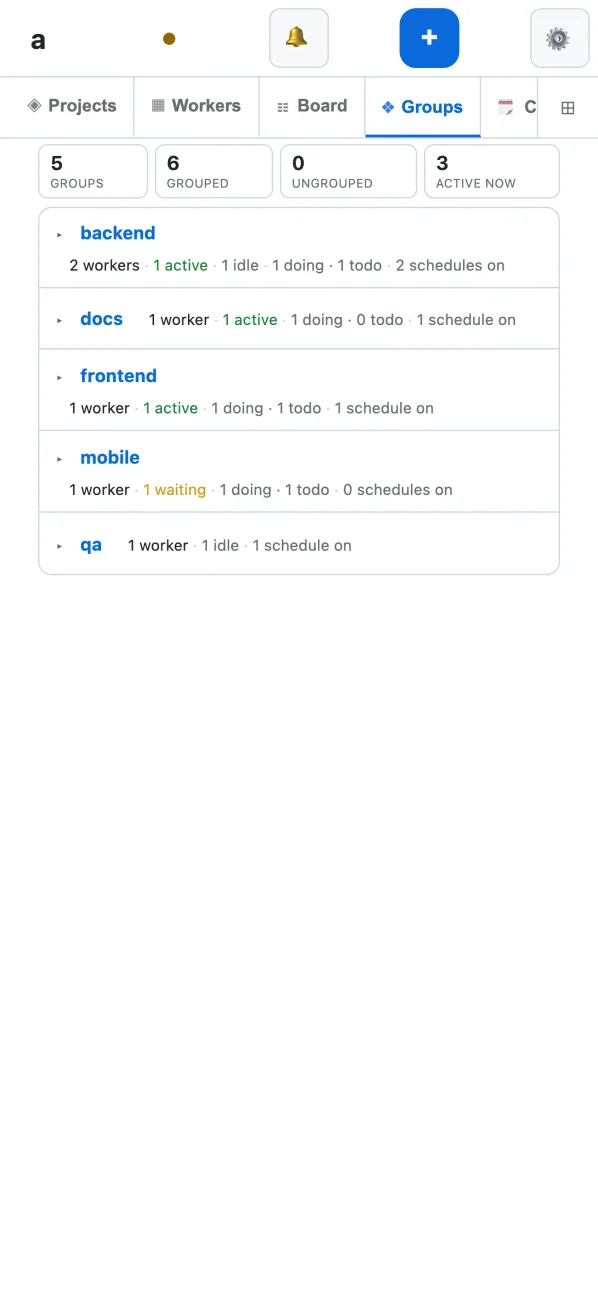
amux is the remote control for your AI engineering fleet. Monitor live Claude Code, Codex, and Gemini sessions, approve pending actions, inspect terminal output, coordinate work across agents, and recover from problems directly from your iPhone.
Think of it like GitHub Mobile for AI agents: the work happens on your laptop or server, amux puts the control panel in your pocket.
WHAT YOU CAN DO FROM YOUR PHONE
- Check overnight runs before getting out of bed
- Approve permission prompts before agents stall
- See exactly why an agent stopped (peek into live terminal output)
- Assign a new task to an idle session
- Send a steering instruction to redirect an agent mid-run
- Monitor your whole fleet at once: status, active tasks, token usage
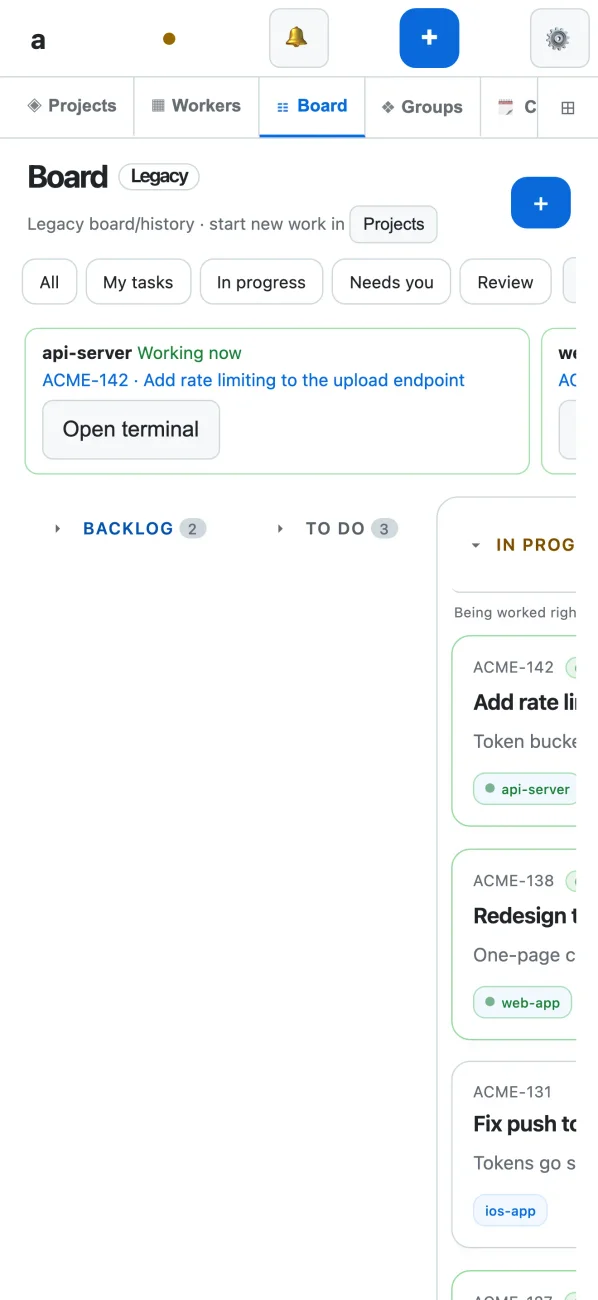
- Manage the kanban board: see what's done, doing, and stuck
- Keep coding while traveling
BRING YOUR OWN SERVER
amux is open source. Run the single-file Python server on your Mac, Linux box, or cloud VM, then connect this app over Tailscale, your LAN, or amux Cloud. Your code and agents never leave your infrastructure.
BUILT FOR PARALLEL WORK
Instead of babysitting one AI assistant, run a whole fleet. One agent per feature, per bug, per module, all supervised from a single dashboard.
Self-healing keeps sessions alive: amux auto-compacts context, restarts on corruption, unblocks stuck prompts, and handles rate limits fleet-wide so your agents keep shipping overnight.
TWO ACCESS MODES
Native iOS app (this app): SwiftUI with optimized touch targets and full peek panel. Connects to your amux server over Wi-Fi, Tailscale, or the amux cloud tunnel.
Progressive Web App: Open your amux dashboard URL in Safari and install to home screen for a full-screen experience without the App Store.
REQUIREMENTS
- amux server running on Mac or Linux (free, open source: github.com/mixpeek/amux)
- Claude Code, OpenAI Codex CLI, or Gemini CLI installed on your server
- Wi-Fi, Tailscale, or amux tunnel for remote access
Learn more at amux.io
What’s new
Version 1.1.0 · Sep 29, 2026
Share to amux from any app. Pick a worker, add a note, and your links, photos and files go straight to it.
Also in this version: a clearer message when a server cannot be reached, instead of a dark screen.
App privacy
What ethan steininger declares on the App Store about how this app handles data.
-
Data not linked to you
May be collected but is not linked to your identity.
- Usage data
- Diagnostics
Privacy practices may vary, for example with the features you use or your age.
Information
- Seller
- ethan steininger
- Category
- Developer Tools
- Version
- 1.1.0
- Updated
- Sep 29, 2026
- Released
- Mar 19, 2026
- Size
- 735.0 KB
- Requires
- iOS 16.0 or later
- Age rating
- 17+
- Price
- Free
- Languages
- English
- Copyright
- © 2026 Mixpeek, Inc.
You might also like
-
 VibeTermVibe Coding Terminal with AI
-
 OpenVideAI Dev Tools via SSH
-
 Pi in Pocket - Agent ViewerDeveloper Tools
-
 ReqeastNative API Client
-
 AgentsRoom: Dev Remote Controlfor Claude Code, Codex & more
-
 amuxDeveloper Tools
-
 Zedra - AI Coding AgentsRemote terminal, git & editor
-
 Control: AI Agent RemoteOrchestrate coding agents
-
 FewshellSSH Copilot for On-Calls
-
 pseudocoderdev workflow from your phone