Anchor Cards
Flashcards written by your AI
Designed for iPhone, iPad, Mac
In-app purchases
- Age rating4+
- CategoryEducation
- DeveloperZEN ARTICLE
- LanguagesEnglish+ 1 more
- Size12.1 MB
Links to the official App Store page
Download.org hosts no file of Anchor Cards. The button opens its official App Store page, published by ZEN ARTICLE. Listing last checked on Nov 17, 2026.
Screenshots
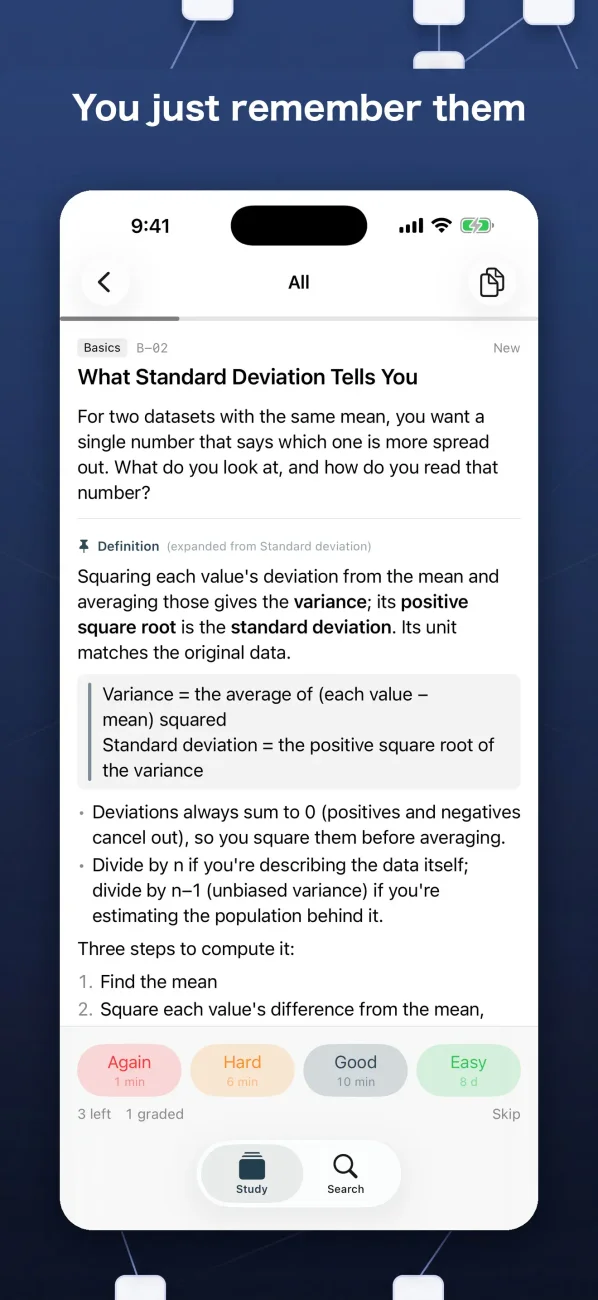


About
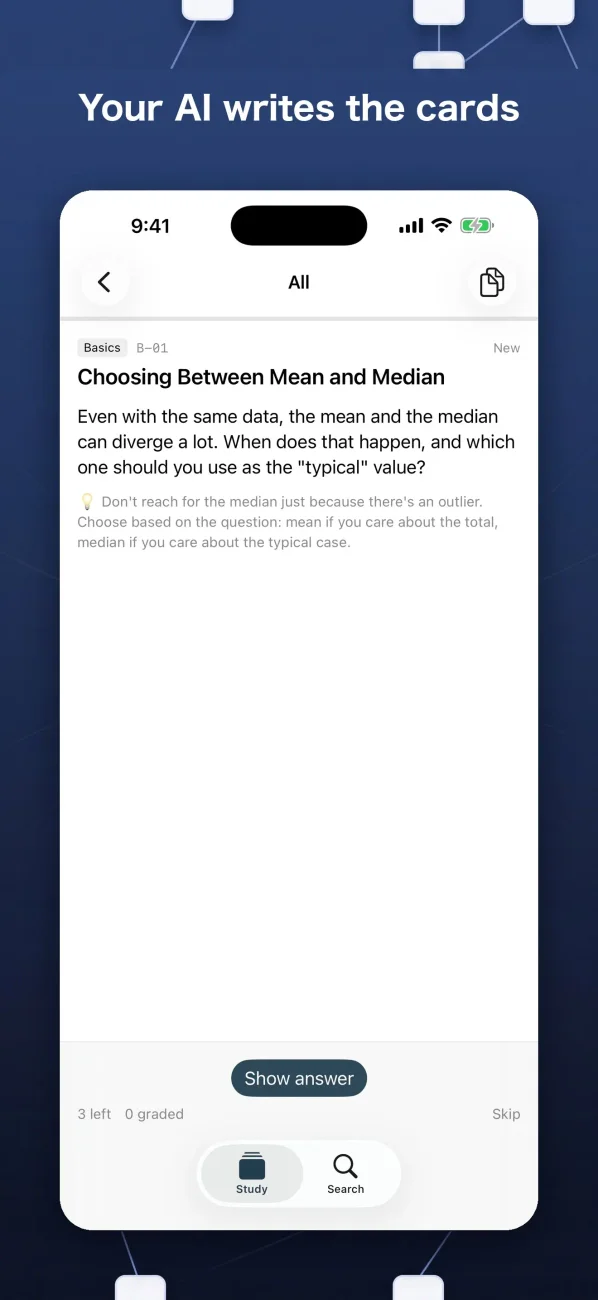
Anchor Cards is a spaced repetition app you work through with an AI assistant. The assistant writes the material; you review it; the app does nothing but quiz you. It ships with no built-in cards.
Your cards are Markdown files, kept in your own GitHub repository. The app reads them, quizzes you, and writes back only your study log. Cards never live inside the app, so you can always edit them in your usual editor or AI assistant.
■ It teaches, you review
Just tell your AI assistant what you want to study, and it writes the cards on the spot and puts them where you keep them. The app has no screen for creating cards, so there is nothing in it to break.
Material is never finished when it is written. Spot a wrong explanation while reviewing, have the assistant fix it, and go back to reviewing the corrected card. That loop runs without ever closing the app.
■ Your Markdown is the source of truth
Write two lines at the top of a Markdown file — `id` and `deck` — and it becomes reviewable. Put the file anywhere, name it anything.
No export feature is needed: the files were already Markdown. Uninstall the app and your cards stay where they were.
■ Stop copying the same definition onto ten cards
Copy one definition onto ten cards, and every change means ten edits — one of which always stays stale.
Here the full text lives on a single definition card, and other cards reference it with `[[id]]`. At review time the app inlines the referenced card's back, so it still reads as one card. The stored text never changes; you only ever edit the one definition card.
■ Hand a card straight to your AI assistant
Mid-review, if an explanation looks off, copy the card's stable ID with one tap — that alone lets your assistant find it. Copy up to ten difficult cards at once, or hand over everything you struggled with right after a session.
Place your AI assistant beside the app in Split View on iPad or Mac, and just paste. The app never writes cards itself.
■ Read the fix inside the app
When your assistant proposes the fix as a pull request, the Changes tab renders that card **exactly as it will be quizzed** — not a diff, but the corrected text itself, so you can decide whether to merge right there.
Leave it open and it updates as new commits arrive, and a definition added in the same pull request is expanded too.
Every sync also writes a ranking of your weak cards back, so your AI assistant can see what you're struggling with.
■ Review intervals from FSRS
Reviews are scheduled with FSRS (Free Spaced Repetition Scheduler): cards you know well come back less often, shaky ones sooner. Read-aloud for both faces can be turned on in Settings (off by default).
■ Getting started
On first launch it runs on three bundled sample cards — enough to try the whole flow.
Keep your own cards in a GitHub repository: tap "Connect to GitHub," sign in, pick a repository. Your Git history becomes your study history. An AI agent that can read and write the repository can take it from writing the cards all the way to committing them.
No account required.
■ Your keys, your privacy
Your GitHub token and Anchor Cloud key are stored only in the device's Keychain. Cards sync only to the GitHub repository or Anchor Cloud you chose. If you sign in with email, we never store the address itself — only a hash used to match it. The app talks to the App Store and our billing backend (RevenueCat) only to process an Anchor Pro purchase, and it does not track your behavior.
■ Anchor Pro (optional, one-time purchase)
Every feature works for free. The only difference is how many new cards you can start per day (20 for free). Anchor Pro removes that limit instantly — a one-time purchase, not a subscription.
■ What you need
・A place for your cards: a GitHub repository (private is fine)
・One card per file (put it anywhere, name it anything)
・iPhone or iPad (supports iPadOS Split View)
What’s new
Version 1.9.2 · Nov 13, 2026
• Links in a card now open cards kept in a subfolder (for example "解説/"). Before, they looked like links but did nothing when tapped.
• The "All" row in the deck list now counts only cards that are actually asked.
App privacy
What ZEN ARTICLE declares on the App Store about how this app handles data.
-
Data linked to you
May be collected and linked to your identity.
- Contact info
- User content
- Usage data
-
Data not linked to you
May be collected but is not linked to your identity.
- Purchases
Privacy practices may vary, for example with the features you use or your age.
Information
- Seller
- ZEN ARTICLE
- Category
- Education
- Version
- 1.9.2
- Updated
- Nov 13, 2026
- Released
- Aug 2, 2026
- Size
- 12.1 MB
- Requires
- iOS 17.0 or later
- Age rating
- 4+
- In-app purchases
- Yes
- Languages
- English, Japanese
- Copyright
- © 2026 Zen Article