
ANGLE :Chat Video & Viewpoints
Think, Create, Play Every Role
Designed for iPhone, iPod touch
In-app purchases
- Age rating4+
- CategoryProductivity
- DeveloperKota Suzuki
- LanguagesEnglish
- Size96.0 MB
Links to the official App Store page
Download.org hosts no file of ANGLE :Chat Video & Viewpoints. The button opens its official App Store page, published by Kota Suzuki. Listing last checked on Nov 12, 2026.
Screenshots



About
Create conversations. Shift perspectives. Turn them into video.
Angle is a one-person, multi-role chat app that lets you switch between yourself and other characters as you write a conversation.
Turn your conversations into vertical videos, explore your thoughts from someone else’s point of view, or bring imagined character interactions to life.
Create chat videos. Organize your thoughts. Create stories.
Three ways to use one unique chat experience.
■ 1. Create Chat Videos
Turn one-on-one and group conversations into vertical videos where messages appear in sequence.
Once you have written a conversation, simply choose the part you want to include and customize how it appears. No advanced video-editing skills are required.
・Create videos from one-on-one or group chats
・Choose the starting and ending messages
・Display speaker names above messages
・Show or hide dates and sent times
・Include the input bar or group member bar
・Adjust playback speed from 0.5x to 2.0x
・Export as a 9:16 vertical MP4 video
・Preview the finished video
・Save it to your device or share it on social media
Turn funny exchanges, group conversations, character dialogue, and original stories into videos you can share.
■ 2. Organize Your Thoughts
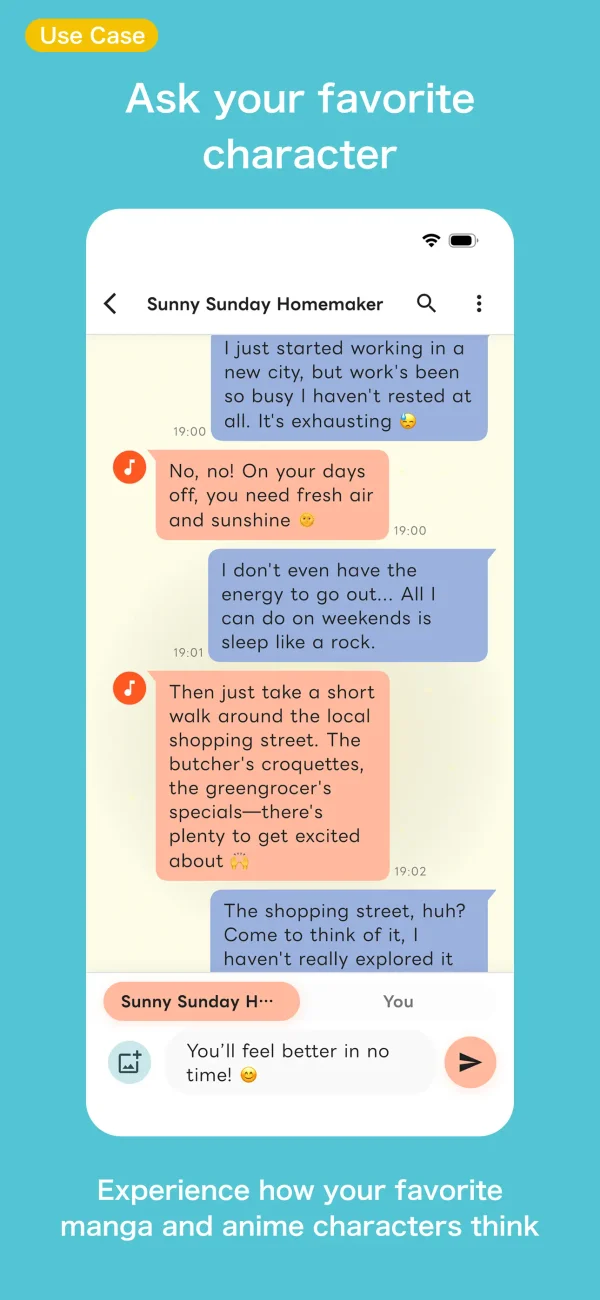
“What would they think about this?”
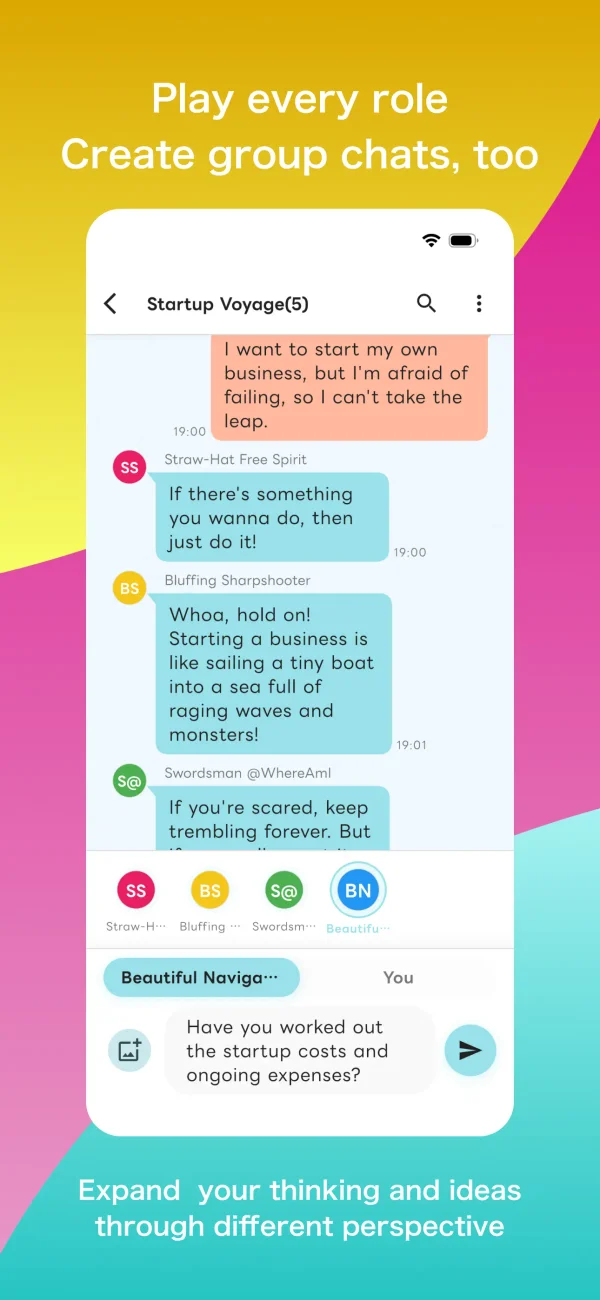
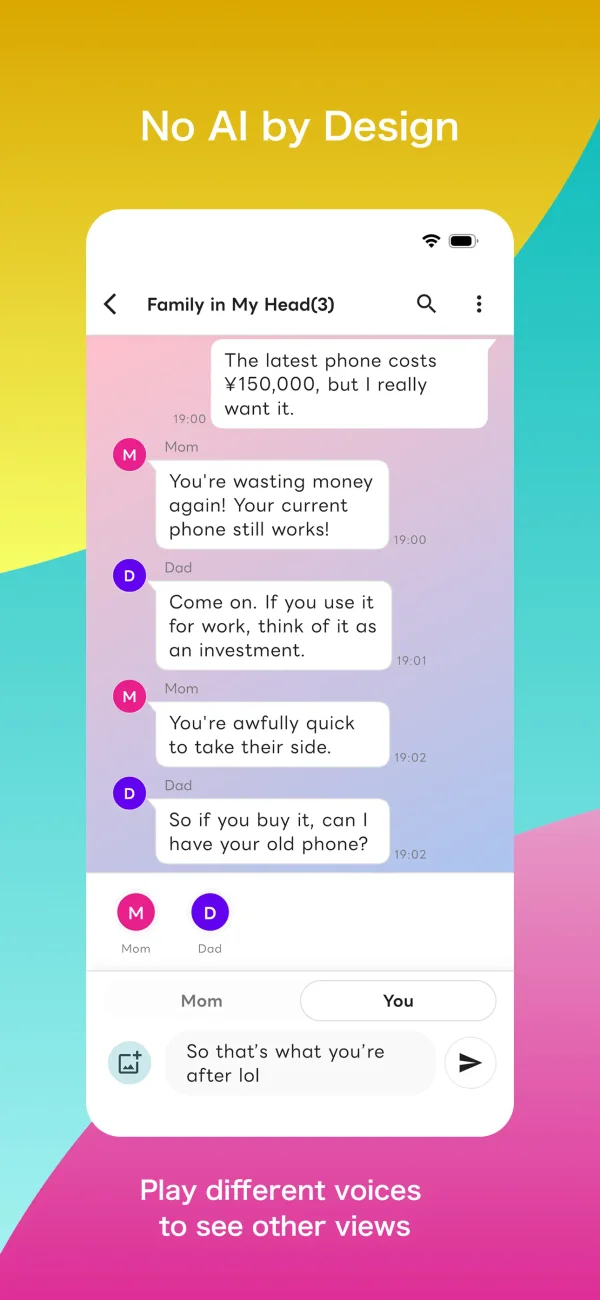
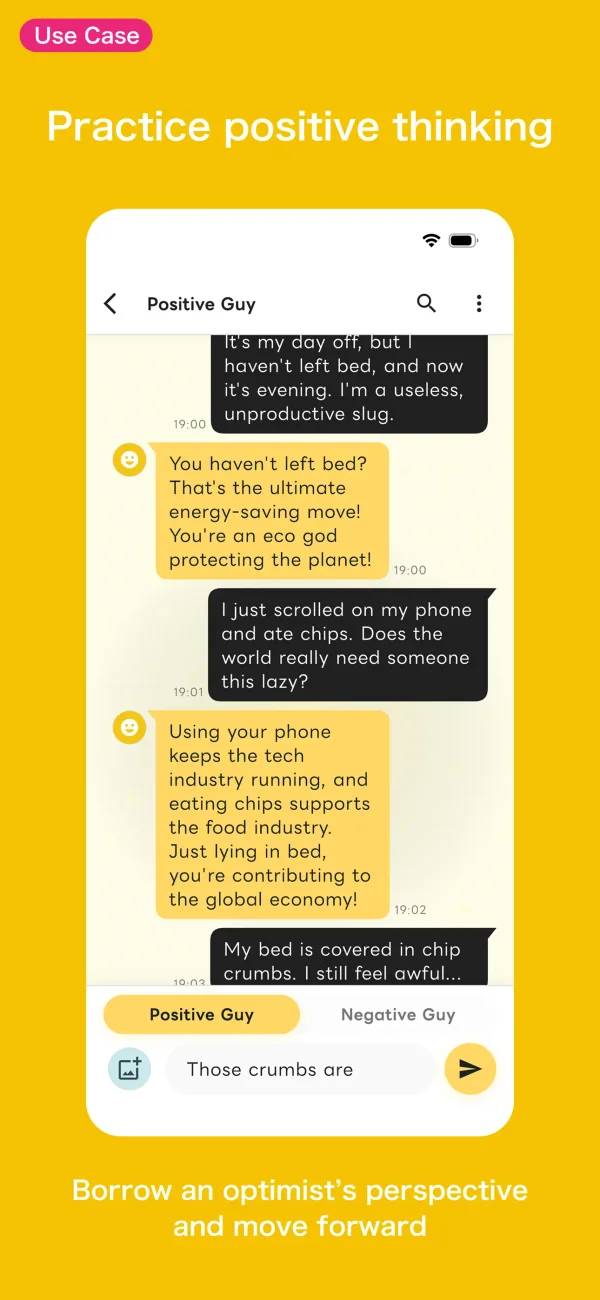
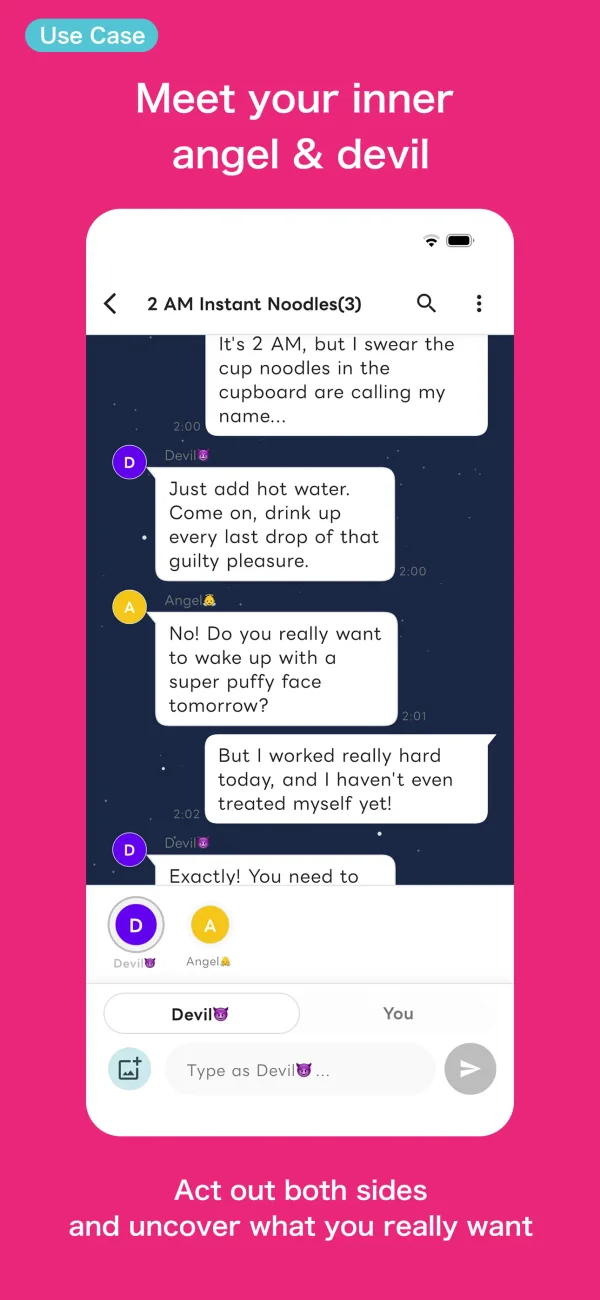
In Angle, you write both sides of the conversation yourself.
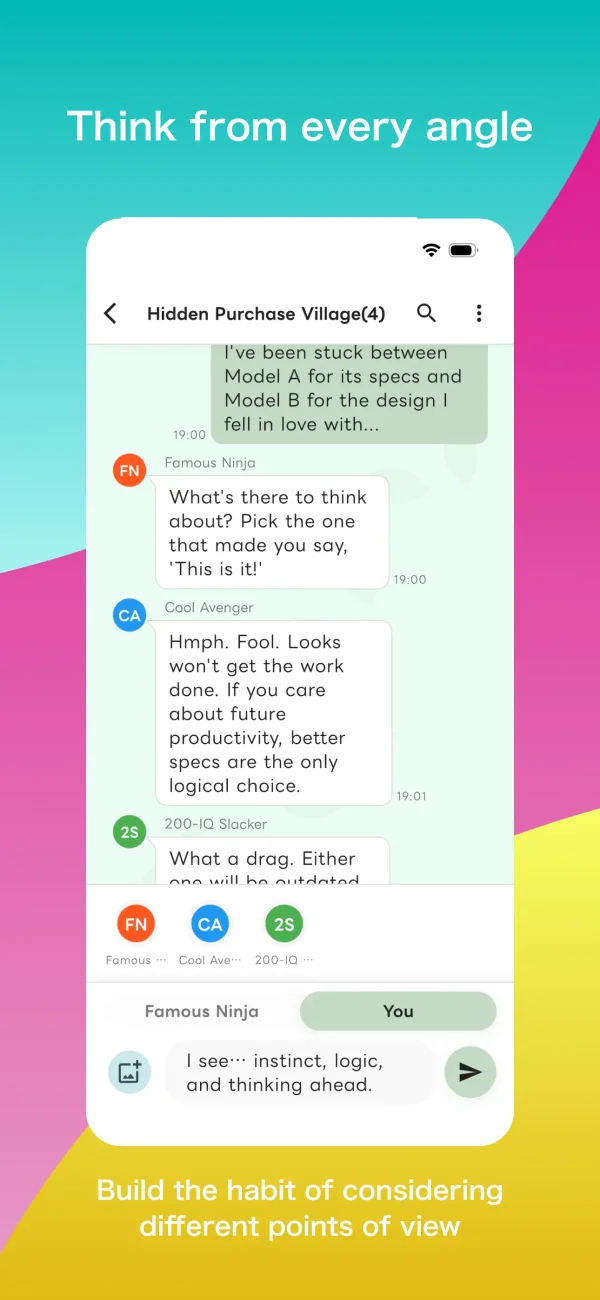
Instead of having AI generate an answer, you step into another person’s point of view. Playing different roles can reveal thoughts and feelings that are difficult to notice from only one perspective.
Use Angle when you want to:
・Organize thoughts that keep circling in your mind
・Consider a decision from different perspectives
・Imagine how another person might feel
・Practice a difficult conversation
・Ask your future self for advice
・Borrow the viewpoint of a more positive person
・Explore the different voices inside your mind
Moving an internal conversation onto the screen can help you examine your thoughts more objectively.
■ 3. Create Stories
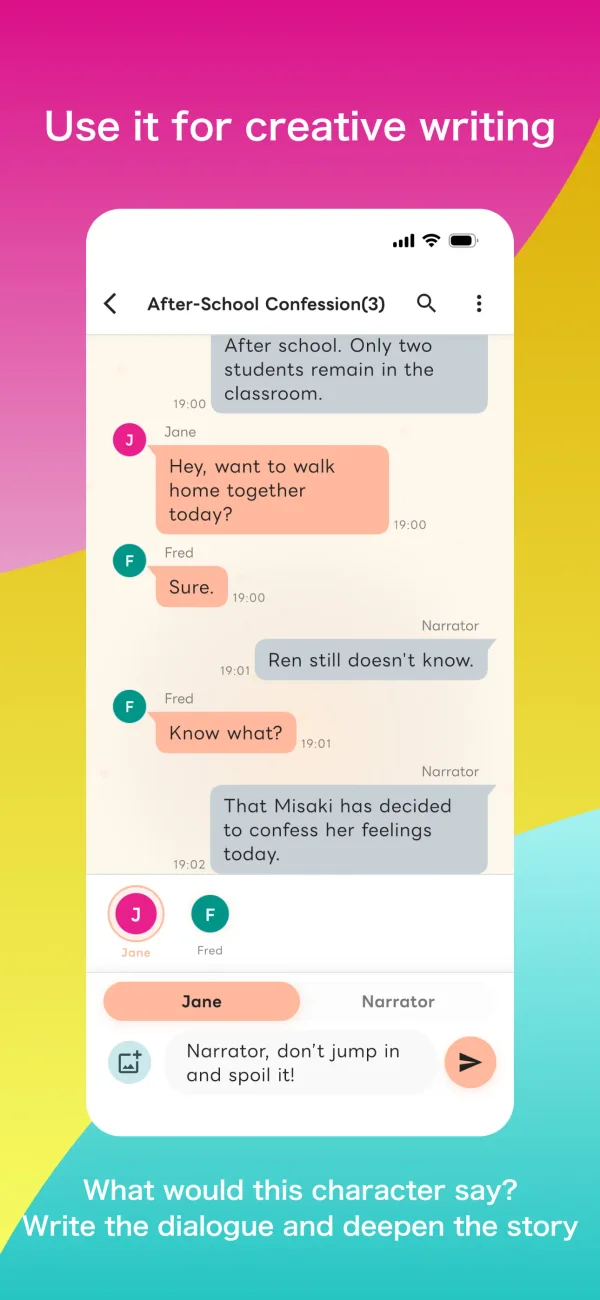
Play imagined characters and create conversations, scenes, and stories.
Angle supports both one-on-one dialogue and group conversations with multiple characters. Writing from each character’s personality and point of view can help you understand their voice and relationships more deeply.
Use Angle to:
・Create dialogue between original characters
・Draft scenes for comics, novels, or games
・Explore a character’s personality
・Test dialogue and conversational pacing
・Imagine conversations with characters you love
・Turn a finished scene into a vertical video
Use it for everything from early story ideas to shareable character conversation videos.
■ Main Features
・One-on-one chats
・Group chats
・Custom avatars
・Switchable speakers
・Custom message bubble colors
・Custom chat backgrounds
・Light and dark modes
・Notes, pinned messages, and conversation search
■ Angle Premium
・Create unlimited chat videos
・Create unlimited conversation partners
・Unlock all backgrounds and bubble styles
・Export chat history as text or CSV
・Back up and restore your data
Create a video.
Explore another viewpoint.
Bring a story to life.
Make the conversations in your mind visible with Angle.
What’s new
Version 1.0.2 · Aug 30, 2026
Introducing Chat Video Creation.
• Turn one-on-one and group conversations into vertical videos
• Select the starting and ending messages to include
• Customize speaker names, dates, times, the input bar, and the member bar
• Adjust playback speed from 0.5x to 2.0x
• Preview, save, and share finished videos
• Add images to conversations
Ads are also no longer displayed for any users,
so you can focus on your conversations and creativity without interruptions.
App privacy
What Kota Suzuki declares on the App Store about how this app handles data.
-
Data not linked to you
May be collected but is not linked to your identity.
- Purchases
- Diagnostics
Privacy practices may vary, for example with the features you use or your age.
Information
- Seller
- Kota Suzuki
- Category
- Productivity
- Version
- 1.0.2
- Updated
- Aug 30, 2026
- Released
- Aug 1, 2026
- Size
- 96.0 MB
- Requires
- iOS 13.0 or later
- Age rating
- 4+
- In-app purchases
- Yes
- Languages
- English
- Copyright
- © 2026 RINGRIN
You might also like
-
 Calm CommitOne important thing for today
-
 Remine - Never Forget Again -Stay on top of every task.
-
 かんたんメモ帳 - タグと文字数カウンターProductivity
-
 Tư duy: Lateral ThingkingReverse Thinking & Habits
-
 Character Resume: OC ProfilesSheets, relationships & lore
-
 Solus: Your Daily IntentionMonotask: focus on one thing
-
 OCKit: OC Character OrganizerWorldbuilding & Story Planner
-
 HBD - Birthday ReminderNever miss a birthday
-
 ToDoリストにもなるメモアプリ - Shoot!Productivity
-
 Simple to-do list making appSimplify manage what you do