
Angle Finder: Protractor
Measure with Camera & Photos
Designed for iPhone, iPad
Free · In-app purchases
- Age rating4+
- CategoryUtilities
- Developer侃 黄
- LanguagesEnglish+ 10 more
- Size49.5 MB
Links to the official App Store page
Download.org hosts no file of Angle Finder: Protractor. The button opens its official App Store page, published by 侃 黄. Listing last checked on Nov 16, 2026.
Screenshots
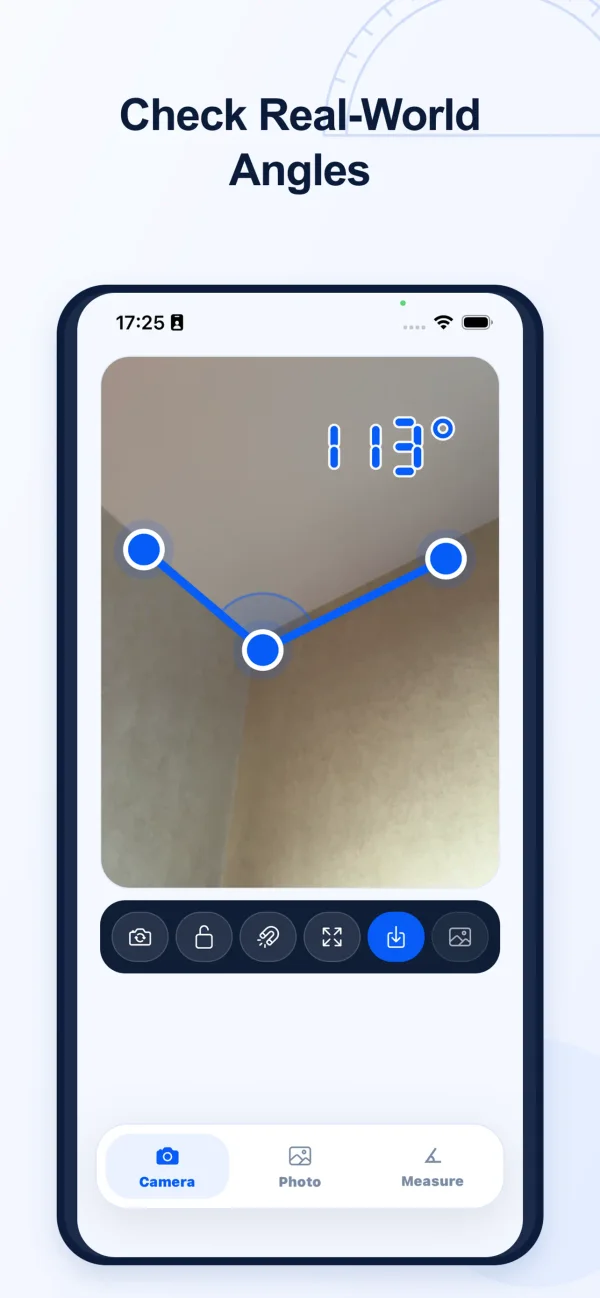
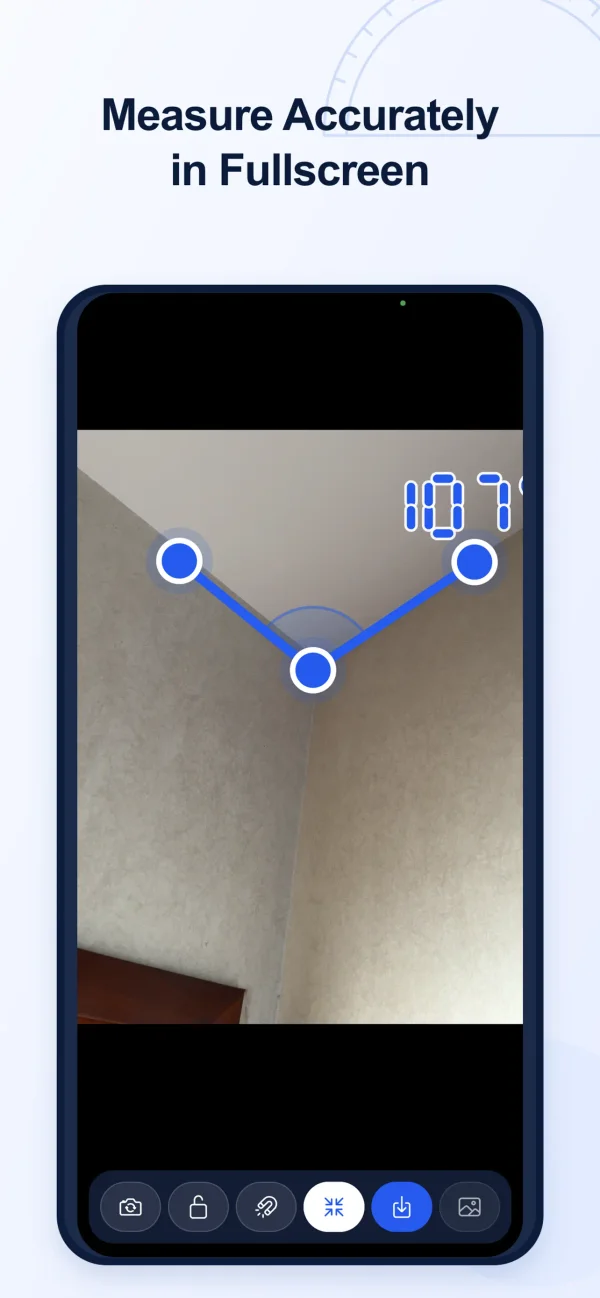

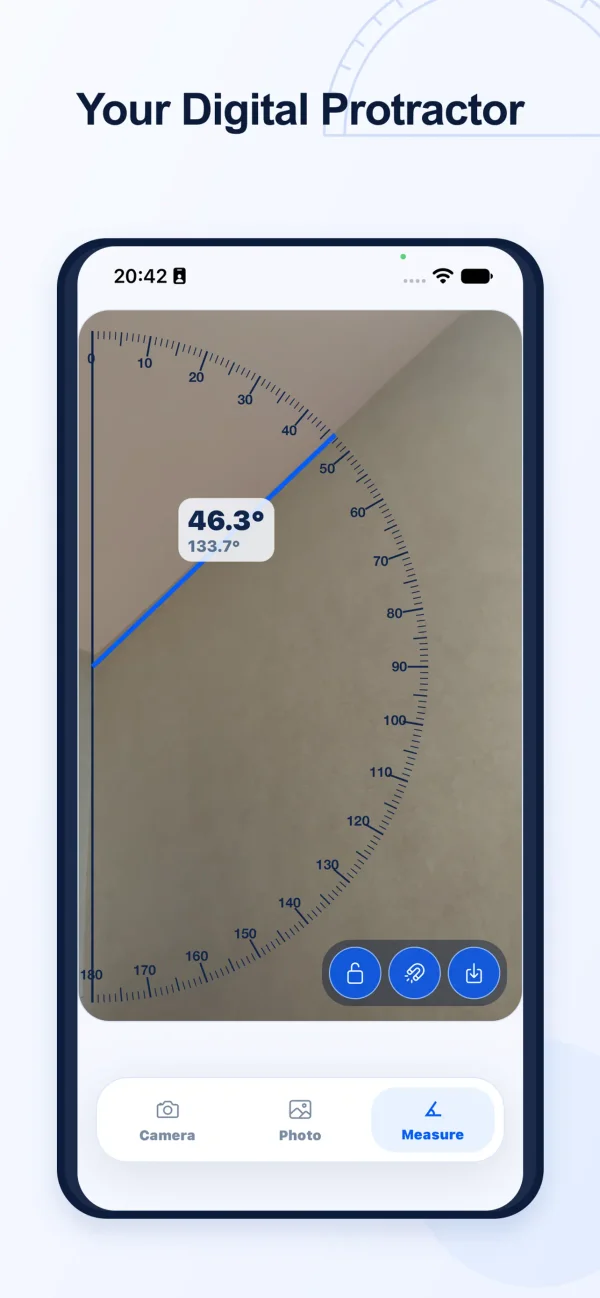
About
Turn your iPhone or iPad into a digital protractor. Check angles in the camera view, measure over a photo, or use the on-screen protractor for quick geometry and DIY tasks.
THREE WAYS TO MEASURE
• Camera: position three draggable points over the angle you want to check.
• Photo: choose an image from your library and adjust the measurement points.
• Measure: move the protractor pointer and read the angle and its supplementary angle in degrees.
KEEP THE RESULT
Use fullscreen for a larger view. Lock a measurement or enable angle snapping when needed. Save a PNG measurement image to your photo library, or share it through the system share sheet.
MADE FOR EVERYDAY ANGLE CHECKS
Useful for geometry homework, classroom examples, diagrams, crafts, woodworking and visual checks during DIY planning.
CHOOSE YOUR LANGUAGE
The interface supports English, French, German, Spanish, Portuguese, Arabic, Japanese, Korean, Russian, Simplified Chinese and Traditional Chinese. Switch languages from the top-right language button; your choice is saved.
LOCAL PHOTO PROCESSING
No account is required. Photos and measurement images are processed on your device. Sharing only happens when you choose to share.
The app contains ads. An optional one-time in-app purchase removes ads; no subscription is required.
Measurement accuracy depends on point placement and image perspective. This app is for visual reference, not a replacement for calibrated tools in safety-critical or professional measurements.
Terms of Use: https://www.apple.com/legal/internet-services/itunes/dev/stdeula/
What’s new
Version 1.1.0 · Nov 2, 2026
Fix a bug.
App privacy
What 侃 黄 declares on the App Store about how this app handles data.
-
Data used to track you
May be used to track you across apps and websites owned by other companies.
- Identifiers
-
Data linked to you
May be collected and linked to your identity.
- Location
- Identifiers
- Usage data
-
Data not linked to you
May be collected but is not linked to your identity.
- Diagnostics
Privacy practices may vary, for example with the features you use or your age.
Information
- Seller
- 侃 黄
- Category
- Utilities
- Version
- 1.1.0
- Updated
- Nov 2, 2026
- Released
- Jul 10, 2026
- Size
- 49.5 MB
- Requires
- iOS 16.4 or later
- Age rating
- 4+
- Price
- Free
- In-app purchases
- Yes
- Languages
- English, Arabic, French, German, Japanese, Korean, Portuguese, Russian, Simplified Chinese, Spanish, Traditional Chinese
- Copyright
- © 2026 TCool LTD.
You might also like
-
 Protractor: Angle FinderCamera Level, Slope Meter
-
 Protractor Angle MeterMeasure angles from photos
-
 Protractor Angle Finder CameraMeasure Angles with Precision
-
 Protractor - Angle Measure 360Digital Degree Finder & Camera
-
 Multi Angle MeterAll Angle on one screen
-
 Protractor Angle Measure ToolAngle Finder, Meter & Level
-
 Angle Finder: Level ToolMeasure & Check Surface Level
-
 Digital Angle Finder: 3D MeterProtractor & 3D Angle Measure
-
 Protractor (Angle measurement)Utilities
-
 Angle Meter 360Convenient angle meter, finder