Anglehop: Multicam Video
Film together. Tap to edit.
Designed for iPhone, iPad
In-app purchases
- Age rating4+
- CategoryPhoto & Video
- DeveloperLars Tray
- Size9.2 MB
Links to the official App Store page
Download.org hosts no file of Anglehop: Multicam Video. The button opens its official App Store page, published by Lars Tray. Listing last checked on Nov 29, 2026.
Screenshots

About
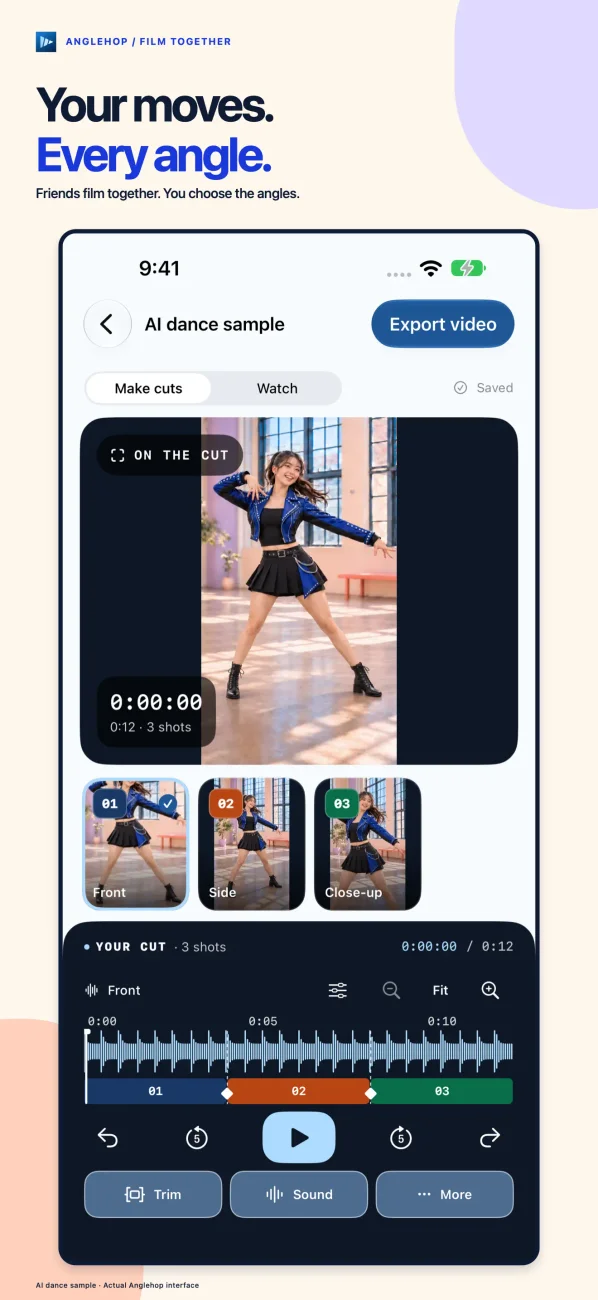
Film the same moment on nearby iPhones and iPads, then tap between angles to make one video.
Your friends. Your film crew.
One friend catches the wide shot. Another gets the close-up. Record a dance, a performance, or a moment together. You decide which angle tells the story.
YOUR EDITING STUDIO, UNFOLDED
On iPhone Duo, keep your picture beside the angle choices and zoomable audio waveform. In tabletop mode, your preview sits above the editing controls. Change your view and keep your place in the edit.
FILM TOGETHER
Start a session and invite nearby cameras with a code or QR. Everyone rolls after a clear countdown, and the host can film too. Footage is collected on the host device for editing.
MAKE THE CUT
Play your take and tap the angle you want to show. Change your mind with Undo, refine your choices, and watch the finished sequence. Your edits save automatically.
FIND YOUR TIMING
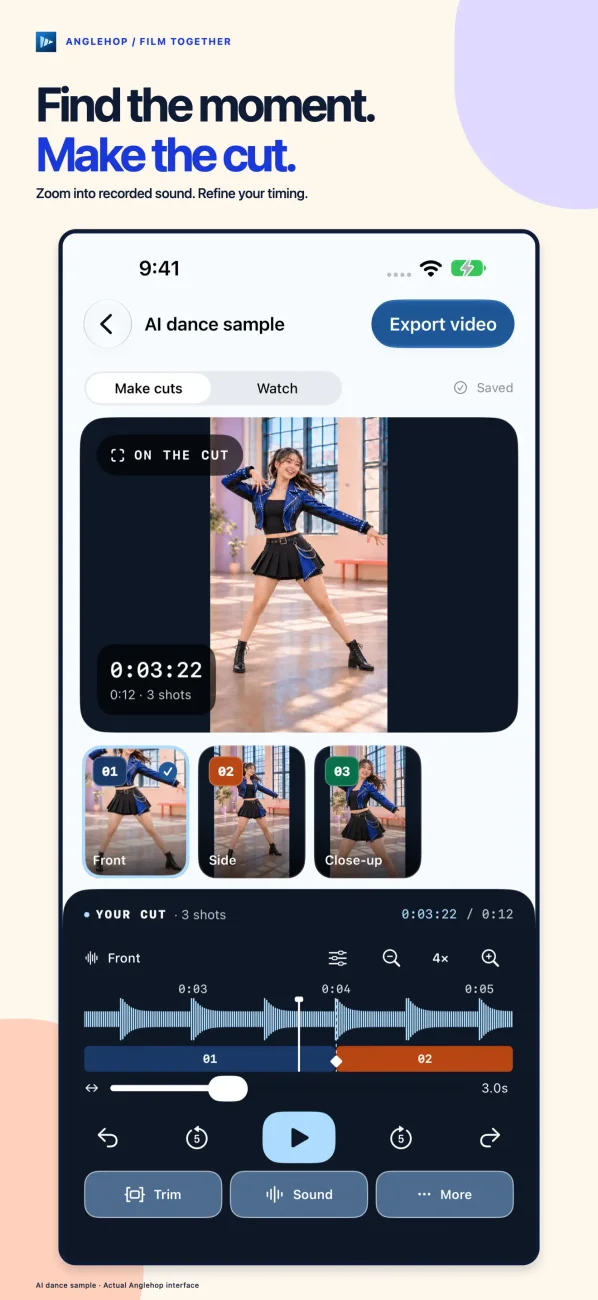
Zoom into the waveform of your recorded audio and adjust cuts one frame at a time. Trim the beginning and end. Choose sound from one camera and keep it continuous as the picture changes.
MADE TO SHARE
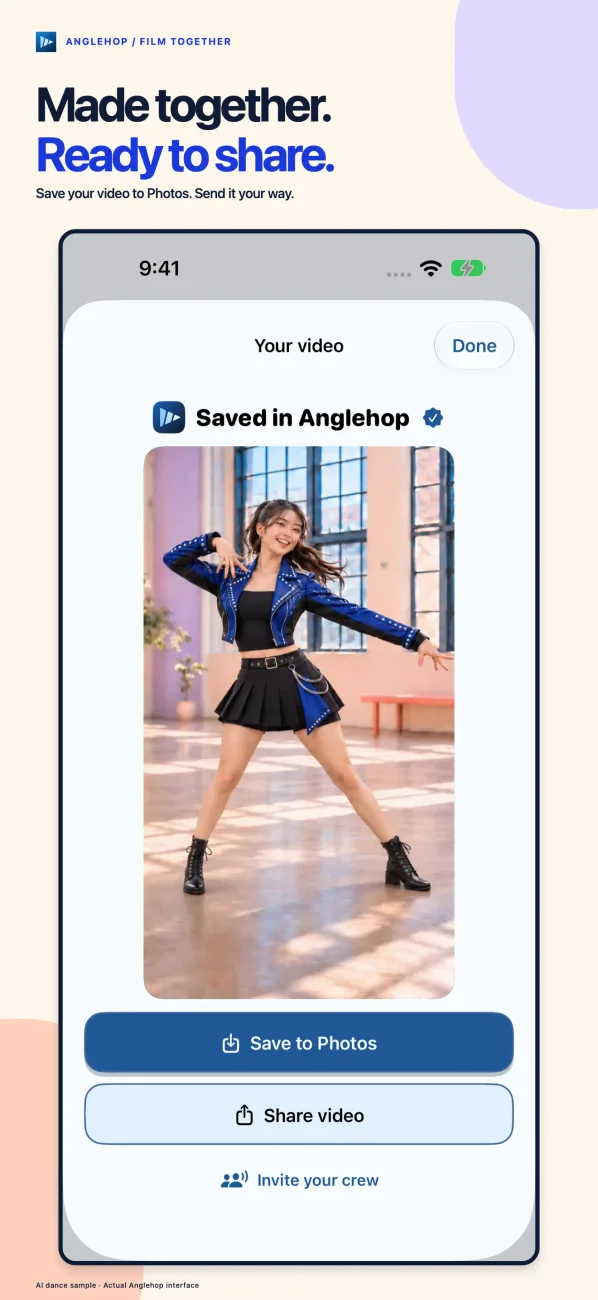
Export a vertical video, save it to Photos, or share through your favorite apps. Invite your crew from your finished video with an app link or QR code, then start a nearby session when you are together. Guest cameras always join free. Your original recordings remain available on the devices that filmed them until you choose to delete them.
TRY IT ON YOUR OWN
Make your first edit with an optional walkthrough: play, switch angles, replay, and export a practice video. Or explore the included demo at your own pace. No account is required.
CREATE TOGETHER
Try three complete projects free on each device. One session is one project, including its takes, editing, and exports. Completed free projects stay editable; exporting them again uses no additional slots. Delete an unfinished session to free its slot. Guest cameras always join free.
Unlock unlimited projects with Creator for US $9.99 once, with local pricing shown by the App Store. No subscription. Download the public app through December 27, 2026 (U.S. Eastern) to keep the included Creator features free with version 1.5 or later. Existing launch adopters keep their access.
BEFORE YOU FILM
Multi-angle recording needs at least two nearby iPhones or iPads, each running Anglehop. Keep Anglehop open while recording and collecting footage. Takes are limited to three minutes. Video exports at 1080p and 30 frames per second in vertical format. Requires iOS or iPadOS 18 or later. Wireless timing can vary; manual camera alignment is available in the editor.
What’s new
Version 1.5 · Nov 28, 2026
Make your first projects before buying Creator. New creators get three complete projects on each device, with recording, editing, and export included. Keep editing and exporting those projects whenever you like.
We have also extended permanent free launch access to people who first download Anglehop through December 27, 2026. Existing launch adopters keep their access.
Guest cameras stay free. Unlimited Creator remains a one-time purchase with no subscription.
App privacy
What Lars Tray declares on the App Store about how this app handles data.
-
Data not collected
The developer does not collect any data from this app.
Privacy practices may vary, for example with the features you use or your age.
Information
- Seller
- Lars Tray
- Category
- Photo & Video
- Version
- 1.5
- Updated
- Nov 28, 2026
- Released
- Sep 30, 2026
- Size
- 9.2 MB
- Requires
- iOS 18.0 or later
- Age rating
- 4+
- In-app purchases
- Yes
- Copyright
- © 2026 Lars Tray
You might also like
-
 ProfessorCut: Multicam VideoEvent promos & highlight reels
-
 Compress++Downsize and compress photos
-
 MeltCam: Live Camera FiltersGlitch, Retro Photos & Videos
-
 Frame Grabber: Video to JPGCapture Stills, Save Pictures
-
 Stillora: MP4 Video MakerPhoto & Audio to MP4 Slideshow
-
 WonderFilm: Cinema CameraShoot like a filmmaker
-
 Voxcene: AI Captions for VideoRecord podcasts, style text
-
 Retro Camera - VHS CamVintage Photo & Video Editor
-
 Bokeh Blur EditorBlur Image Editor & Mosaic
-
 Artify AI Image Generator KingAI Art & Photo Generator