
Anime Maker
Flip-Book Animation Maker
Designed for iPhone, iPad
Free · In-app purchases
- Age rating12+
- CategoryEntertainment
- DeveloperKentaro Matsumae
- LanguagesEnglish+ 2 more
- Size11.7 MB
Links to the official App Store page
Download.org hosts no file of Anime Maker. The button opens its official App Store page, published by Kentaro Matsumae. Listing last checked on Nov 17, 2026.
Screenshots

About
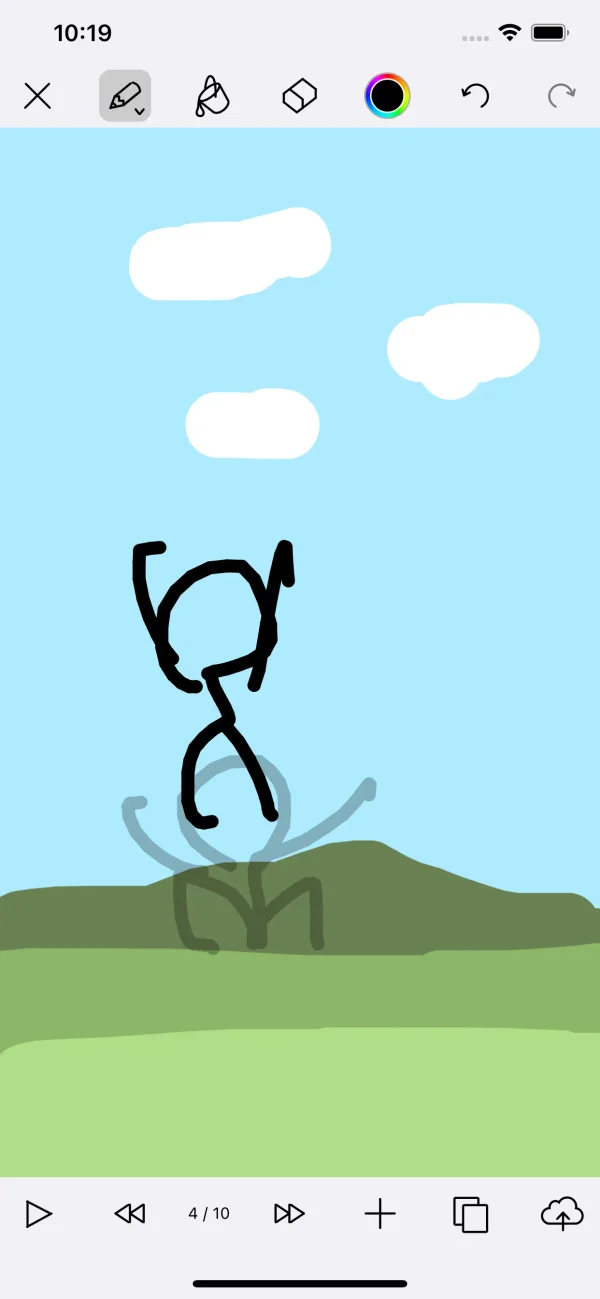
"Anime Maker" is the app creating and sharing animation, like a flip-book.
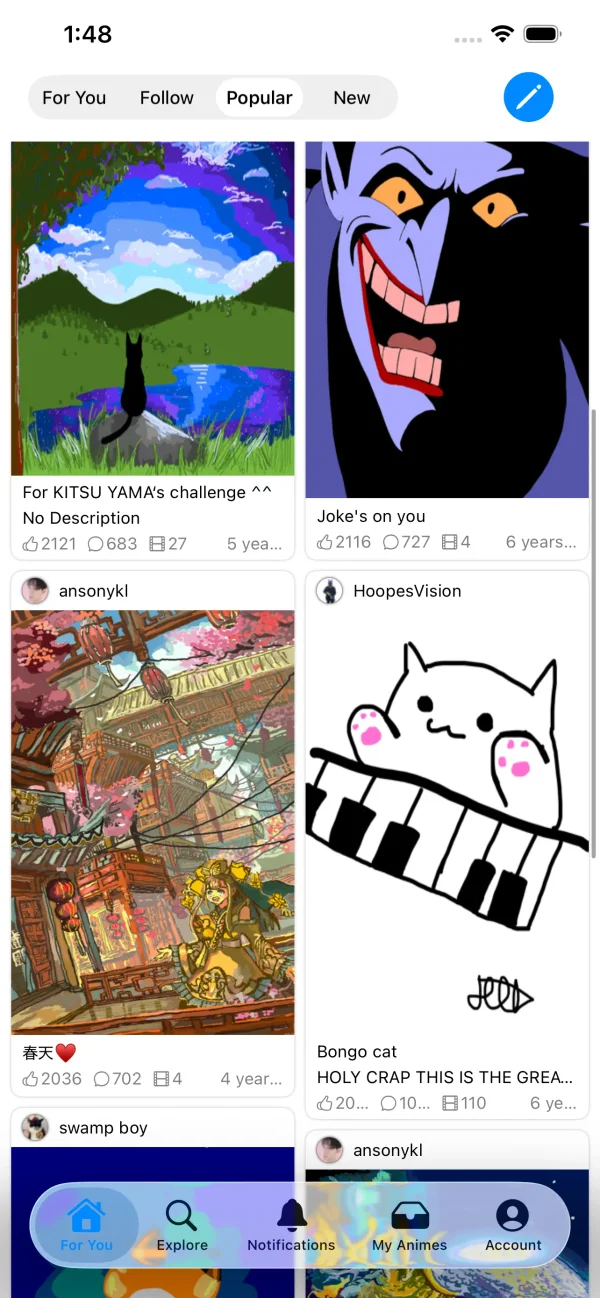
Your animation can be upload to the web site, and publish it all over the world. You can communicate with other user through comments.
[Features]
-Drawing with touch.
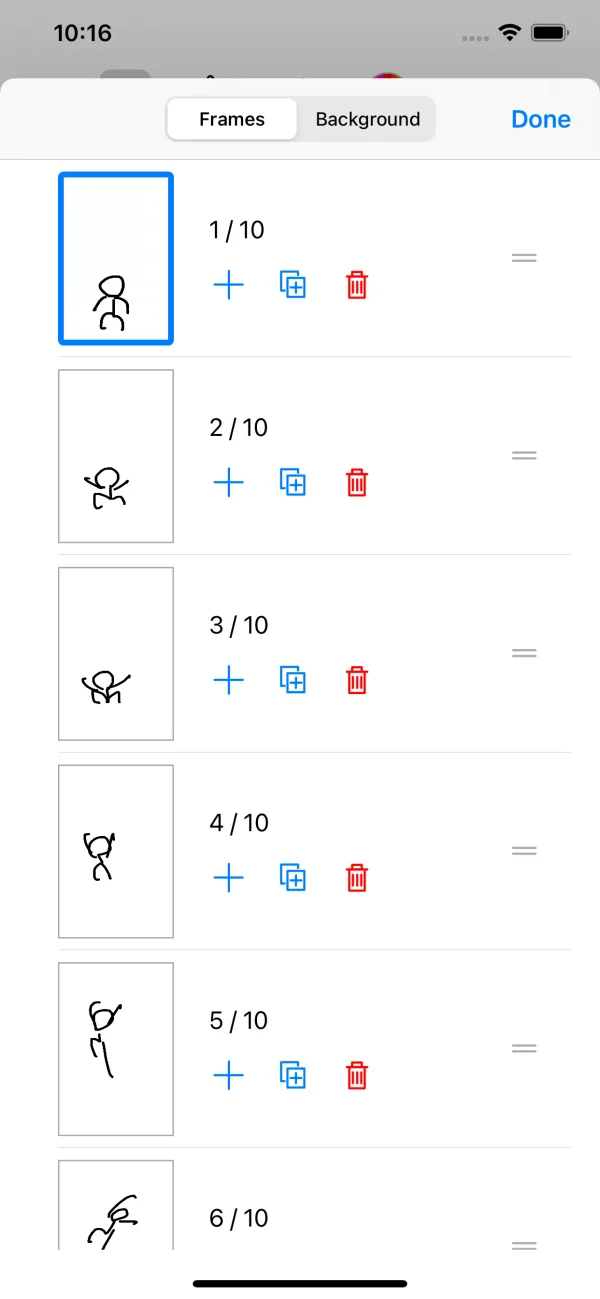
-Creating flipbook animation
-Many brush colors
-Fill colors using backet tool
-Redo / Undo
-Eraser
-Adjust animation speed
-Adding, Removing,Duplicating, and listing anime frames.
-Save and upload your animations.
-Post comment to published animations and communicate with other users.
[Premium membership]
Premium membership subscription is required to get access to the following features.
- No Ads banners
- Background Layer
- 20 frames limitation unlock
After the free trial period, if offered, the subscription automatically renews with the price and duration given above unless it is canceled at least 24 hours before the end of the current period. Payment will be charged to your Apple ID account at the confirmation of purchase. Your account will be charged for renewal within 24 hours prior to the end of the current period. You can manage and cancel your subscriptions by going to your account settings on the App Store after purchase. Any unused portion of a free trial period, if offered, will be forfeited when the user purchases a subscription to that publication, where applicable.
Removing the app doesn’t automatically cancel the subscription.
Privacy Policy
https://anime.kenmaz.net/privacy_en.html
Term of Uses
https://anime.kenmaz.net/term_en.html
Web site:
https://anime.kenmaz.net/
You can upload your animation to the web site, and publish it all over the world.
What’s new
Version 20261108 · Nov 9, 2026
• In Pixel Art mode, the Fill tool now paints exactly the dot you tap, and pixel-art thumbnails look crisp.
• Artworks closed without drawing anything no longer stay in My Anime.
• Canvas buttons are now read correctly by VoiceOver.
• Other minor improvements and bug fixes.
App privacy
What Kentaro Matsumae declares on the App Store about how this app handles data.
-
Data used to track you
May be used to track you across apps and websites owned by other companies.
- Usage data
-
Data linked to you
May be collected and linked to your identity.
- Identifiers
-
Data not linked to you
May be collected but is not linked to your identity.
- Usage data
- Diagnostics
Privacy practices may vary, for example with the features you use or your age.
Information
- Seller
- Kentaro Matsumae
- Category
- Entertainment
- Version
- 20261108
- Updated
- Nov 9, 2026
- Released
- Dec 3, 2010
- Size
- 11.7 MB
- Requires
- iOS 17.6 or later
- Age rating
- 12+
- Price
- Free
- In-app purchases
- Yes
- Languages
- English, Japanese, Simplified Chinese
- Copyright
- © kenmaz.net
You might also like
-
 Stickman: draw animationCartoon maker & creator
-
 Folioscope: Animation NetworkDraw, Animate & Share GIF Art
-
 Animation Desk® Draw & AnimateCreate animation with us
-
 2d animation creator, stickmanDraw a Flip-book animation
-
 Stick Nodes - AnimatorCreate stickfigure animations!
-
 Bot3D Editor - 3D Anime EditorEntertainment
-
 Plotagon StoryDirected by You
-
 Animation Creator: Flipbook 2DDraw & Animate Cartoons
-
 Stick Nodes Pro - AnimatorCreate stickman animations!
-
 Puppet TimeMake videos with puppets!