
AnimeMovieCamera
AI Real-Time Anime Camera
Designed for iPhone, iPad
Free · In-app purchases
- Age rating4+
- CategoryPhoto & Video
- DeveloperMitsuhiro Hashimoto
- LanguagesEnglish+ 19 more
- Size27.8 MB
Links to the official App Store page
Download.org hosts no file of AnimeMovieCamera. The button opens its official App Store page, published by Mitsuhiro Hashimoto. Listing last checked on Nov 23, 2026.
Screenshots
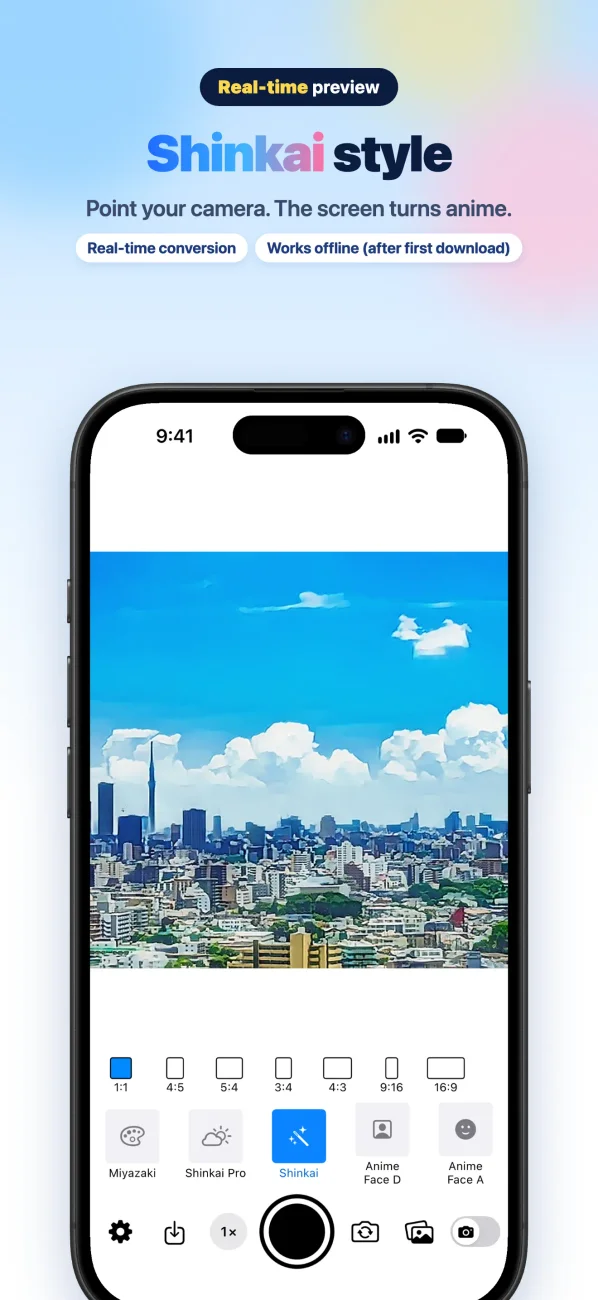
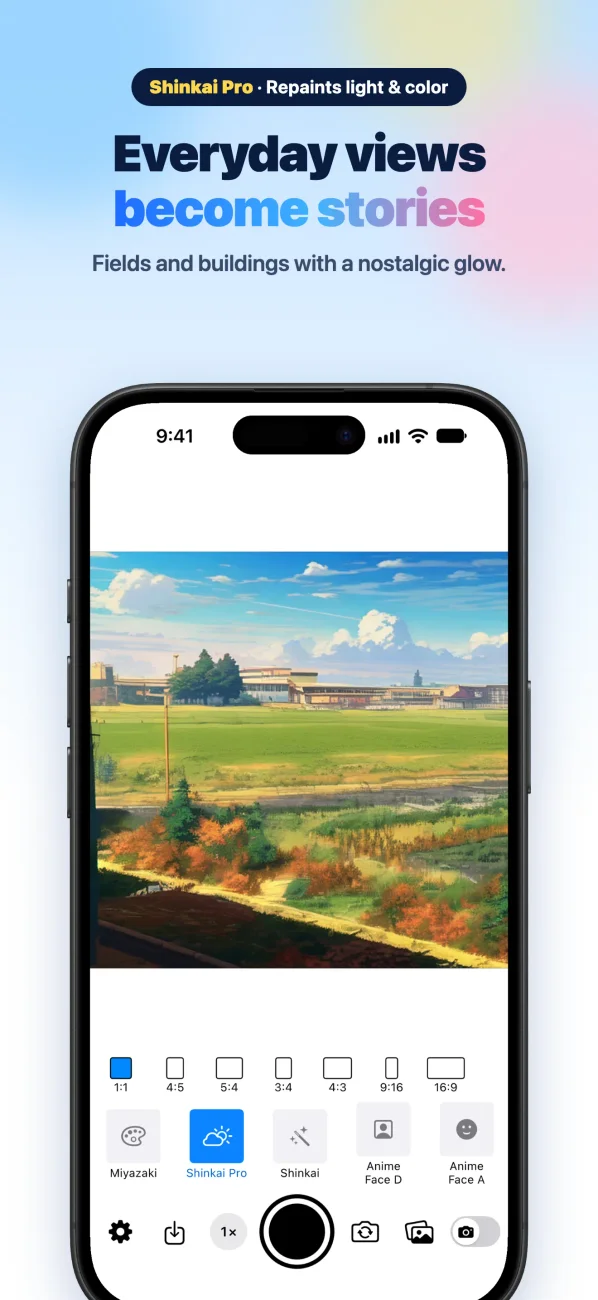
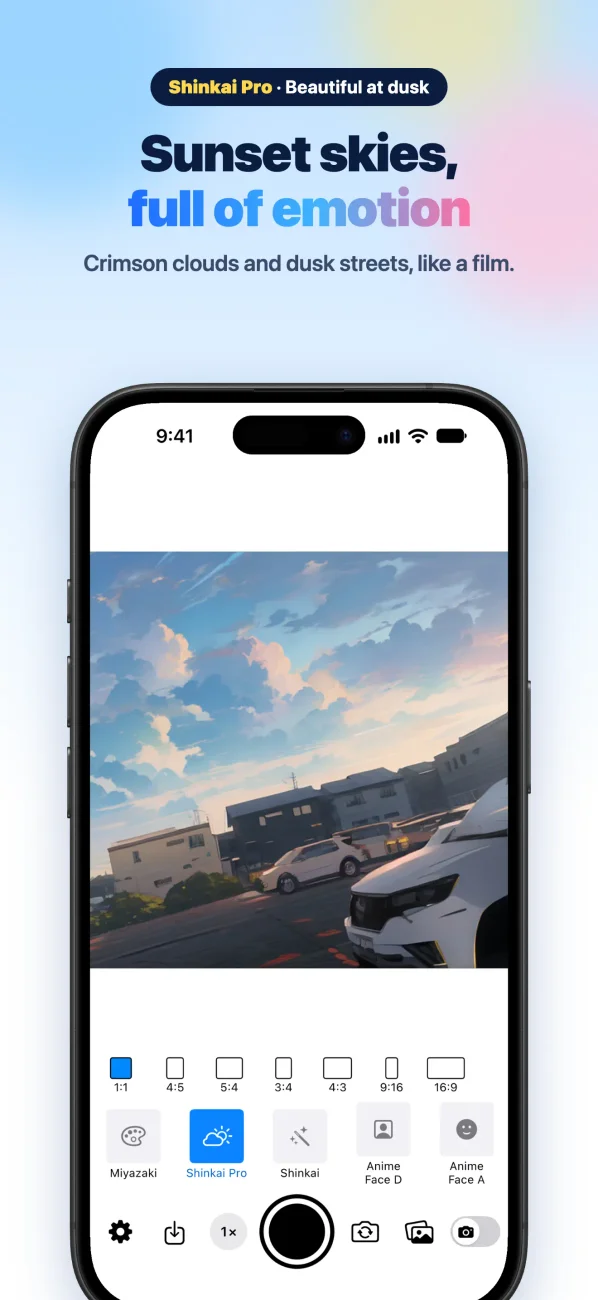
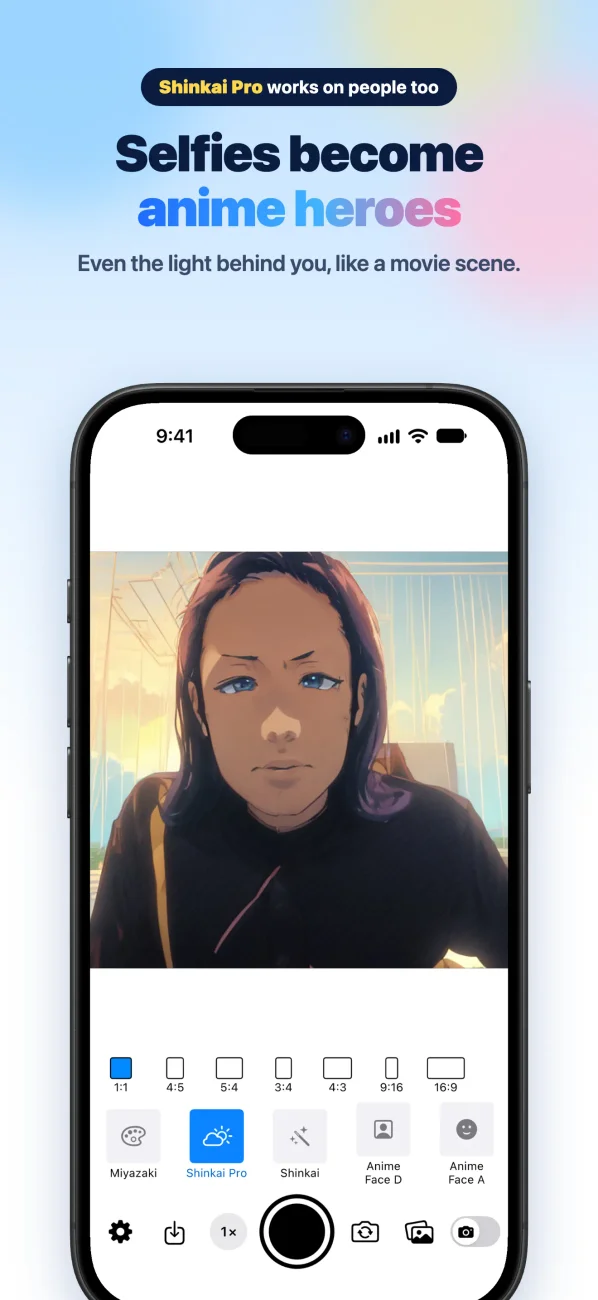


About
Step into an anime world—right from your everyday life.
Just launch the app and point your camera. In that instant, the scenery before your eyes transforms into a “moving animation.”
This revolutionary anime filter camera lets you convert both photos and videos in real time.
Key Features
● Real-Time Conversion
Ultra-fast processing with virtually zero frame lag. Preview, shoot, and record—no waiting required.
Shinkai Pro uses high-quality AI generation, so each frame takes a few seconds.
● Photo & Video Support
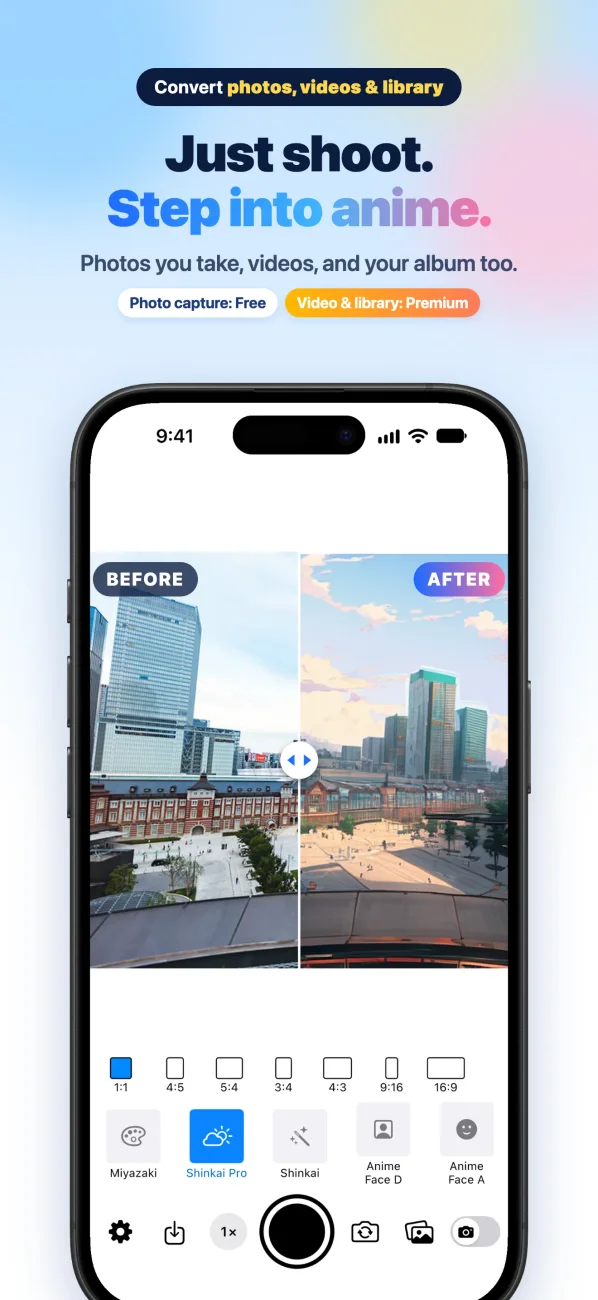
・Photos: take and save anime-style photos for free with every filter
・Videos & Library: record videos and convert photos and videos from your library with Premium
● 18 Filters (9 New in This Update)
Hayao Miyazaki – Soft watercolor tones for that warm Ghibli vibe
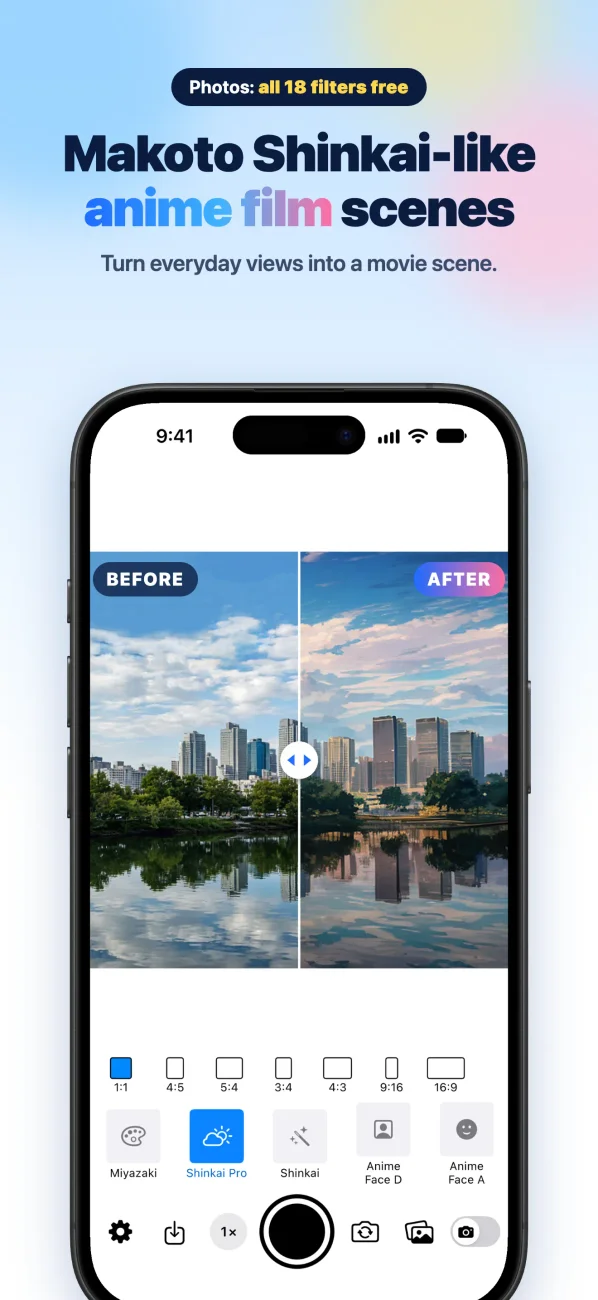
Makoto Shinkai – Crystal-clear light and rich gradients that make skies and clouds shine
Anime Face – Refines facial features and adds sparkling highlights to the eyes
Manga Face – Turns you into a comic-style hero with dynamic tones and lines
Fair-Skin Portrait – Illustration-like, bright and translucent complexion
Paprika – Futuristic, dream-like theatrical anime style
Tile Art – Geometric patterns that pop like modern art
Van Gogh – Swirling brushstrokes inspired by Starry Night
Paint Portrait – Oil-paint strokes for an artistic finish
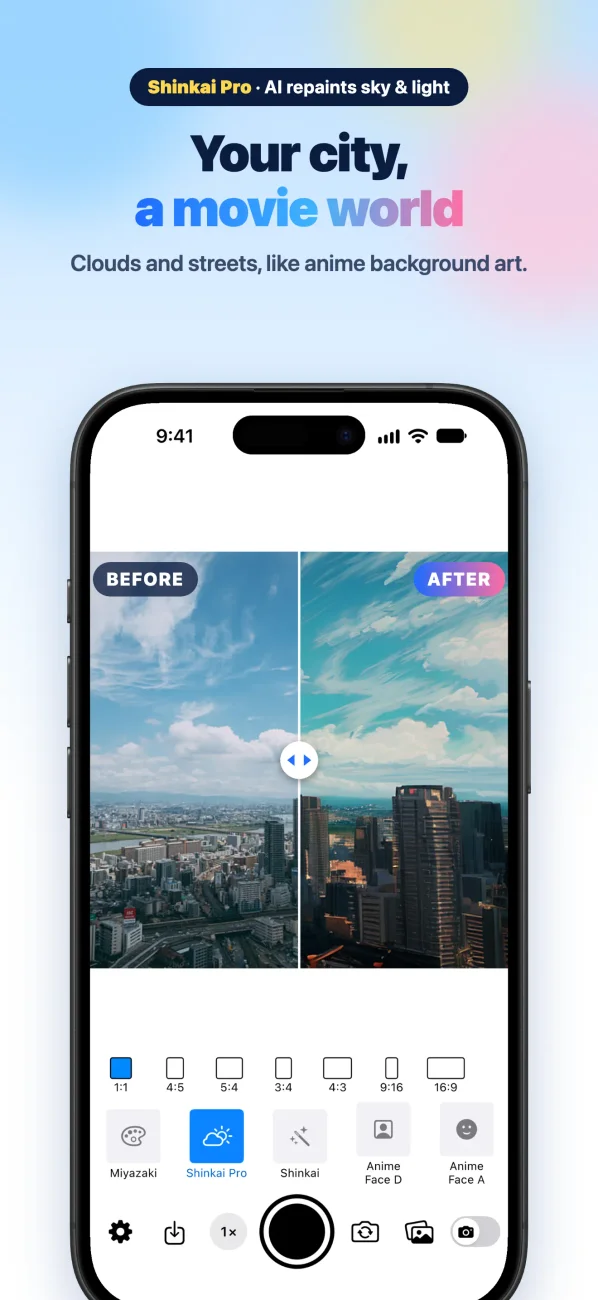
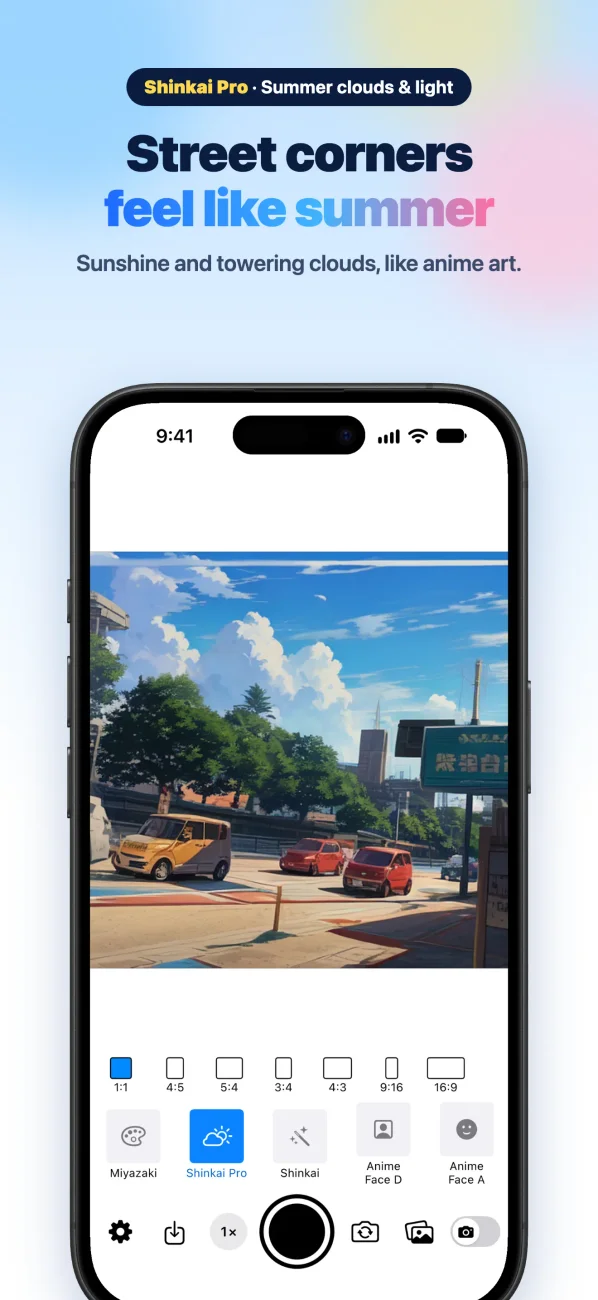
Shinkai Pro – AI-generated skies and light, just like a scene from an anime film
Anime Face A – Bold anime-style portrait
Anime Face D – Clean anime portrait with natural features
3D Face – 3D animation-style portrait
Hand-Drawn Face – Warm, hand-drawn portrait
Sketch Face – Pencil-sketch portrait
Art Face – Painterly, artistic portrait
Design Face – Stylish graphic-design portrait
Illustration Face – Soft illustration-style portrait
● 7 Aspect Ratios
Switch from 1:1 to 9:16 in one tap—perfect for SNS posts, Stories, and Shorts.
● Intuitive & Simple
No complicated settings. Tap to change filters, switch between photo and video with one button, and tap the shutter to shoot.
● On-Device Processing, Privacy First
After a one-time filter download on first launch, every conversion runs on your device and works offline. Your photos and videos are never sent to a server.
● Premium (Subscription)
・Video recording with audio
・Convert photos and videos from your library
・No ads (the free version shows ads)
・Weekly auto-renewing subscription with a 3-day free trial for first-time subscribers. Cancel anytime in your App Store account settings.
Perfect For
・Turning travel scenery into cinematic anime moments
・Making your daily Vlogs stand out and go viral on social media
・Creating custom music or promo videos with ease
・Producing anime- or manga-style profile videos
Notice
All filters are generated by our original algorithms and do not reproduce or copy third-party copyrighted materials.
Download now and paint your world in anime colors!
Support Site
https://adolfoi.info/
Privacy Policy
https://adolfoi.info/page_id197/
Terms of Use
https://adolfoi.info/page_id501/
Contact Us
https://adolfoi.info/support/
What’s new
Version 1.1.0 · Nov 20, 2026
iPhone Duo support is here! Introducing the Shinkai Pro filter!
Thank you for using AnimeMovieCamera.
This update brings full iPhone Duo support, 9 new filters including the Shinkai Pro filter, and a number of improvements.
• Added support for iPhone Duo.
• Added 9 new filters, including the Shinkai Pro filter, for a look even closer to Makoto Shinkai's anime films.
• All filters now apply faster.
• Added a button to switch between photo and video.
• Improved the design and layout.
• Reduced the app size by downloading all filter data at once on first launch.
• Added a "How to Use" page to Settings.
• From the second launch onward, you can start shooting right away without the filter preparation screen.
• Improved the iPad layout and how text appears in each language.
• While portrait orientation lock is on, the camera view now stays in portrait too.
• Improved VoiceOver readouts.
Thank you for your continued support of AnimeMovieCamera.
App privacy
What Mitsuhiro Hashimoto declares on the App Store about how this app handles data.
-
Data used to track you
May be used to track you across apps and websites owned by other companies.
- Purchases
- Location
- Identifiers
- Usage data
- Diagnostics
- Other data
-
Data linked to you
May be collected and linked to your identity.
- Purchases
- Location
- Identifiers
- Usage data
- Diagnostics
- Other data
Privacy practices may vary, for example with the features you use or your age.
Information
- Seller
- Mitsuhiro Hashimoto
- Category
- Photo & Video
- Version
- 1.1.0
- Updated
- Nov 20, 2026
- Released
- Jun 3, 2025
- Size
- 27.8 MB
- Requires
- iOS 18.0 or later
- Age rating
- 4+
- Price
- Free
- In-app purchases
- Yes
- Languages
- English, Arabic, Dutch, French, German, Hindi, Indonesian, Italian, Japanese, Korean, Polish, Portuguese + 8 more
- Copyright
- © 2025 Mitsuhiro Hashimoto
You might also like
-
 AI Anime Video FiltersRealtime Cartoon & Art Camera
-
 Animenizer - animation maker!Turn photo & video into anime
-
 Animo AI: Photo & Video FilterTurn Photos into Anime Art
-
 Anime Core AI - Cartoon FilterAnime filter for your memories
-
 Photo Cartoonizer AI Art MakerAnime & Manga Style Filters
-
 Photo to Anime Maker · MYORAAI Filter & Avatar Generator
-
 AI Anime Filter-Photo to AnimeAI Cartoon Maker - Anime Maker
-
 Garim: Blur Faces Photo VideoPixelate license plate offline
-
 Ai Video to CartoonFace Swap & Cartoonize
-
 Toonita Video: Cartoon EffectsRotoscope, Comic & Pop Art Cam