
AntTake: Camera Report
Take Log, Slate & PDF Reports
Designed for iPhone
In-app purchases
- Age rating4+
- CategoryPhoto & Video
- DeveloperPiyapong Mahnmark
- LanguagesEnglish+ 6 more
- Size31.5 MB
Links to the official App Store page
Download.org hosts no file of AntTake: Camera Report. The button opens its official App Store page, published by Piyapong Mahnmark. Listing last checked on Nov 10, 2026.
Screenshots


About
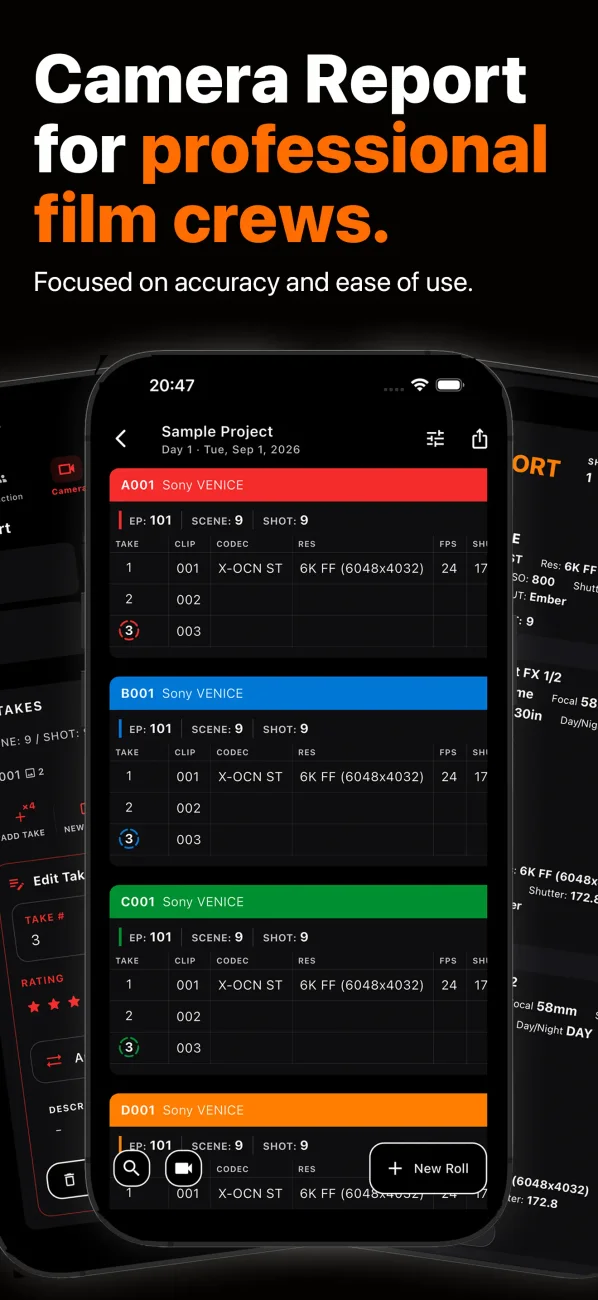
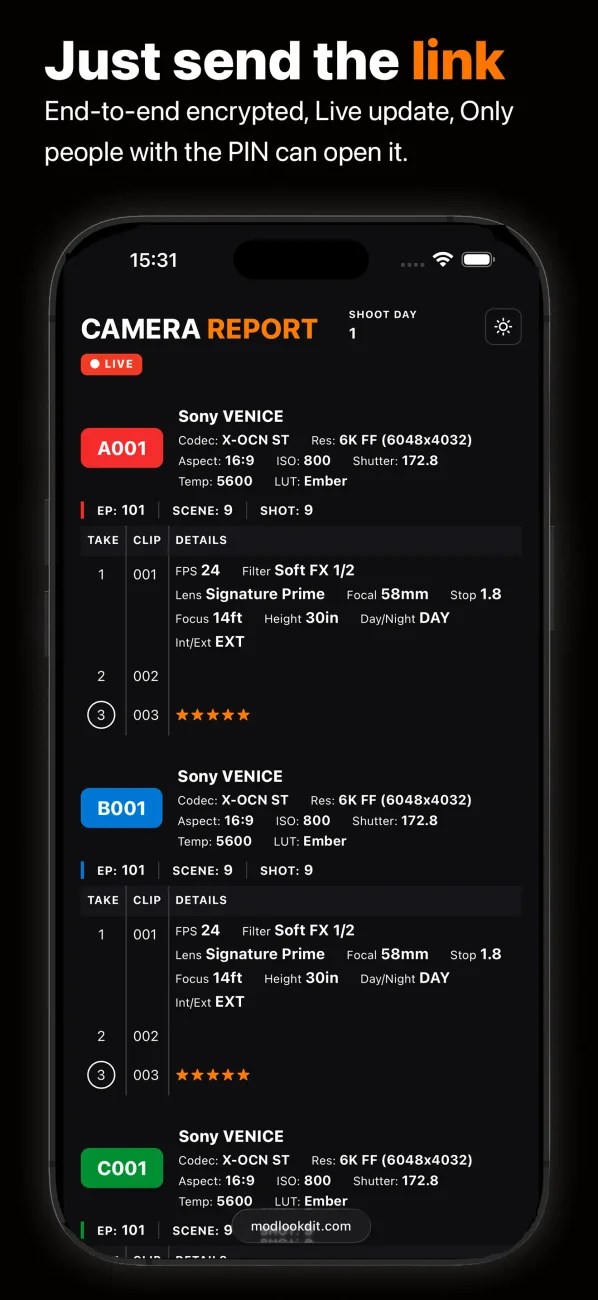
AntTake is a camera report app for film crews. Log every roll and take on set, with all your lens and camera settings. Add one take to A, B and C cameras in one tap, or by Siri. Send PDF, CSV or a live web link. Designed and built by a DIT. 14-day free trial.
LOG ROLLS AND TAKES
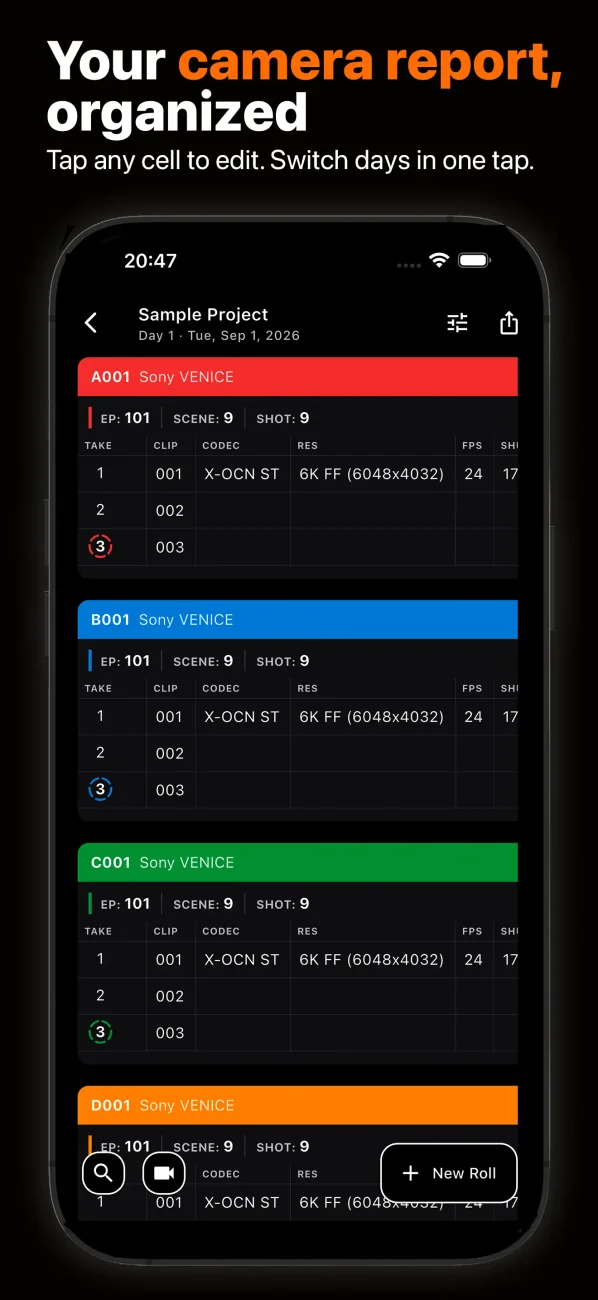
- Projects > cameras (A, B, C…) > rolls > takes
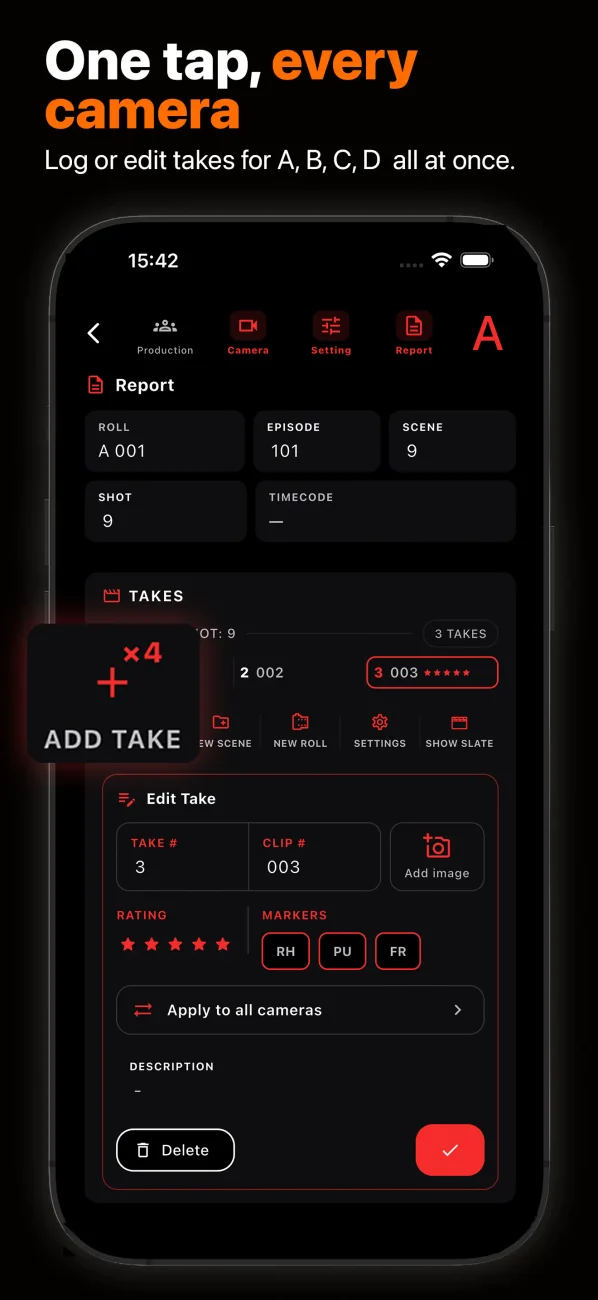
- Tap Add Take to log the next take number and clip number automatically
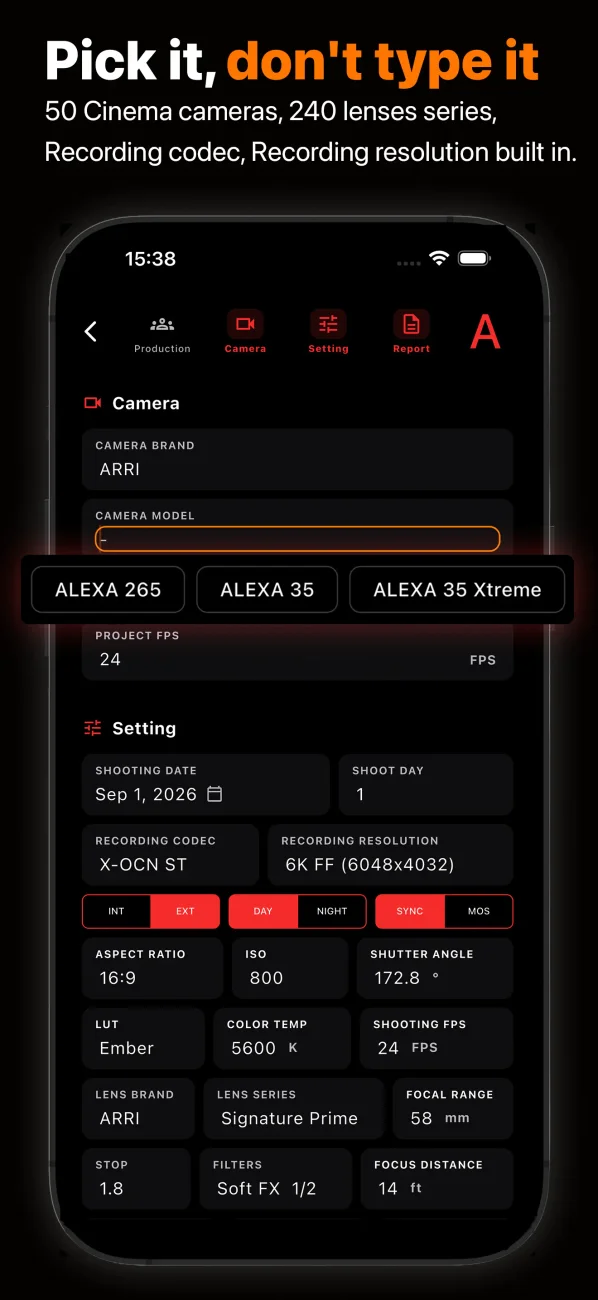
- Settings carry over from the last take: lens, focal length, stop, focus distance, ISO, shutter angle, color temperature, FPS, filters, LUT, codec, resolution, aspect ratio, camera height, tilt and roll angle
- Episode, scene, shot, INT/EXT, DAY/NIGHT, timecode and a description for each take
- Mark takes as Pickup, MOS, Rehearsal or Free Run
- Rate takes from 1 to 5 stars
- Attach photos from the camera or photo library
- Add notes to each roll
- Get a warning when a scene and shot already exist on another shoot day, or when a roll or clip number is already used
MULTI-CAMERA
- Log one take to several cameras with a single tap. Each camera gets the take on its own roll, with its own clip number.
- Give each camera its own letter, color and operator name
FASTER ENTRY
- Built-in lists of camera models, lenses, codecs and recording formats
- Suggestions from what you've typed before
- Number pad for numeric fields
- Metric or imperial units
- Search every roll in a project by any value
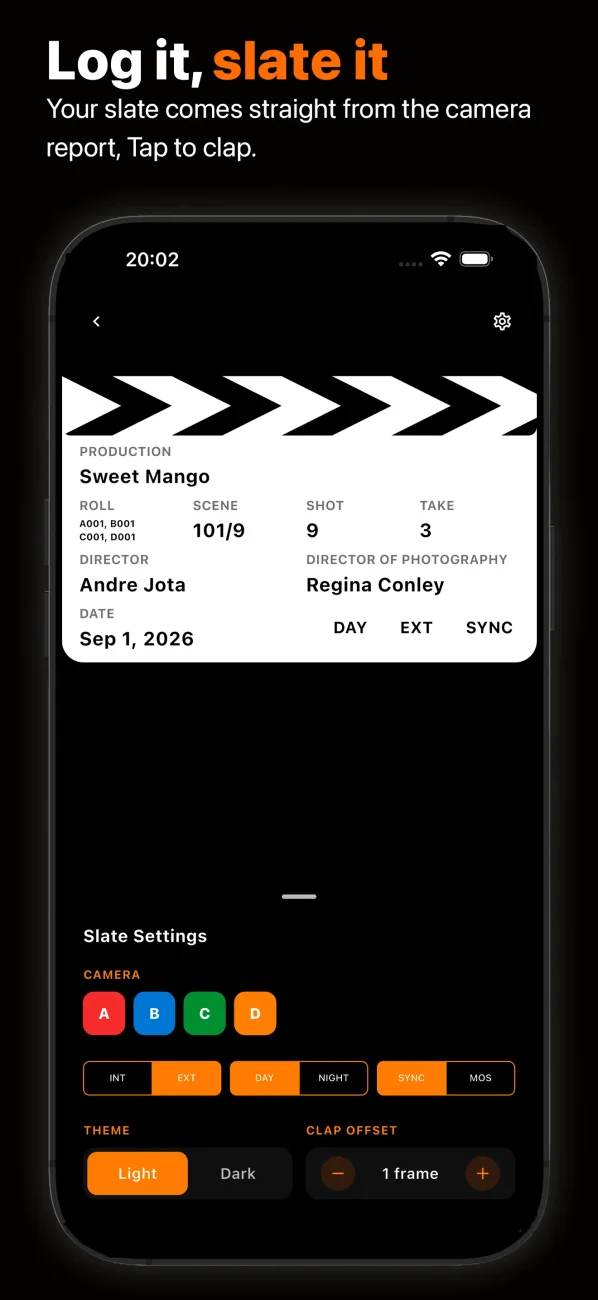
DIGITAL SLATE
- Full-screen slate filled in from the last logged take
- Tap to clap, with sound and haptic feedback
- Set the clap offset in frames
- Light or dark theme
- Show one or several cameras on the slate
SIRI AND SHORTCUTS
Add a take, rate or tag the last take, add a description, or set the scene and shot by voice. Choose all cameras or specific ones (for example "A" or "AB").
REPORTS
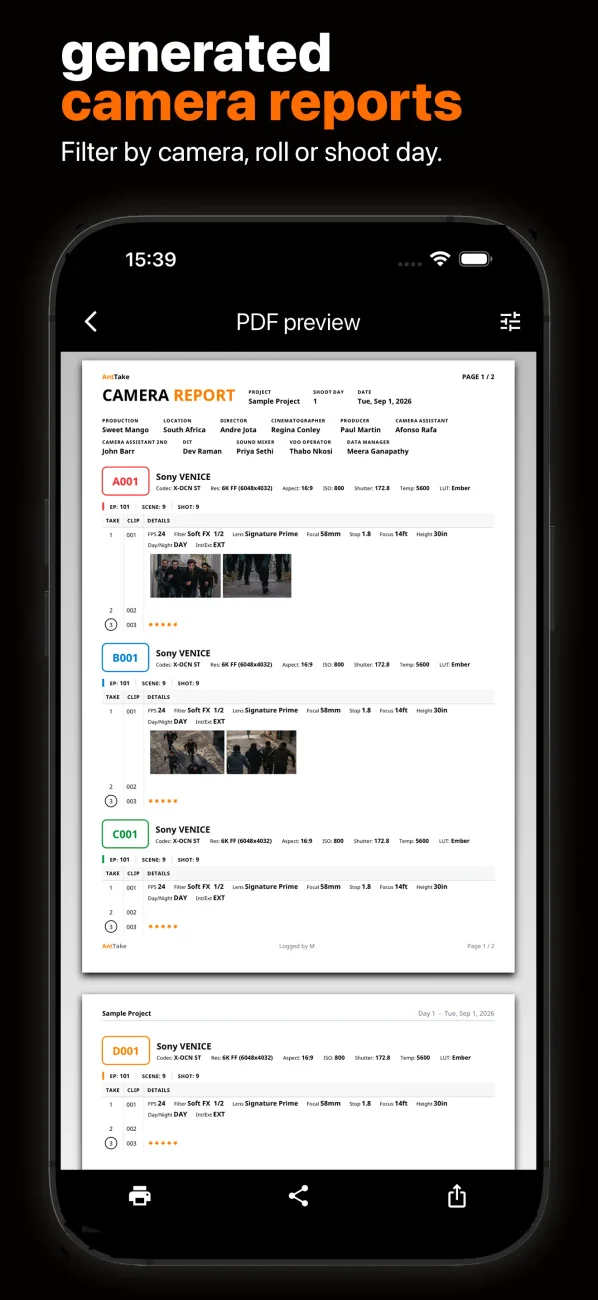
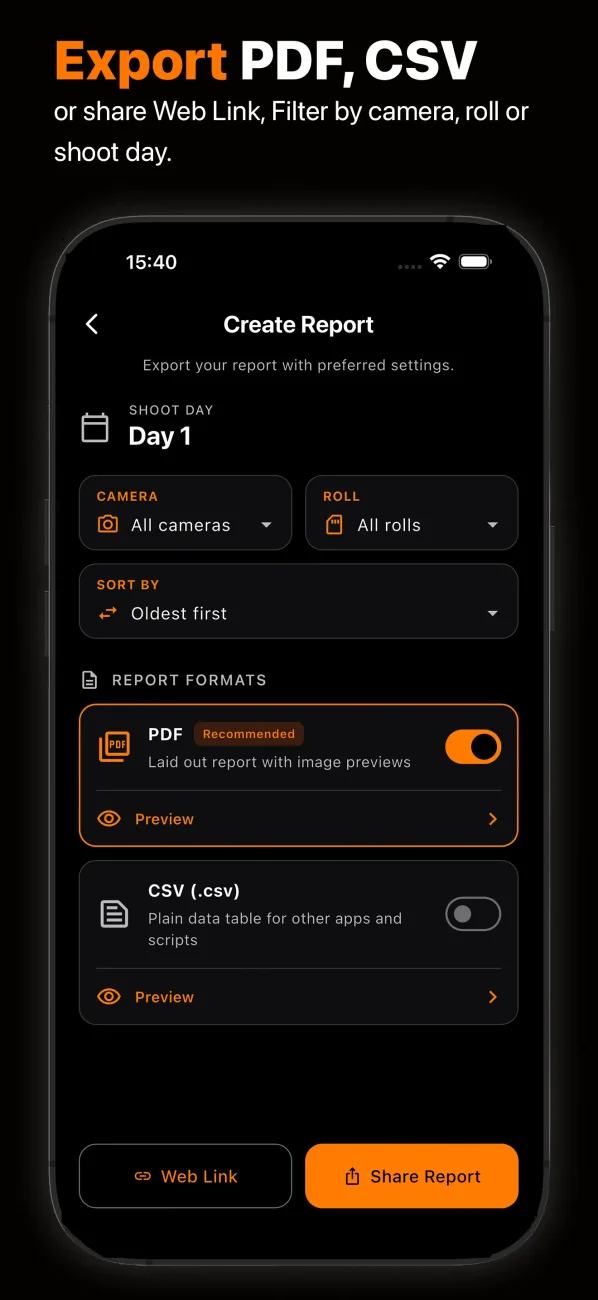
- Export PDF and CSV reports for a roll, a camera, a shoot day or a whole project
- PDF options: portrait or landscape, light or dark theme, one roll per page, group by camera, production header on every page
- Hide production details, crew names or your own name
- Preview before sharing, then share by Mail, Messages, AirDrop or any app
WEB LINK
- Send a link that opens the report in any browser, with no app needed
- Live links update while you keep logging
- The report is encrypted on your iPhone, so the server can't read it
- Web links never include the project name, production, location, crew names or shoot dates
- Choose whether to include photos
- Links expire after 24 hours, and are removed when you delete the roll, camera or project
MOVE PROJECTS BETWEEN DEVICES
Export a whole project, photos included, as one .anttake file and open it on another device.
LANGUAGES
English, Spanish, French, Japanese, Korean, Thai and Chinese.
SUBSCRIPTION
14-day free trial, then a monthly or yearly subscription. If your subscription ends, your projects stay readable and you can still export and share reports.
Terms of use :
https://www.modlookdit.com/anttake/TermsOfUse/
What’s new
Version 1.0.6 · Nov 2, 2026
Version 1.0.6
> Fixed an issue where the "What's new" card could cover the project list and stop it scrolling. Your projects were never lost.
Version 1.0.5
> Clip numbers can be edited freely
> A fresh 14-day trial, once, for users whose trial already ended
Version 1.0.4
> Rework auto take numbering when changing shot number
> Earlier take edits carry forward within the same shot
> Light theme: switch it on from your profile menu
> Recent descriptions: reuse a description from an earlier take, replacing the text or adding to it
> Name your report file before you share it. Default names now include the camera and roll
> Added "Tint" right after Color Temp.
> Change the app language right from your profile menu
Version 1.0.3
• Added a "Rate This App" option to the avatar menu
Version 1.0.2
• Focal length quick picks from your lens series, including zoom ranges like 24-290
• Shutter angle quick picks: 180°, plus 172.8° on 24 fps projects
• Sony X-OCN XT, ST and LT for VENICE and VENICE 2
• Report dates now always print in English
• Clearer subscription messages, including when you're offline
• Smaller fixes and label improvements
App privacy
What Piyapong Mahnmark declares on the App Store about how this app handles data.
-
Data not collected
The developer does not collect any data from this app.
Privacy practices may vary, for example with the features you use or your age.
Information
- Seller
- Piyapong Mahnmark
- Category
- Photo & Video
- Version
- 1.0.6
- Updated
- Nov 2, 2026
- Released
- Sep 29, 2026
- Size
- 31.5 MB
- Requires
- iOS 17.0 or later
- Age rating
- 4+
- In-app purchases
- Yes
- Languages
- English, French, Japanese, Korean, Simplified Chinese, Spanish, Thai
- Copyright
- © 2026 Piyapong Mahnmark
You might also like
-
 GRADE — Live GradingLive color to camera & LUT box
-
 Skopos: Cine ScoutCinema viewfinder, sun tracker
-
 ShotsDataPhoto & Video
-
 Camera ReportTool for camera assistants
-
 tonsfilminspirationtons
-
 CamPlot Director's ViewfinderReal Cine Cameras & Lenses
-
 Lighting RatioCalculate contrast ratios
-
 ZoeLogCamera Reports for Film & TV
-
 Camera FilesShooting Storage Calculator
-
 LidarACfor Tilta Nucleus M1, 2 & N2