
AnytimeBudget
Fast tracking, smart habits
Designed for iPhone, iPad, iPod touch
Free · In-app purchases
- Age rating4+
- CategoryFinance
- DeveloperKong Pang Ng
- LanguagesEnglish
- Size40.6 MB
Links to the official App Store page
Download.org hosts no file of AnytimeBudget. The button opens its official App Store page, published by Kong Pang Ng. Listing last checked on Nov 20, 2026.
Screenshots

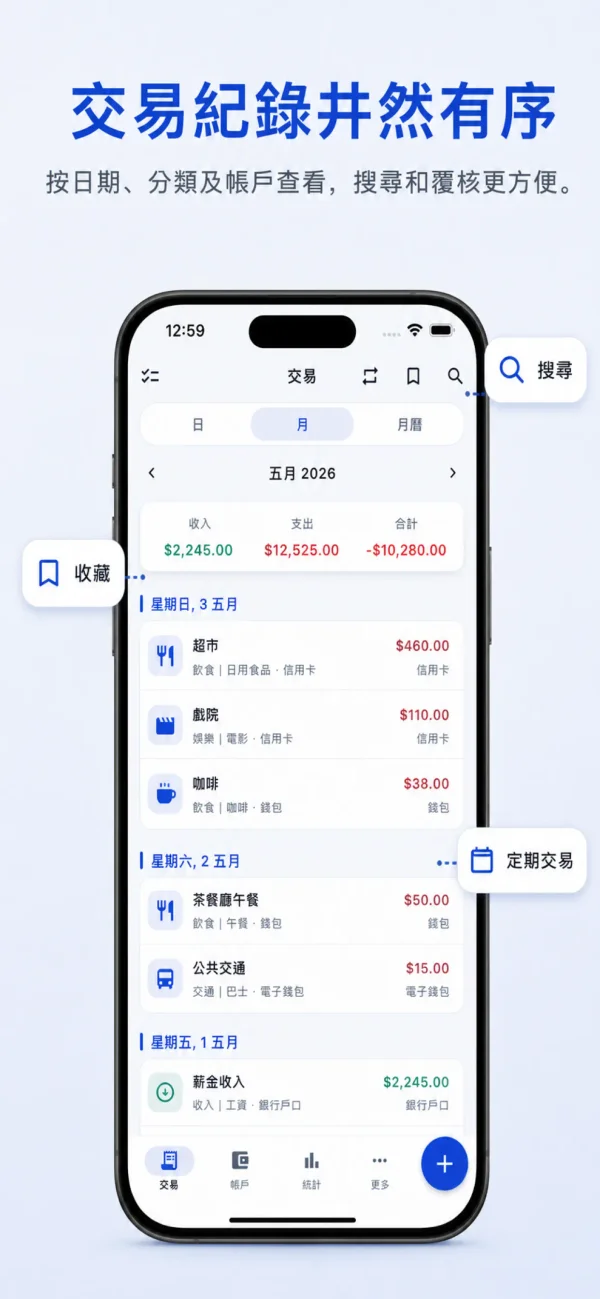
About
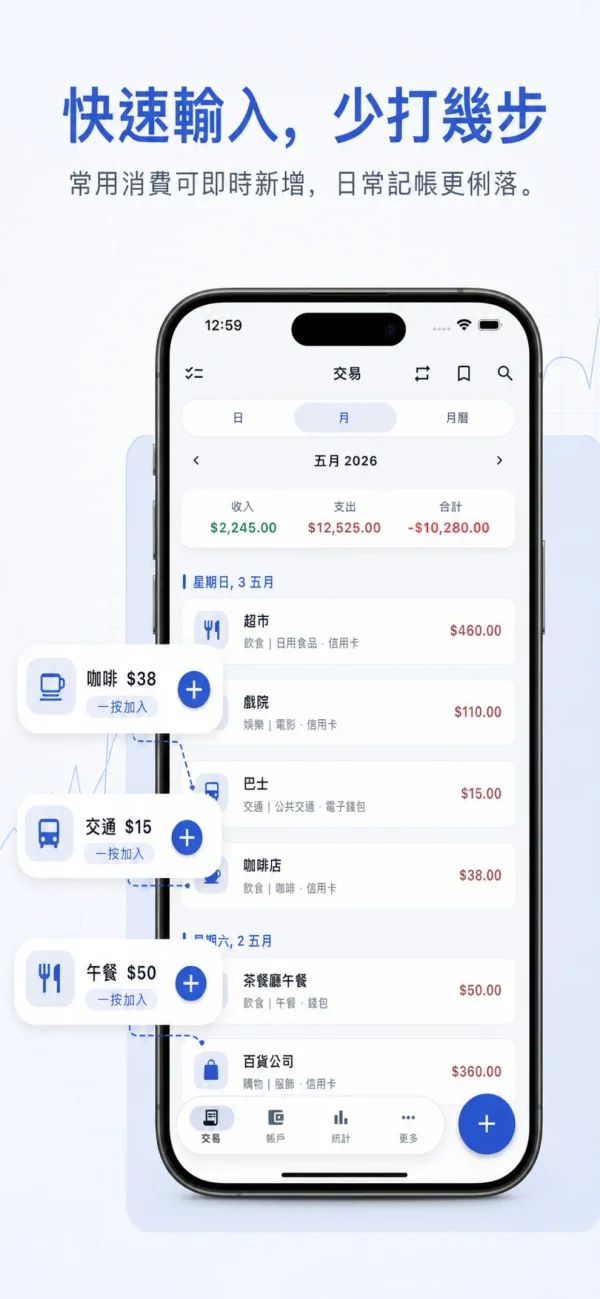
AnytimeBudget makes expense tracking faster and more natural. Snap a receipt, say what you spent, or paste a screenshot, and AI instantly extracts the merchant, date, items, amount, and category, turning them into a clear transaction record.
No more filling in every field manually. No more repeated typing. No more spreadsheets for tracking daily expenses.
Key Features
AI Smart Input
Supports receipt photos, screenshots, documents, and voice input. AI automatically recognizes transaction details and helps you create complete records quickly.
Receipt Data Extraction
Take a photo of a receipt to extract the merchant, date, items, tax, tip, and total. Ideal for daily spending, business trips, and freelance receipts.
Voice Expense Tracking
Say what you spent, such as “I spent forty dollars at the noodle shop and split it with Lana.” AI helps organize the amount, merchant, category, and split details.
Image and File Input
Choose screenshots from your photo library, or import PDFs and other documents to structure transaction data into manageable records.
Multi-Currency Support
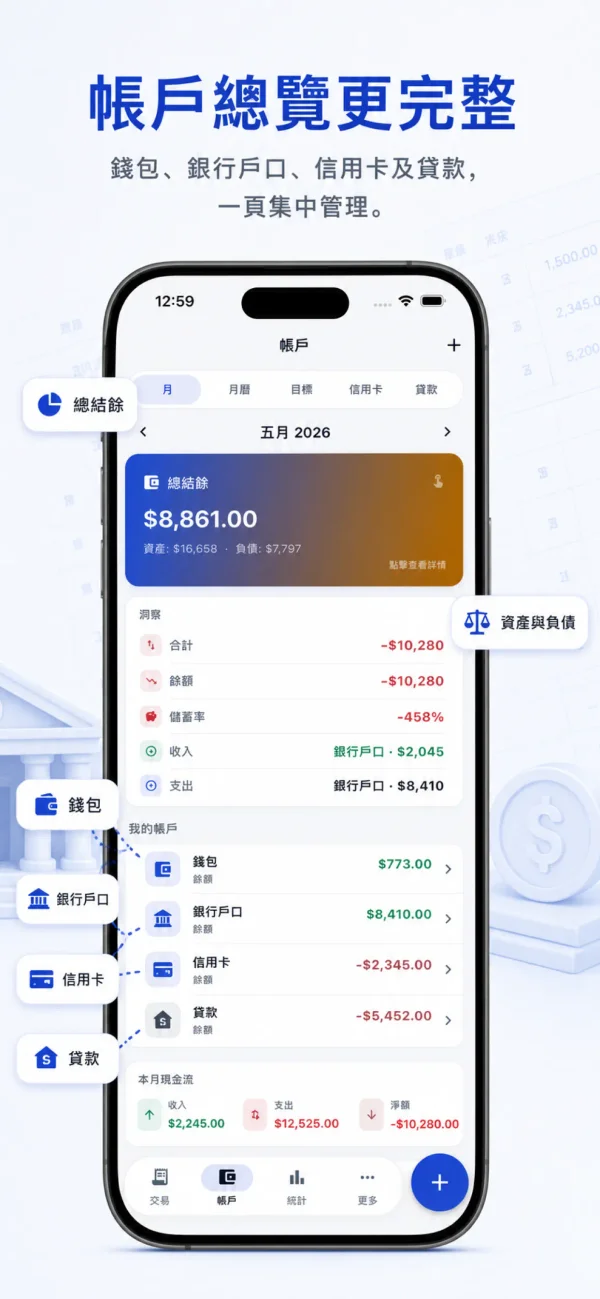
Supports 160+ currencies and exchange rate conversion, making travel, overseas spending, and multi-currency accounts easier to manage.
Budgets and Analytics
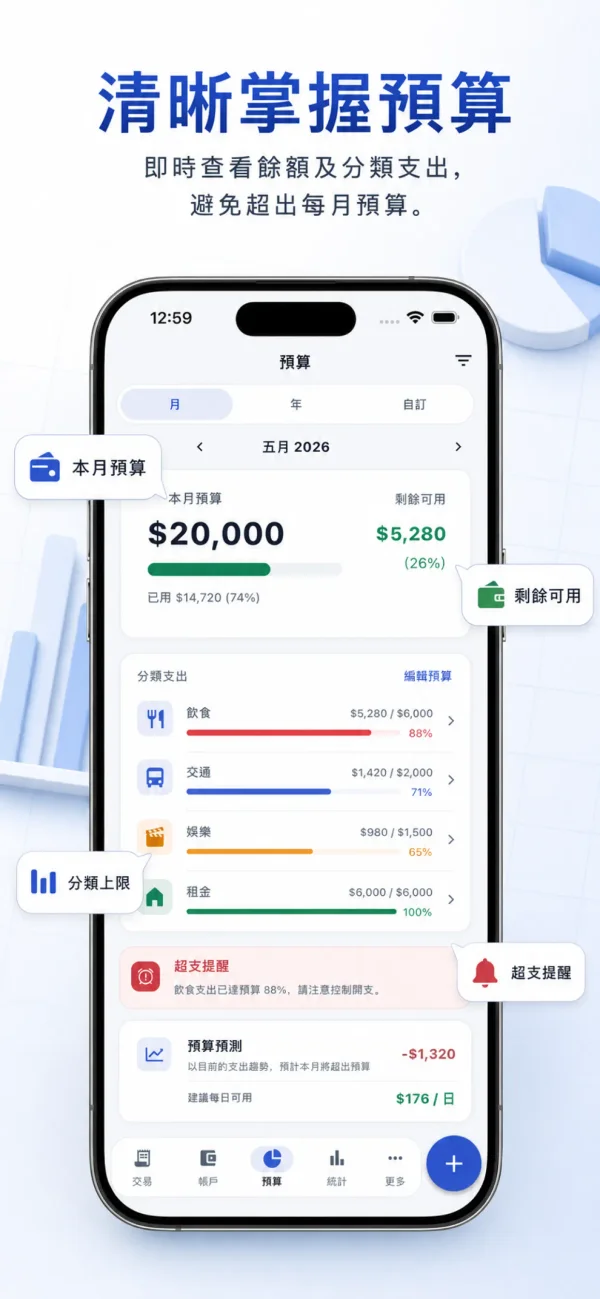
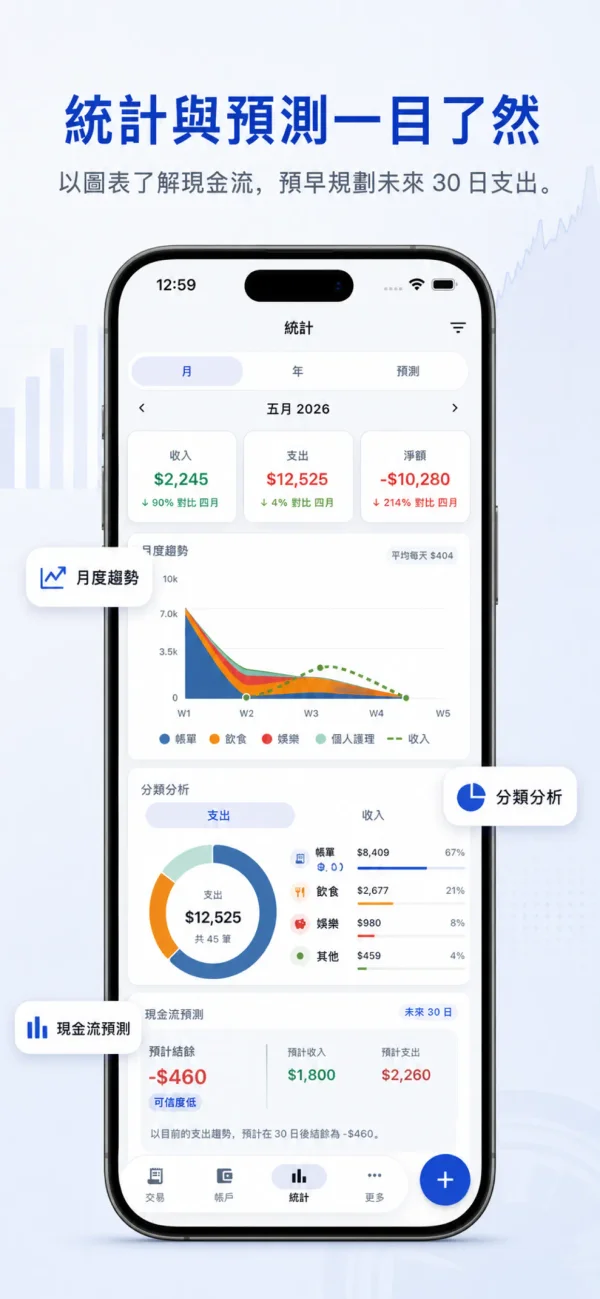
Understand your monthly spending with calendar heatmaps, category trends, and budget progress, so you can see which categories are approaching or exceeding budget.
Local Transaction Records
Transaction records are stored on your device and can be exported as CSV, Excel, or JSON whenever needed for backup, organization, or further analysis.
Privacy First
AnytimeBudget uses a pass-through relay architecture that streams requests to AI providers and streams responses back to your device. We do not write copies of requests or responses to storage.
No disk storage
No request content retained
No response content retained
Your data is not used to train models
Learn more at anytimebudget.com/en/privacy
Perfect For
People who want faster expense tracking with less manual input
Frequent travelers or anyone tracking spending across currencies
Freelancers, founders, and people who need to organize receipts
Privacy-conscious users who prefer keeping data on their own device
Built for people who want to manage money clearly while keeping more time for life.
Terms of Use (EULA): https://www.apple.com/legal/internet-services/itunes/dev/stdeula/
Privacy Policy: https://anytimebudget.com/privacy
What’s new
Version 1.0.1 · Jul 6, 2026
- Bug fixes.
- Added support for adding to Shortcuts.
App privacy
What Kong Pang Ng declares on the App Store about how this app handles data.
-
Data not collected
The developer does not collect any data from this app.
Privacy practices may vary, for example with the features you use or your age.
Information
- Seller
- Kong Pang Ng
- Category
- Finance
- Version
- 1.0.1
- Updated
- Jul 6, 2026
- Released
- May 25, 2026
- Size
- 40.6 MB
- Requires
- iOS 13.0 or later
- Age rating
- 4+
- Price
- Free
- In-app purchases
- Yes
- Languages
- English
- Copyright
- © 2026 AnytimeBudget
You might also like
-
 Big JotAutomatic Bookkeeping
-
 ezBookLedgerSelf-Hosted ezBookkeeping
-
 Expense Tracker - Offline SafeOffline Private Budget Log
-
 Smart Ledger: One-Line BudgetFast, private expense tracking
-
 Spendly - Budget DiaryDaily budget & expense insight
-
 Orvia: Smart Money TrackerBudget, Assets & Insights
-
 OneEntry Expense TrackerTrack What Matters, Not All.
-
 Moji: Money & Expense TrackerDaily Spending & Subscriptions
-
 Expense - Just record expendOffline storage, Privacy
-
 Sooner — Spending JournalYour life, in separate books