API Dash - API Client, Testing
API Client to easily test APIs
Designed for iPhone, iPad, iPod touch
Free
- Age rating4+
- CategoryDeveloper Tools
- DeveloperAshita Prasad
- LanguagesEnglish
- Size71.9 MB
Links to the official App Store page
Download.org hosts no file of API Dash - API Client, Testing. The button opens its official App Store page, published by Ashita Prasad. Listing last checked on Nov 18, 2026.
Screenshots
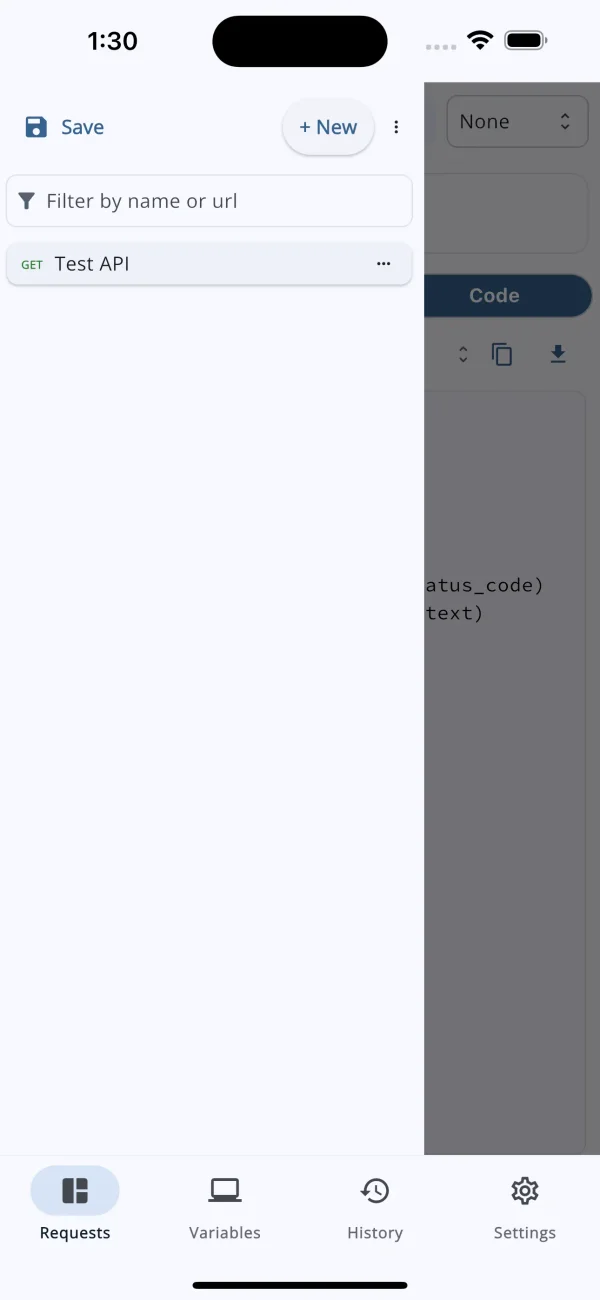
About
Create & Customize API Requests
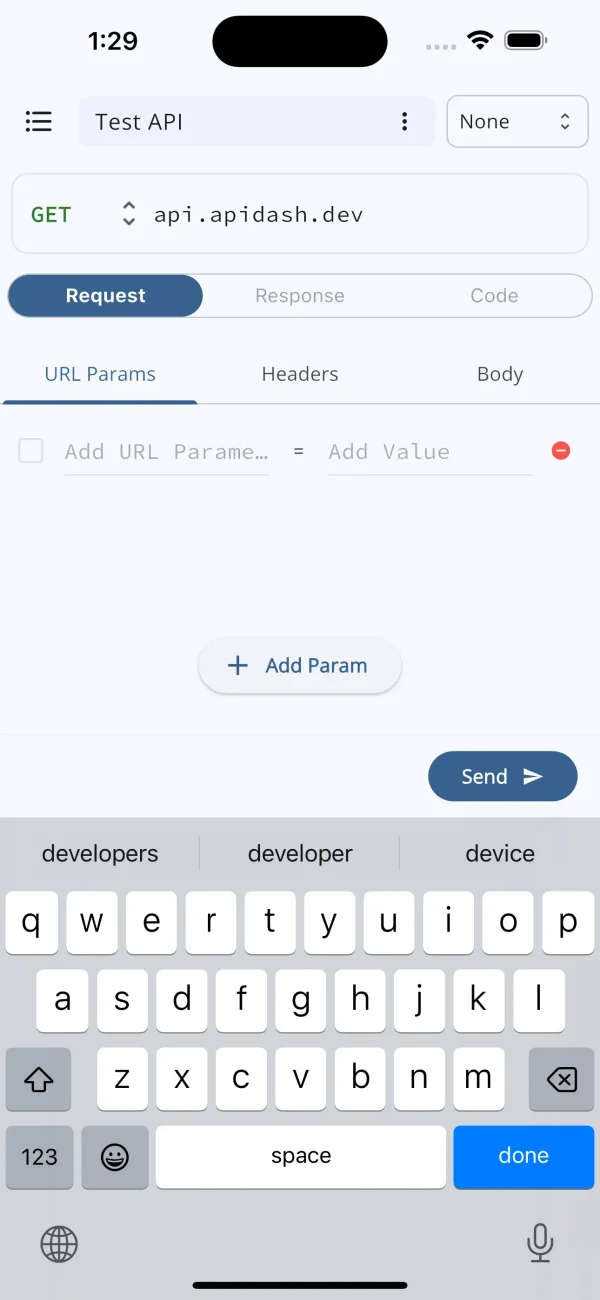
- Create different types of HTTP requests (GET, HEAD, POST, PATCH, PUT and DELETE).
- Easily manipulate and play around with request inputs like headers, query parameters and body.
- Full support to send text content with Unicode/Emoji and preview any API response containing Unicode/Emoji.
Organize Requests in Collections
- Create collections and folders to organize your requests.
- Press and Drag to Re-arrange requests.
- Click and open popup menu to rename, duplicate and delete a request.
Visually Preview and Download Data & Multimedia API Responses
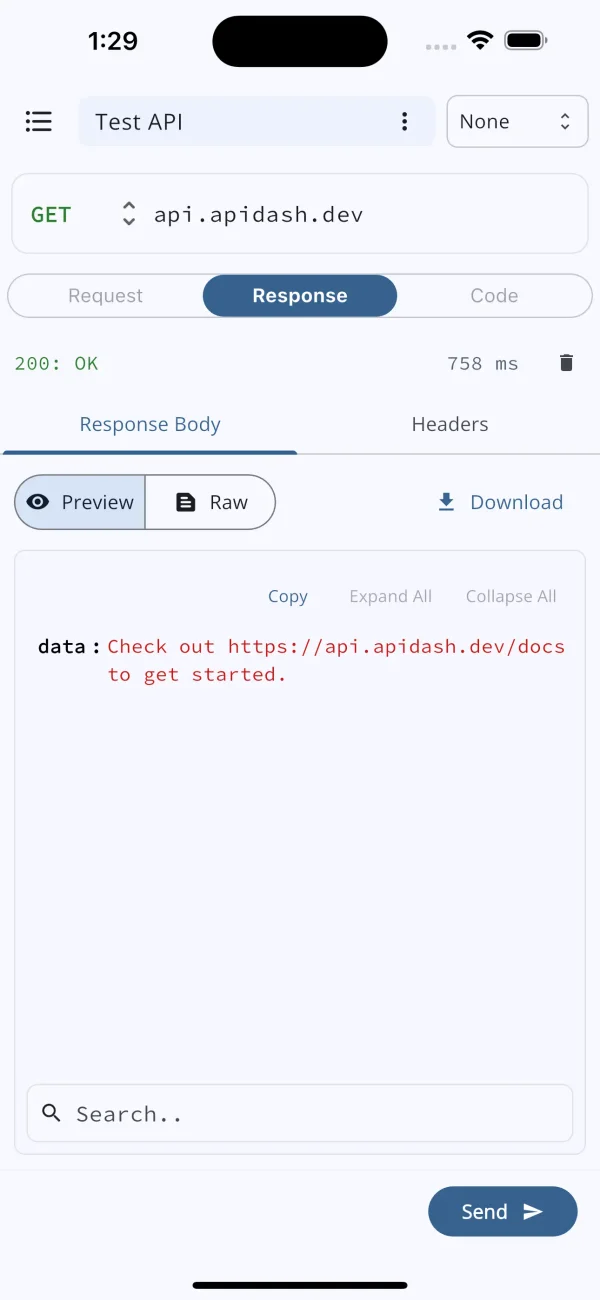
- Inspect the API Response (HTTP status code, error message, headers, body, time taken).
- View formatted code previews for responses of various content types like JSON, XML, YAML, HTML, SQL, etc.
- API Dash helps explore, test & preview Multimedia API responses which is not supported by any other API client. You can directly test APIs that return images, PDF, audio & more.
- Save response body of any mimetype (image, text, etc.) directly in the Downloads folder of your system by clicking on the Download button.
Code Generation
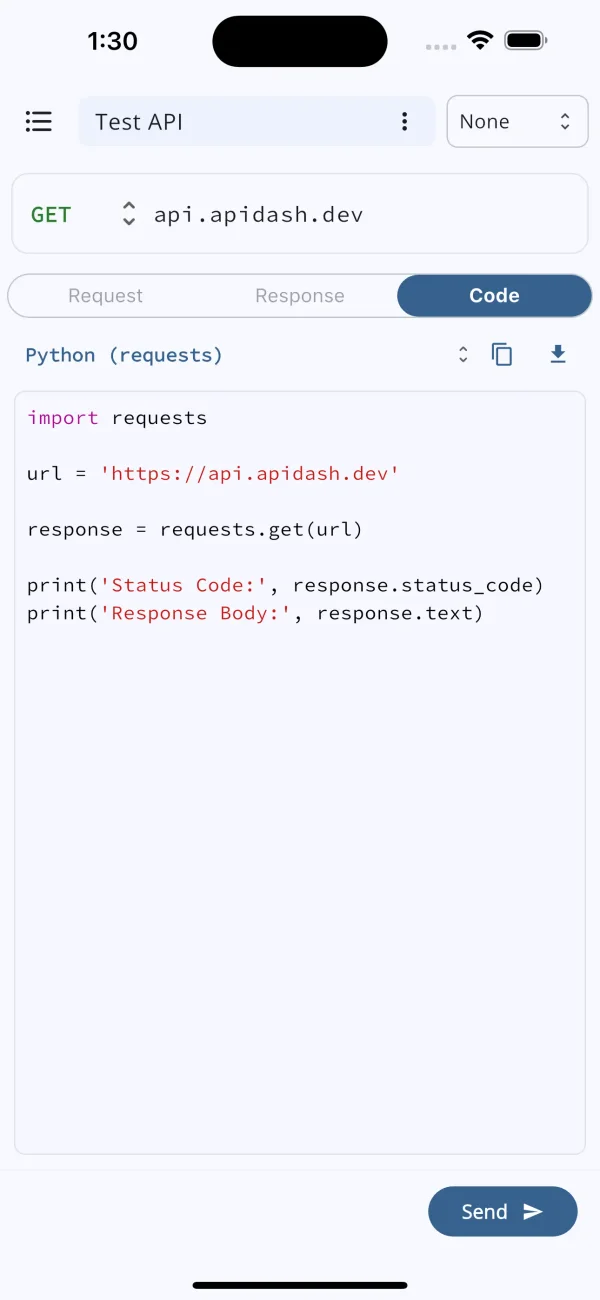
- We started out as the only open source API client which supported advanced Dart code generation to easily integrate APIs in Dart/Flutter projects or to directly run it on DartPad. With time we have added more code-gens and currently API Dash supports generation of well-tested integration codes for JavaScript, Python, Kotlin & various other languages.
Full Dark Mode Support
- Easily switch between light mode and dark mode.
Data
- Data is persisted locally on the disk. To save the current snapshot, just press the Save button in the collection pane.
- Click and open the collection/folder popup menu to export it as HAR. This can be version controlled & can be directly imported in other API Clients like Postman, Paw, etc.
- Export your entire data into a HAR (HTTP Archive) file. To access this option goto Settings > Export Data.
App privacy
What Ashita Prasad declares on the App Store about how this app handles data.
-
Data not collected
The developer does not collect any data from this app.
Privacy practices may vary, for example with the features you use or your age.
Information
- Seller
- Ashita Prasad
- Category
- Developer Tools
- Version
- 0.4.0
- Updated
- Sep 24, 2024
- Released
- Sep 24, 2024
- Size
- 71.9 MB
- Requires
- iOS 12.0 or later
- Age rating
- 4+
- Price
- Free
- Languages
- English
- Copyright
- © 2024 Ashita Prasad
You might also like
-
 APIOrbit – REST & GraphQLAI-Powered API Client & Tester
-
 RequestLabSimple API development tool
-
 API Tool ProTest APIs, Streams & WebSocket
-
 SendMan: API & HTTP ClientBuild, Test & Monitor APIs
-
 REST API ClientREST API and GraphQL Client
-
 API Inspector for PostmanHttp Client for Rest Bot
-
 Curly — REST API ClientREST API Client for Developers
-
 Cosmo: mobile postmanPostman mobile API access
-
 API Client - REST HTTP TesterREST API Tester & HTTP Client
-
 API BotAPI calls at your fingertips