
Apical: Planner, Tasks & Email
To-Do List, Calendar & Notes
Designed for iPhone, iPad
Free · In-app purchases
- Age rating12+
- CategoryProductivity
- DeveloperGarbageApps LLC
- LanguagesEnglish+ 17 more
- Size139.4 MB
Links to the official App Store page
Download.org hosts no file of Apical: Planner, Tasks & Email. The button opens its official App Store page, published by GarbageApps LLC. Listing last checked on Nov 29, 2026.
Screenshots
About
Your tasks and your calendar on ONE timeline.
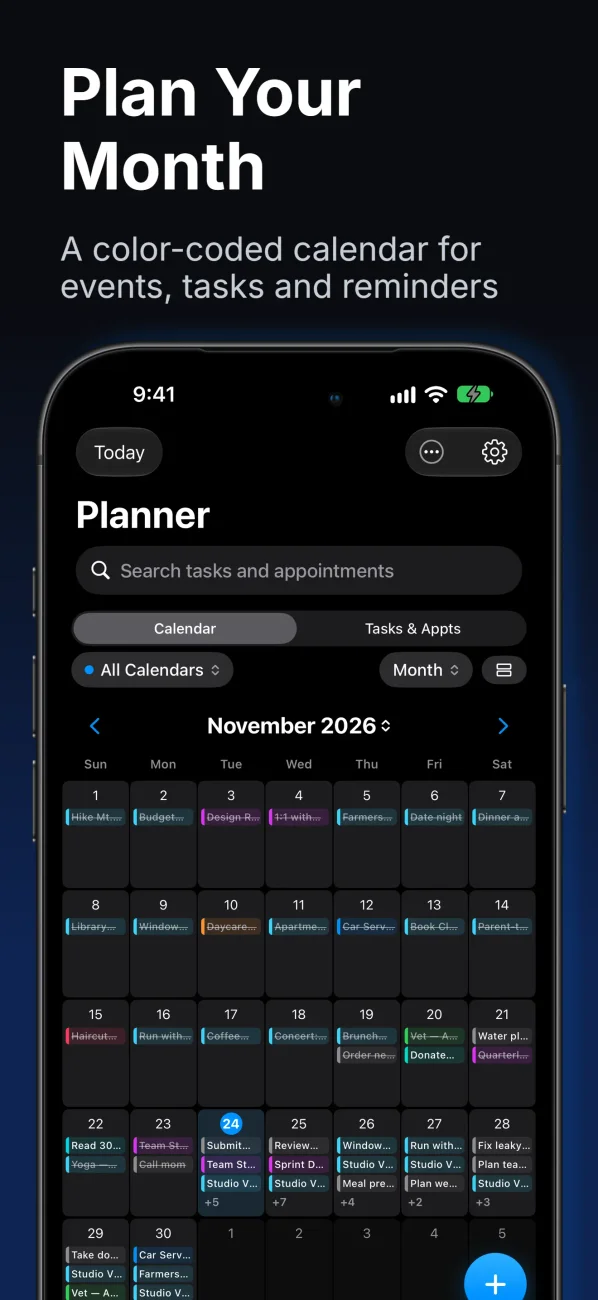
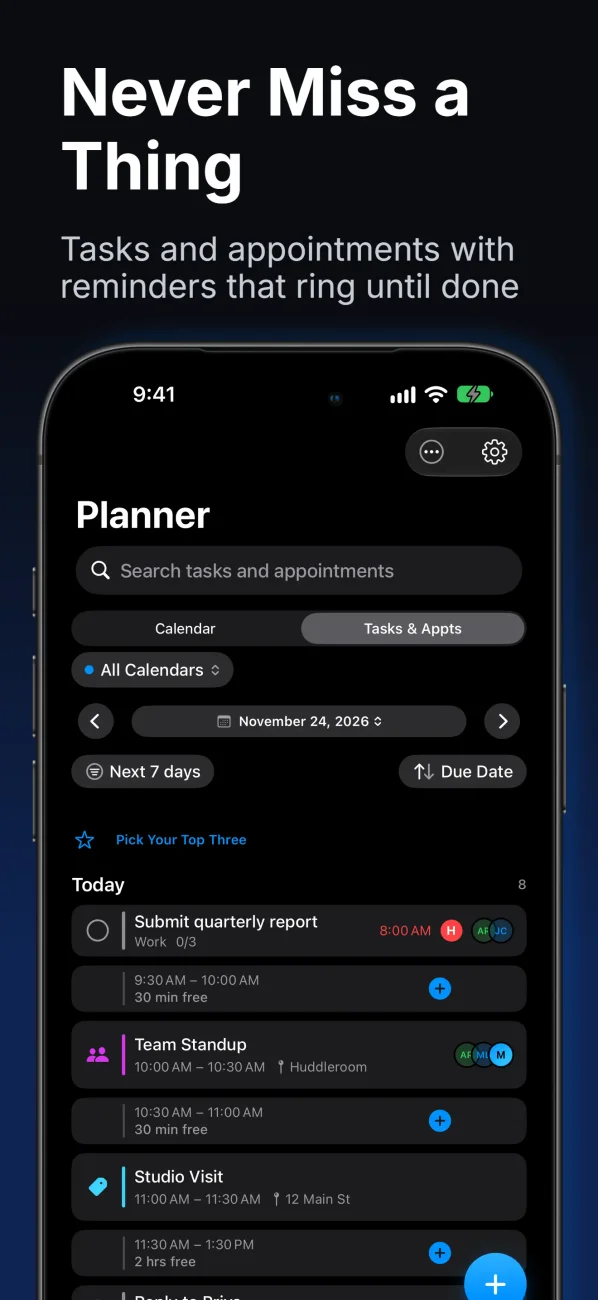
In Apical, your to-dos, your appointments and the events from your Gmail or Outlook calendar sit in the same day view. Things at the same time are shown side by side, and an event that overlaps another is flagged — so you see a double-booking while there is still time to move one.
You are not disorganized. You are holding eight apps in your head.
One app for the to-do list. A calendar that has never heard of it. Notes somewhere else, mail in a fourth place, then groceries, workouts, the weather, the news. The thing you needed was still in the app you did not open.
Apical is the one place all of it lives.
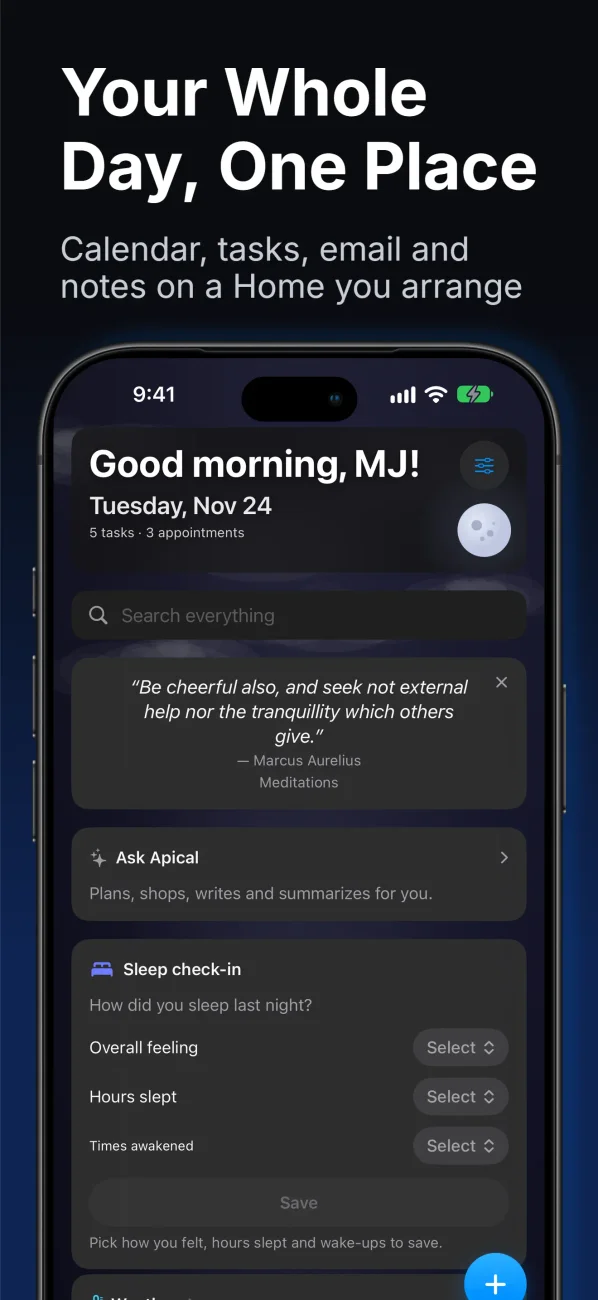
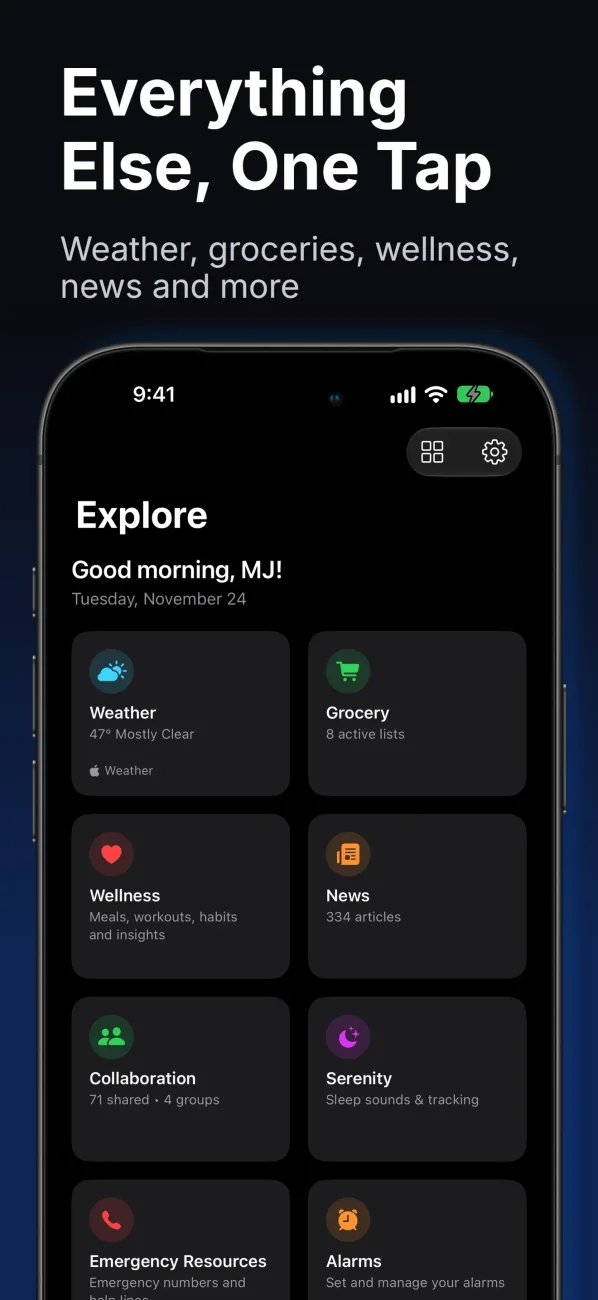
Open it and today is already there: what you have to do, where you have to be, what came in overnight, what the sky is doing. No account needed to start.
WHY IT FEELS DIFFERENT
Tick a task off from a Home Screen widget without opening the app.
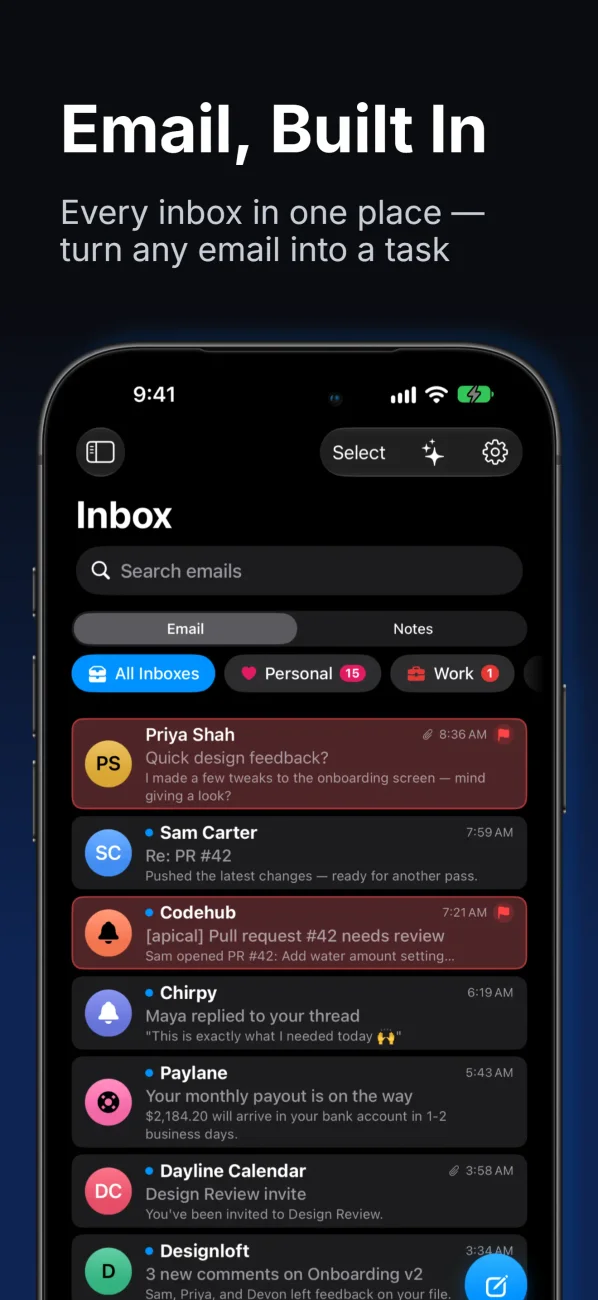
Gmail, Outlook, iCloud and IMAP arrive in the same place you plan your day, so mail stops being a separate errand.
Give a task a place and it can remind you when you arrive, not just at a set time.
Set up Home with ten questions (Undo and Restore included), add the small Smart Stack widget, and paste into notes or email with bold, lists and links kept.
Habits get their own page in Wellness, and Alarms and Notes can be tabs of their own.
Works with CarPlay: today's stops with directions, and errands to check off.
FREE, AND NOT A TRAP
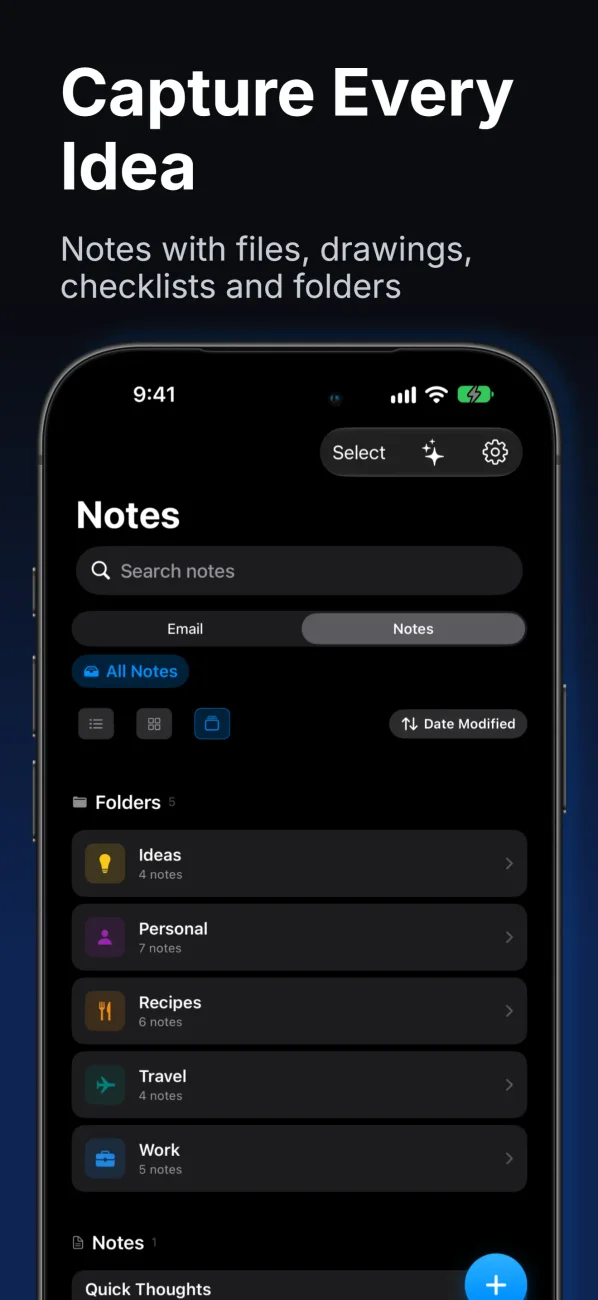
The planner, notes, mail, weather, an alarm clock and your home screen are free, with no account required — unlimited tasks, appointments and notes, three habits and 1 mailbox, with two-way calendar sync for Gmail and Outlook, plus Emergency Resources. The free Essentials plan runs on one device, with no sync, no AI and no ads, and gives you a taste of Live Well: three workout templates, one grocery list, two breathing exercises, three sounds and three note folders.
LIVE WELL — the life around the work
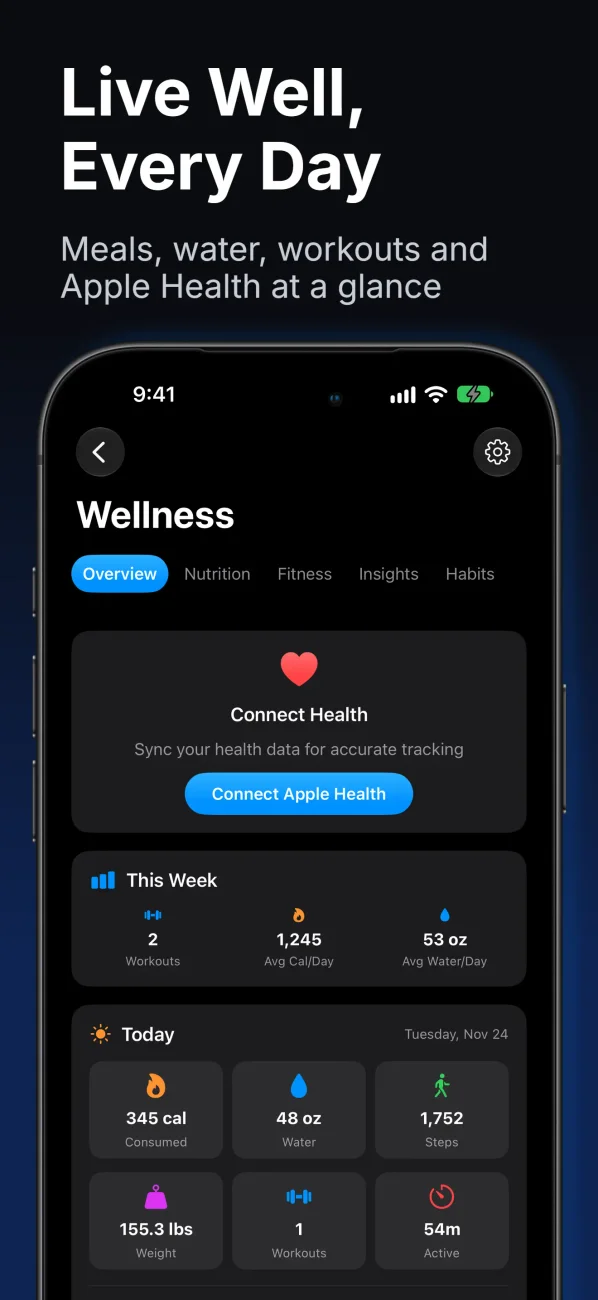
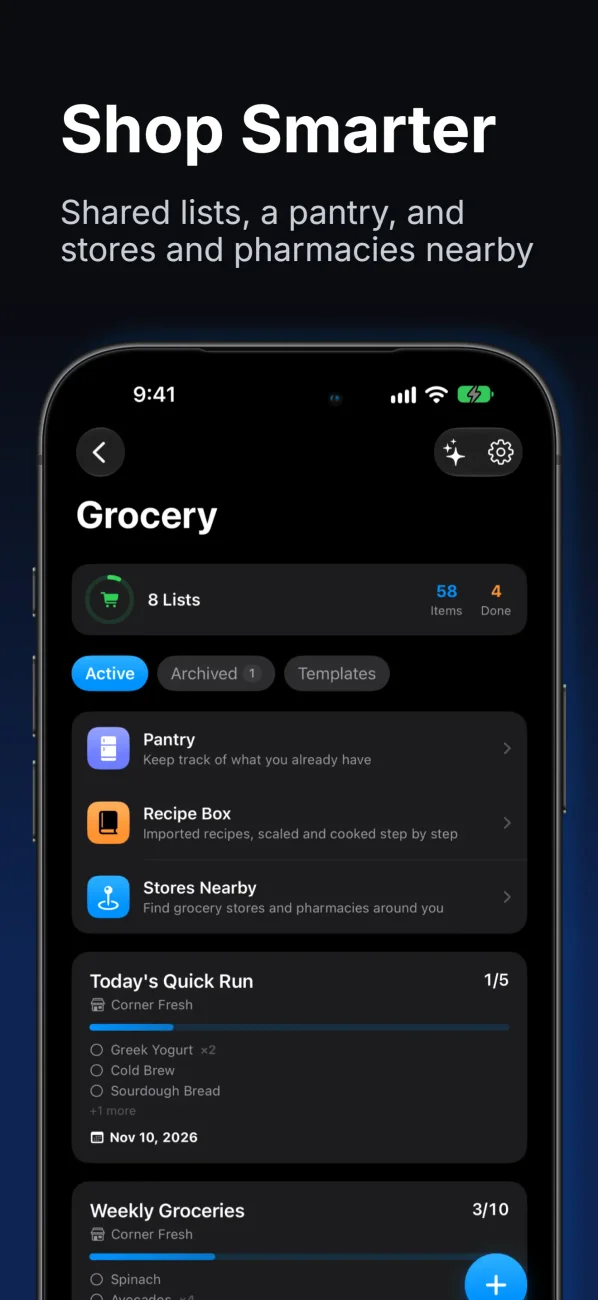
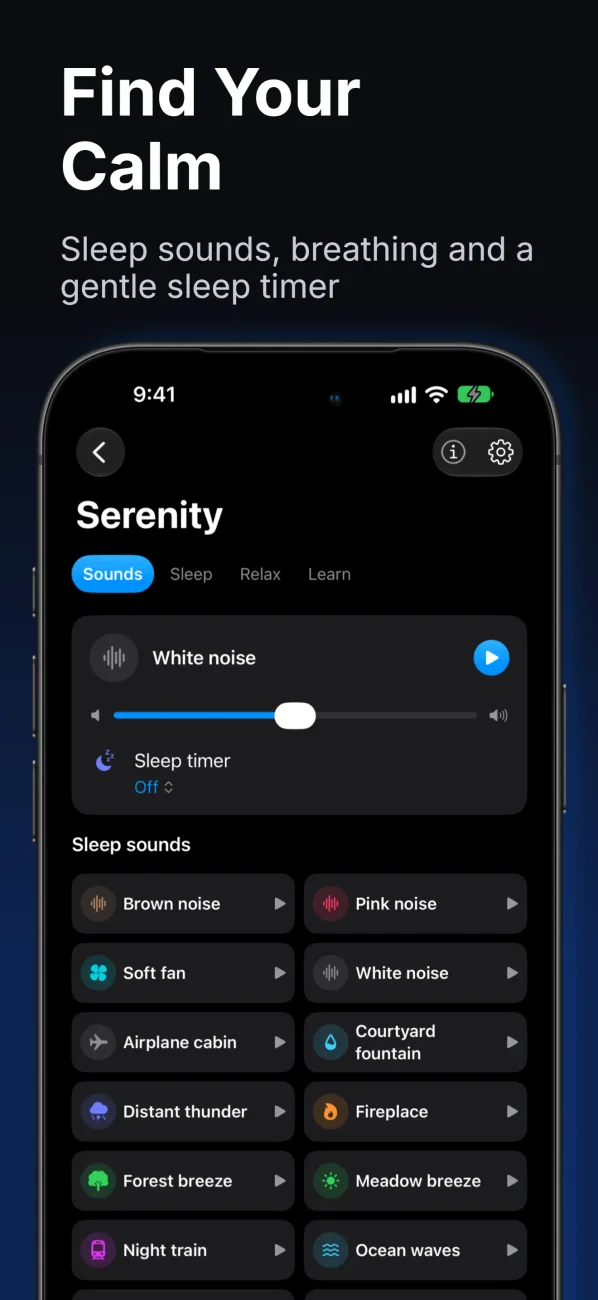
Five AI helpers: the AI Grocery Assistant for your grocery list, a nutrition-label reader, Break into steps for any task, recipes from social posts, and recipe search. Write by hand anywhere on a note's page, with a finger or Apple Pencil, plus folders, and pictures, videos and files that stay where you put them. Steps, workouts, water and heart data in one view, synced with Apple Health, with workouts and heart rate live on your wrist. Serenity for the end of the day: sleep sounds with a sleep timer, guided breathing and relaxation, and a sleep tracker. Grocery reminders that fire when you are NEAR THE SHOP. Three mail accounts, and a profile you can make your own. Your day synced across iPhone and iPad.
POWER — the inbox, and the thinking
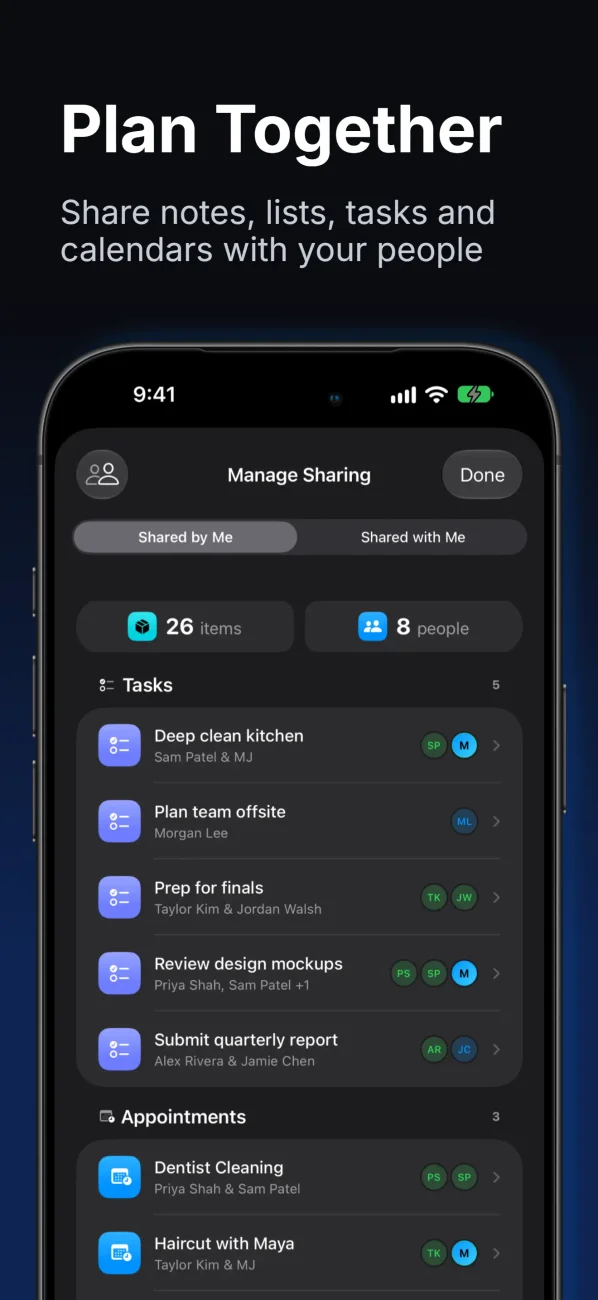
Up to ten mail accounts in one inbox. AI that sums up the emails you pick, up to eight at a time, every point linked to the message it came from, and reads it aloud if you like. Describe your week in plain words and get tasks and events you can accept in one tap, or ask it to change one you already have. Photograph a recipe, pick the ingredients you need, and they land on your grocery list. Or show the AI Grocery Assistant up to ten photos at once, and it suggests the list. Share a list, a note or a calendar with the people it actually involves — they can join with a free account. A news feed that refuses ad and tracker scripts before the page loads. Ask Apical is one assistant for your calendar, lists, meals, notes, mail and news (Live Well: lists). Your AI chats and summaries are saved in AI history, synced across your devices and free to reopen. AI starts only when you tap it.
Start free. New subscribers get a 7-day free trial.
EVERYWHERE YOU ARE
iPhone, iPad and Apple Watch, plus Home and Lock Screen widgets. Eighteen languages. Your data is yours. Live Well, Power, sync and AI are not available in every country.
Terms of Use: https://www.garbageapps.com/apicalplanandlivewell/legal
Privacy Policy: https://www.garbageapps.com/apicalplanandlivewell/legal
What’s new
Version 1.0.23 · Nov 28, 2026
New in Apical 1.0.23
• AI history: your AI chats and summaries are saved, sync across your devices and reopen free, with no new AI request.
• Ask Apical (Power; lists with Live Well): one assistant for your calendar, lists, meals, notes, mail and news.
• Clearer, roomier AI chats: switch chats from one menu, labeled buttons, Open and Undo on results, and you can close a sheet while the AI keeps working and saves the answer to your history.
• Siri makes it for you: ask Siri to add a task, appointment, note, grocery item or alarm in Apical; with Live Well, log a workout, a meal or water.
• Alarms sync across your devices with Live Well or Power, and each alarm can ring on all of them or just one.
• Leave-by card: your next appointment with a place on the Lock Screen and Dynamic Island, with when to leave and Directions (Live Well and Power; turn it on in Settings).
• Top Three on your Lock Screen and in the Dynamic Island: today's three picks, updated as you check them off (turn it on in Settings > Plan Tomorrow).
• Works with CarPlay: today's stops with directions, and errands to check off.
• Two-factor sign-in: add a passkey or an authenticator app, with recovery codes if you lose a device. Required from December 1, 2026.
• Set up Home your way: a quick 10-question setup tailors your Home cards to your day, with Undo and Restore, plus one "When Cards Appear" page.
• Arrange Home: move, resize or remove the Top Three, Ask Apical and Daily quote cards.
• Put your day in your own order: drag tasks, workouts, meals and shopping lists without a set time among each other on the Calendar Day page.
• Habits now have a home in Wellness.
• Alarms and Notes can be tabs of their own.
• Cleaner item pages: one clear action up front, everything else in the ... menu.
• Paste keeps your formatting and tappable links, and every share now includes a link.
• New small Smart Stack widget.
• Apical is now ad-free.
• Free plan tastes of Wellness, Grocery and Serenity: 3 workout templates, a grocery list, 2 breathing exercises, 3 sounds and 3 note folders.
• Live Well now includes 3 email accounts and profile customization.
• Shared items you finish tidy themselves into a Completed section.
• Changes you make on one device reach your other devices faster.
• Plus refinements and fixes throughout.
App privacy
What GarbageApps LLC declares on the App Store about how this app handles data.
-
Data used to track you
May be used to track you across apps and websites owned by other companies.
- Usage data
-
Data linked to you
May be collected and linked to your identity.
- Health and fitness
- Purchases
- Location
- Contact info
- Contacts
- User content
- Identifiers
- Usage data
- Diagnostics
- Other data
-
Data not linked to you
May be collected but is not linked to your identity.
- Search history
Privacy practices may vary, for example with the features you use or your age.
Information
- Seller
- GarbageApps LLC
- Category
- Productivity
- Version
- 1.0.23
- Updated
- Nov 28, 2026
- Released
- Aug 20, 2026
- Size
- 139.4 MB
- Requires
- iOS 18.0 or later
- Age rating
- 12+
- Price
- Free
- In-app purchases
- Yes
- Languages
- English, Arabic, Bengali, French, German, Hausa, Hindi, Indonesian, Japanese, Korean, Marathi, Portuguese + 6 more
- Copyright
- © 2026 GarbageApps LLC
You might also like
-
 LookUp: Block Apps & FocusBlock apps, take time back
-
 AI App Builder : AppIslandCreate Your Own Apps with AI
-
 PawsMe: Screen Time ControlApp Blocker for Mindful Focus
-
 Doit: Fun To-Do ListsDaily tasks, goals & focus
-
 Listed AI - Listing GeneratorSell second-hand from photos
-
 Teamily AI: Human+AI TeamCreate, Automate, Grow
-
 Wakup!: Puzzle Alarm ClockStop Snoozing, Build Habits
-
 AI App Builder Appy PieMake Native Mobile App with AI
-
 Roots: Screen Time ControlApp Blocker & Dopamine Detox
-
 PolyPal - AI Live TranslatorTranslate Voice,Pic,Call,Video