ApiCatcher - Capture HTTPS
Capture HTTPS from your iPhone
Designed for iPhone, iPad
Free · In-app purchases
- Age rating4+
- CategoryDeveloper Tools
- DeveloperNanning Signalling Network Technology Co., Ltd
- LanguagesEnglish+ 1 more
- Size66.6 MB
Links to the official App Store page
Download.org hosts no file of ApiCatcher - Capture HTTPS. The button opens its official App Store page, published by Nanning Signalling Network Technology Co., Ltd. Listing last checked on Nov 20, 2026.
Screenshots


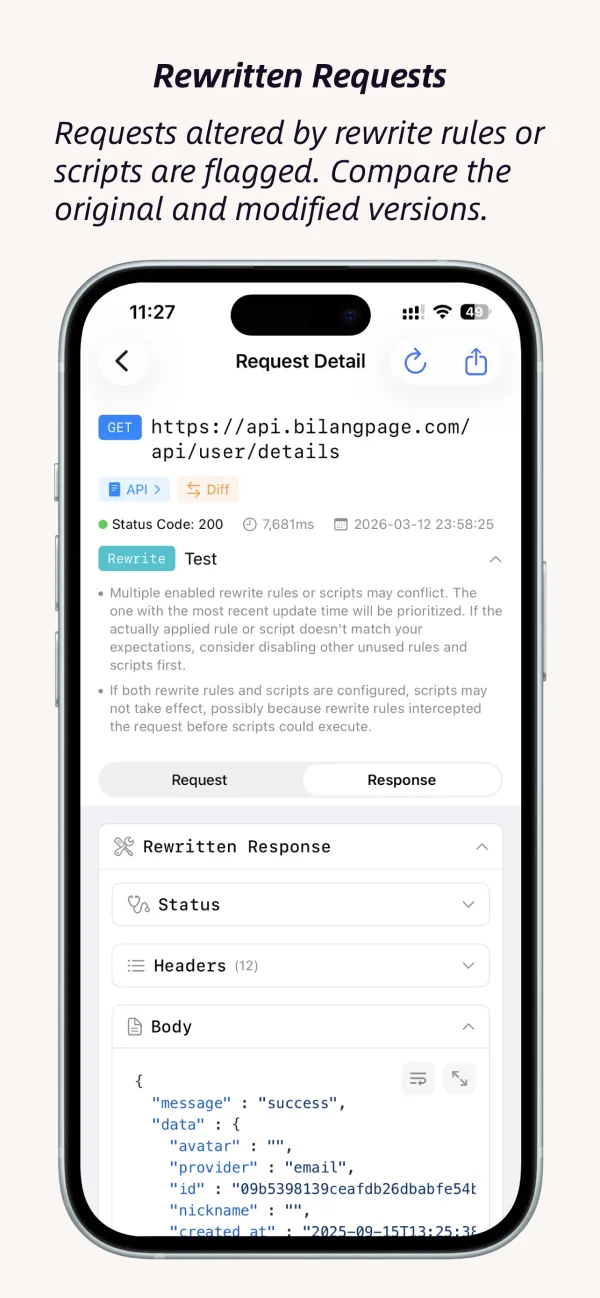
About
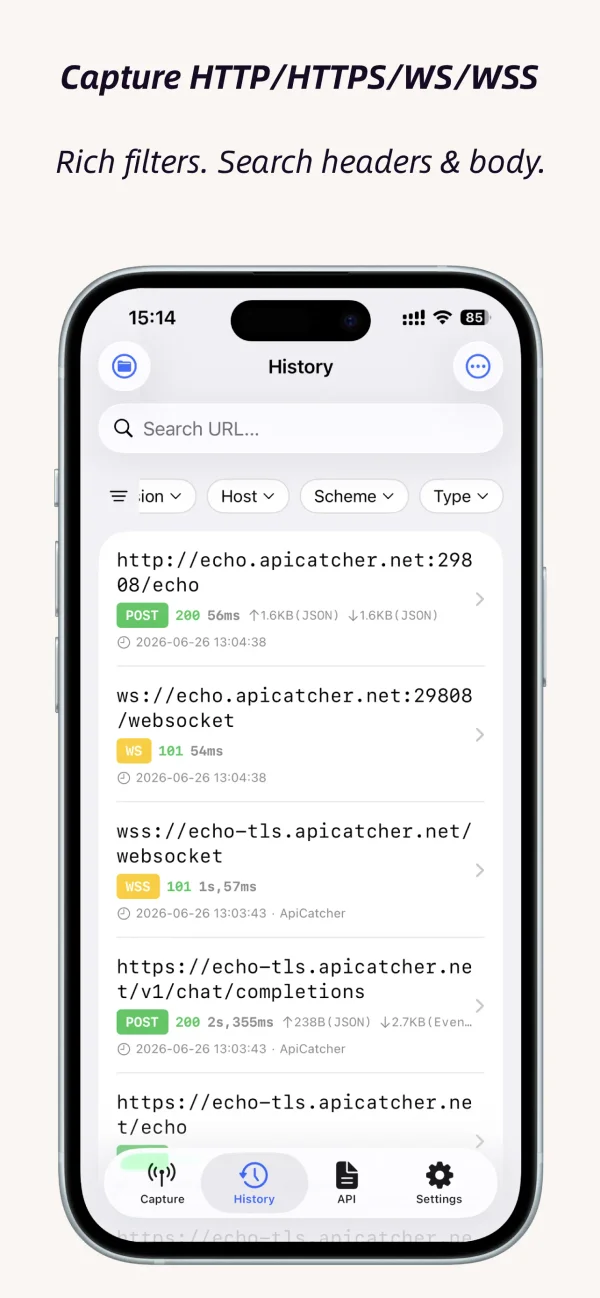
ApiCatcher is a user-friendly mobile HTTP/HTTPS/WS/WSS packet capture and debugging tool.
ApiCatcher also offers macOS and Windows versions (ApiCatcher Desktop), and the ApiCatcher can sync captured traffic to ApiCatcher Desktop in real time.
[Key Features]
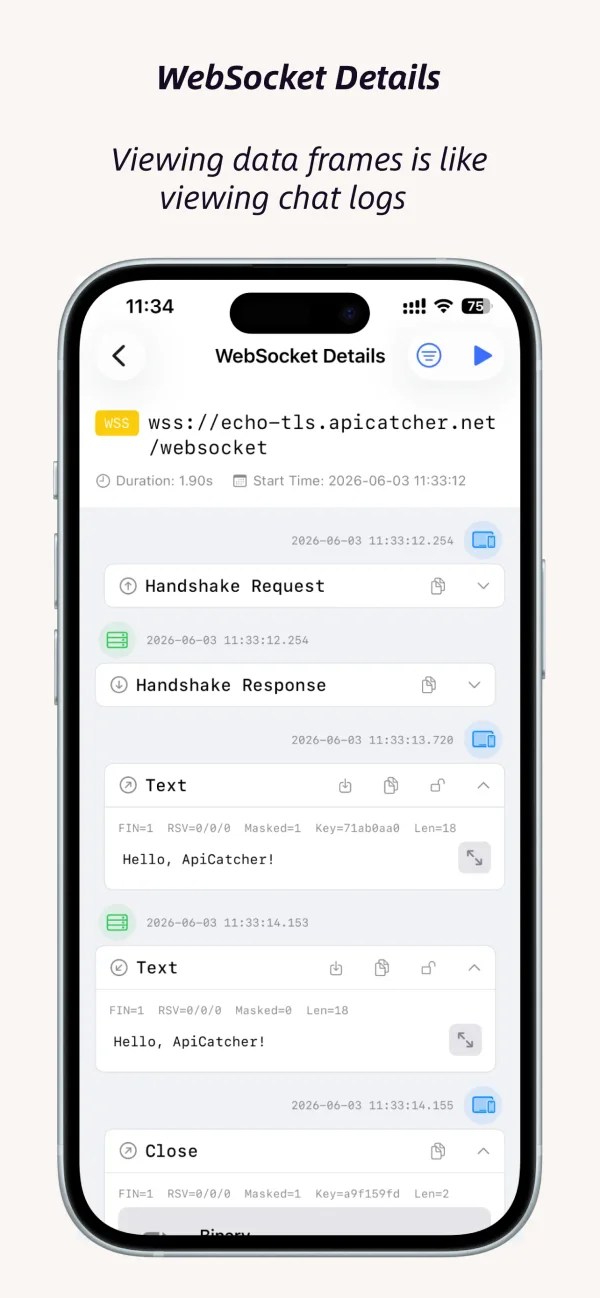
• Traffic Capture: Capture HTTP, HTTPS, WS, and WSS traffic (WS: WebSocket; WSS: WebSocket over TLS).
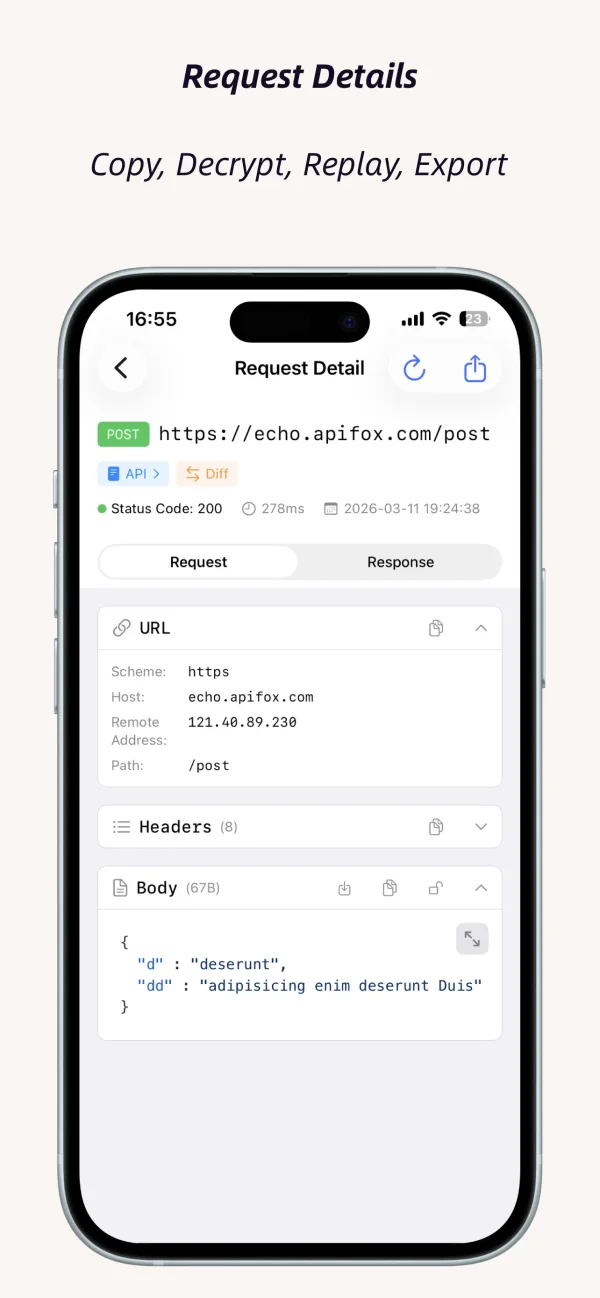
• Data Manipulation: Copy, export, encrypt, and decrypt Query Params, Headers, and Bodies.
• Host Filtering: Configure blacklists and whitelists to filter captured hosts.
• Request Replay: Modify and resend requests.
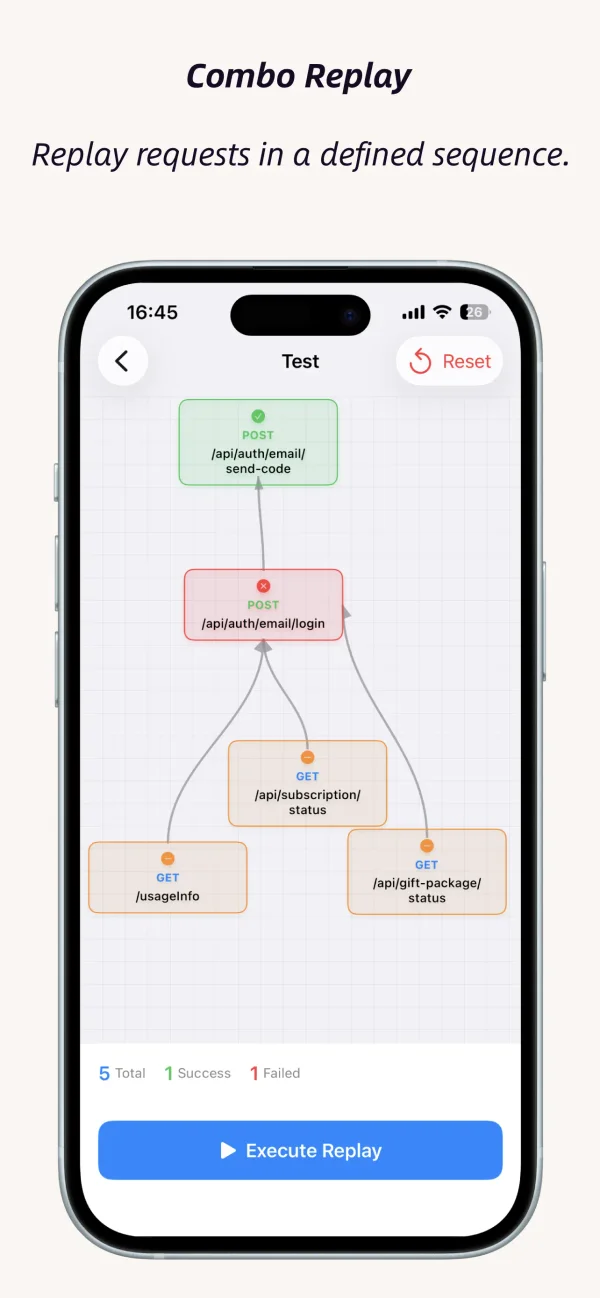
• Combo Replay: Schedule and execute multiple requests sequentially based on dependencies, with support for dynamic parameter injection.
• Scheduled Replay: Automate and trigger request replays at set intervals.
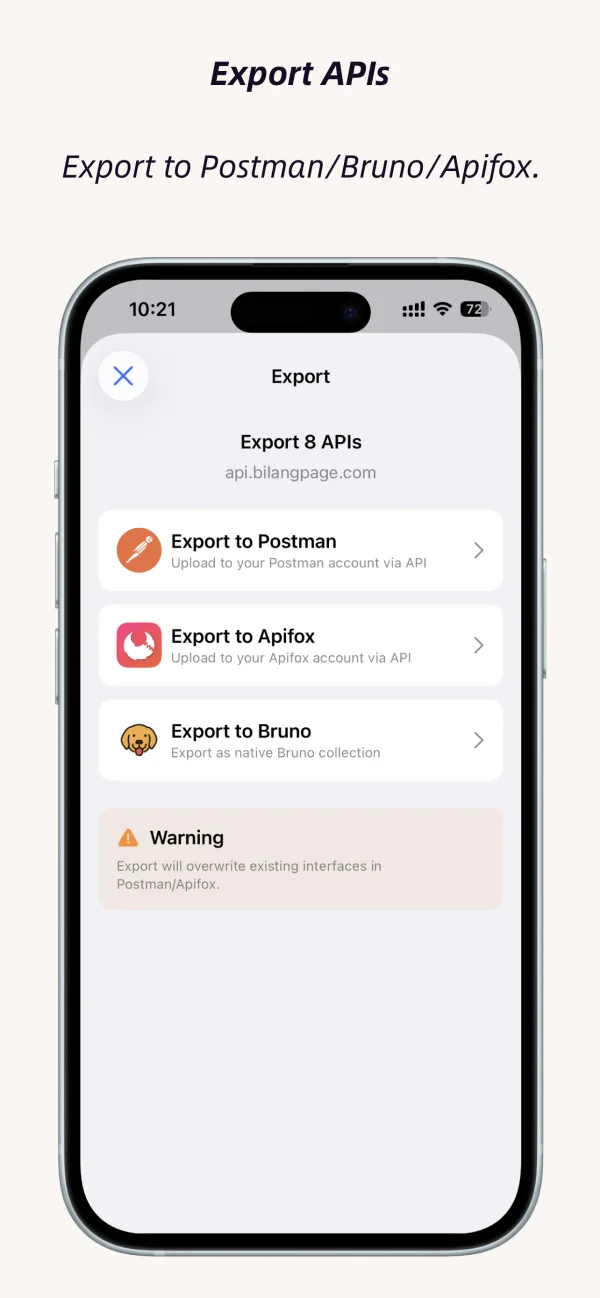
• Auto-Generated API Docs: Automatically generate API documentation and export directly to Postman or Apifox.
• Rewrite Rules: Mock responses, redirect requests, modify requests/responses, or drop requests/responses.
• Scripting Engine: Extend capabilities with script plugins to flexibly modify requests and responses on the fly.
• History Export: Batch export captured traffic as HAR files.
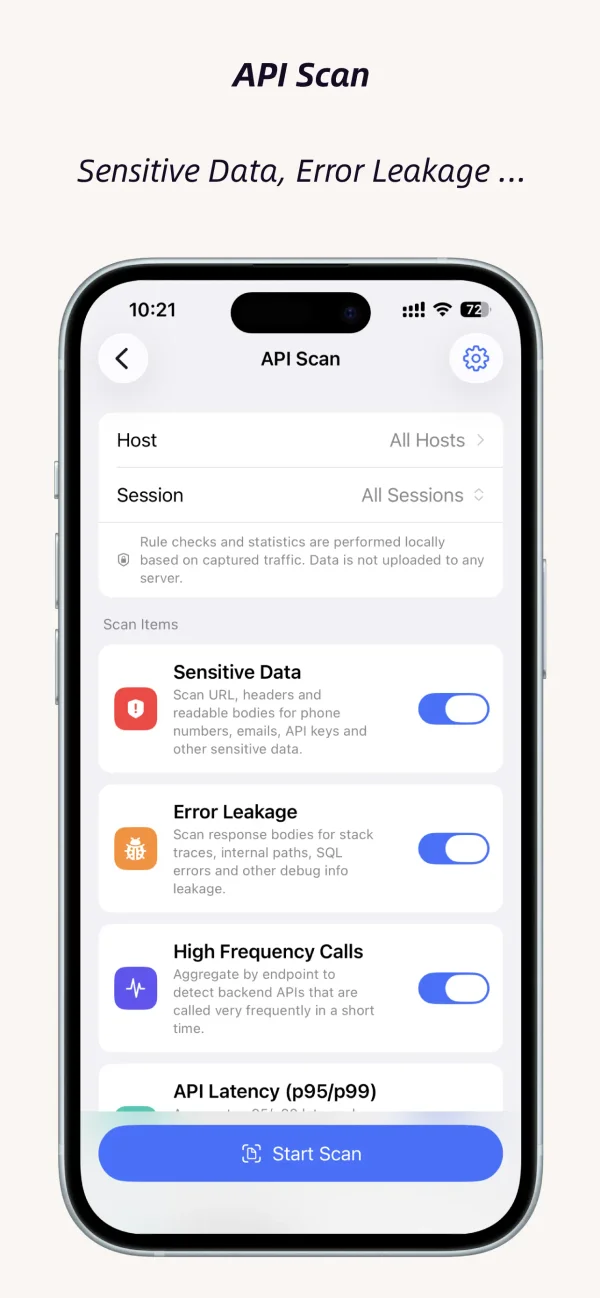
• API Scanner: Run rule-based vulnerability/error detection and statistics on captured traffic, with support for custom scanning rules.
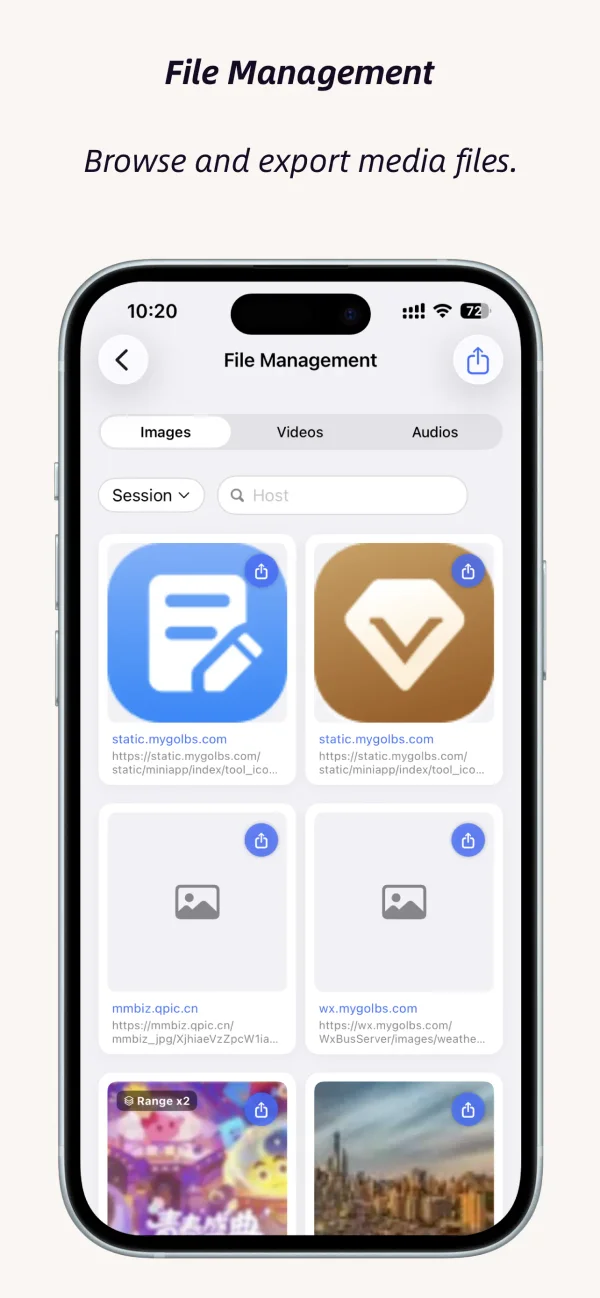
• Media Export: Batch export images and videos, with automatic merging for segmented download requests.
• Real-Time Sync: Stream captured HTTP/HTTPS traffic instantly to ApiCatcher Desktop for advanced analysis and debugging. It also supports syncing to Burp Suite, which requires installing the plugin provided by ApiCatcher on Burp Suite.
• DNS mapping/spoofing: Bypass DNS resolution by sending requests for specified domain names to a designated IP address, achieving an effect similar to editing the hosts file on a computer.
• Support decoding request/response bodies encoded with the Protobuf protocol, such as gRPC requests. If a .desc descriptor file is provided, field names can also be decoded.
[Personalization Settings]
• Configurable code highlighting styles with multiple built-in themes, supporting JSON/XML/HTML/JS.
• AI assistant mode available: directly capture and analyze packets through AI dialogue.
[How It Works]
ApiCatcher establishes a local VPN connection on your device to route all network traffic through a local Man-in-the-Middle (MITM) service. As long as the VPN is active, ApiCatcher can capture any HTTP/HTTPS/WS/WSS traffic passing through Wi-Fi or cellular data.
[Data Privacy & Security]
ApiCatcher's root certificate is a self-signed certificate generated entirely on your own device. All captured HTTP/HTTPS/WS/WSS data is stored locally on your device and is never uploaded to any remote servers.
[Description of automatic subscription service]
1.Subscription service:
a) Pro Monthly (1 month)
b) Pro Yearly (12 months)
c) Ultimate Monthly (1 month)
d) Ultimate Yearly (12 months)
2.Payment: After the user confirms the purchase and makes payment, it will be credited to the iTunes account
3.Automatic renewal: Apple iTunes account will be charged within 24 hours before the expiration date, and the subscription period will be extended by one subscription period after the successful deduction
4.Close the service: You can close the service by going to "Settings" on your iPhone, entering "iTunes Store and App Store", clicking on "Apple ID", selecting "View Apple ID", entering the "Account Settings" page, clicking on "Subscriptions", and managing automatic subscription services. If you need to cancel, you can close it 24 hours before the end of each billing cycle, and no further charges will be deducted within 24 hours before the expiration date
5.Service Agreement: https://apicatcher.net/en/terms-of-service
6.Privacy Agreement: https://apicatcher.net/en/privacy-policy
What’s new
Version 4.10 · Nov 16, 2026
Fixed known issues
App privacy
What Nanning Signalling Network Technology Co., Ltd declares on the App Store about how this app handles data.
-
Data not collected
The developer does not collect any data from this app.
Privacy practices may vary, for example with the features you use or your age.
Information
- Seller
- Nanning Signalling Network Technology Co., Ltd
- Category
- Developer Tools
- Version
- 4.10
- Updated
- Nov 16, 2026
- Released
- Feb 1, 2026
- Size
- 66.6 MB
- Requires
- iOS 17.0 or later
- Age rating
- 4+
- Price
- Free
- In-app purchases
- Yes
- Languages
- English, Simplified Chinese
- Copyright
- © 2025 Nanning Signalling Network Technology Co., Ltd
You might also like
-
 NetScanner - HTTP CatcherHTTP Sniffer,Capture,Debug
-
 PacketProHTTP & HTTPS traffic
-
 MitmoProxy Control App
-
 API Inspector for PostmanHttp Client for Rest Bot
-
 Moni Proxy: HTTPS CaptureHTTP Debugger, Sniffer & Mock
-
 Peek for App Store ConnectApp Sales, Keywords & Reviews
-
 DeviapDeveloper Tools & Resources
-
 Hodor - HTTP(s) Packet SnifferFlutter Capture & API Testing
-
 FlowSpy - AI Packet CaptureHTTP/HTTPS Debug API Inspector
-
 Tracer - inspect https trafficProxy network requests