
Apograph
Private Offline Transcription
Designed for iPhone
Free · In-app purchases
- Age rating4+
- CategoryProductivity
- DeveloperSinergy Labs
- LanguagesEnglish+ 98 more
- Size178.3 MB
Links to the official App Store page
Download.org hosts no file of Apograph. The button opens its official App Store page, published by Sinergy Labs. Listing last checked on Nov 18, 2026.
Screenshots


About
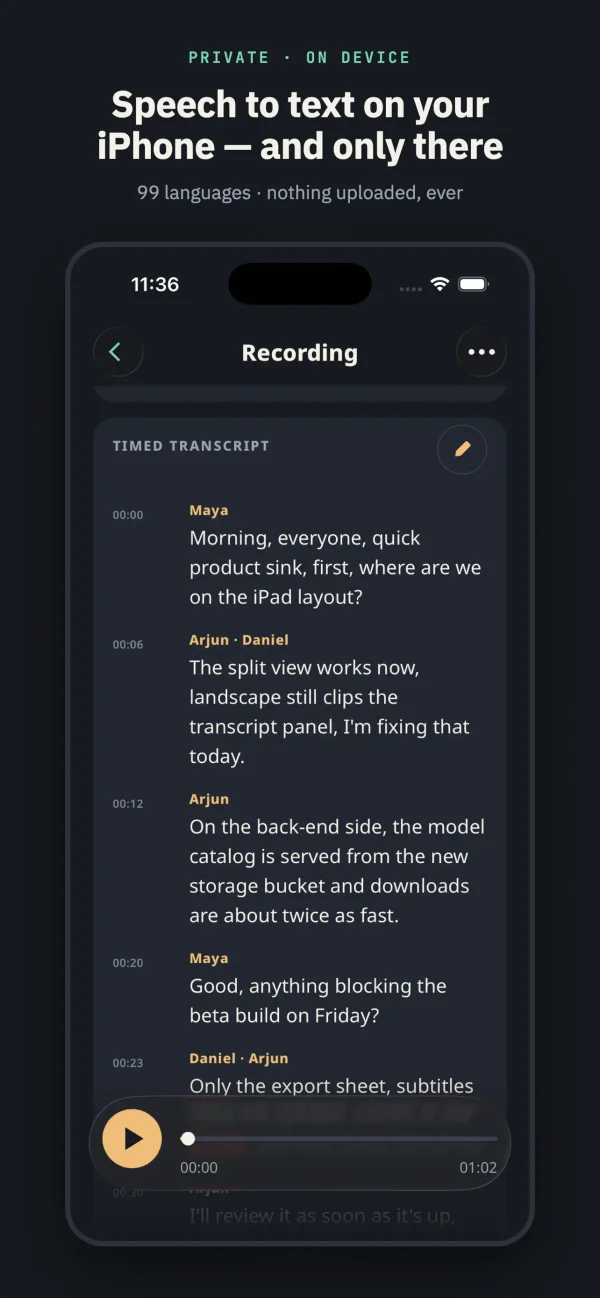
Apograph turns speech into text on your iPhone — and only there. Recordings, transcripts and speaker labels never leave the device. No account, no server, no analytics.
RECORD OR IMPORT
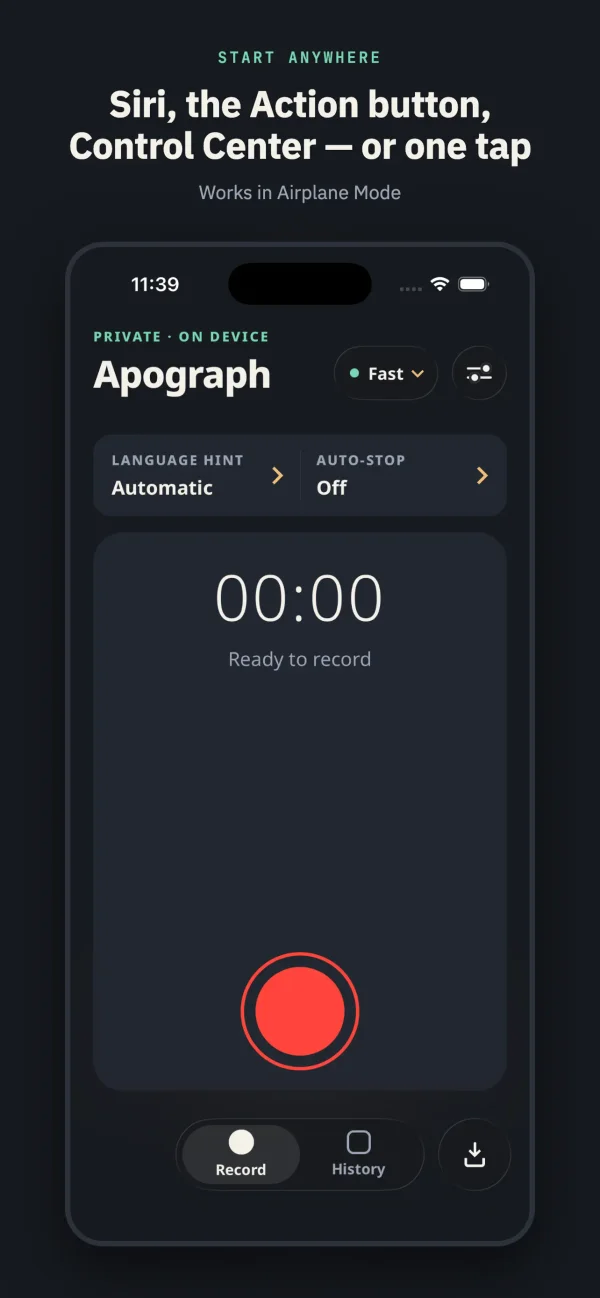
• Tap record, ask Siri, or use the Control Center tile or the Action button.
• Import audio or video — a Voice Memo, a meeting, a saved lecture — from Files, Photos or the share sheet.
• Auto-stop ends a long recording at the minute you set — and before the iPhone runs out of space, the capture stops itself, saved and transcribed.
• A Live Activity shows the running timer — and, with Auto-stop, when the recording will end — with a Stop control on the Lock Screen and in the Dynamic Island.
TRANSCRIBED ON THE DEVICE
• OpenAI Whisper models run locally on the iPhone's GPU. Works in Airplane Mode.
• 99 languages, detected automatically — including languages the iPhone's built-in transcription doesn't support.
• Three model tiers: Fast ships with the app; Balanced and Best download once and stay on the device.
• Stable decoding — no random temperature drift between runs.
A TRANSCRIPT YOU CAN WORK WITH
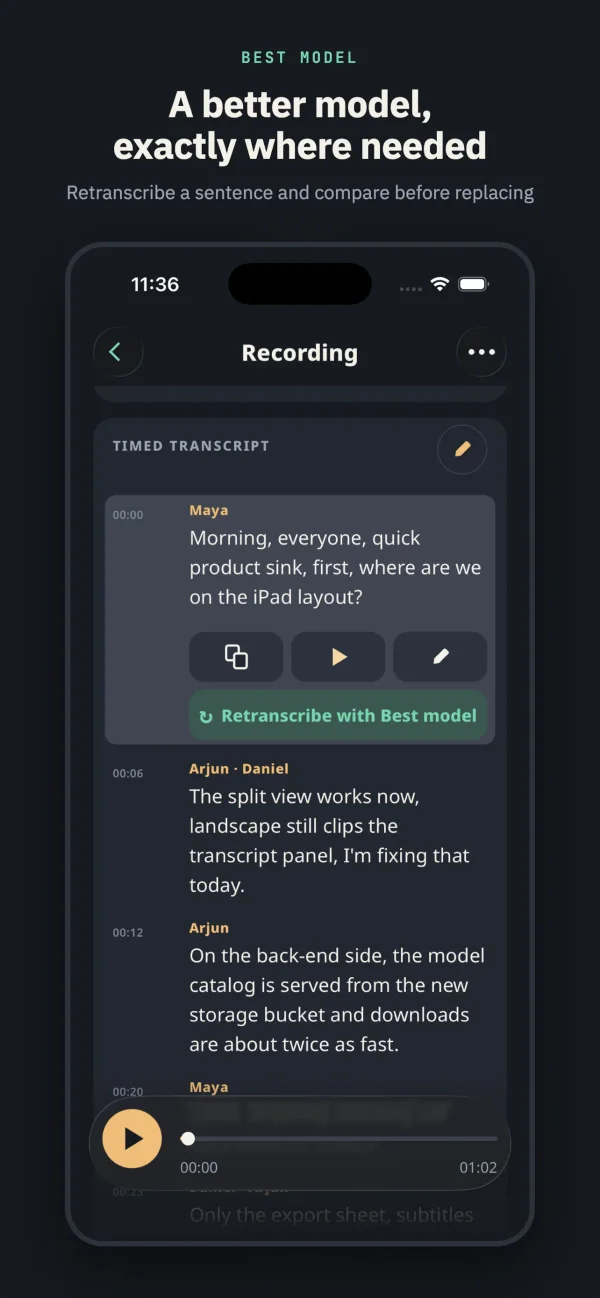
• Timed sentences: tap any sentence to hear just that passage.
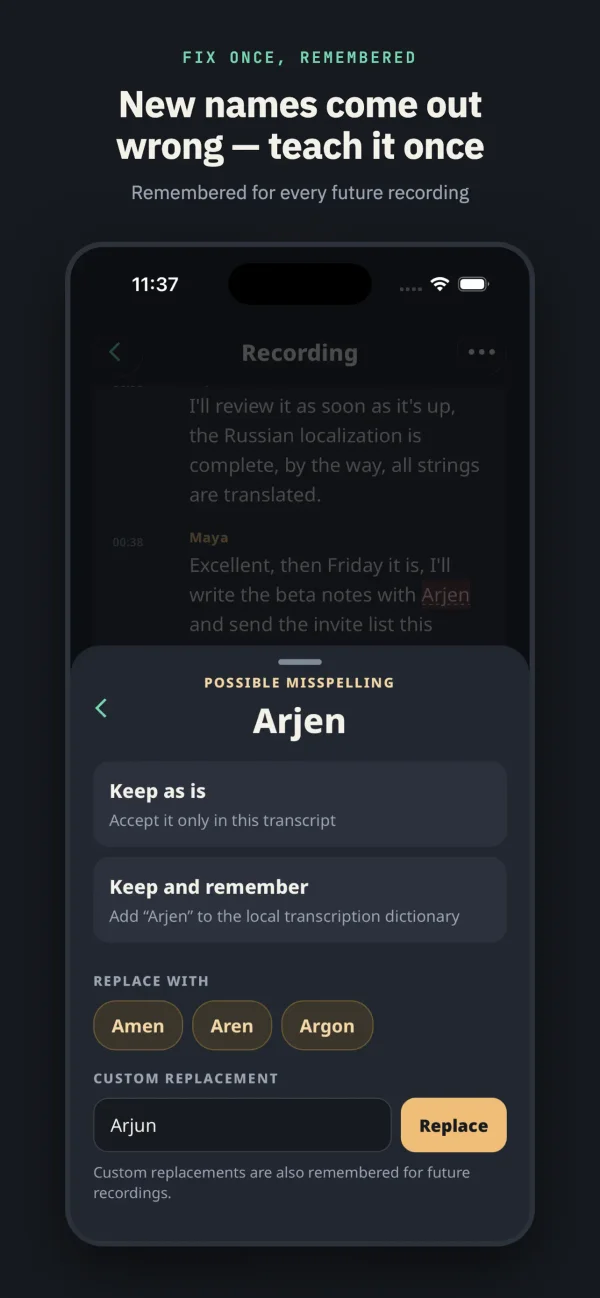
• Edit the transcript in place — fix a word, a name, a whole sentence.
• A spell checker that learns your names and terms — remembered words are fed back to the model.
• Retranscribe a sentence — or the whole recording — with the Best model, and compare before replacing anything.
• Export as text, Markdown or PDF. Copy or share with one tap.
YOUR FILES, IN FILES
Every recording is a plain folder in the Files app — audio, metadata and transcript.txt — with readable date names. Store them in any folder you choose. They are yours.
APOGRAPH PRO — ONE PURCHASE, NO SUBSCRIPTION
• Best model: the highest transcription accuracy.
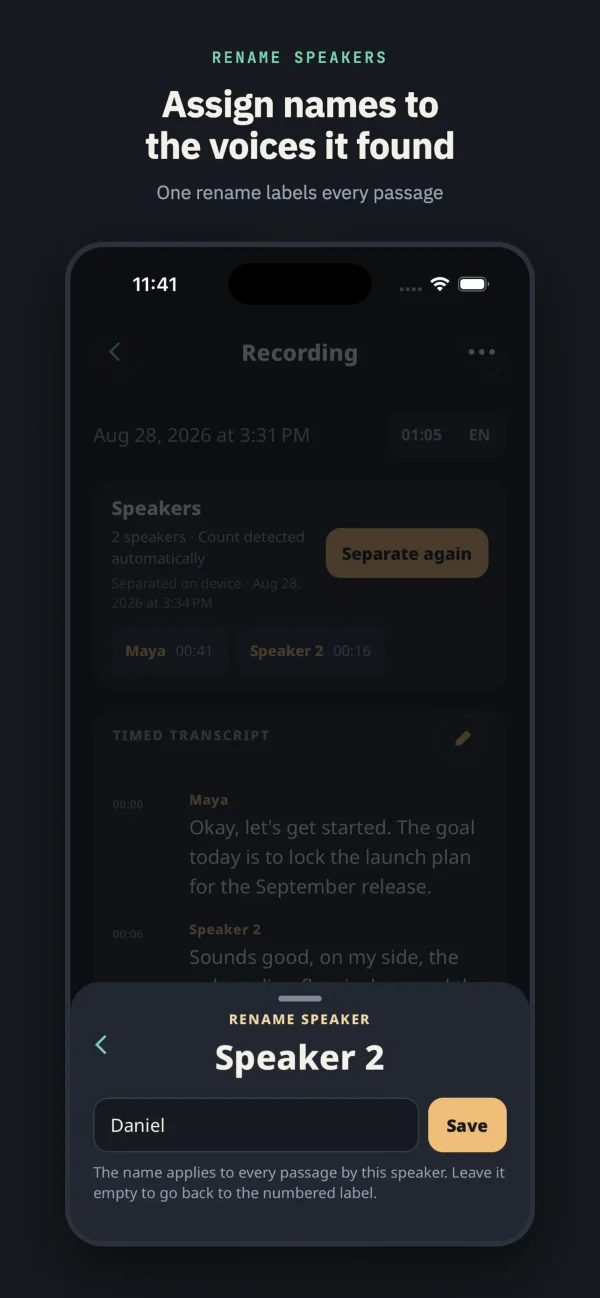
• Speaker separation (diarization): who said what — the voices within a recording are told apart on the device, labeled for you to rename, and carried into every export. It never identifies whose voice it is.
• Subtitle export: SRT and WebVTT with real timings.
• Unlimited Best re-transcriptions — whole recordings or single sentences.
Free includes unlimited recordings, the Fast and Balanced models, every language, text, Markdown and PDF export, and the Best model on five recordings — full or per-section.
PRIVACY
The app contains no analytics, advertising or tracking SDKs. The only network traffic is fetching the model catalog, downloading a model you chose, and the App Store handling your purchase. Full policy: getapograph.io/privacy
Requires iOS 18.6 or later. The Best model needs more memory than some iPhones have; the model picker tells you which tiers fit before you download anything.
What’s new
Version 1.1 · Oct 3, 2026
Updated the transcription engine, with fixes for Chinese, Japanese and Korean text.
App privacy
What Sinergy Labs declares on the App Store about how this app handles data.
-
Data not collected
The developer does not collect any data from this app.
Privacy practices may vary, for example with the features you use or your age.
Information
- Seller
- Sinergy Labs Ltd
- Category
- Productivity
- Version
- 1.1
- Updated
- Oct 3, 2026
- Released
- Sep 22, 2026
- Size
- 178.3 MB
- Requires
- iOS 18.6 or later
- Age rating
- 4+
- Price
- Free
- In-app purchases
- Yes
- Languages
- English, Afrikaans, Albanian, Amharic, Arabic, Armenian, Assamese, Azerbaijani, Bashkir, Basque, Belarusian, Bengali + 87 more
- Copyright
- © 2026 Sinergy Labs
You might also like
-
 NotePoof: Email MyselfQuick notes to your inbox
-
 Gaston - Assistant IAProductivity
-
 Voice Recorder Live TranscriptTranscribe offline, on-device
-
 FocusLock (5dc01f)Stay focus and lock in
-
 Summio: AI Meeting Note TakerLecture Recorder, Transcribe
-
 Transcribz: AI TranscriptionPrivate offline voice recorder
-
 Asr: Islamic Focus DailyPrayer and Quran tracker
-
 Spokn - Voice NotesClean dictation, on-device.
-
 FlowFlowVoice notes that answer back
-
 Sparky: Screen Time & FocusApp Blocker, Habit Limits