
MP3 Books: Audiobook Player
M4B, Offline Listening, No Ads
Designed for iPhone, iPad, iPod touch
Free · In-app purchases
- Age rating4+
- CategoryBooks
- DeveloperKinKin Ltd
- LanguagesEnglish+ 1 more
- Size41.0 MB
Links to the official App Store page
Download.org hosts no file of MP3 Books: Audiobook Player. The button opens its official App Store page, published by KinKin Ltd. Listing last checked on Nov 25, 2026.
Screenshots

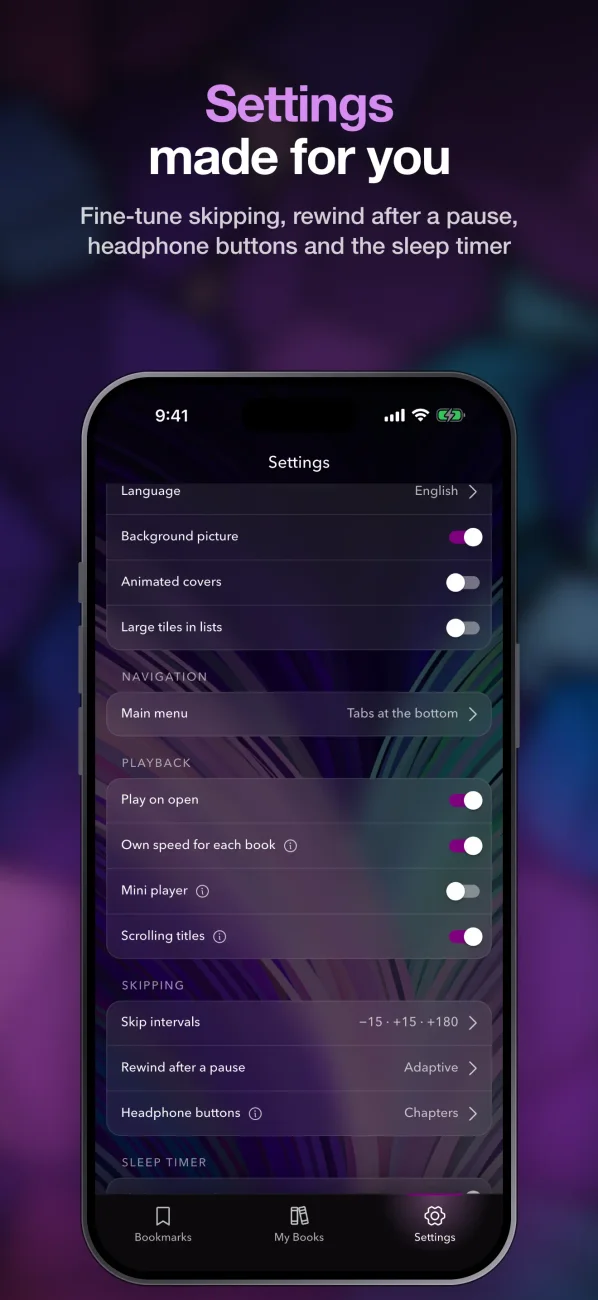
About
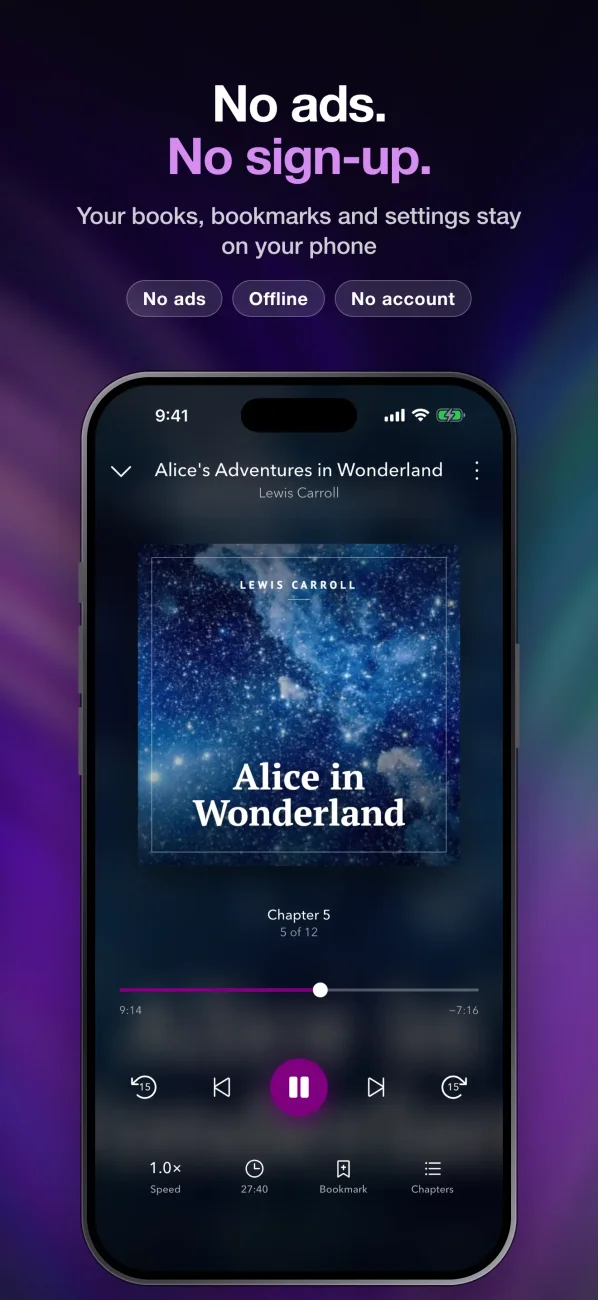
Listen to the audiobooks you already have - MP3 and M4B, no converting. No ads, no account, no subscriptions: your books, bookmarks and settings stay on your phone.
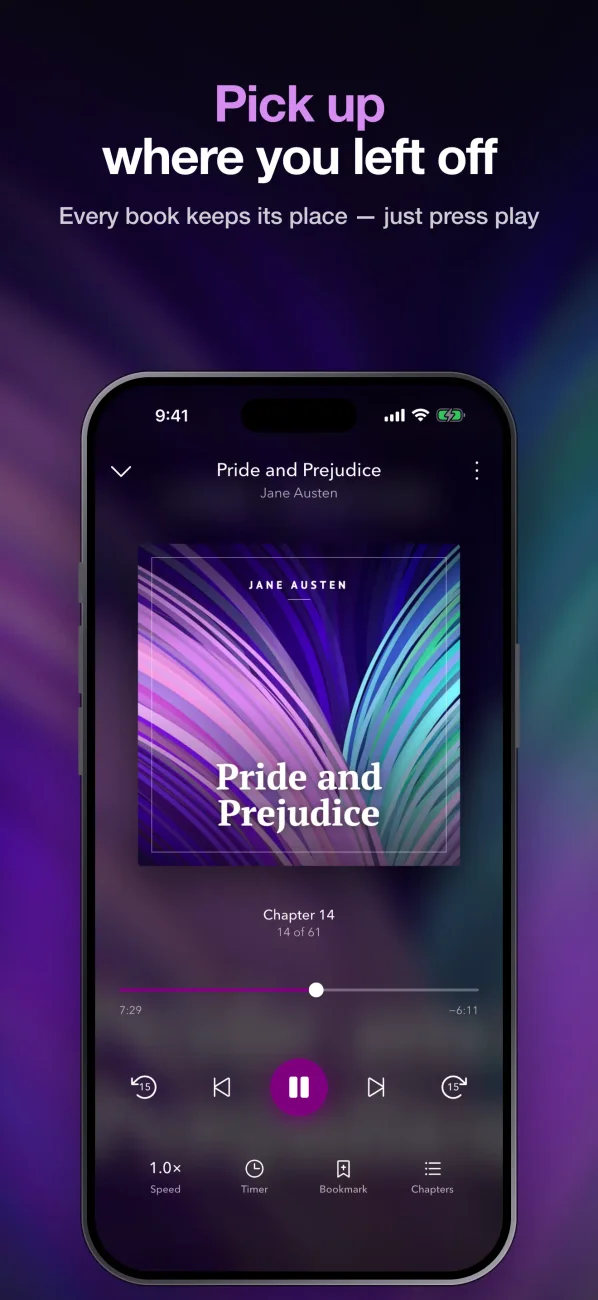
MP3 Books is a simple, beautiful player for audiobook files. Add a book folder, a ZIP archive or a single M4B, and it lands in your library with its cover, chapters and progress. Press play and pick up exactly where you left off.
YOUR LIBRARY
• All your audiobooks in one place, with covers, length, chapter count and progress
• Sort by title, author, date added or last listened - or arrange books your own way, in folders for series and authors
• Finished books move to their own shelf, so you can free up space in one tap
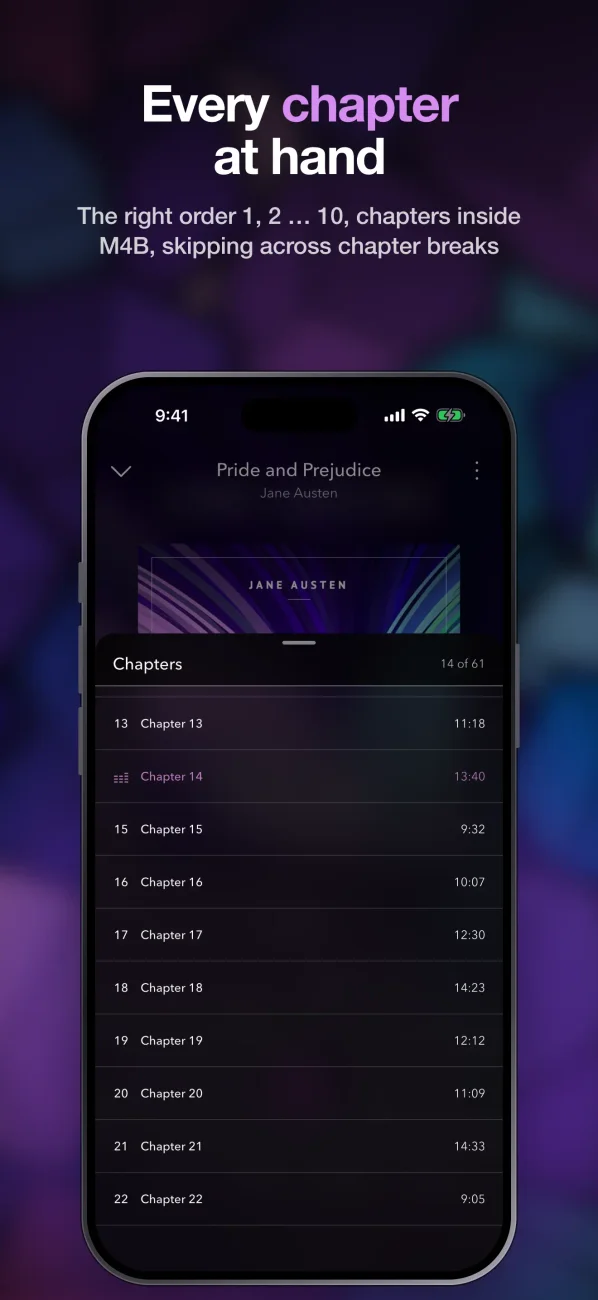
• Chapters always in the right order: 1, 2 … 10, no leading zeros needed
• Chapters inside M4B files, chapter names from tags or file names
PLAYER MADE FOR BOOKS
• Every book remembers its place, even across restarts
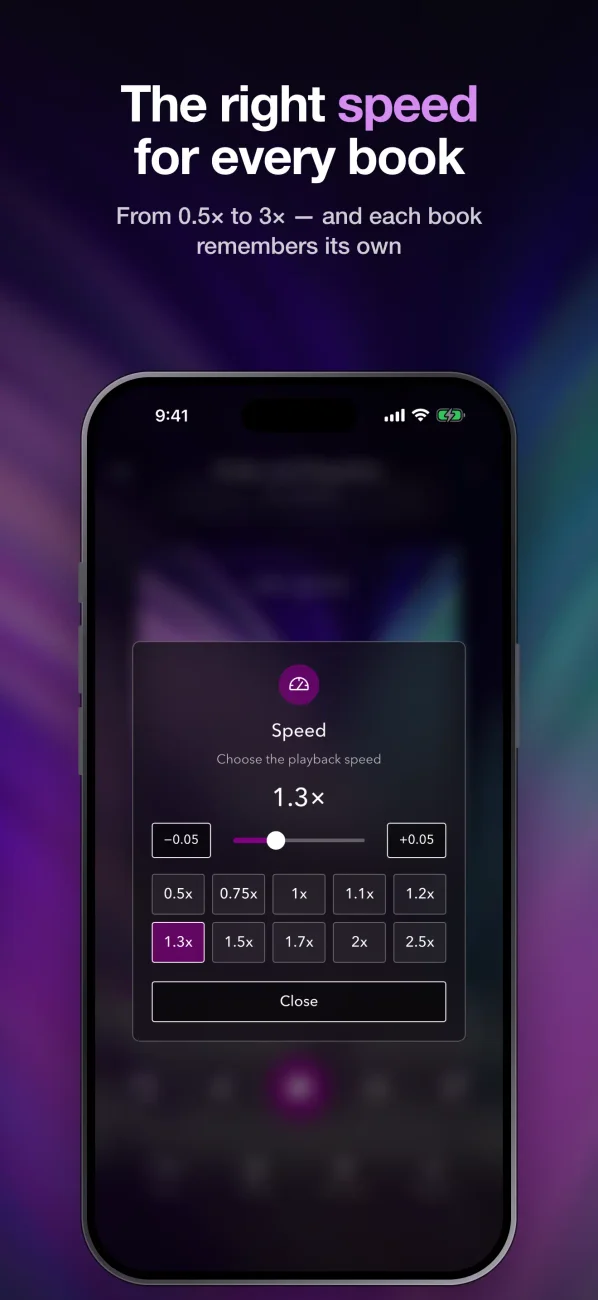
• Playback speed from 0.5× to 3×, and each book can keep its own
• Skip back and forward by the interval you choose, right across chapter breaks
• Rewind a little after a pause, a call or unplugged headphones, so you never lose the thread
• Lock screen, Control Center and headphone controls
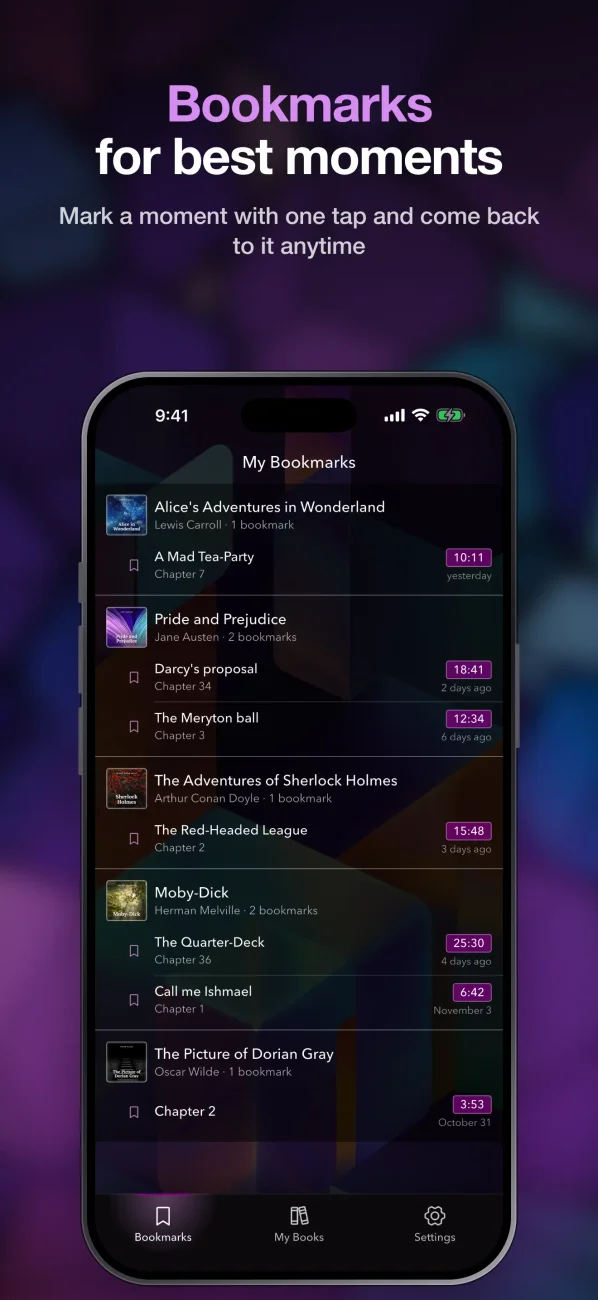
• Bookmarks with your own names, grouped by book
FALL ASLEEP TO A GOOD BOOK
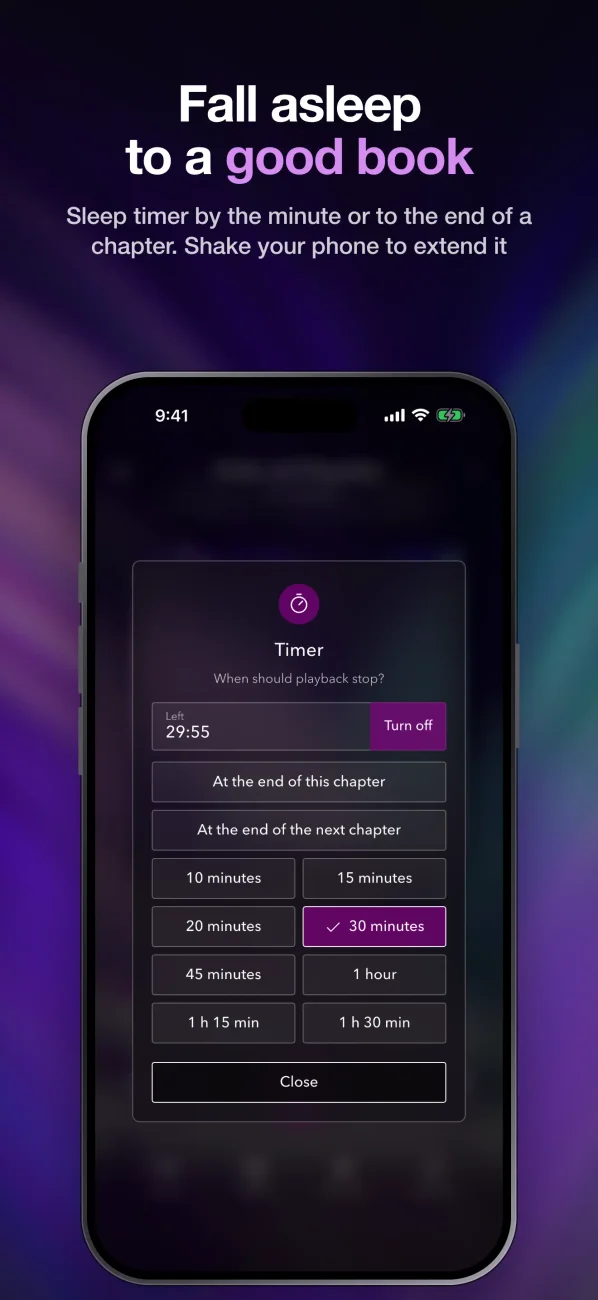
• Sleep timer by the minute or to the end of the chapter
• Shake your phone to extend the timer when it is about to stop
• Countdown on the Lock Screen and in the Dynamic Island
ADD BOOKS ANY WAY YOU LIKE
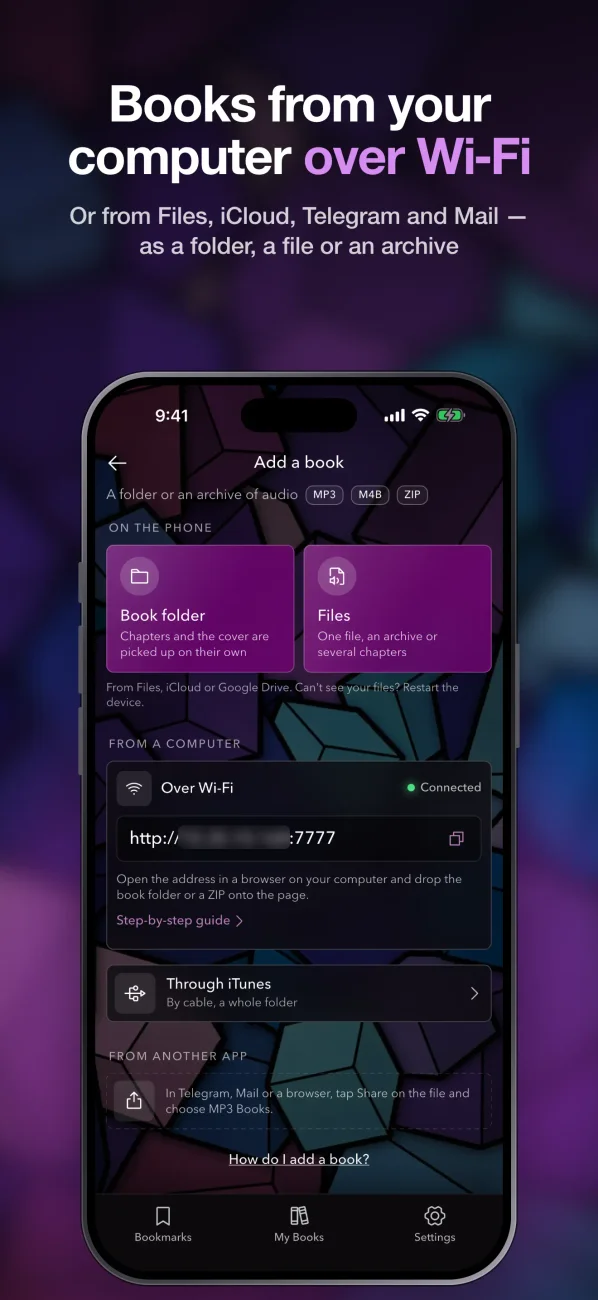
• From Files, iCloud Drive or Google Drive: a whole folder, a ZIP archive or several chapters at once
• From your computer over Wi‑Fi: open the address shown in the app in any browser and drop the book folder onto the page
• By cable through Finder or iTunes
• From other apps: tap Share on an MP3, M4B or ZIP in Telegram, Mail or Safari and choose MP3 Books
MAKE IT YOURS
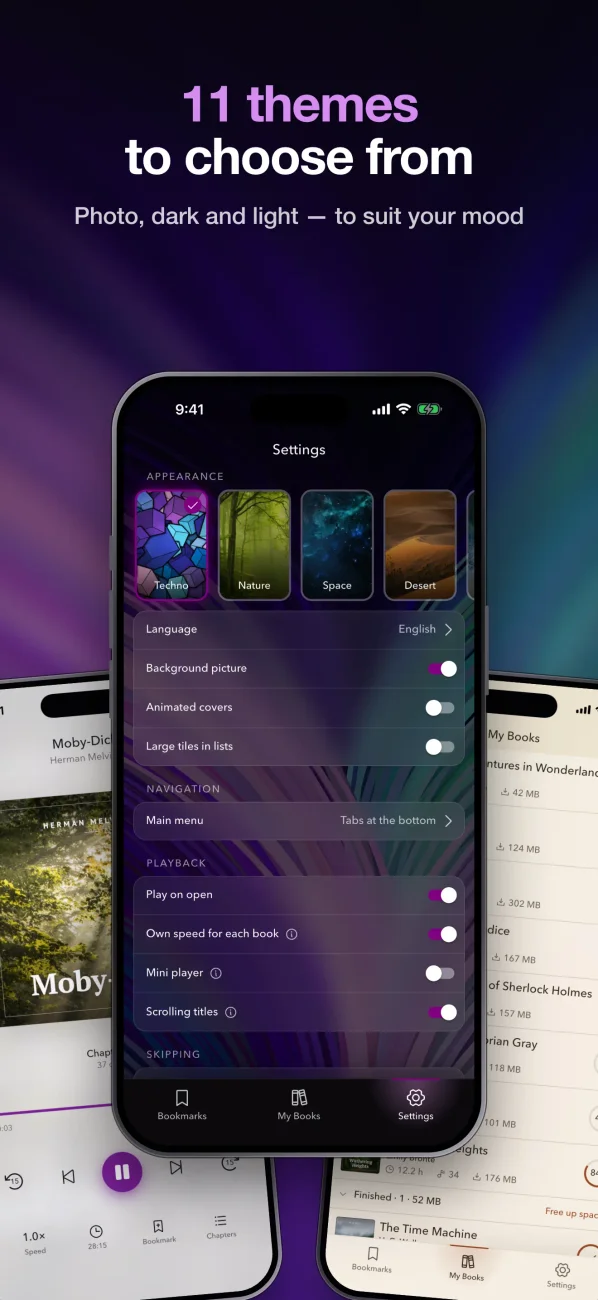
• 11 themes with photos, dark and light
• Large cover or compact player, animated covers, scrolling titles
• Tabs at the bottom, a classic menu or a thumb-friendly one
• English or Russian: follows your phone, or choose in the settings
PRIVATE BY DESIGN
No account and no ads. Your library never leaves your device, and a small backup file lets you move your places, bookmarks, history and settings to a new phone.
MP3 Books plays audiobook files you own. It does not sell or stream books.
Questions or ideas? Write to help@bookreader.top.
What’s new
Version 3.1.5 · Nov 24, 2026
• MP3 Books now speaks English: the whole app follows your device's language, or choose it in Settings → Appearance → Language.
• Notes on bookmarks: turn on "Notes on bookmarks" in Settings to keep a quote, a thought or what to listen to again under a bookmark. Search finds notes, and the backup keeps them.
• Bookmark search is back, from six bookmarks on.
• Sleep timer: a new 5-minute choice and a scale of whole minutes up to 2 hours.
• Swipe down to close the player.
• A new book shows up in the library under its own title right away, and "Chapter names: from tags" works again.
• Fixed: a book whose folder name ended in a space always started from the first chapter.
• Fixed: some MP3 files showed twice their real length.
• Your own themes: your photos on every tab and on the lock screen, with the accent colour taken from the photo or picked by you. A one-time purchase with no subscription, and you can try it free for 3 days.
App privacy
What KinKin Ltd declares on the App Store about how this app handles data.
-
Data not linked to you
May be collected but is not linked to your identity.
- Usage data
- Diagnostics
Privacy practices may vary, for example with the features you use or your age.
Information
- Seller
- KinKin OOO
- Category
- Books
- Version
- 3.1.5
- Updated
- Nov 24, 2026
- Released
- Oct 3, 2015
- Size
- 41.0 MB
- Requires
- iOS 15.0 or later
- Age rating
- 4+
- Price
- Free
- In-app purchases
- Yes
- Languages
- English, Russian
- Copyright
- © MP3 Books 2026
You might also like
-
 Слушай аудиокниги.Books
-
 Аудиокниги - Без ИнтернетаBooks
-
 Аудиокниги - Слушай КнигиBooks
-
 Аудиокниги от PatephoneBooks
-
 Литнет. АудиокнигиBooks
-
 Litres: AudioListen to the best audiobooks
-
 билайн книги и аудиокнигиЧитайте и слушайте удобно
-
 Well, player, so what?Audiobook player
-
 Книжная коллекцияBooks
-
 Аудиокниги. Слушать офлайнBooks