
Nideriji
Meet yourself, unexpectedly
Designed for iPhone, iPad
Free · In-app purchases
- Age rating4+
- CategoryLifestyle
- DeveloperHaoqiang Chai
- LanguagesEnglish+ 4 more
- Size108.9 MB
Links to the official App Store page
Download.org hosts no file of Nideriji. The button opens its official App Store page, published by Haoqiang Chai. Listing last checked on Nov 23, 2026.
Screenshots


About
Nideriji — meet yourself, unexpectedly.
Ten years in, we rebuilt the whole app from scratch: four themes, Home Screen and Lock Screen widgets, Siri and Shortcuts, and an editor that gets out of the way. Same quiet place, a little nicer to be in.
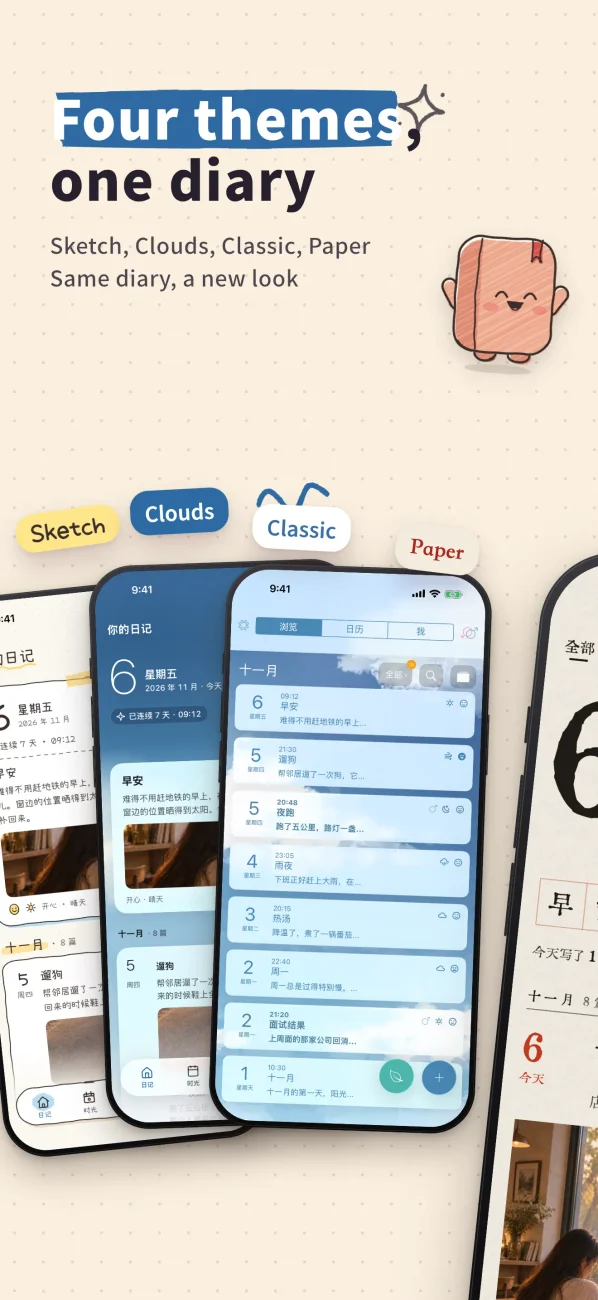
FOUR THEMES, FOUR MOODS
· Sketch: pencil lettering, crayon color and washi tape, like a real paper journal
· Clouds: the date written in the sky, your entries drifting below
· Classic: the look old friends know
· Paper: manuscript paper, old letterpress type and a red seal
Switch in one tap. Every theme has a dark mode.
WRITING THAT GETS OUT OF THE WAY
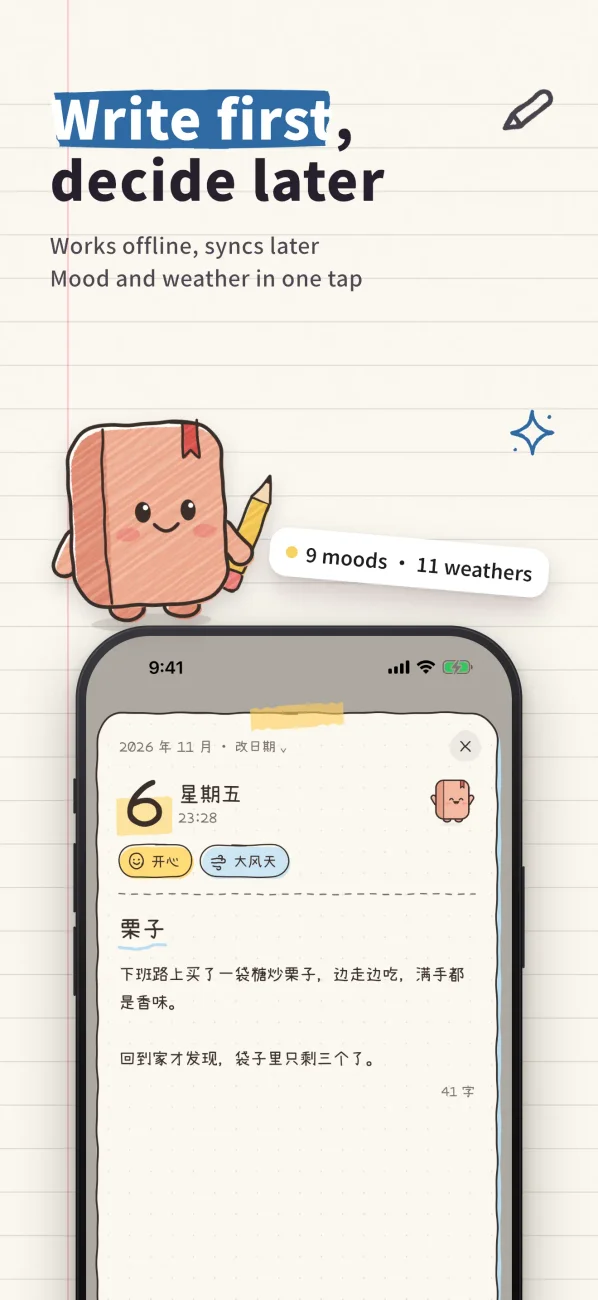
Photos inline, one-tap timestamps, drafts saved as you go. Works offline. Change the date to fill in a day you missed.
New paragraphs get their own time and indent on their own; long-press the write button to continue today's entry.
Default stationery, text size, font and a writing reminder live in Editor Settings.
HOME SCREEN AND LOCK SCREEN WIDGETS
Did you write today, how long is your streak, what happened on this day — all without opening the app. Tap to start writing. On the Lock Screen and in StandBy too.
SIRI, SHORTCUTS, ACTION BUTTON
"Write in Nideriji" starts an entry. So does a Control Center button, a long-press on the app icon, or the Write button on your reminder.
MOMENTS
A calendar colored by mood, a year view, monthly summaries, monthly and yearly reports. "Remember? N days ago you wrote this." Scroll back and meet who you were.
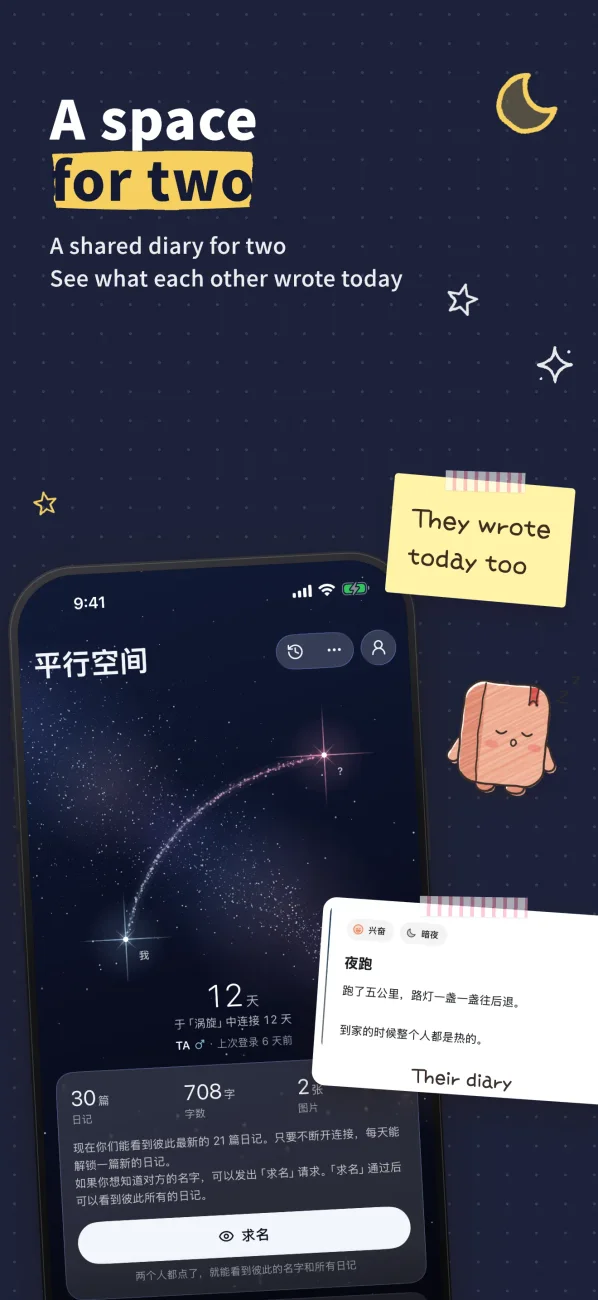
PARALLEL SPACE — a diary for two
Open a Parallel Space and the two of you can read each other's diaries: days, moods, the things you don't say out loud. Like in that film.
TREEHOLE
Share an entry you are happy to make public, and take it back any time. Comments, likes, follows. If something bothers you, report it or stop seeing that author.
MOOD SEA
If none of the moods fit, draw your own. Or borrow one someone else drew.
EXPORT AND SHARE
Export to TXT (free) or PDF (with cover and table of contents). Turn one entry into a shareable card with stationery and fonts.
NEVER LOST, ONLY YOURS
Synced to the cloud, so a new phone or a deleted app changes nothing. App lock and Face ID: only you can read it. No ads, no third-party SDKs, no tracking.
ACCESSIBILITY
VoiceOver, Dynamic Type, Reduce Motion, Reduce Transparency and Increase Contrast, checked screen by screen. Everyone should be able to keep a diary.
iPhone, iPad (two columns on wide screens) and iPhone Duo (write on the cover screen, folded). English, Japanese, Korean, Simplified and Traditional Chinese.
Free to write and to view photos. Pro keeps the lights on: a yearly plan, and a ten-year plan you buy once. We only promise what we can keep, so there is no lifetime plan.
Nideriji isn't a tool. It's a place that stays with you.
Every life is worth writing down, and every mood deserves to be treated gently.
What’s new
Version 4.1.0 · Nov 22, 2026
Tenth-anniversary release. The whole app, rebuilt from scratch in SwiftUI.
· Four themes: Sketch, Clouds, Classic, Paper — all with dark mode, switch in one tap
· Classic keeps the look you know from earlier versions: home, reading, editor and calendar
· Home Screen and Lock Screen widgets: today, streak, on this day; StandBy too
· Siri and Shortcuts in five languages, a Control Center "Write Diary" control, Home Screen quick actions, Action button support
· Editor: inline photos, timestamp chips, autosaved drafts, offline writing, backdating, timed paragraphs, auto-indent, Editor Settings
· Moments: mood-colored calendar, year view, monthly summaries, monthly and yearly reports, "Remember?" lookbacks
· Treehole: recall a post, comments, likes, follows; report posts or stop seeing an author
· Mood Sea: draw your own mood
· Export to TXT / PDF; share an entry as a card
· VoiceOver, Dynamic Type, Reduce Motion, Reduce Transparency, Increase Contrast throughout
· iPad two-column layout; iPhone Duo cover-screen writing
App privacy
What Haoqiang Chai declares on the App Store about how this app handles data.
-
Data linked to you
May be collected and linked to your identity.
- Purchases
- Contact info
- User content
- Identifiers
- Usage data
-
Data not linked to you
May be collected but is not linked to your identity.
- Diagnostics
Privacy practices may vary, for example with the features you use or your age.
Information
- Seller
- Haoqiang Chai
- Category
- Lifestyle
- Version
- 4.1.0
- Updated
- Nov 22, 2026
- Released
- Dec 20, 2016
- Size
- 108.9 MB
- Requires
- iOS 17.0 or later
- Age rating
- 4+
- Price
- Free
- In-app purchases
- Yes
- Languages
- English, Japanese, Korean, Simplified Chinese, Traditional Chinese
- Copyright
- © Haoqiang Chai
You might also like
-
 Moo日记 - 你的心情树洞Lifestyle
-
 一本日记-无广告清新日记Lifestyle
-
 可话Lifestyle
-
 Time Caps: Diary to Future MeMood Journal & Time Capsule
-
 此刻日记-纯粹简洁精美日记本Lifestyle
-
 Lifelog Note - multimedia lifeOn this day diary, multimedia
-
 一叶日记·私密手账笔记本·心情记录Lifestyle
-
 吾记 - 日记本,记事本Lifestyle
-
 素记日记, Diary, Mood TrackerLifestyle
-
 一言-记录字句,发现共鸣Lifestyle