- Age rating4+
- CategoryUtilities
- DeveloperJyh-Horng Jeng
- LanguagesTraditional Chinese
- Size1.5 MB
Links to the official App Store page
Download.org hosts no file of 電子書僮碎碎唸. The button opens its official App Store page, published by Jyh-Horng Jeng. Listing last checked on Nov 8, 2026.
Screenshots
About
The developer has not provided this text in your language.
本app所有畫面皆可按壓【上一頁】按鈕回到上一頁。
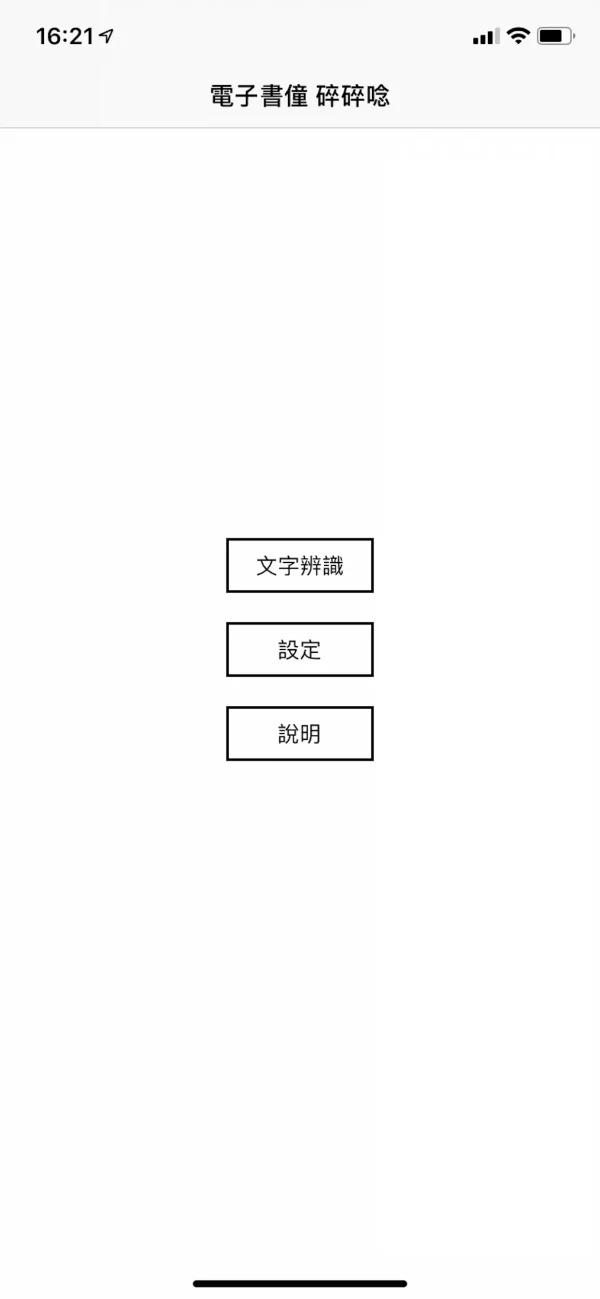
本app主畫面有下列3個選項:
• 【文字辨識】:將詳述於後。
• 【設定】:可設定【自動朗讀】為開啟或關閉,預設為開啟。
• 【說明】:查看本說明文件。
進入【文字辨識】後,有下列3個選項:
• 【拍照】:使用相機拍照後進行文字辨識。音量減可當快門。
• 【相簿】:開啟相簿選擇照片後進行文字辨識。任何方式取得的照片如掃描、拍照、銀幕快照、下載等,將照片轉存於手機相簿後即可透過本項功能進行文字辨識。
• 【歷史資料】:本系統會儲存最近使用過的30張照片及其辨識結果以供查詢。本項功能可用來進行連續性的辨識,例如連續掃描或拍照12頁的資料,轉存於手機相簿之後,連續辨識12次,再進入本項功能即可進行閱讀。
有關【辨識結果】畫面,有下列4個使用提示:
• 系統會顯示所有辨識成功的文字。
• 若【自動朗讀】設為開啟,則直接進行朗讀。右上角多一個按鈕來控制【暫停】或【朗讀】。
• 若【自動朗讀】設為關閉,使用者可以透過VoiceOver或Talkback進行朗讀與其它操作。使用者也可以啟動”輔助”之”語音”功能進行朗讀。
• 使用者可以選取並複製所辨識之文字,再貼到自己常用的應用程式上。
What’s new
Version 2.0 · Jan 4, 2026
update version
App privacy
What Jyh-Horng Jeng declares on the App Store about how this app handles data.
-
Data not collected
The developer does not collect any data from this app.
Privacy practices may vary, for example with the features you use or your age.
Information
- Seller
- Jyh-Horng Jeng
- Category
- Utilities
- Version
- 2.0
- Updated
- Jan 4, 2026
- Released
- Mar 15, 2018
- Size
- 1.5 MB
- Requires
- iOS 9.0 or later
- Age rating
- 4+
- Languages
- Traditional Chinese
- Copyright
- © 2018 attenzionestar inc