
- Age rating4+
- CategoryProductivity
- DeveloperShenzhen Shell Creative Technology Co., Ltd.
- LanguagesEnglish
- Size14.9 MB
Links to the official App Store page
Download.org hosts no file of 微同步-朋友圈自动同步转发. The button opens its official App Store page, published by Shenzhen Shell Creative Technology Co., Ltd. Listing last checked on Nov 12, 2026.
Screenshots

About
The developer has not provided this text in your language.
微同款APP,是一款自动同步跟圈转发的工具
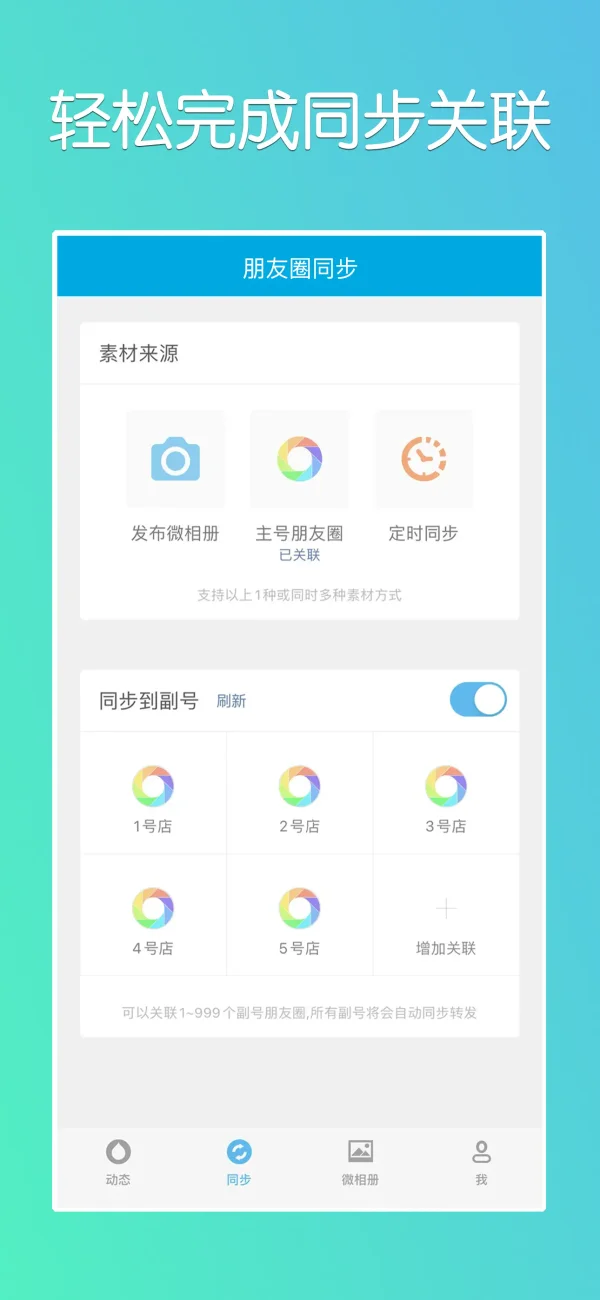
主号发圈,关联多个小(子)号自动同步转发
无需手动,全自动同步
一键设置,永久有效
功能介绍
1.朋友圈自动同步转发。
例如: 你有10部手机要发圈。
只需要1部主号手机发圈。
另外关联子(副)号9部自动跟随同步转发。
2.自动同步到新浪微博。
[关联账号]
第一步。登记您自己发圈号。
1> 发圈号可以理解为主号,用来发朋友圈的。
2> 使用发圈号加添加微同步为好友。
3> 等待验证通过(一般2~10分钟通过)。
第二步。关联需要转发的目标号。
1> 点击关联授权。
2> 跳转到微博授权登录。
[同步动态]
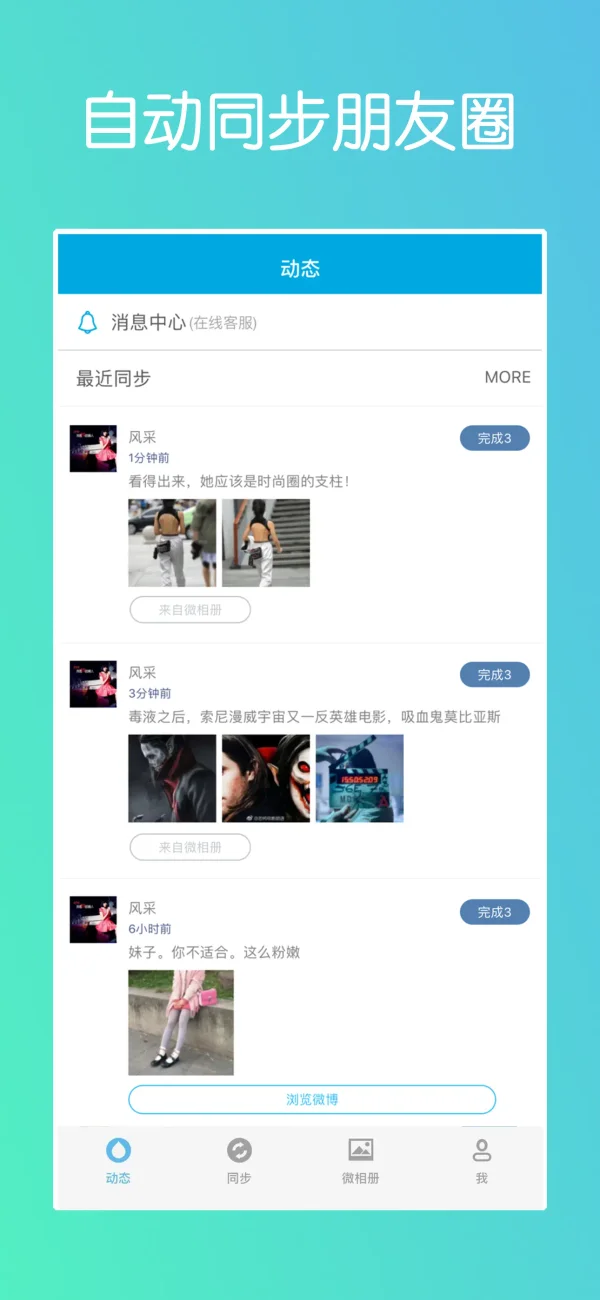
1.实时监控同步的情况。
2.同步失败自动提醒。
3.按日期查询同步详情。
4.一键分享至朋友圈或微博。
[微相册]
分享相册内容信息,云端保存相册图片,编辑,添加,删除相册内容管理.多个账号之间共享图文信息.相册不占手机空间,存储在云端,即使更换手机,相册内容也不会遗失.
[高级设置]
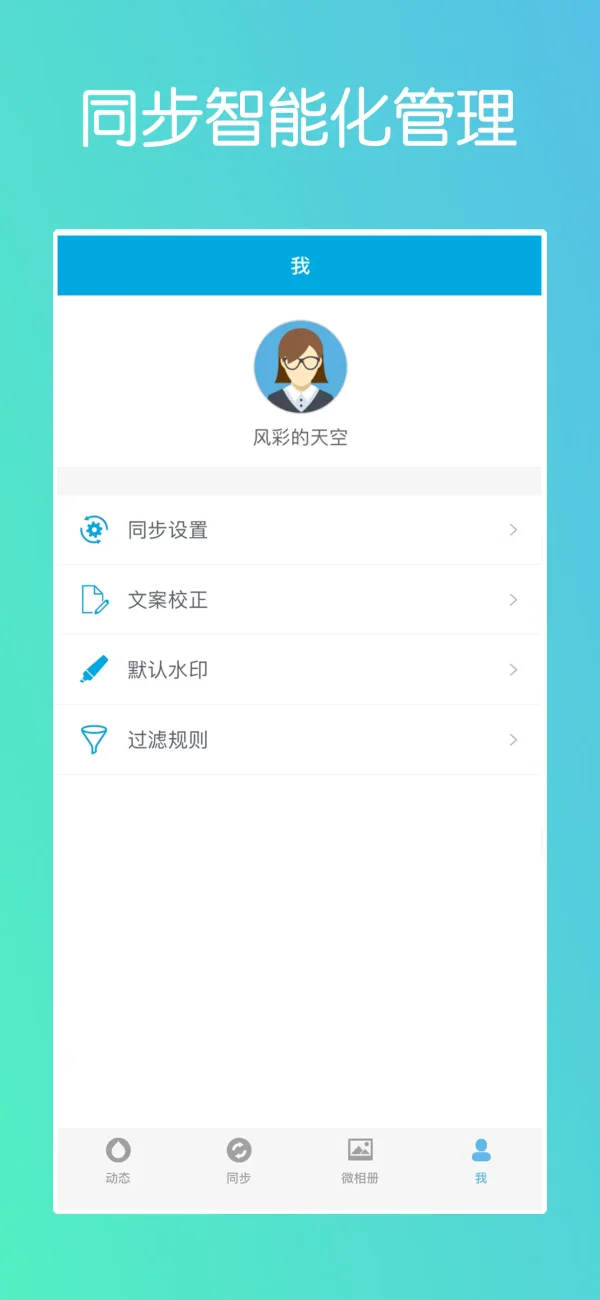
定时任务: 智能设置同步时间日期,在不需要同步的时候可以自己开启和关闭
间隔时间: 默认状态下是即时同步,用户同时也可以设置延迟同步.
文案校正: 同步前可以设置剔除某些字词段落,设置内容的前缀,后缀,一键设置,永久有效
图片水印: 保障自己原创内容的安全性,支持不同位置的水印调整
What’s new
Version 1.3.35 · Jul 18, 2024
* 修复部分机型BUG
App privacy
What Shenzhen Shell Creative Technology Co., Ltd. declares on the App Store about how this app handles data.
-
Data not collected
The developer does not collect any data from this app.
Privacy practices may vary, for example with the features you use or your age.
Information
- Seller
- Shenzhen Shell Creative Technology Co., Ltd.
- Category
- Productivity
- Version
- 1.3.35
- Updated
- Jul 18, 2024
- Released
- Mar 21, 2019
- Size
- 14.9 MB
- Requires
- iOS 11.0 or later
- Age rating
- 4+
- Price
- Free
- Languages
- English
- Copyright
- © 2019贝壳创意科技有限公司 Inc