
- Age rating4+
- CategoryUtilities
- Developer高强 许
- LanguagesEnglish+ 1 more
- Size15.2 MB
Links to the official App Store page
Download.org hosts no file of 猛禽计数. The button opens its official App Store page, published by 高强 许. Listing last checked on Nov 15, 2026.
Screenshots



About
Upgrade notice: Before upgrading from a legacy 3.x release to the 4.x app for the first time, save any content you need outside the app. Legacy business data is not migrated. The first launch clears existing in-app business folders, including their photos, records, and batches.
Photos and files saved independently to the system photo library or outside the app are not affected. Once this one-time cleanup has completed, later normal updates do not repeat it.
猛禽计数 helps you count steel-pipe ends from photos, review the results, and organize your records.
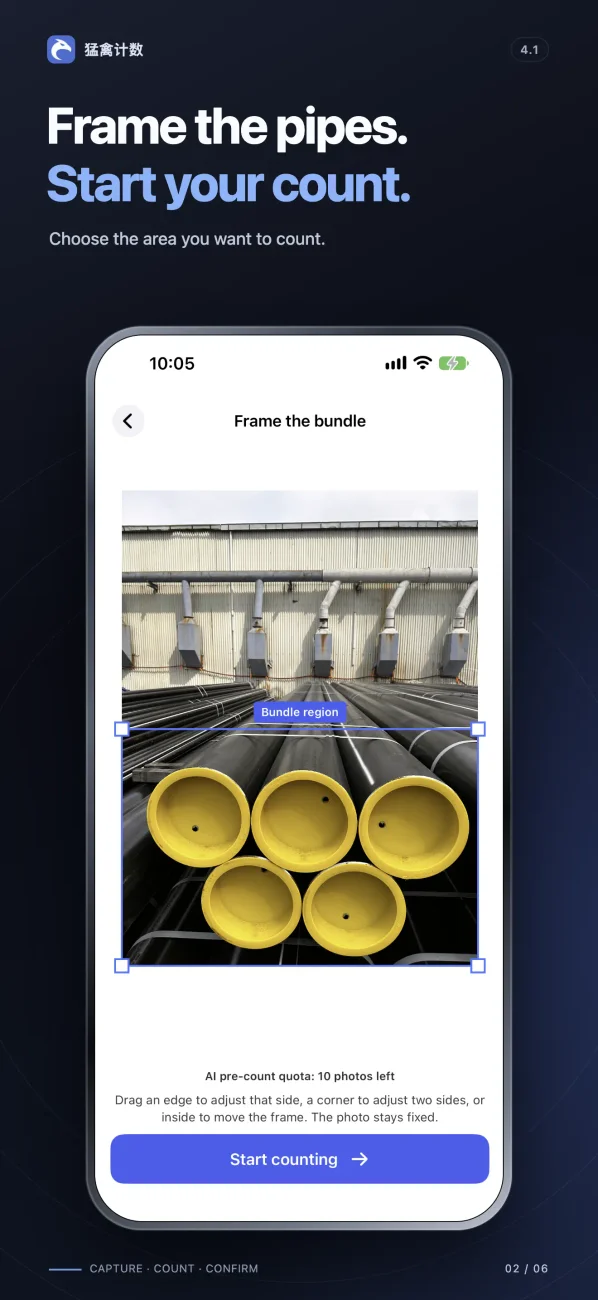
Take a photo or choose one from your library, adjust the counting area, run AI counting on your iPhone, then check the markers and confirm the final count.
Capture and crop
Photograph steel-pipe ends or import an existing photo. Adjust the edges or corners, or move the whole frame, to choose the counting area.
Review and correct
Zoom in to inspect crowded areas. Press and hold an empty area to add a marker, or select an incorrect marker to delete it.
Undo, redo, and marker color options help you review different photos clearly.
AI provides an initial count. Always check and confirm the result yourself.
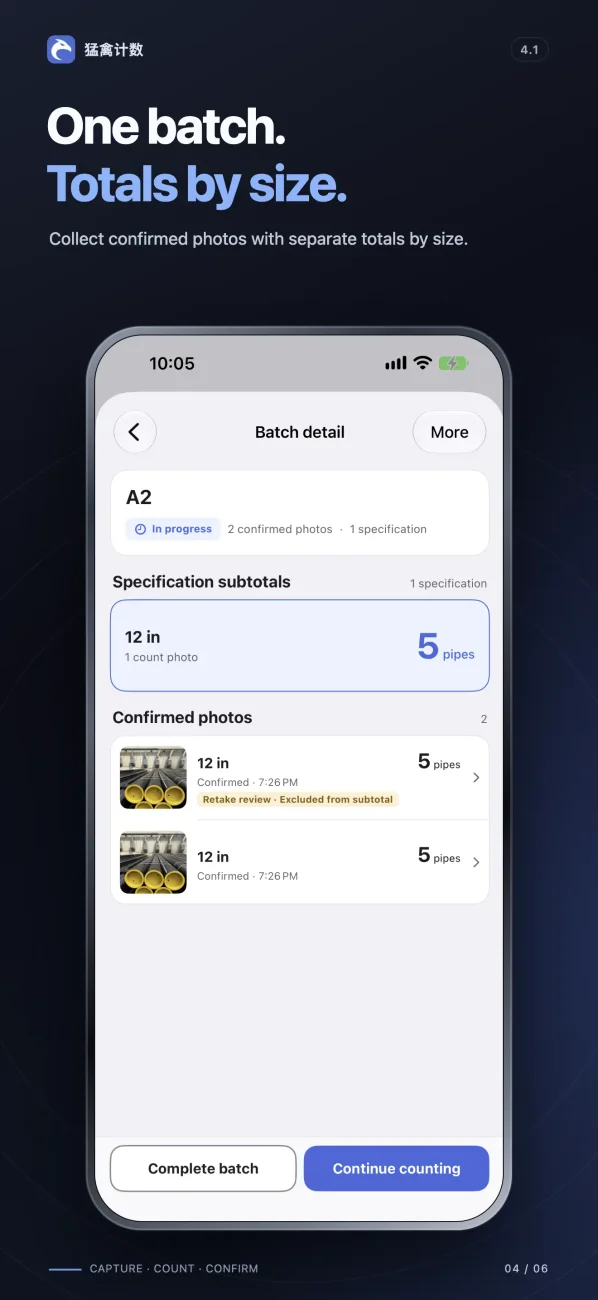
Batches and history
Organize multiple photos into a batch and view subtotals by specification.
Photos that need review stay in the batch but do not contribute to its subtotal.
Records are stored on your device so you can revisit confirmed counts and annotated photos.
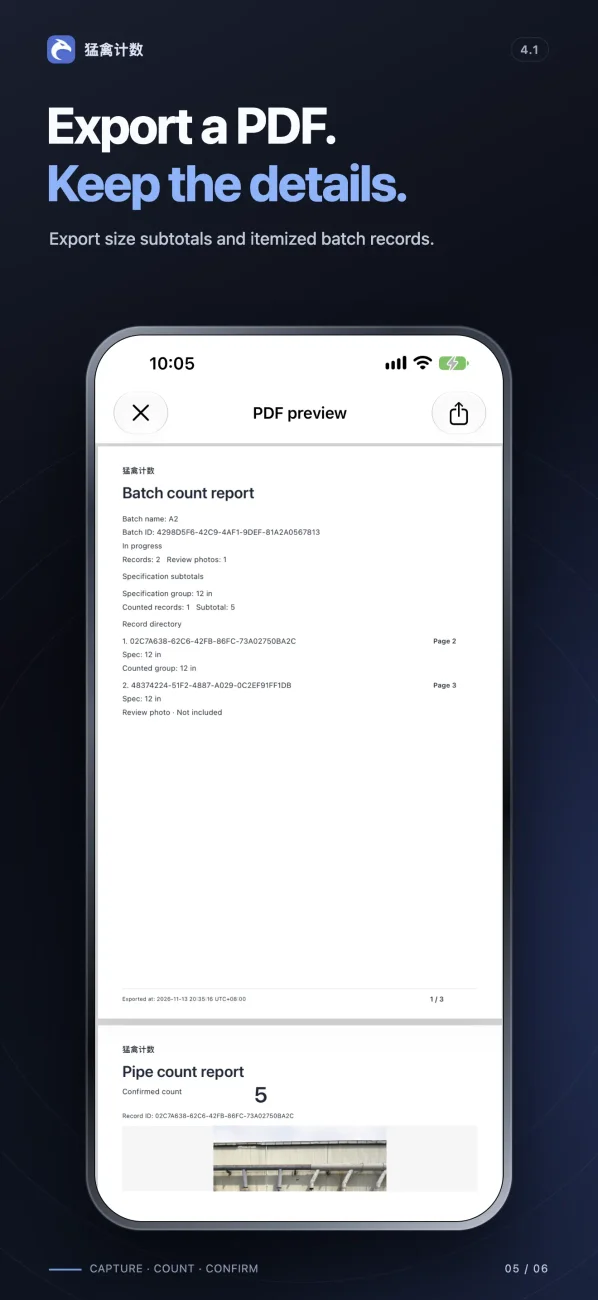
Export results
Export a PDF report with annotated photos, or a CSV file without photos.
CSV field names are in English and timestamps use UTC.
Free trial and one-time unlock
Try AI counting on 10 photos. You can still count manually after the free allowance is used.
A one-time purchase permanently unlocks unlimited AI counting, with no subscription. The price shown in the app's Apple purchase sheet applies.
If you have already purchased but access is locked, connect to the internet and use Restore Purchases before buying again.
Photo analysis runs on your device and works offline. Purchases, restoration, and related Apple store services require an internet connection.
Business data stays on your device. iCloud sync is not available.
For iPhone running iOS 26 or later. Supports Simplified Chinese and English.
What’s new
Version 4.1 · Nov 13, 2026
• Renamed the app to 猛禽计数, with the same app identity, in-app purchase, and purchase terms.
• Added the full app filing number and the official MIIT lookup link in Settings.
• Added version information and a feedback entry on the home screen.
App privacy
What 高强 许 declares on the App Store about how this app handles data.
-
Data not collected
The developer does not collect any data from this app.
Privacy practices may vary, for example with the features you use or your age.
Information
- Seller
- 高强 许
- Category
- Utilities
- Version
- 4.1
- Updated
- Nov 13, 2026
- Released
- Dec 1, 2020
- Size
- 15.2 MB
- Requires
- iOS 26.0 or later
- Age rating
- 4+
- Price
- Free
- In-app purchases
- Yes
- Languages
- English, Simplified Chinese
- Copyright
- © 2026 xu gaoqiang