
- Age rating4+
- CategoryLifestyle
- DeveloperDoug Diego
- LanguagesEnglish
- Size3.7 MB
Links to the official App Store page
Download.org hosts no file of me. The button opens its official App Store page, published by Doug Diego. Listing last checked on Nov 17, 2026.
Screenshots


About
Your own contact details should be easy to find—and easy to share without revealing more than you intend.
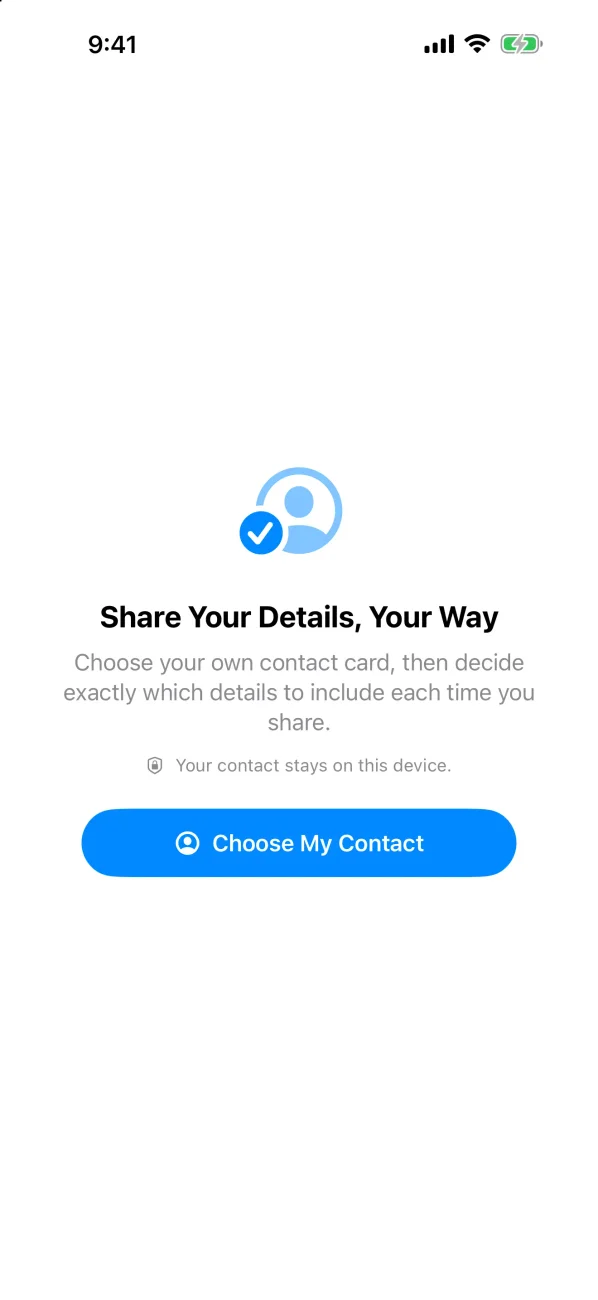
Me keeps your personal contact card one tap away. Choose yourself from Contacts once, then quickly look up your phone number, email address, mailing address, and other details whenever you need them.
Share for the moment
Choose exactly which phone numbers, email addresses, addresses, work details, links, social profiles, dates, and photos to include. Save reusable sharing profiles for personal, work, networking, or any situation you create. Me generates a standard vCard that works with Contacts and the apps you already use.
More ways to use your card
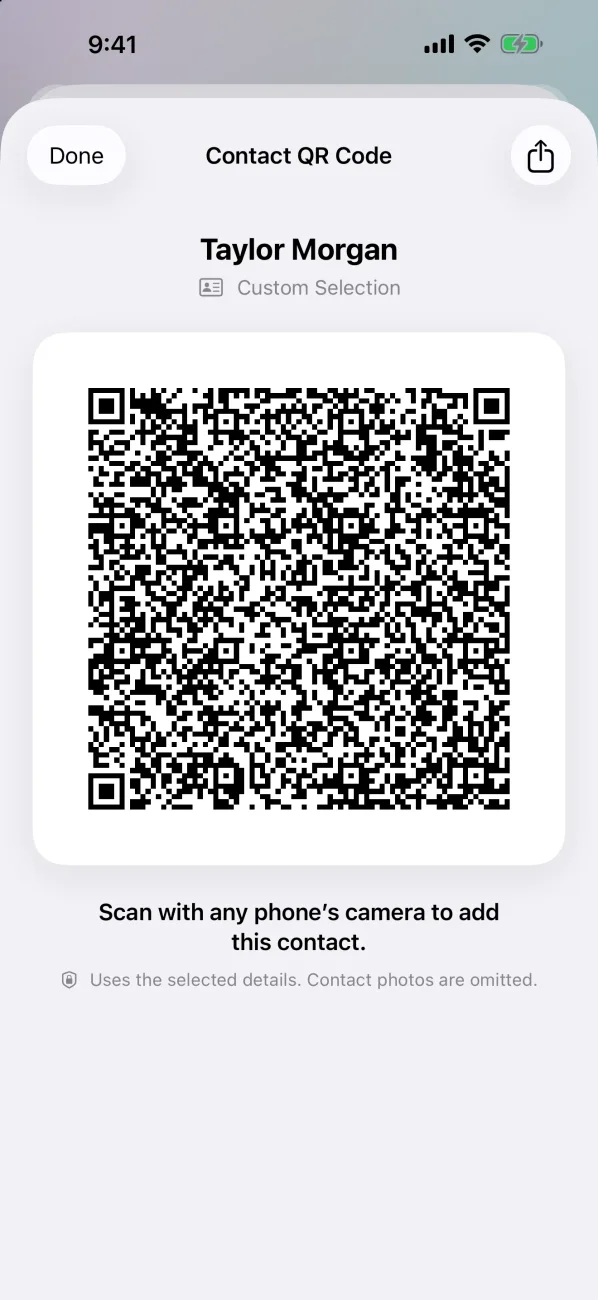
• Display a scannable QR contact card with only the details you select • Keep your preferred contact details visible in small and medium Home Screen widgets • Ask Siri or use Shortcuts to open your card or retrieve your email or phone number • Send links, photos, documents, and other items to your own email from the system share sheet • Tap an email address to compose a message or an address to open it in Maps
Private by design
Me does not require an account and contains no ads or tracking. Choosing your card does not require broad access to your contacts. Your selected contact remains on your device, and Me only creates a vCard or QR code when you choose to share one.
The Send to Myself extension hands your selected items to Apple Mail, where you can review the message before sending.
What’s new
Version 3.1.0 · Jul 31, 2026
Me 3.1 is a major refresh with new ways to keep your contact details close and share them on your terms.
• Save reusable sharing profiles for personal, work, networking, and custom situations
• Create scannable QR contact cards using only the details you select
• Send links, photos, documents, and other items to yourself from the system share sheet
• Keep your preferred email and phone number handy with configurable Home Screen widgets
• Use Siri and Shortcuts to open your card, retrieve your details, or email yourself
• Choose your contact without granting broad Contacts access
• Enjoy a redesigned sharing flow, updated app icon, and polished first-run experience
• Improved accessibility, larger text support, error recovery, and sharing reliability
App privacy
What Doug Diego declares on the App Store about how this app handles data.
-
Data not collected
The developer does not collect any data from this app.
Privacy practices may vary, for example with the features you use or your age.
Information
- Seller
- Doug Diego
- Category
- Lifestyle
- Version
- 3.1.0
- Updated
- Jul 31, 2026
- Released
- May 14, 2009
- Size
- 3.7 MB
- Requires
- iOS 26.0 or later
- Age rating
- 4+
- Price
- Free
- Languages
- English
- Copyright
- © Doug Diego
You might also like
-
 Azkar El-Ganaaأذكار الجنة - أذكار المسلم
-
 BumpMe - Social ContactsBest Contact Photo & Poster
-
 PUR CONTACTLifestyle
-
 Wheriz - My Places MapSee all your contacts on a map
-
 Neat CountdownsBeautiful, simple countdowns!
-
 eeva: Your Home ManagerMaintenance, Warranties & more
-
 SuperApp, Inc.One Platform, Multiple Apps
-
 FlowKeyboard:Typewise AIPolish,Check.Smart Reply
-
 FirdawsWay: Quran Prayer AdhanThe All-in-One Islamic App
-
 Say HelpYour Voice. Your Safety.