
Procut - 自动化剪贴板、稍后阅读、灵感收集、笔记
灵感收集,稍后阅读。
Designed for iPhone, iPad, Mac
Free · In-app purchases
- Age rating4+
- CategoryProductivity
- Developer骞 赵
- LanguagesEnglish+ 10 more
- Size24.0 MB
Links to the official App Store page
Download.org hosts no file of Procut - 自动化剪贴板、稍后阅读、灵感收集、笔记. The button opens its official App Store page, published by 骞 赵. Listing last checked on Nov 23, 2026.
Screenshots





About
How many things have you saved, only to never find them again?
Xiaohongshu guides, Bilibili tutorials, Zhihu long-reads, that one podcast segment—you saved them all back then.
Later, they got scattered across chat histories, browser bookmarks, notes, and "Read Later" lists.
When you finally needed them, all you had left was a vague keyword you couldn't quite remember.
Procut does it differently: All you have to do is copy.
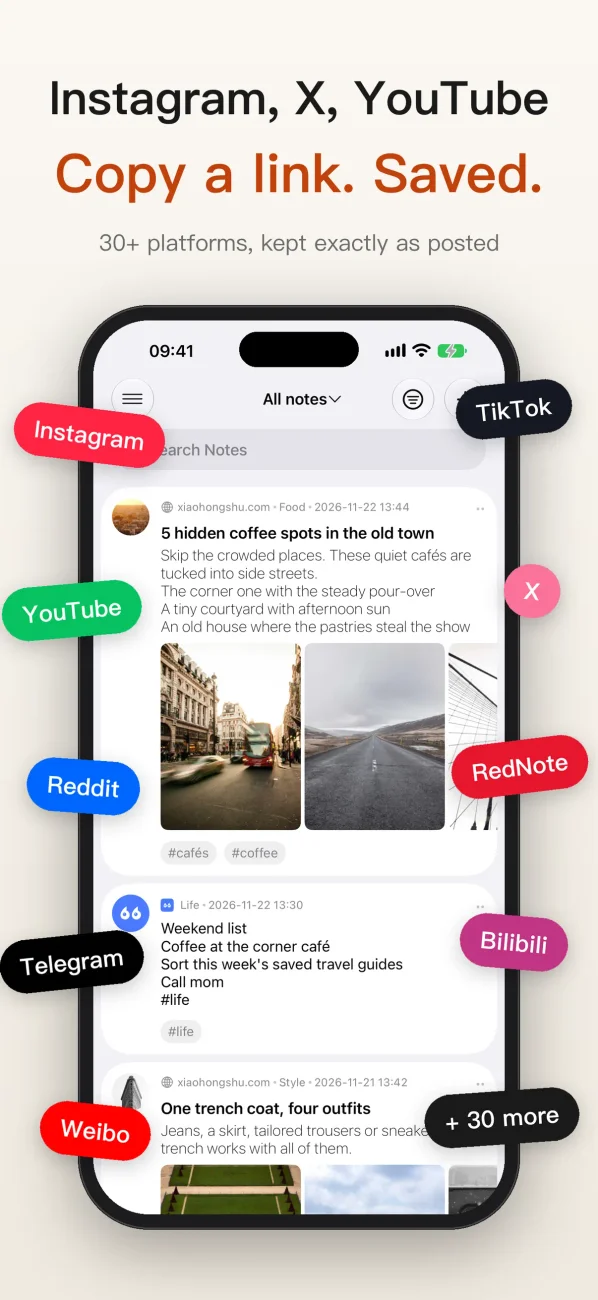
■ Copy a link, and it turns into a card on its own
Open the app, and the link in your clipboard will be automatically recognized, extracted, and organized into a card featuring a cover image, title,
main text, and author. Over 20 platforms are supported, including Xiaohongshu, Douyin, Bilibili, Zhihu, Weibo, Jike, Douban,
X, Instagram, YouTube, and Reddit.
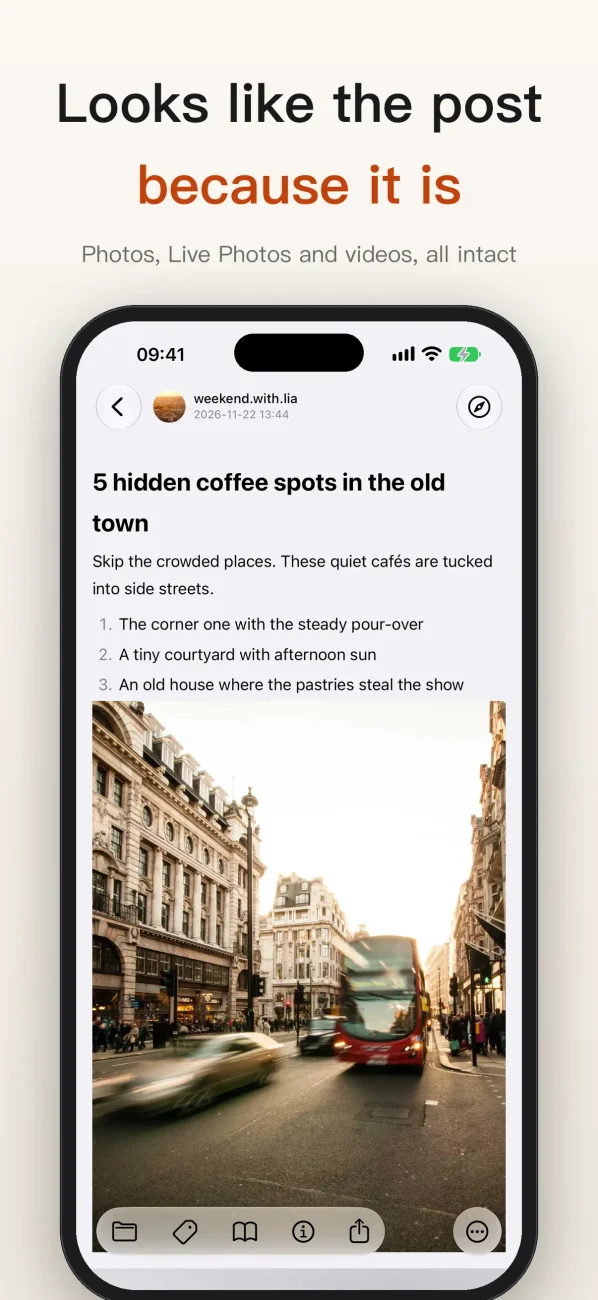
No screenshots needed, no copying and pasting the text, and no more worrying about the original post being deleted—the text and images stay right here with you.
■ One space, four ways to view
The list view is perfect for quick scanning, the waterfall layout is great for browsing images, the gallery is ideal for flipping through albums,
and CoverFlow transforms your notes into a row of large image cards that you can flip through horizontally across the screen.
The same collection of content, viewed exactly how you want.
■ Find anything in seconds, no matter how much you save
Three layers of organization: Folders, Tags, and Smart Filters;
Combine platforms, authors, types, and dates into custom filters and save them.
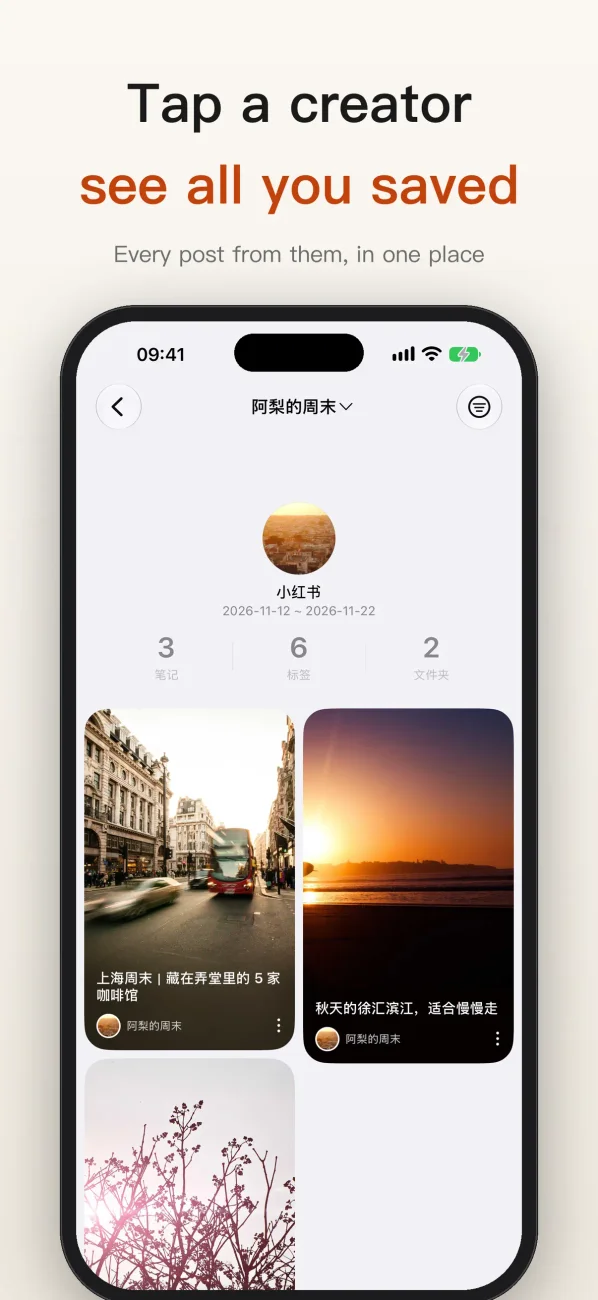
Tap any avatar to instantly view only that author's content.
■ Save while listening, and pick up right where you left off
Podcasts and videos feature a persistent mini-player that can be minimized into a floating ball docked to the edge.
It doesn't block your content and keeps you on the current page; next time you open it, it automatically resumes from where you left off.
■ Your collection belongs only to you
Data is stored locally and synced across devices via your own private iCloud database—
We have no servers, and we cannot read any of your content.
Clipboard access only happens when you open the app, and you can turn it off in settings at any time.
■ Designed to fit seamlessly into your workflow
One-tap save via the system share menu · Shortcuts · Automation rules for "Read Later" ·
Four content typography themes · Trash bin · 12 languages ·
Full adaptation for iPhone / iPad Split View / Mac.
—— About Premium ——
Basic capturing, parsing, organizing, and browsing are completely free.
Advanced features like iCloud cross-device sync require a subscription. Choose between monthly or annual plans.
Pricing and billing cycles are clearly displayed before you subscribe, and you can cancel anytime in your system settings.
Subscription Instructions:
- Subscription Cycle: Monthly Auto-Renewal / Yearly Auto-Renewal / Lifetime Purchase
- Subscription Price: Subject to the price displayed within the App
Privacy Policy: https://hirat.github.io/2026/03/23/Privacy-Policy-Procut/
Terms of Use: https://hirat.github.io/2026/03/23/Terms-Procut/
What’s new
Version 1.8.0 · Nov 22, 2026
### New Features
- Multi-color highlights: 6 colors, annotations supported, change color in the card after highlighting
- Excerpts page: notes and their highlights/annotations merged into one card, filterable by color
- Custom reading themes: freely adjust colors based on built-in themes, synced across devices
- Favorites calendar and "A Day" week view: review favorites by date
- Today's Recap: brings back a few old favorites daily; keep, archive, or delete them
- Unread status: cards show an unread dot, filterable by reading status, synced across devices
- Parsing process: view step-by-step how a link was parsed
- Import bookmarks and links: supports bookmark HTML, CSV, plain text
- Detail page gallery top carousel: pinch to zoom, Live Photos auto-play
- Detail page footnotes: displayed as circled numbers, tap to view content
- Manually created notes can have their dates modified
- Home background adds "Shimmer" effect and solid color backgrounds
- Text inside images is now searchable
- Launch directly into Excerpts, Today's Recap, Gallery, or Starred
- Sidebar shows folder and tag counts; smart filter icons can have custom colors
- List cards can hide the info bar and tag row, added a small "Archived" badge
### Improvements
- Faster cold launch: first screen shows covers directly, no more blank flash
- Significantly reduced memory usage; less crashing when multi-selecting large images, exporting, or sharing
- Smoother scrolling in waterfall, gallery, and CoverFlow; faster cover loading
- Official account stickers use gallery cards, bookmarks show as bookmark cards, movie/book posters show titles below
- Swipe left on detail page to enter author page; swipe right on author/tag pages to go back
- Detail page navigation and toolbars show/hide on scroll
- Swipe-left delete and swipe-right organize in lists can be disabled separately
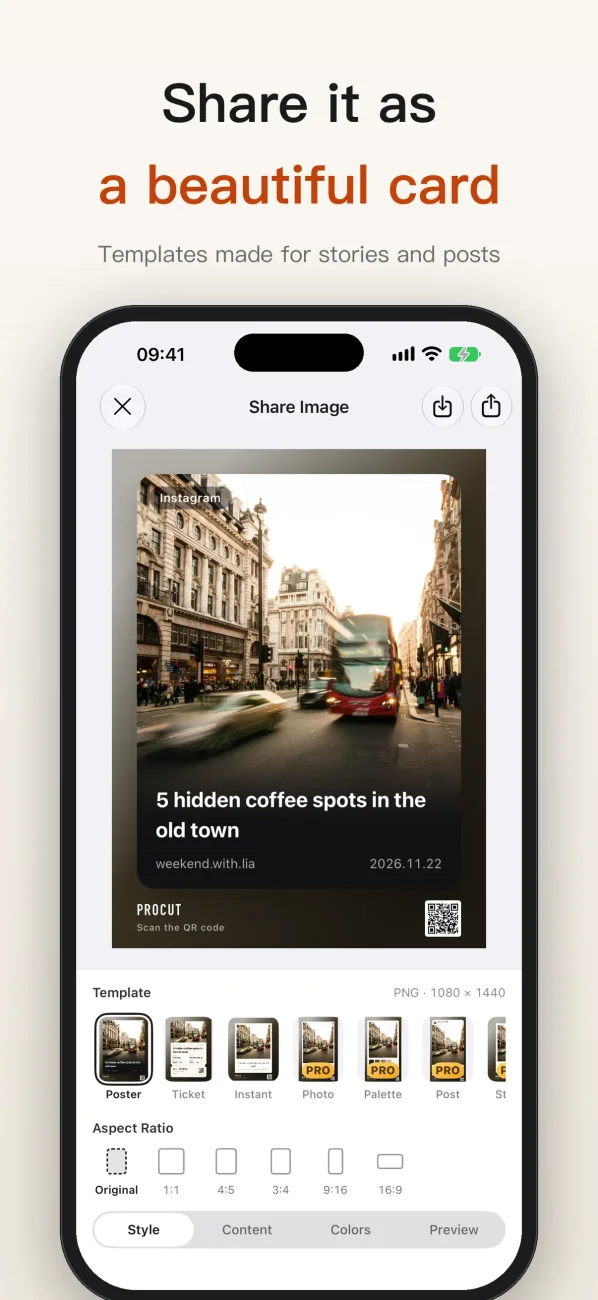
- Share images can share text only, book excerpts display more completely, large image previews are zoomable
- New note and purchase pages are now full screen; close button positions unified across pages
- More reliable restore from backup; backups can be listed even when sync is off
- Clipboard read timeout no longer drops that copy
- Tag suggestions when typing # are sorted by usage habits; legacy platform topics automatically convert to regular tags
- Multi-color highlights, on-device intelligence, read aloud, voice transcription, and some share image templates and reading themes are now premium features; free users can try them
App privacy
What 骞 赵 declares on the App Store about how this app handles data.
-
Data not collected
The developer does not collect any data from this app.
Privacy practices may vary, for example with the features you use or your age.
Information
- Seller
- 骞 赵
- Category
- Productivity
- Version
- 1.8.0
- Updated
- Nov 22, 2026
- Released
- Mar 30, 2026
- Size
- 24.0 MB
- Requires
- iOS 16.0 or later
- Age rating
- 4+
- Price
- Free
- In-app purchases
- Yes
- Languages
- English, French, German, Italian, Japanese, Korean, Portuguese, Russian, Simplified Chinese, Spanish, Traditional Chinese
- Copyright
- © 2026 Hirat Inc.
You might also like
-
 Kepori: Read Later & CollectSave, read and rediscover
-
 SnapNote - Cross-Platform SyncPrivate Data Storage
-
 Recall: Read Later & BookmarksSave, Highlight & Read Offline
-
 EON - Subscription TrackerTrack subscriptions & renewals
-
 Loopi - Habits & Little WinsDaily Habits
-
 Swish: To Do Reminder WidgetTask List, Planner & Alarms
-
 OneVoice: Offline RecorderPrivate voice notes, offline
-
 PatchDoc:File & Code EditorOpen ZIP,JSON,Markdown,Html
-
 BayesChat - AI chat BYOK MCPPrivate AI Chat Agent with MCP
-
 Sequence: Time Block PlannerVisual Day & Schedule Builder