
Noting Pro - 专业手写笔记,支持图层和渐变色
要是我拿出这支颜色可以渐变的笔,阁下又该如何应对?
Designed for iPhone, iPad, iPod touch
Free · In-app purchases
- Age rating4+
- CategoryProductivity
- Developer裕坤 张
- LanguagesEnglish+ 2 more
- Size115.8 MB
Links to the official App Store page
Download.org hosts no file of Noting Pro - 专业手写笔记,支持图层和渐变色. The button opens its official App Store page, published by 裕坤 张. Listing last checked on Nov 22, 2026.
Screenshots
About
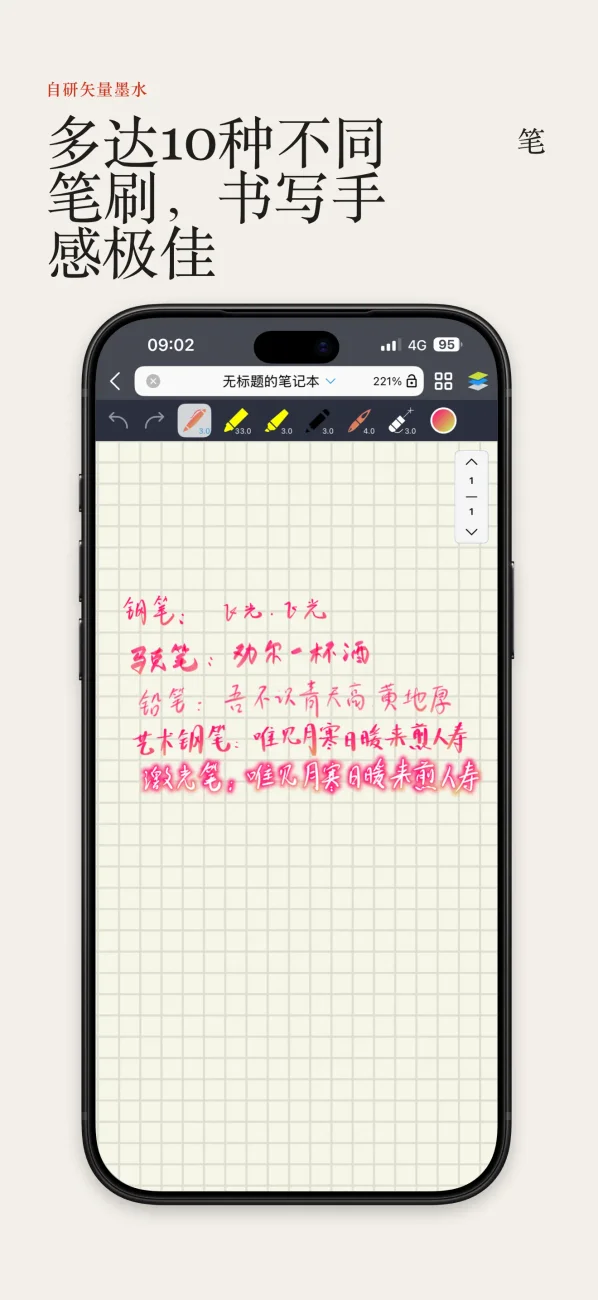
NotingPro is a professional handwritten note-taking and PDF annotation app designed exclusively for iPad. Say goodbye to pixelated edges. Powered by our proprietary low-latency vector ink engine, NotingPro lets you write stunningly beautiful strokes with natural gradients and realistic brush character right on your iPad.
Even when zoomed in 20x, your notes remain sharp, clear, and distortion-free.
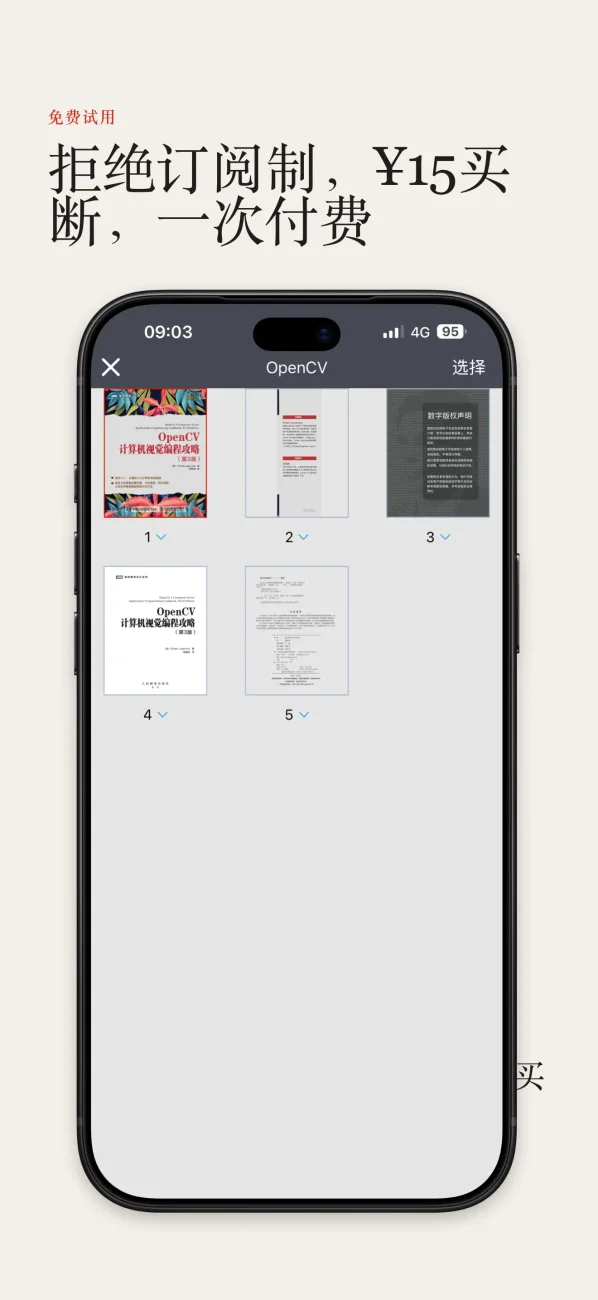
Say no to expensive long-term subscriptions! NotingPro uses a one-time purchase model, giving you the purest and most efficient paperless writing experience.
[Ultra-Smooth Writing Experience]**
- Proprietary vector ink engine: Low latency, incredibly fluid, and works with Apple Pencil pressure sensitivity to effortlessly create elegant stroke variations.
- Versatile brush library: Offers fountain pen, pencil, art pen, sketch pen, and a variety of markup pens, with adjustable opacity and thickness.
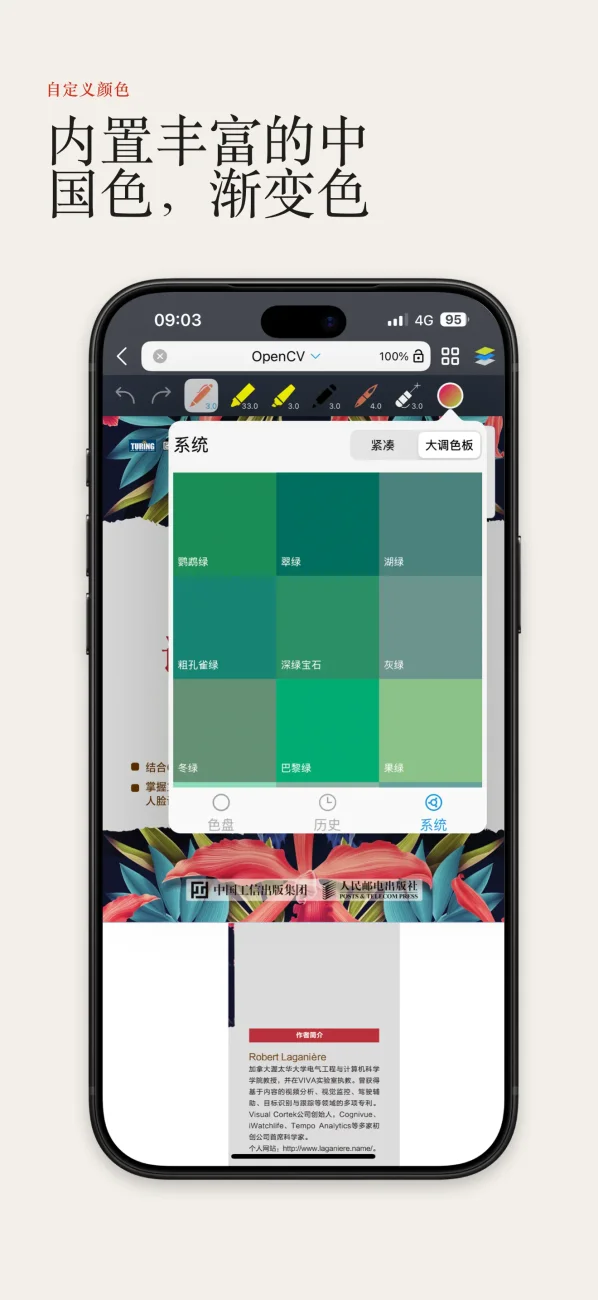
- Signature gradient colors: Freely set start and end colors to write gorgeous gradient text; supports saving frequently used color palettes and syncing them across devices.
- Smart laser pointer: Not only writes across pages and changes color on the fly, but also fits geometric shapes — a perfect tool for presentations and annotations.
[Powerful PDF and Layout Processing]
- All-in-one PDF annotation: Supports long-press excerpting, line highlighting, wavy underlines, and translation. Annotation content also supports gradient colors and secondary editing.
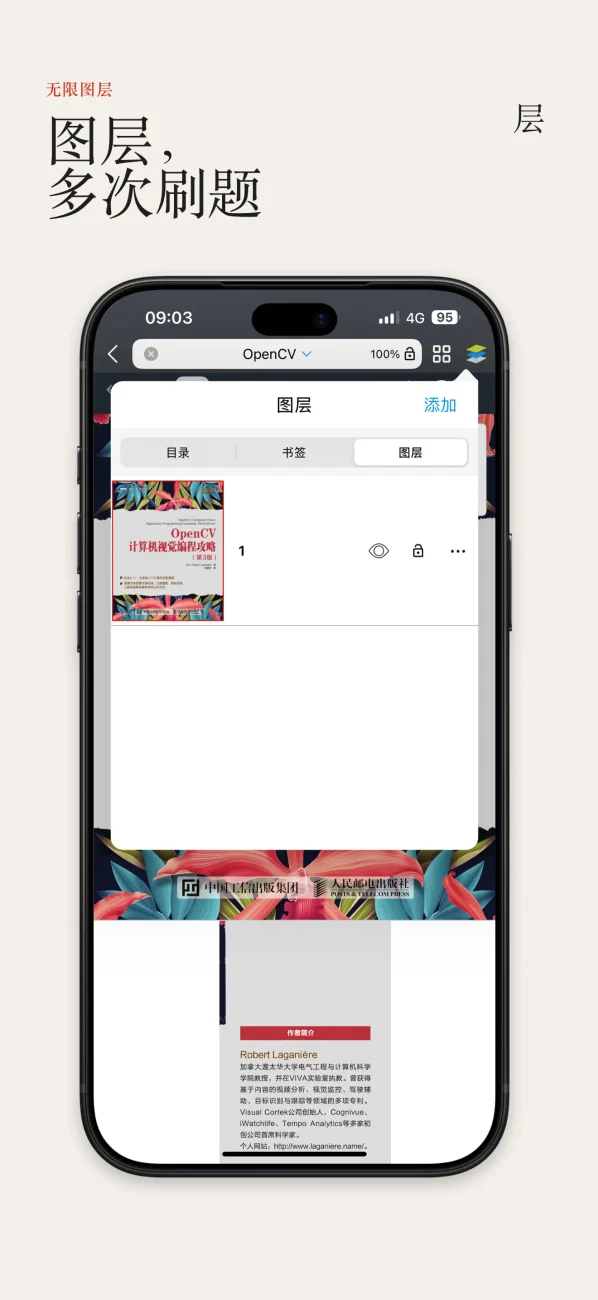
- Multi-level outlines and bookmarks: Easily handle thick textbooks; supports margin expansion, so note-taking is no longer confined to the original page layout.
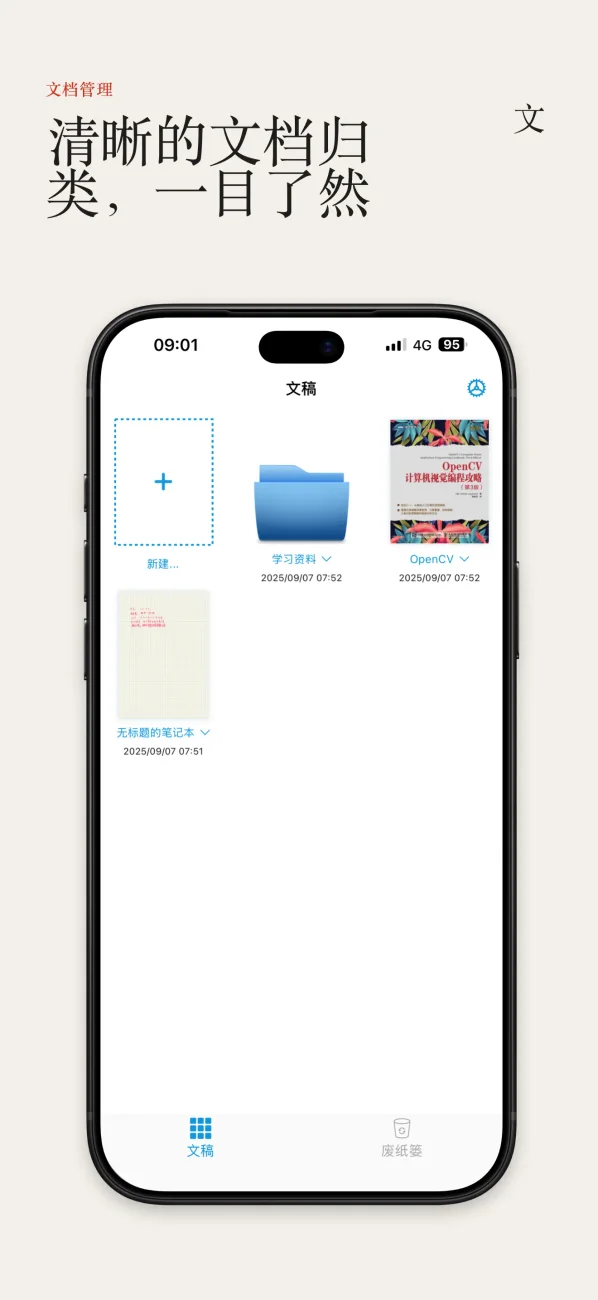
- Flexible page management: Insert various A4 paper templates (yellow/black/white backgrounds), add unlimited pages, write across pages, rearrange page order, and support both vertical and horizontal scrolling.
[Advanced Tools & Pro-Level Play]
- Layer management: Just like professional drawing software, support creating, drag-to-reorder, merging, and deleting layers.
- Super lasso and fill: Drag to select content across pages, move, scale, and rotate in one step; one-tap intelligent fill for enclosed areas.
- Multimedia insertion: Insert multiple images (drag, drop, and scale across pages) as well as text boxes with keyboard input.
- For the detail-obsessed: Customizable delete actions, invisible tape for memory aid (tap to show/hide), and unlimited undo/redo.
**[Secure Sync & Multi-Screen Collaboration]**
- iCloud real-time sync: Notes are securely saved in your cloud, seamlessly connected across all your devices.
- Split View and multi-window: Support opening multiple windows on iPad, allowing you to read literature and take notes side by side, doubling your efficiency.
- Easy sharing: Import PDFs directly from the system share sheet, and export beautifully formatted PDFs with one tap to share with others.
**[About Free Trial & Unlocking]
- To ensure a great experience, NotingPro offers a free trial version.
- Free tier limits: You can create up to 5 notes in total (each note can have up to 5 pages and layers).
- Kind reminder: The limit is lifetime cumulative; deleting created notes does not restore the quota. We recommend using it to deeply explore the core features.
[Lifetime Purchase, No Subscriptions]
Just one payment permanently unlocks all limitations and powerful future updates!
Now available at a launch half-price promotion — only ¥15.0 (original price ¥30.0) to own this all-in-one note-taking powerhouse.
[Contact Us]
The developer's progress depends on your genuine feedback. If you have any suggestions while using the app, feel free to reach out to us anytime!
Bilibili / Xiaohongshu: NotingPro
What’s new
Version 1.156 · Nov 15, 2026
Fix:
1. Fixed the bug where PDF selection is inaccurate when a transformation matrix is present.
2. Fixed the bug where text recognition is inaccurate when selecting PDF content with a box selection.
App privacy
What 裕坤 张 declares on the App Store about how this app handles data.
-
Data not collected
The developer does not collect any data from this app.
Privacy practices may vary, for example with the features you use or your age.
Information
- Seller
- 裕坤 张
- Category
- Productivity
- Version
- 1.156
- Updated
- Nov 15, 2026
- Released
- Aug 9, 2023
- Size
- 115.8 MB
- Requires
- iOS 15.0 or later
- Age rating
- 4+
- Price
- Free
- In-app purchases
- Yes
- Languages
- English, Simplified Chinese, Traditional Chinese
- Copyright
- © 2023-2026 zhangyukun Inc.
You might also like
-
 Note X - NotepadTake notes easily
-
 NoteEase-Recording Made EasySticky notes, Hand-drawn notes
-
 PaintNotesInfinite canvas & good notes
-
 GUGA-HyperboardNotebook + Board + Card = GUGA
-
 BoardNotes: Notes, PDF, DocsNote taking,Whiteboard,Mindmap
-
 InfDraft - Unlimited canvasnatural stroke and big canvas
-
 noteE: AI Notes & DocsSmart notes for work & study.
-
 Notator | Annotate DocumentsTaking notes, annotating PDFs
-
 TouchMind-handwritten mind mapBrainstorm,Organize idea
-
 A4打印纸模板-手账素材A4纸,计划日常表Productivity