
- Age rating4+
- CategoryUtilities
- Developer得星 龚
- LanguagesEnglish+ 1 more
- Size27.9 MB
Links to the official App Store page
Download.org hosts no file of 图书管管. The button opens its official App Store page, published by 得星 龚. Listing last checked on Nov 18, 2026.
Screenshots

About
The developer has not provided this text in your language.
图书管管是新一代图书借阅管理系统,适用于职工书屋、学校图书馆、农家书屋、家庭书房、社区书屋、城市书房、图书角、书店、读书会、阅读空间等借书或阅读场所,包含录入图书、搜索图书、图书借还、图书分类、导出图书等功能。
●使用场景
任何图书阅读的场所都能使用图书管管,包括不限于:
- 职工书屋、农家书屋、社区书屋
- 学校图书馆、图书角、家庭书房
- 城市书房、书店
- 读书会、阅读空间
●主要功能
【录入图书】
管理员打开图书管管后,点击右下角录入图书,扫码或输入待录入图书背后的ISBN条码,绝大部分图书会自动识别出书名、作者、出版社、简介等信息,无需手动填写。
【搜索图书】
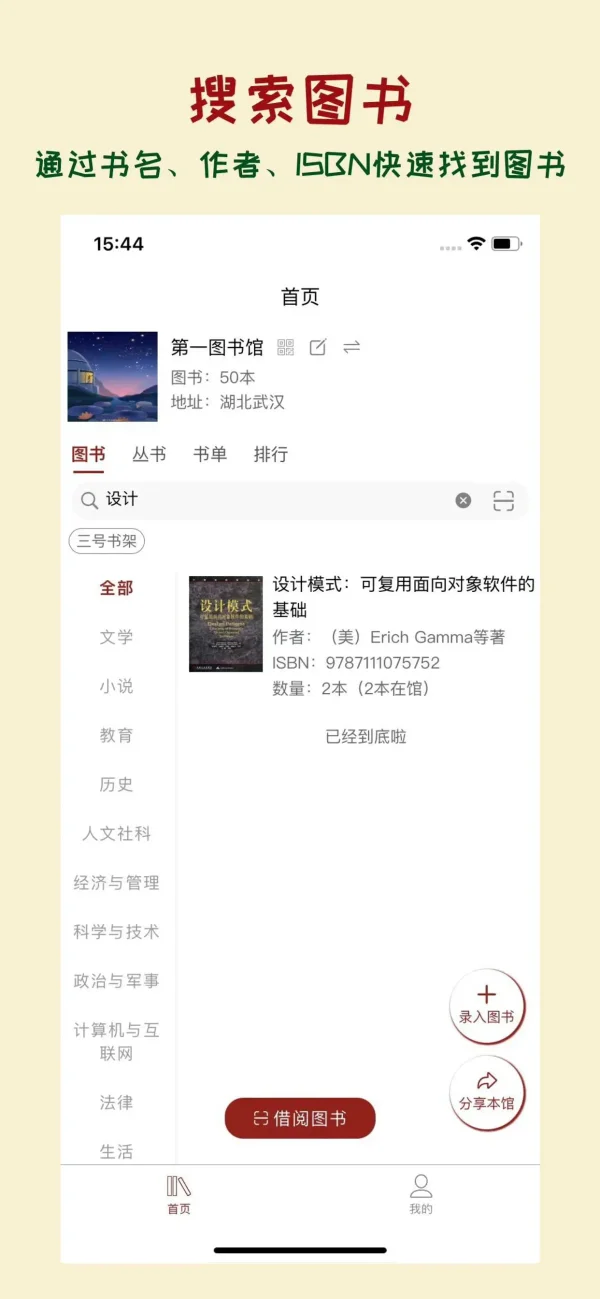
用户打开图书管管后,在中间的搜索输入框中,输入书名、作者或ISBN就可以快速找到想借的图书,也支持扫ISBN条码快速找书。
【图书借还】
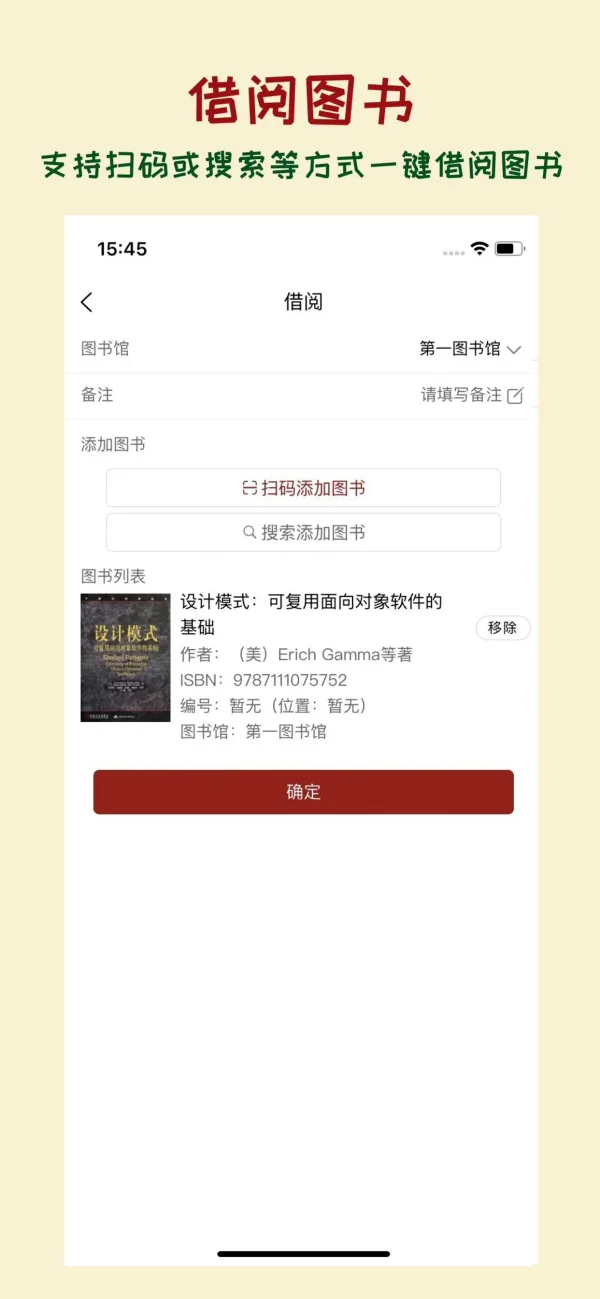
扫码借阅更方便,用户打开图书管管后,点击下方的借阅图书,通过扫码或者搜索的方式添加要借阅的图书,就可以完成借阅。
【图书分类】
图书管管会为图书馆设置16个默认分类:文学、小说、教育、历史、人文社科、经济与管理等。如果默认分类无法满足需求,管理员还可以新增分类。
【导出图书】
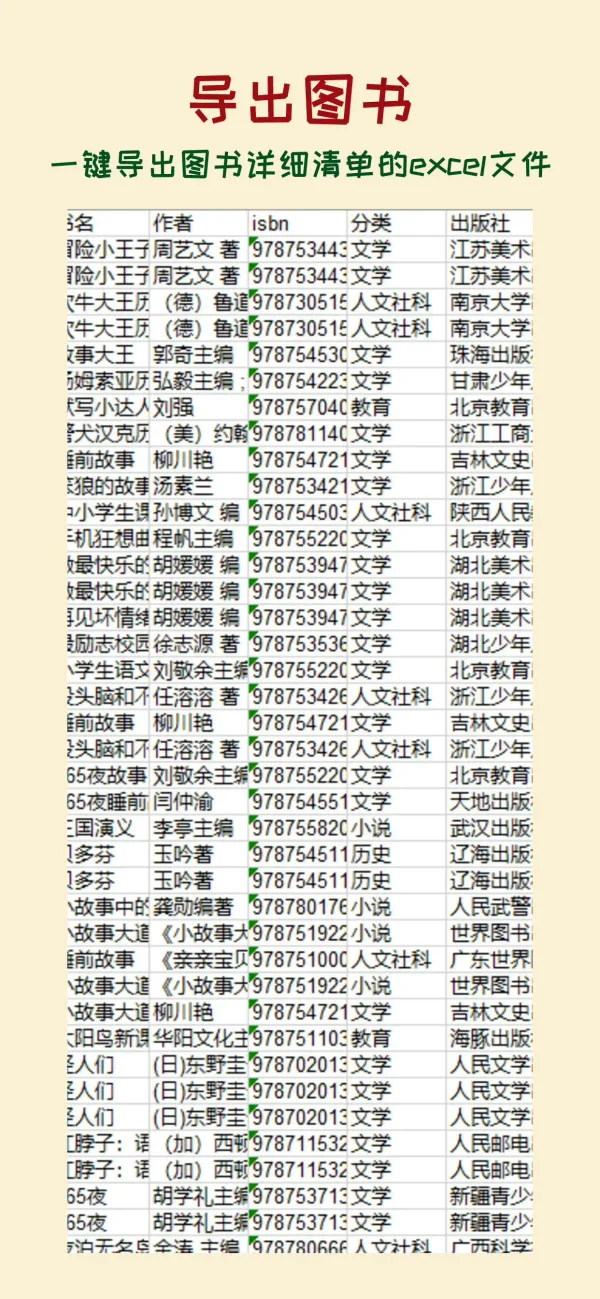
管理员打开图书管管后,点击 我的 – 进入管理界面 - 导出数据,选择图书,然后选择类型,点击导出按钮即可导出图书,导出成功后会获得一个下载地址,粘贴到浏览器地址中可下载书目数据的excel文件,包括书名、作者、ISBN、出版社等信息。
●联系我们
使用图书管管过程中,有任何问题或者好的建议都可以联系我们,客服微信:wszygfkf,客服邮箱:wszygfkf@163.com。
What’s new
Version 1.3.2 · May 7, 2026
1、优化图书封面上传功能
2、优化其他细节
App privacy
What 得星 龚 declares on the App Store about how this app handles data.
-
Data not collected
The developer does not collect any data from this app.
Privacy practices may vary, for example with the features you use or your age.
Information
- Seller
- 得星 龚
- Category
- Utilities
- Version
- 1.3.2
- Updated
- May 7, 2026
- Released
- Apr 11, 2024
- Size
- 27.9 MB
- Requires
- iOS 13.0 or later
- Age rating
- 4+
- Price
- Free
- Languages
- English, Simplified Chinese
- Copyright
- © 2024 微书智阅(武汉)科技有限公司
You might also like
-
 PandaGo Image ConverterBatch offline image conversion
-
 园艺大师-hj 园艺、观赏植物识别,花卉知识大全Utilities
-
 悬浮时钟岛-秒杀抢购快人一步Utilities
-
 BookShelf Library Book ManagerScan ISBN. Auto Fill. Private
-
 水印相机-万能时间地点工程水印相机Utilities
-
 欢群社区-美好生活Utilities
-
 爆笑P图表情包DIY-斗图表情包制作&GIF制作Utilities
-
 Super Cleaner - Clean Storage+Delete Photos, Contacts, Video
-
 Screen Record: Screen recorderVideo recorder - Recording app
-
 敲砖高手-蓝海速拼Utilities