
word文档手机版-移动办公软件
在线编辑,支持word,pdf,Excel格式
Designed for iPhone, iPod touch
Free · In-app purchases
- Age rating17+
- CategoryUtilities
- Developer峰 李
- LanguagesEnglish
- Size22.3 MB
Links to the official App Store page
Download.org hosts no file of word文档手机版-移动办公软件. The button opens its official App Store page, published by 峰 李. Listing last checked on Nov 14, 2026.
Screenshots


About
The developer has not provided this text in your language.
我们的app是一款word移动办公软件,集多种实用功能于一身的,无论是撰写文档、转换格式,还是管理文件、提取文字,它都能轻松应对,为您的工作与学习带来前所未有的高效体验。
核心功能:
新建word:创作随心,灵感无阻,新建word文档可以进行编辑,导出,保存,打印等操作。
浏览excel:可以导入excel文件浏览和修改。
多种模板:提供海量精心设计的 Word 模板,可以选择您心仪的模板一键使用。
格式转换:pdf,word,ppt,excel,图片等格式一键互转。
文档打印:可以进行各种格式文件打印,无线打印,随心掌控。
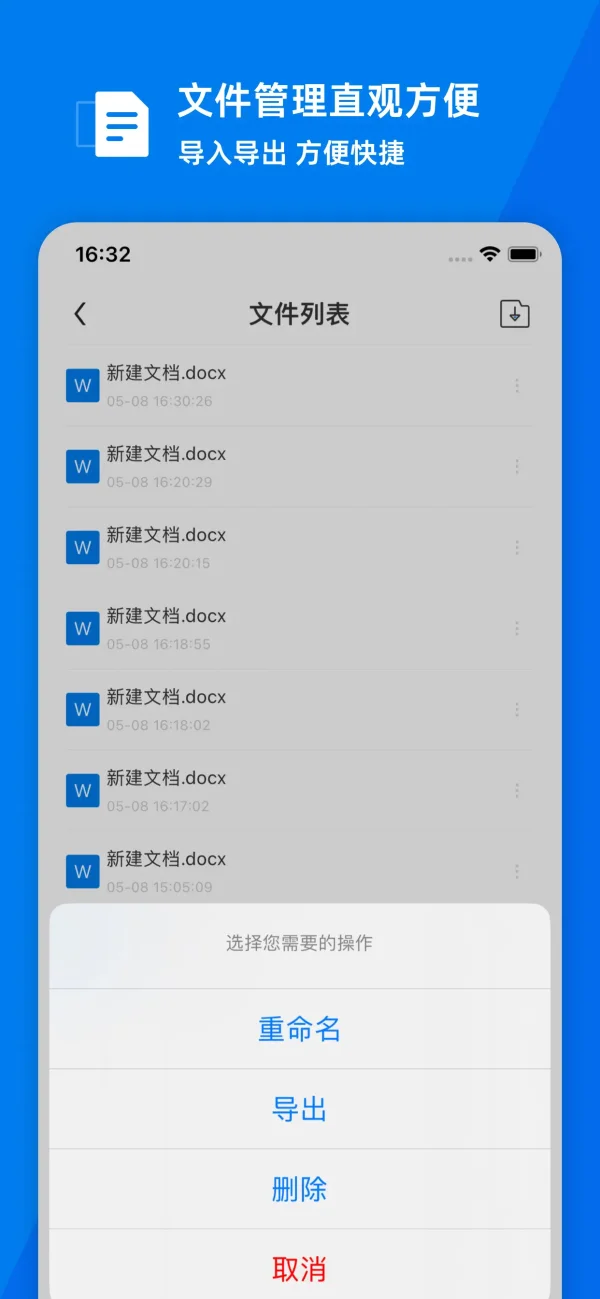
文件管理:高效管理,便捷查找,快速导入导出。
文字提取:信息速取,高效利用,能快速提取图片中的文字内容,提取的文字可直接进行复制、粘贴、编辑等操作,方便您在不同应用中灵活使用。
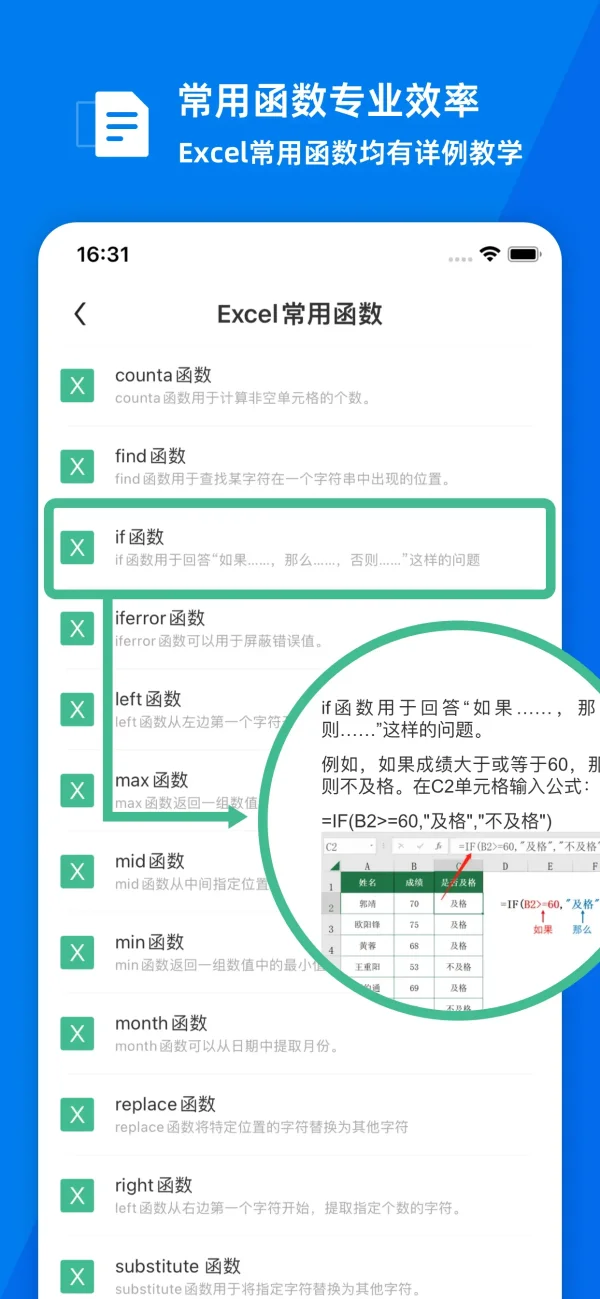
辅助工具:提供打印功能,以及excel常用函数。
【订阅说明】
1.订阅价格与周期
提供“周会员”“月会员”“季会员”“年会员”
2.关于订阅内容
完成订阅的使用者可在订阅周期内获得特权体验,特权内容为:
无限制使用新建word,浏览excel,格式互转等所有功能。
3.关于自动续订
订阅功能为自动续费订阅,订阅周期将会自动延续,用户需手动在iTunes/Apple ID设置管理中管理自动续订功能。
4.取消订阅流程
如果您想取消订阅,请在您的iOS设备上前往“设置”-->选择“iTunes Store与App Store”-->点击“Apple ID”,接下来选择“查看AppleID”,进入“帐户设置” ,点击“订阅”-->“管理”,并选择对应的订阅,之后便可取消订阅。
隐私政策:https://docs.qq.com/doc/DV0lkZW9DYUxrdExE
用户协议:https://docs.qq.com/doc/DV2xBY2lFamdnYlF4
What’s new
Version 1.0.3 · Dec 18, 2024
- 修复了转换目标不正确的问题
App privacy
What 峰 李 declares on the App Store about how this app handles data.
-
Data not collected
The developer does not collect any data from this app.
Privacy practices may vary, for example with the features you use or your age.
Information
- Seller
- 峰 李
- Category
- Utilities
- Version
- 1.0.3
- Updated
- Dec 18, 2024
- Released
- Sep 1, 2024
- Size
- 22.3 MB
- Requires
- iOS 13.0 or later
- Age rating
- 17+
- Price
- Free
- In-app purchases
- Yes
- Languages
- English
- Copyright
- © feng li
You might also like
-
 word文档手机版-在线文档编辑办公软件Utilities
-
 手机文档-手机版word文档、xls表格、ppt文档编辑软件Utilities
-
 word文档手机版-word文档编辑手机AI办公软件Utilities
-
 个人简历制作-超级简历模板简历制作软件Utilities
-
 迅科手机文档 - 文档在线编辑,手机办公Utilities
-
 AiPPT-MindPPT & Slide MakerCreate PPT With AI
-
 工学云Utilities
-
 Resume Maker Procreate resume & find a job
-
 word文档手机版-智能移动办公,随时随地轻松创作Utilities
-
 趣智校园Utilities