
- Age rating4+
- CategoryUtilities
- DeveloperAhranta, Inc
- LanguagesKorean+ 2 more
- Size5.0 MB
Links to the official App Store page
Download.org hosts no file of 온라인행정심판 원격지원. The button opens its official App Store page, published by Ahranta, Inc. Listing last checked on Nov 12, 2026.
Screenshots


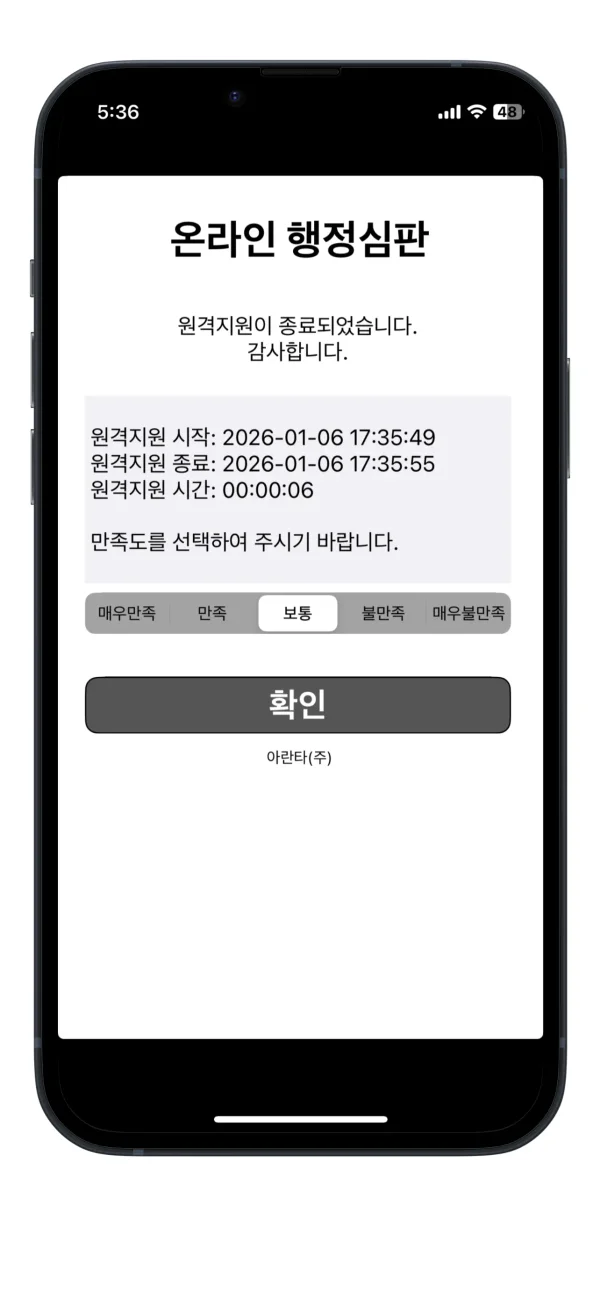
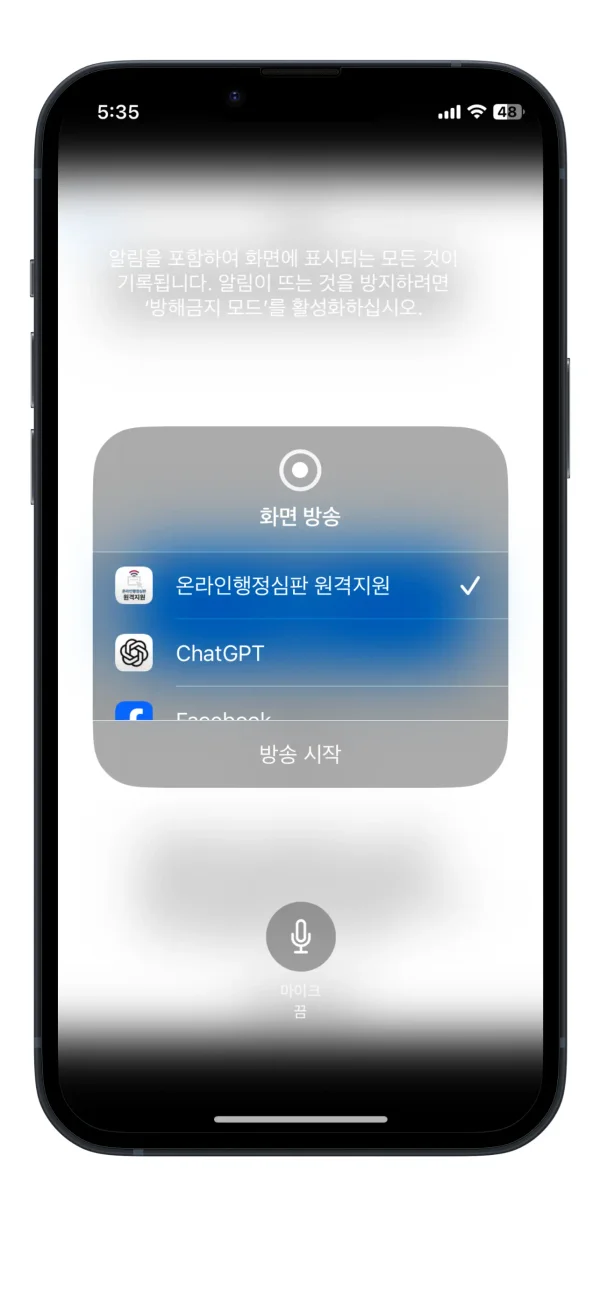
About
## **Online Administrative Appeals Remote Support**
**Online Administrative Appeals Remote Support** is a fast and convenient solution that allows you to receive instant assistance from a support agent. Get real-time troubleshooting from an agent who can diagnose issues as they happen. Our agents provide comprehensive help through text chat, device diagnostics, system status monitoring, notifications, image sharing, and on-screen drawing tools.
### **Key Features**
* **Simple Connection:** Easily connect to an agent by simply entering a 4-digit code.
* **Real-Time Screen Capture:** Automatically share device screen captures with your agent in real-time.
* **Co-Browsing:** View specific web pages simultaneously with your agent for synchronized guidance.
* **Instant Text Chat:** Communicate easily through a familiar and intuitive chat interface.
* **Visual Guidance:** Agents can draw directly on captured images to provide clear, step-by-step instructions.
* **App-Specific Sharing:** Securely share your screen in real-time (limited to the app interface).
* **System Diagnostics:** Agents can monitor device information and system status in real-time to provide more accurate support.
### **How it Works**
Getting support is easy: just enter your connection code and tap "Connect." You can chat with your agent while they review your device’s status and information to identify the problem. Upon request, you can share your screen simply by taking a capture. For more intuitive help, agents can use drawing tools on these captures to guide you.
**Note:** Real-time sharing is limited to the app screen and is only activated with your explicit permission. Every action is performed only with your consent, ensuring your privacy is protected.
### **Quick Start Guide**
1. **Download & Install:** Launch the **Online Administrative Appeals Remote Support** app.
2. **Connect:** Enter the connection code provided by your agent and tap **Connect**.
3. **Support:** Receive real-time remote assistance from your agent.
4. **Finish:** Terminate the session once your support is complete.
App privacy
What Ahranta, Inc declares on the App Store about how this app handles data.
-
Data not collected
The developer does not collect any data from this app.
Privacy practices may vary, for example with the features you use or your age.
Information
- Seller
- Ahranta,Inc.
- Category
- Utilities
- Version
- 1.0
- Updated
- Jan 26, 2026
- Released
- Jan 25, 2026
- Size
- 5.0 MB
- Requires
- iOS 12.0 or later
- Age rating
- 4+
- Languages
- Korean, English, Japanese
- Copyright
- © Ahranta, Inc.
You might also like
-
 Safeware ConnectApp for Managers & Workers
-
 Authenticator: OTP Code & 2FATwo Factor Auth & MFA Token
-
 Vibration Meter - EMF MeterMagnetic Field Detector
-
 Watch Sensor LoggerLog motion & GPS from Watch
-
 Onscreen TranslateTranslate screenshots & photos
-
 Ratewell: Watch TimegrapherMechanical Accuracy & Rate Log
-
 청원24Utilities
-
 Miyaong - Cat TranslatorTalk to the cat!
-
 이지뷰Utilities
-
 OSpectrometerOptical Spectrometer