
- Age rating4+
- CategoryProductivity
- Developer俊 陈
- LanguagesEnglish+ 2 more
- Size10.6 MB
Links to the official App Store page
Download.org hosts no file of 换机助手 : 资料一键便捷传输. The button opens its official App Store page, published by 俊 陈. Listing last checked on Nov 16, 2026.
Screenshots
About
Transfer files between mobile devices quickly and easily.
Whether you are switching to a new phone, sharing files with others, or moving large amounts of data, this App provides a simple and reliable way to transfer photos, videos, documents, contacts, and more.
Files are transferred directly between your devices without cloud uploads, helping you save mobile data while keeping your files private.
Key Features
• Fast Local Transfer
Move files directly between devices without uploading them to the cloud. Enjoy fast transfers with no mobile data usage.
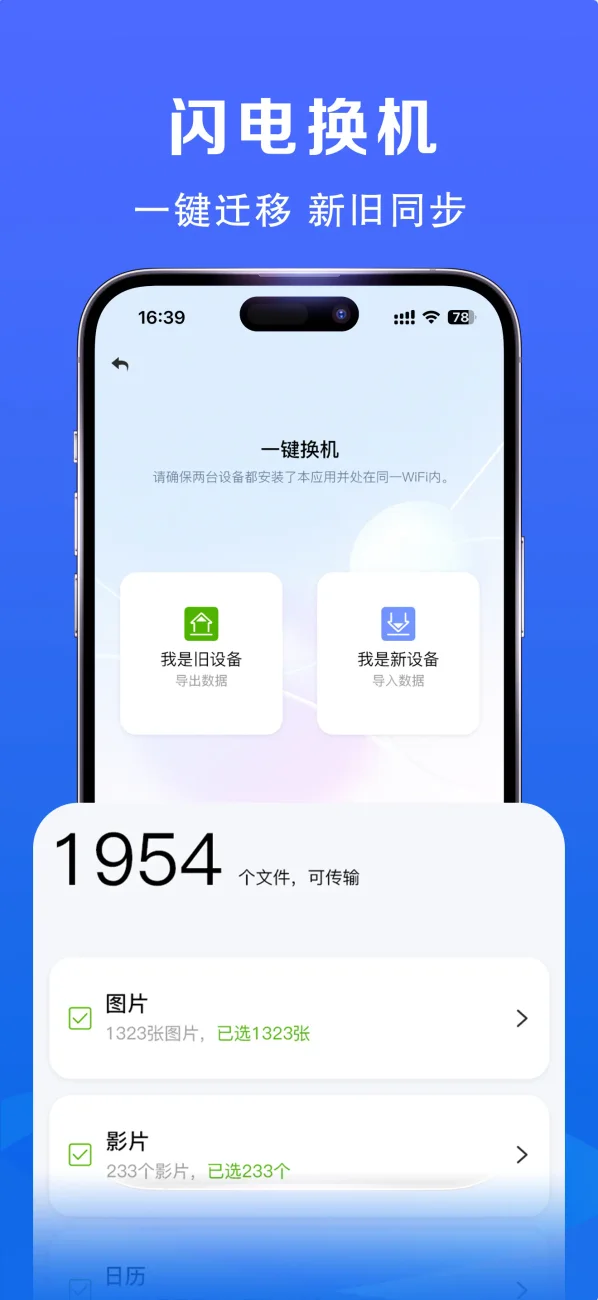
• Easy Phone Migration
Switch to a new phone with confidence. Transfer important files and personal data from your old device without manually moving everything one by one.
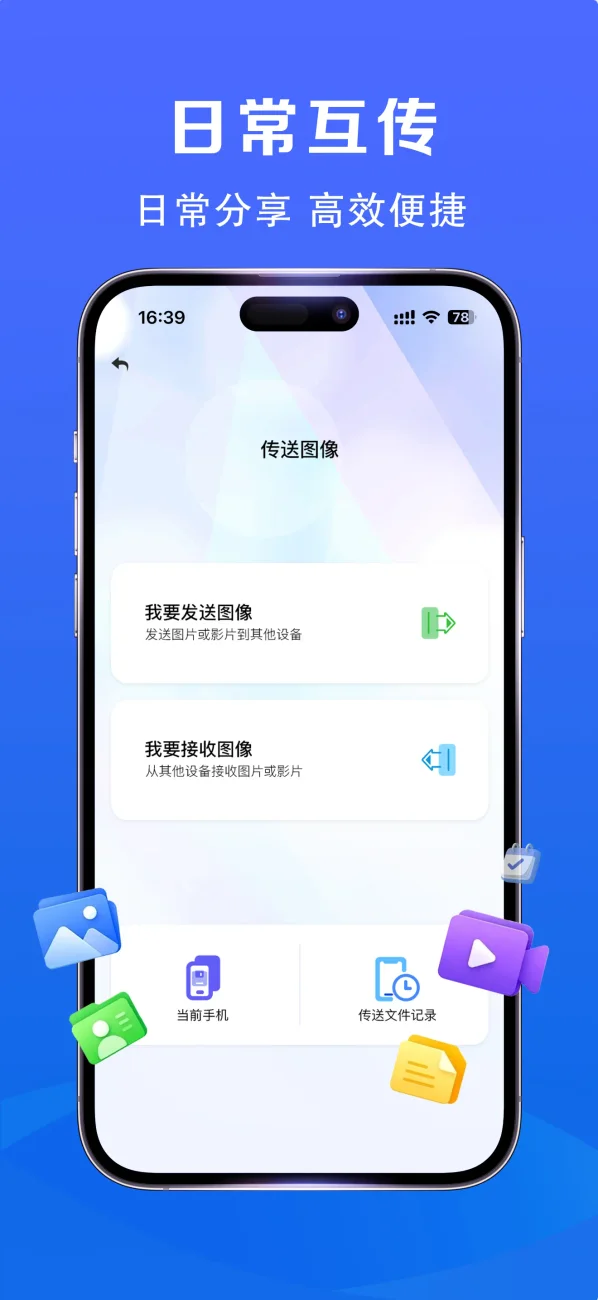
• Simple File Sharing
Send photos, videos, documents, and other files whenever you need them. Select what you want to share and transfer with just a few taps.
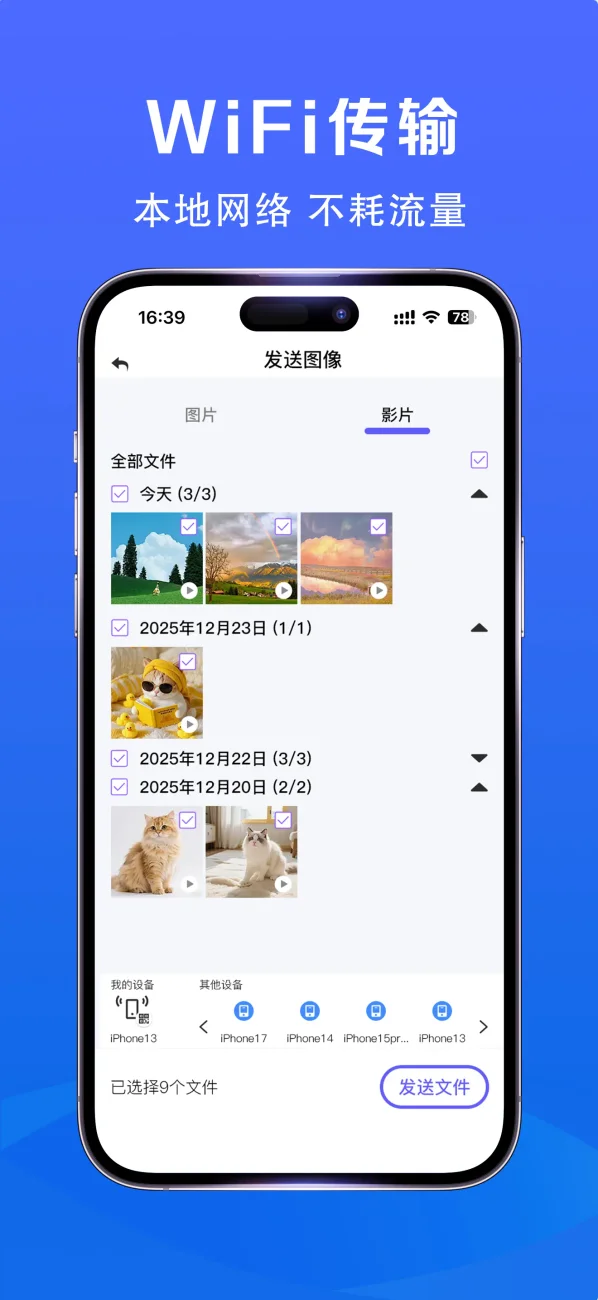
• Wi-Fi Transfer
Use your local Wi-Fi network to transfer large files quickly without consuming your mobile data plan.
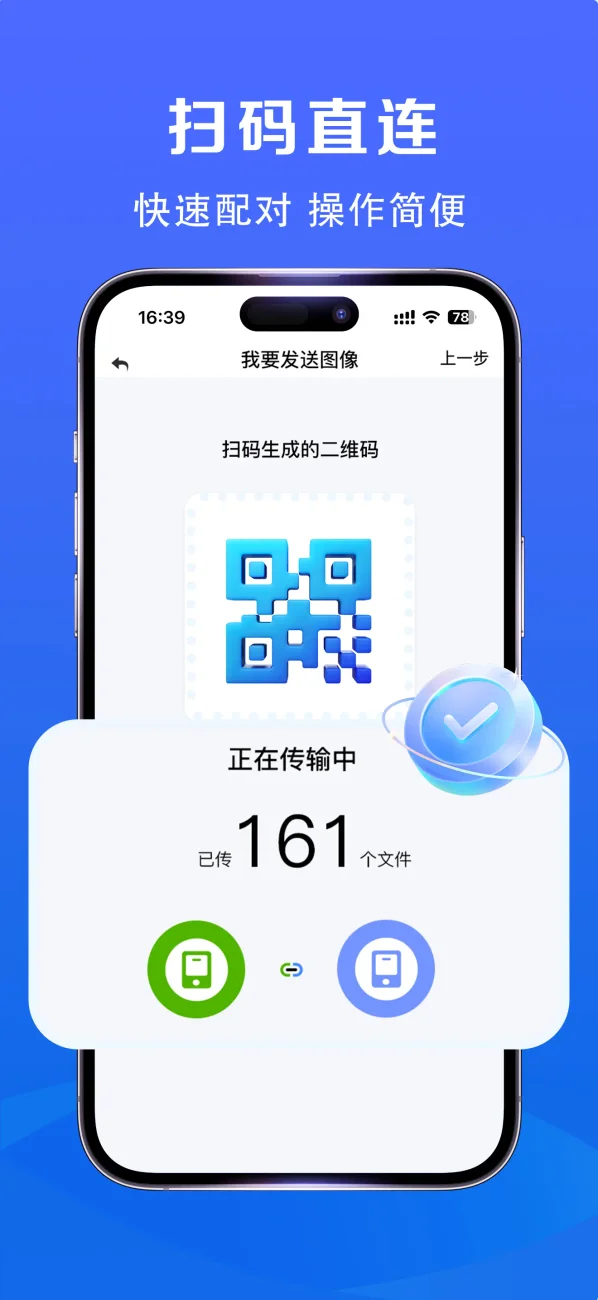
• Instant QR Pairing
Connect devices quickly by generating and scanning a QR code. No complicated setup required.
• Private Transfers
Your files are transferred directly between paired devices and are not uploaded to external servers, helping keep your information private
More Useful Features
• Track transfer progress in real time;
• Transfer multiple files at once;
• Works across supported device versions;
• Receive notifications when transfers are complete.
From upgrading your phone to sharing files in everyday situations, this App makes device-to-device transfers simple, fast, and convenient.
Transfer what matters, whenever you need it, with a reliable file sharing experience designed for privacy and ease of use.
Subscription Information
Multiple subscription options are available for users to choose from.
Payment will be charged to your iTunes account within 24 hours before the end of the current subscription period. Your subscription will automatically renew for the same duration unless auto-renewal is turned off.
To cancel your subscription, go to Settings on your iPhone, tap your Apple ID, select Subscriptions, and manage or cancel your subscription.
Terms of Use: https://docs.google.com/document/d/e/2PACX-1vR6OtHHiRLmxYSykuo64rpU--ZseSh1QQIBZUHjHof15jw2xMCp-QtkMxFG_iBQW-xgv8Nw_uaAqNru/pub
Privacy Policy: https://docs.google.com/document/d/e/2PACX-1vTEsnwUon6_G7axwAYToB1QjHiQo21ONqnwhm8ffP4GakEWwQlNAYlyOCdbx0prBPJMFINpDNn1Xbq6/pub
What’s new
Version 1.1 · Sep 29, 2026
Bug fix: Camera scanning issue resolved.
Improved Traditional Chinese and English metadata.。
App privacy
What 俊 陈 declares on the App Store about how this app handles data.
-
Data not collected
The developer does not collect any data from this app.
Privacy practices may vary, for example with the features you use or your age.
Information
- Seller
- 俊 陈
- Category
- Productivity
- Version
- 1.1
- Updated
- Sep 29, 2026
- Released
- Mar 20, 2026
- Size
- 10.6 MB
- Requires
- iOS 15.0 or later
- Age rating
- 4+
- Price
- Free
- In-app purchases
- Yes
- Languages
- English, Simplified Chinese, Traditional Chinese
- Copyright
- © @com.hcd.HorseChangeData
You might also like
-
 Phone Switch - One‑Tap BackupPhotos, Contacts, Calendars
-
 Phone Clone - Copy My Data +Smart Switch & File Share
-
 Frankly Decide: Local AIDecision Maker & Text Analysis
-
 手机搬家 - 一键换机助手Productivity
-
 互传 - 一键换机助手Productivity
-
 同步助手-手机资料备份,换机数据同步Productivity
-
 今日头条 | China News Today头条新闻 网易新闻 今日头条极速版 腾讯新闻
-
 Smart Switch - Copy My DataMove To iOS - Send Anywhere
-
 HUAWEI Phone Clone- Migrate your Data
-
 倒数日 · Days MatterProductivity