
- Age rating12+
- CategoryHealth & Fitness
- Developer肖龙 刘
- LanguagesSimplified Chinese
- Size11.1 MB
Links to the official App Store page
Download.org hosts no file of JingQi Period Tracker. The button opens its official App Store page, published by 肖龙 刘. Listing last checked on Nov 23, 2026.
Screenshots



About
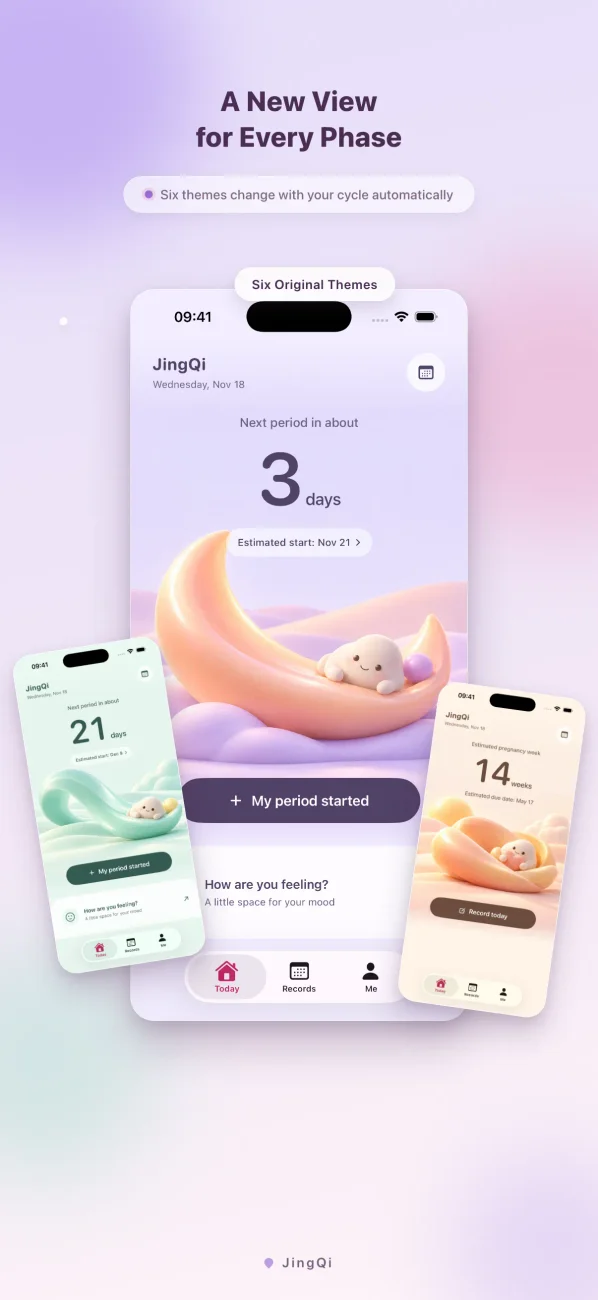
JingQi helps you keep track of your period and how you feel day to day. It's built around three tabs: Today, Log, and Me.
Privacy from the moment you open it
No ads, no third-party trackers, and no account to sign up for. Your entries live only on this device and can sync through iCloud between your own devices. They're never used for analytics or advertising.
Today
The home screen leads with the days left until your next period (or how many days you've logged in this cycle) and the date it's expected. To start or end a period, pick the date and confirm. Your mood, symptoms, and any note for the day sit underneath.
Log
View your history as a calendar or a list, whichever you prefer. On the calendar, days you've logged are colored differently from predicted ones, with a legend so you don't mix them up. The list simply lays out what you entered each day. You can also backfill a past date, jump to any day, or return to today.
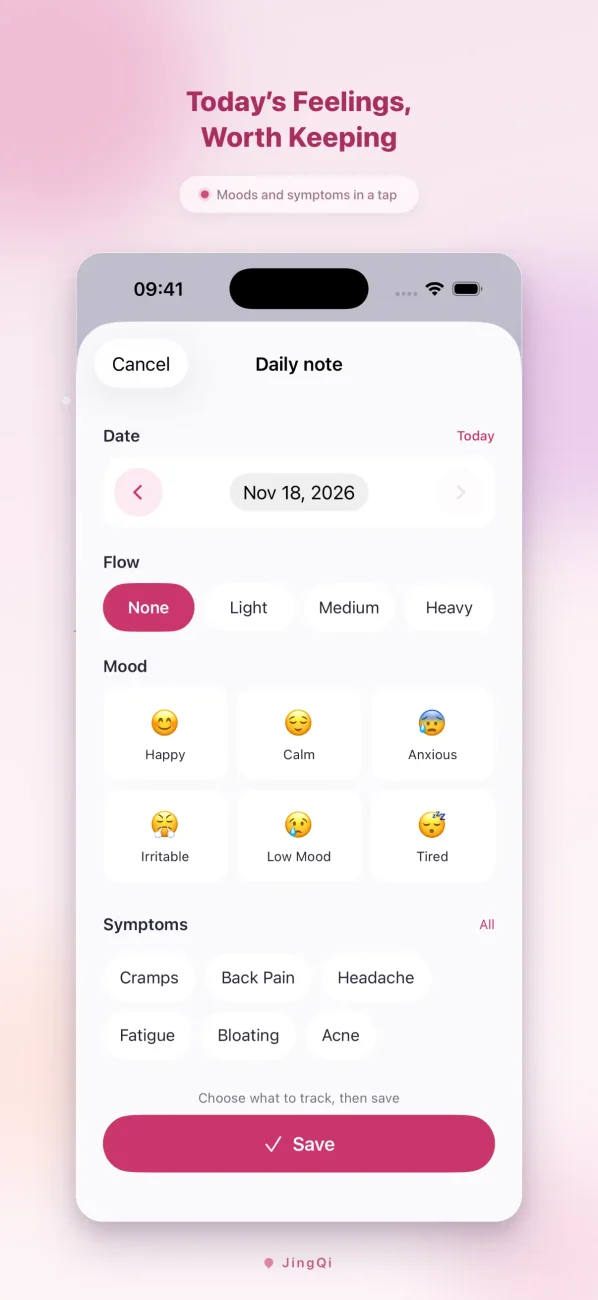
Only fill what you want
Flow, mood, symptoms, and notes are the fields you see first. Sleep, temperature, weight, and exercise stay tucked away until you need them, so you don't have to complete everything.
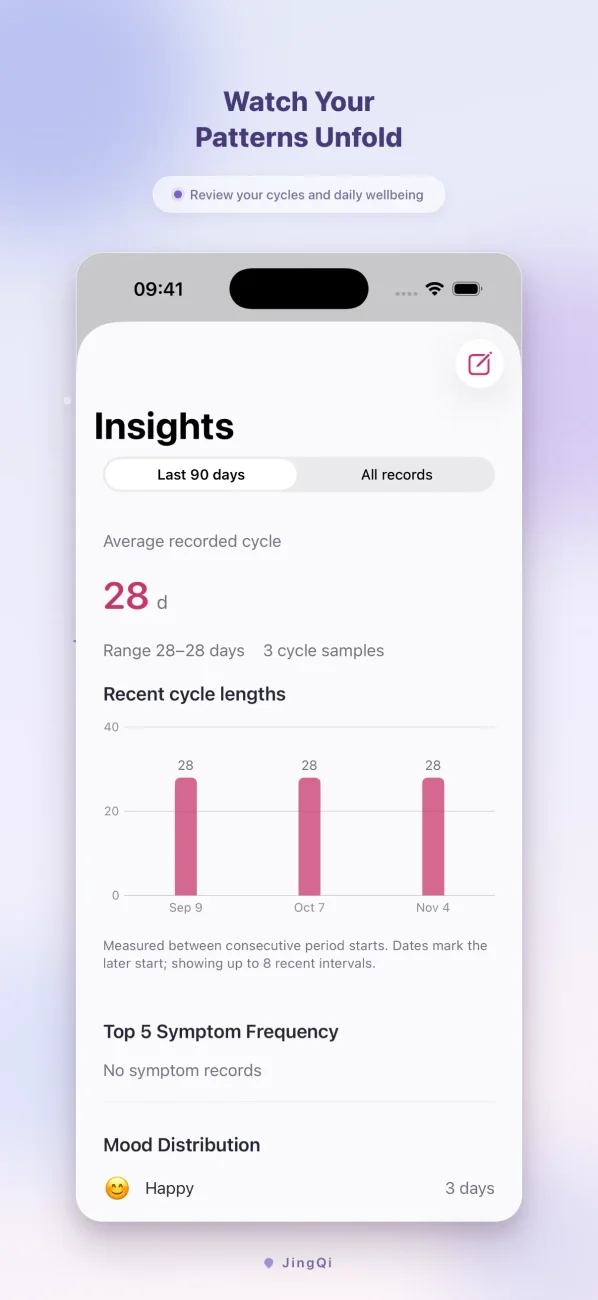
Me
This is where you review trends and stats, set reminders, and manage your data. Stats can cover the last 90 days or everything you've recorded, so you can see your cycle, symptoms, and mood over time.
Modes for different stages
Switch between period, fertility, and pregnancy modes. In pregnancy mode, the app tracks your progress from the dates you set.
Reminders
Turn on period and ovulation reminders, and check whether notifications are allowed and when the next one is due. You'll need to grant notification permission for these to work.
Your data, in your hands
Entries are saved locally, and you can check iCloud sync status or export your data at any time. Whether iCloud works depends on your system account and connection. The app runs in English, Chinese, Japanese, and Korean.
Period, ovulation, and pregnancy estimates and statistics are for personal logging and reference only. They aren't meant for diagnosis, treatment, or contraception, and they can't replace advice from a medical professional.
What’s new
Version 1.7 · Nov 20, 2026
Add your last period start date during setup to get an earlier cycle estimate.
See a predicted date range that reflects cycle variation.
Improved merging and review of duplicate daily entries synced through iCloud.
Larger tap areas make key actions easier.
App privacy
What 肖龙 刘 declares on the App Store about how this app handles data.
-
Data not collected
The developer does not collect any data from this app.
Privacy practices may vary, for example with the features you use or your age.
Information
- Seller
- 肖龙 刘
- Category
- Health & Fitness
- Version
- 1.7
- Updated
- Nov 20, 2026
- Released
- Feb 23, 2026
- Size
- 11.1 MB
- Requires
- iOS 17.0 or later
- Age rating
- 12+
- Price
- Free
- Languages
- Simplified Chinese
- Copyright
- © 刘肖龙
You might also like
-
 金鹏移动菲票Utilities
-
 681采购批发市场-厂家货源进货平台Utilities
-
 Super Random GeneratorRoulette,Coin,Dice,Cards,etc
-
 模拟选号助手-幸运双色球模拟器Utilities
-
 Random Balls - Shake Them!Random number generator
-
 随机数 - 随机生成幸运数字Utilities
-
 人人货源-一手微商货源潮鞋服饰批发网Utilities
-
 Random Generator: Teams & DiceSpin Wheel & Finger Chooser
-
 DJI HomeUtilities
-
 使命闹钟-智能定时闹钟与轻松起床Utilities