Text Builder: Snippet Keyboard
Fill-in Templates & AI Prompts
Designed for iPhone, iPad
In-app purchases
- Age rating4+
- CategoryProductivity
- DeveloperRyogo Owashi
- LanguagesJapanese+ 8 more
- Size19.7 MB
Links to the official App Store page
Download.org hosts no file of Text Builder: Snippet Keyboard. The button opens its official App Store page, published by Ryogo Owashi. Listing last checked on Nov 23, 2026.
Screenshots

About
Text Builder
Fill in the blanks. Your message is done.
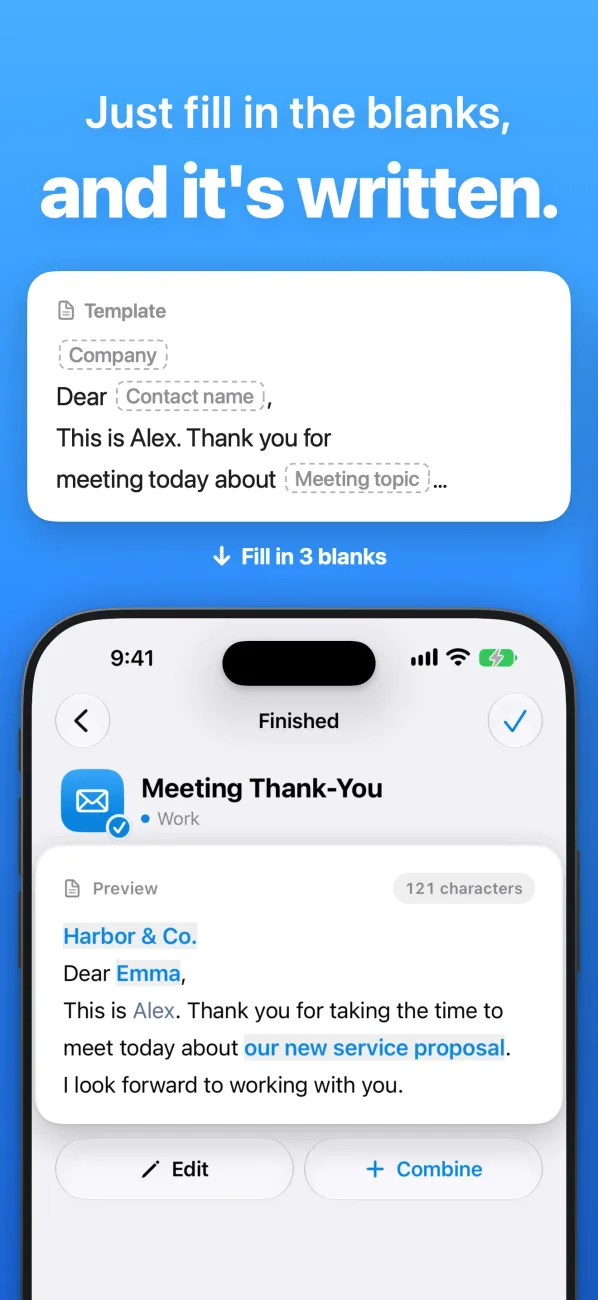
Write a message once and turn the parts that change into fields. Next time, just fill them in.
No more copying an old email and fixing names and dates by hand.
■ Write it, select it, make it a field
Start with normal text, like "Dear Ms. Tanaka" or "March 15."
Select the part you want to change and make it a field. That's it.
■ Fill in with a tap
Save names, company names, and other values you use often as Quick Values.
Tap one and it drops into place. Your message is almost done before you type.
■ Today's date, filled in for you
Date, day of the week, your own name.
Auto-fill takes care of them every time.
■ Insert from any app with the keyboard
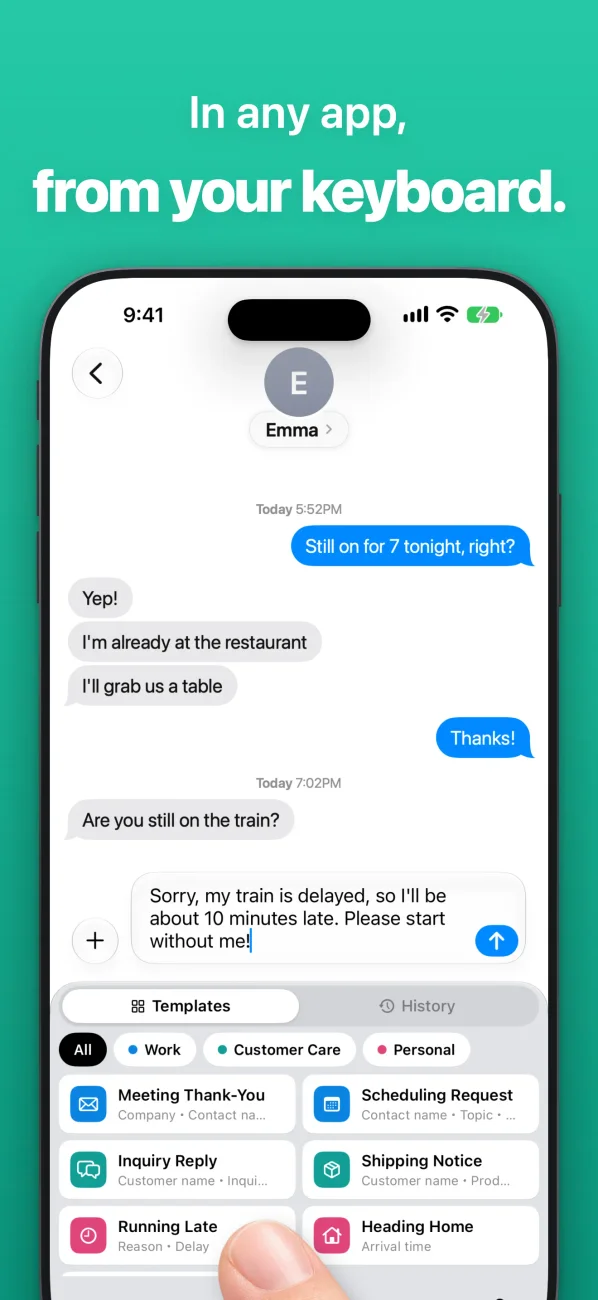
Add the Text Builder keyboard and insert your templates right in Mail, Messages, chat apps, and more.
No switching apps. No copy and paste.
■ Combine templates
Greeting, details, signature.
Put together just the pieces you need for this message.
■ Find it fast
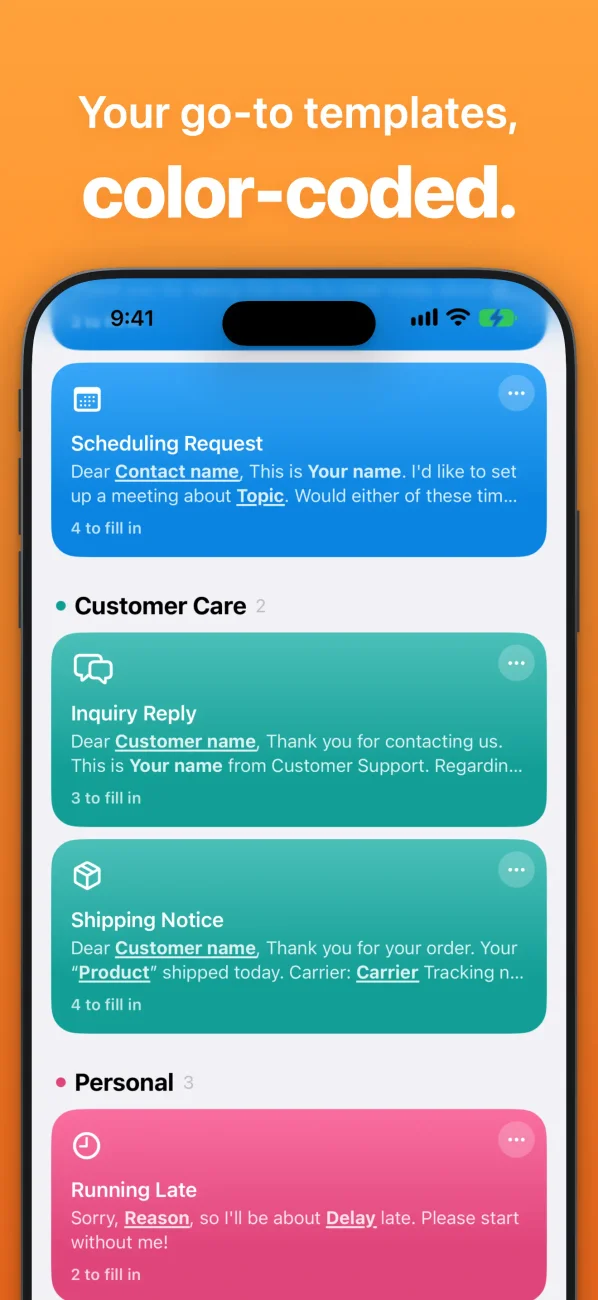
Sort templates into categories and mark your favorites.
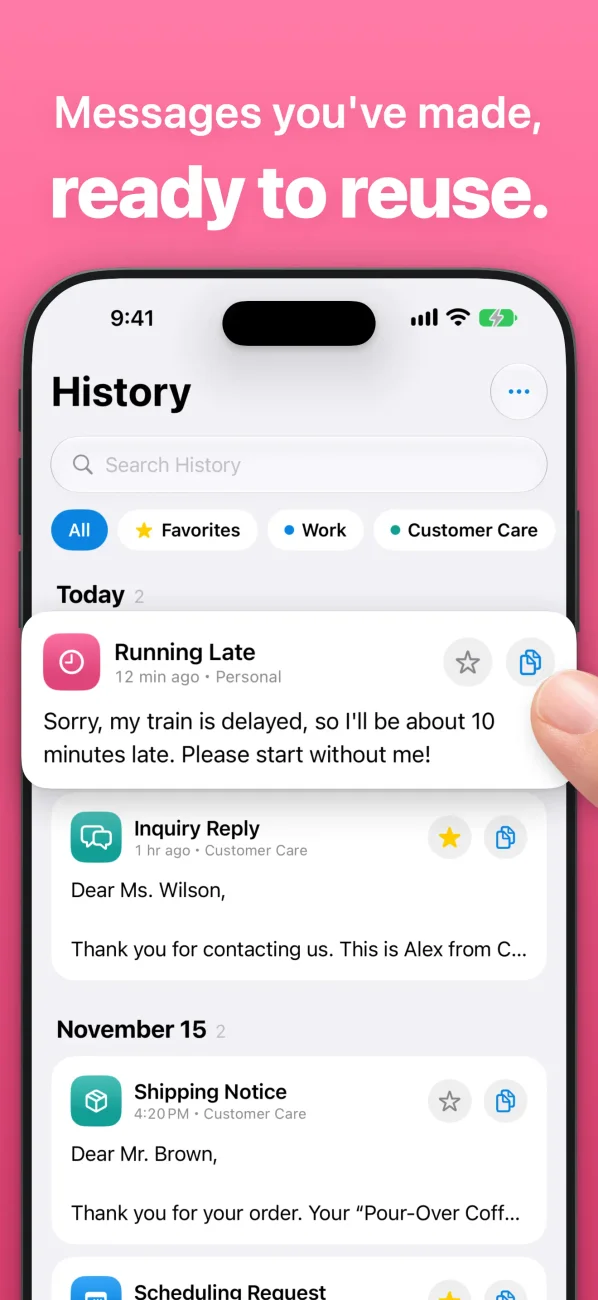
Copy past messages from History with one tap.
■ Great for
・Business emails and follow-ups
・Customer support replies
・Daily reports and status updates
・AI prompts you reuse with different details
・Scheduling requests, thank-you notes, and reminders
Write it once. Fill in the blanks. Send.
[About Premium]
Text Builder is free to use. Premium removes the limits on templates, categories, favorites, Quick Values, and more.
Premium is available as a monthly auto-renewing subscription or as a one-time purchase.
Payment is charged to your Apple ID account at confirmation of purchase.
Subscriptions renew automatically unless auto-renew is turned off at least 24 hours before the end of the current period.
Your account is charged for renewal within 24 hours before the end of the current period.
You can manage or cancel your subscription in your App Store account settings after purchase.
Privacy Policy:
http://sasakyy.com/composeclip/privacy
Terms of Use:
http://sasakyy.com/composeclip/terms
What’s new
Version 1.1 · Nov 17, 2026
We rebuilt the app from the ground up to make it smoother and easier to use.
Now available in English.
App privacy
What Ryogo Owashi declares on the App Store about how this app handles data.
-
Data used to track you
May be used to track you across apps and websites owned by other companies.
- Identifiers
- Usage data
- Diagnostics
-
Data linked to you
May be collected and linked to your identity.
- Identifiers
- Usage data
- Diagnostics
-
Data not linked to you
May be collected but is not linked to your identity.
- Diagnostics
Privacy practices may vary, for example with the features you use or your age.
Information
- Seller
- Ryogo Owashi
- Category
- Productivity
- Version
- 1.1
- Updated
- Nov 17, 2026
- Released
- Mar 3, 2026
- Size
- 19.7 MB
- Requires
- iOS 17.0 or later
- Age rating
- 4+
- In-app purchases
- Yes
- Languages
- Japanese, Spanish, German, French, Portuguese, Simplified Chinese, Traditional Chinese, English, Korean
- Copyright
- © 2026 Sasakyy
You might also like
-
 Keyword Memo: NotesUnused fades, essentials stay
-
 Omakase Message | AI ReplyOne tap from any share sheet
-
 MemoLinkerSave URLs with notes & folders
-
 ためコピProductivity
-
 JotterProductivity
-
 CopyBlocks:コピーブロックで定型文をコピペProductivity
-
 CopyPaste AI - Formal & EmailRewrite, Summarize, Reply Fast
-
 ざつメモまとめ: AIメモ・ボイスメモ・ノートProductivity
-
 撮るだけメモProductivity
-
 みつかるメモ - AI検索できるチャット風メモProductivity