
Tensui - Swim Stopwatch
One-Handed Swim Lap Timer
Designed for iPhone, iPad, iPod touch
In-app purchases
- Age rating4+
- CategorySports
- DeveloperHaruto Yamada
- LanguagesJapanese+ 1 more
- Size49.1 MB
Links to the official App Store page
Download.org hosts no file of Tensui - Swim Stopwatch. The button opens its official App Store page, published by Haruto Yamada. Listing last checked on Nov 22, 2026.
Screenshots


About
Keep your eyes on the swimmers, not the stopwatch.
Tensui is a purpose-built swim practice stopwatch and split recorder designed so coaches and team managers can log every split without looking down at their screen.
■ Built by a Competitive Swimmer
Born on the pool deck from a simple need: recording fast, accurate splits to a tenth of a second without missing a touch. Every interaction is crafted for real swim practice workflows.
■ Key Features
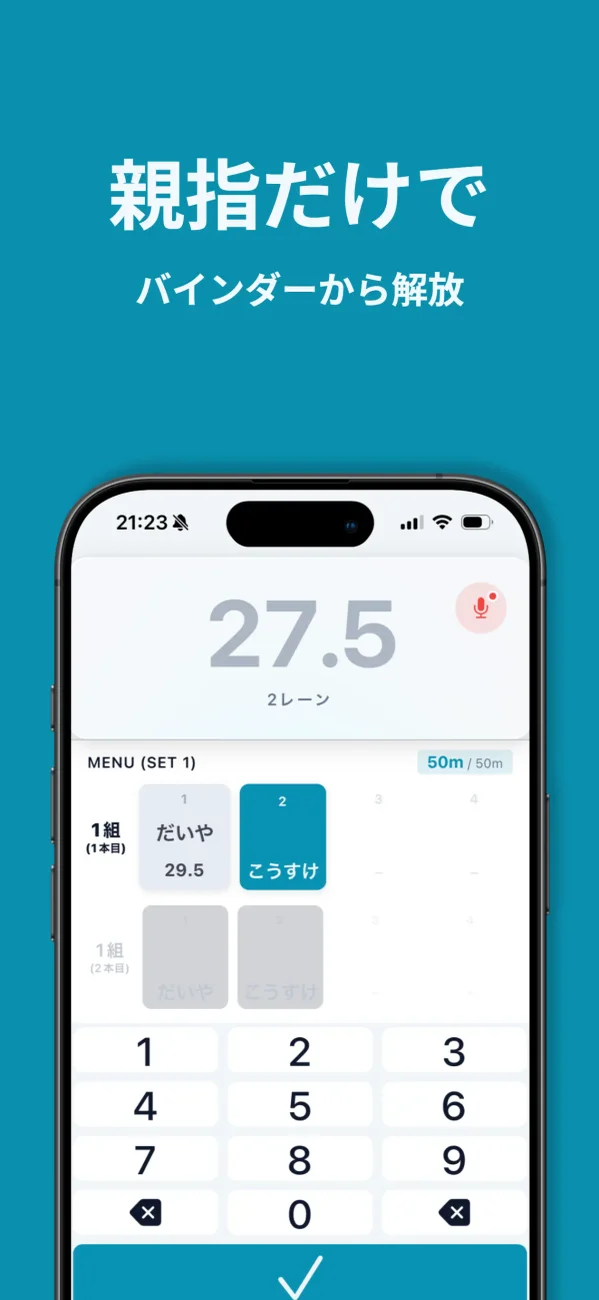
- True One-Thumb, No-Look Operation
Complete every split entry with one thumb and subtle haptic feedback so you never have to look away from the pool.
- Smart 2-Digit Input & Auto-Completion
Matches how coaches call out splits poolside: hear "32.5"? Just tap "2" and "5". Enter one full time as an anchor, and Tensui automatically infers and fills the rest based on the previous lap.
- Multi-Lane & Compound Set Builder
Time 4+ lanes and multiple heats simultaneously. Build compound sets like "50m x 4 (1:00) + 100m x 1 (2:00)" in seconds.
- Continuous Audio Recording for Solo Timing
Audio is recorded continuously during timing in the background. Missed a split or misheard a call? Jump straight to 10 seconds before any split right from the result view to listen back and edit.
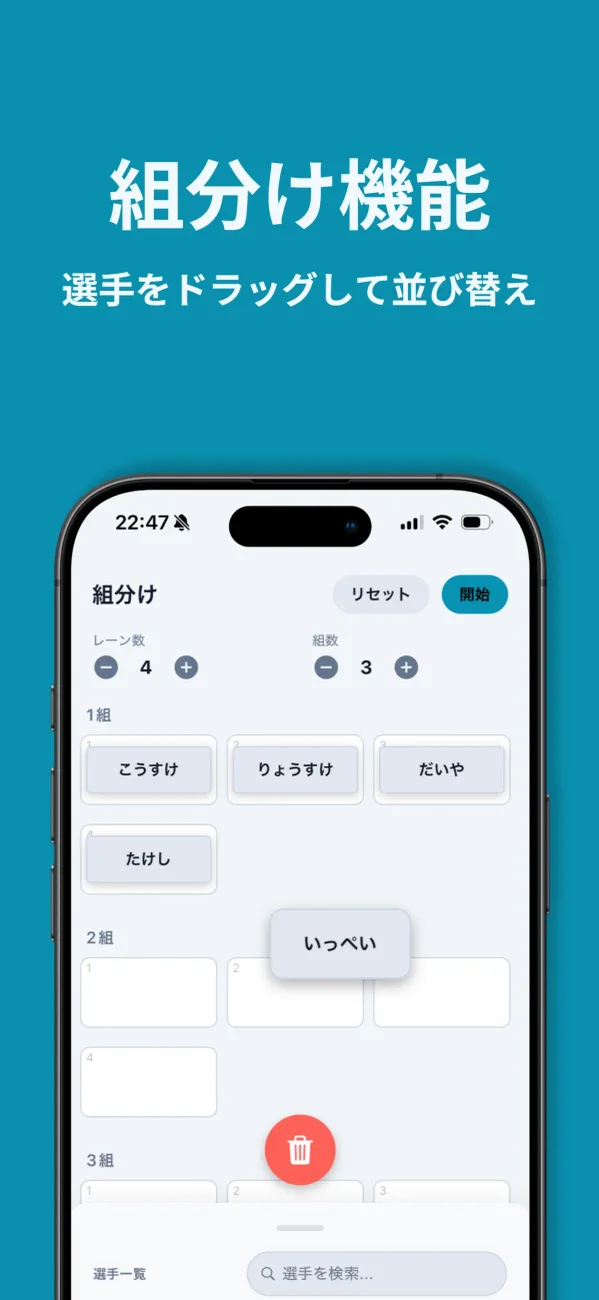
- Drag-and-Drop Lane Grouping
Organize swimmers into heats and lanes just like a poolside whiteboard with instant drag-and-drop cards.
- Split Trends at a Glance
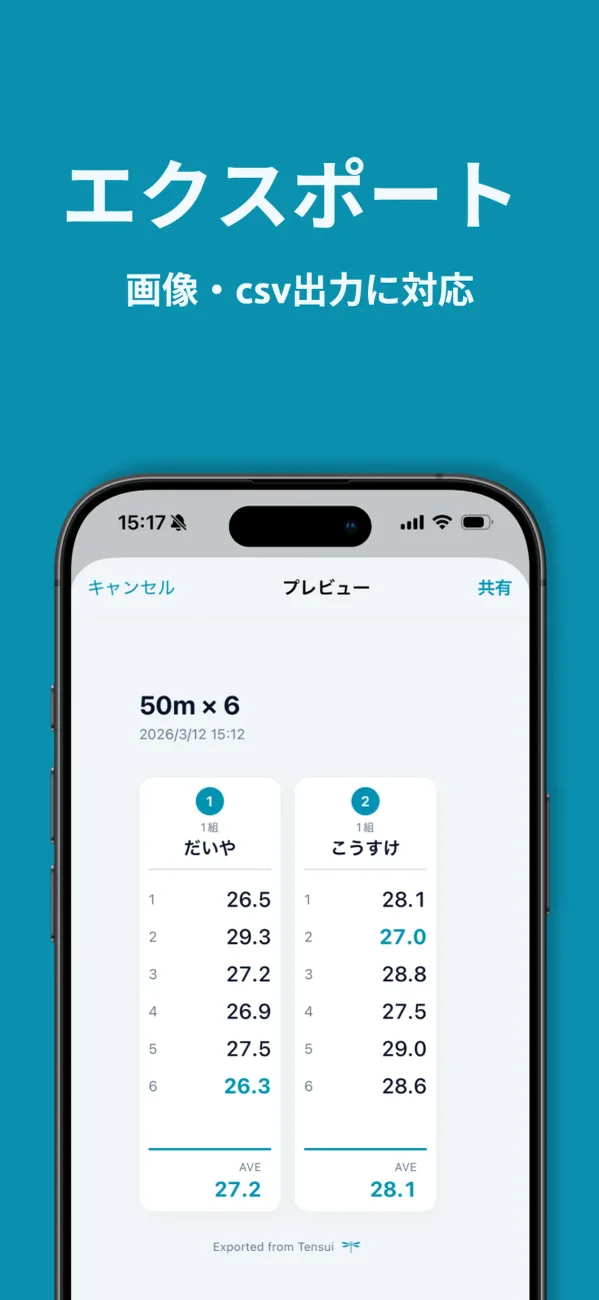
Automatically highlights fastest swims and visualizes averages, totals, and lap-by-lap splits.
- 1-Tap Image Export & CSV Output
Share clean result cards directly with your team or export UTF-8 CSV files for spreadsheet analysis.
- Reliable Offline Storage & OLED Battery Saving
Practice data is automatically saved locally on your device. Features a true-black dark interface optimized for OLED screens to minimize battery drain during long sessions.
Spend less time fighting your stopwatch and more time coaching. Start timing with Tensui today.
What’s new
Version 1.7.0 · Nov 21, 2026
- Redesigned the menu formula builder for faster, more intuitive distance, reps, sets, and multi-block editing.
- Streamlined actions across the timer, history, and setup screens with clean, consistent icons.
- Resuming a session from History now starts immediately with a quick Undo option to revert any accidental resume.
- Improved drag-and-drop reliability in Grouping along with smoother animations and tactile feedback.
App privacy
What Haruto Yamada declares on the App Store about how this app handles data.
-
Data used to track you
May be used to track you across apps and websites owned by other companies.
- Identifiers
- Usage data
-
Data linked to you
May be collected and linked to your identity.
- Identifiers
- Usage data
-
Data not linked to you
May be collected but is not linked to your identity.
- Purchases
- Diagnostics
Privacy practices may vary, for example with the features you use or your age.
Information
- Seller
- Haruto Yamada
- Category
- Sports
- Version
- 1.7.0
- Updated
- Nov 21, 2026
- Released
- Mar 8, 2026
- Size
- 49.1 MB
- Requires
- iOS 15.1 or later
- Age rating
- 4+
- In-app purchases
- Yes
- Languages
- Japanese, English
- Copyright
- © 2026 Haruto Yamada