- Age rating4+
- CategorySports
- DeveloperTomoyasu Horino
- LanguagesJapanese+ 1 more
- Size47.2 MB
Links to the official App Store page
Download.org hosts no file of GolfQuill: Break 100 Scorecard. The button opens its official App Store page, published by Tomoyasu Horino. Listing last checked on Nov 26, 2026.
Screenshots





About
GolfQuill is a golf scorecard app for players working to break 100.
Log your round, and GolfQuill counts the strokes you lost to penalties, 3-putts, and blow-up holes. Then it gives you one drill to work on and a goal for your next round.
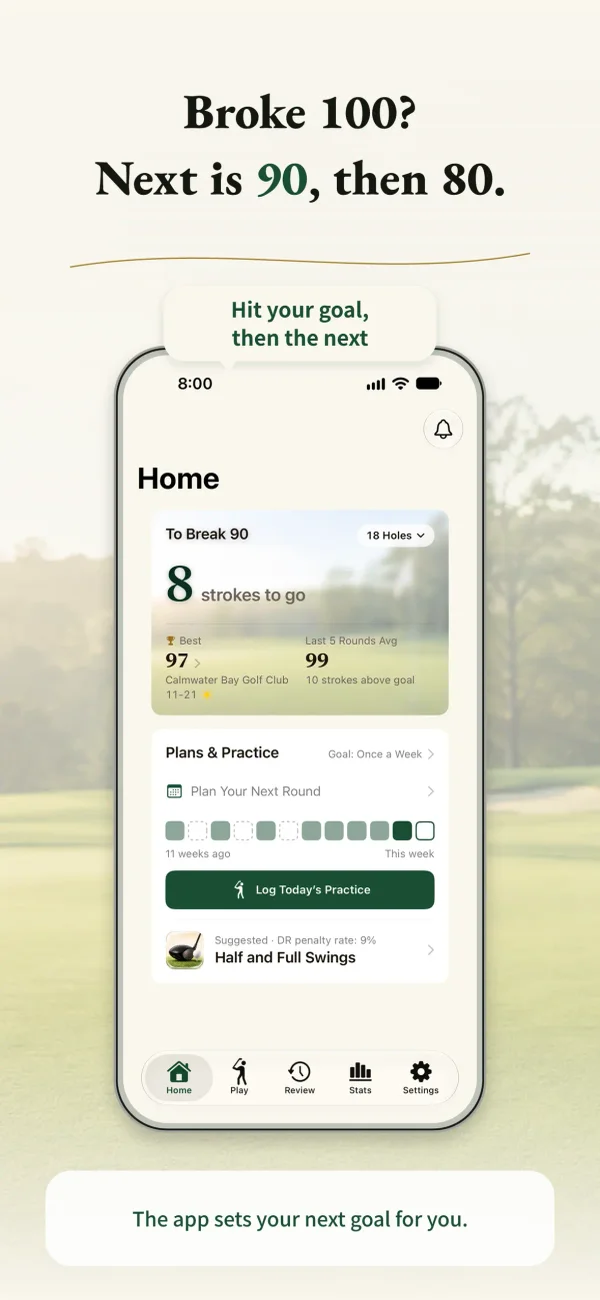
Once you break 100, your next goal is Break 90, then Break 80. The app sets the next goal for you.
QUICK TO LOG
Pick a club and tap for every shot. On Apple Watch, you can log with one hand.
• No Apple Watch with you? Log the whole round on iPhone.
• Pick the putter and tap, and your putts are counted for you.
• Allow location access, and GolfQuill saves where you hit each shot.
• During an 18-hole round on iPhone, you get a target for the second nine as soon as you finish the first (like “First 9: 52. Second 9: 47 or better to Break 100”).
• Played with a paper scorecard? Add the round later with Add Past Round.
SEE THE STROKES YOU LOST
Penalties, 3-putts, and blow-up holes.
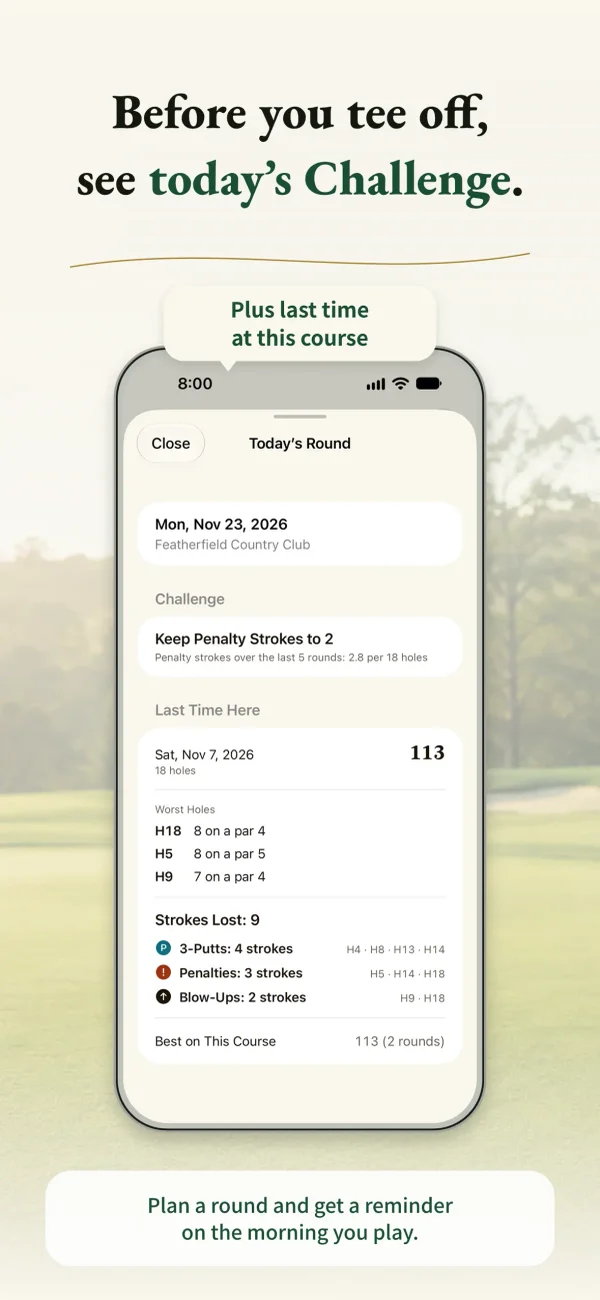
• For every round you log to the end, GolfQuill counts the strokes you lost to penalties, 3-putts, and blow-up holes (strokes beyond double bogey). The app calls this Strokes Lost, and shows the holes where you lost them.
• See every shot and your shot path on Aerial View.
• The hole-by-hole scorecard (par, score, putts, and score to par) shows which holes cost you.
• Played the course before? See how this round compares with last time, in total and hole by hole. Aerial View shows last time’s shot path as a dotted line.
• The Stats tab shows your score trend and your Strokes Lost breakdown, over your last 5, 10, or 20 rounds or all time.
• Share your round as a simple scorecard image.
KNOW WHAT TO DO NEXT
One drill to work on, and one goal for your next round.
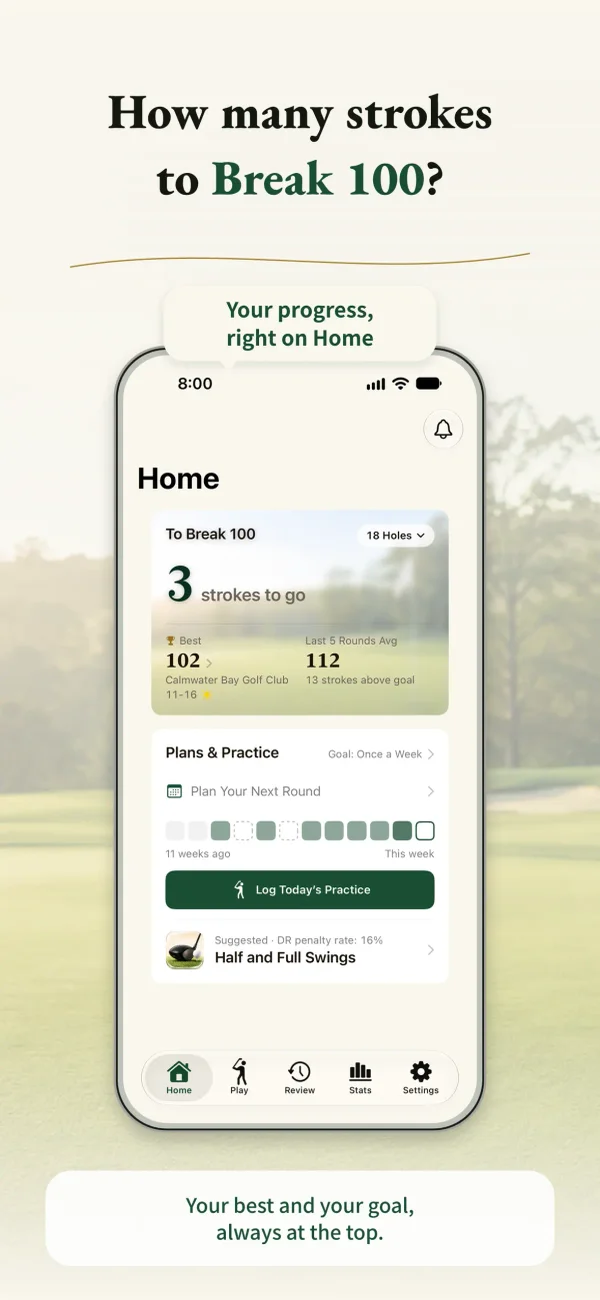
• The Home tab shows how many strokes you are from your goal, and one drill picked for you based on your recent rounds.
• On days you get some practice in, tap Log Today’s Practice. Set a practice goal, such as every 2 weeks, and see at a glance whether you’re keeping it up.
• Plan a round, and GolfQuill reminds you on the morning of the round. Check the day’s Challenge (for example, keep penalty strokes to 2) and the holes that hurt you last time at that course.
• Calendar events with the golf flag emoji or #golf in the title or notes can be imported as planned rounds (turn on Import from Calendar in Settings).
• Home Screen widgets show your next round and your practice streak. Start a round right away from Shortcuts.
SMALL TOUCHES
• Earn trophies for milestone scores, your first par and birdie, and rounds with no penalties, no 3-putts, or no blow-ups. A banner lets you know the moment you earn one.
• Complications for your Apple Watch face.
• Choose a Light, Dark, or System appearance.
• 9-hole rounds are supported. Switch between 18 and 9 holes.
• Shot distances are shown in yards or metres, depending on your region.
• Getting a new iPhone? Sign in with the same Apple Account, and your rounds come with you.
FROM THE DEVELOPER
GolfQuill is here to help you break 100. Feedback is always welcome, and so is word that you’ve broken 100.
What’s new
Version 4.2.0 · Nov 25, 2026
GolfQuill is now available in English.
• Every screen, widget, and notification on iPhone and Apple Watch is in English.
• Shot distances are shown in yards or metres, depending on your region.
App privacy
What Tomoyasu Horino declares on the App Store about how this app handles data.
-
Data not linked to you
May be collected but is not linked to your identity.
- Identifiers
- Usage data
Privacy practices may vary, for example with the features you use or your age.
Information
- Seller
- Tomoyasu Horino
- Category
- Sports
- Version
- 4.2.0
- Updated
- Nov 25, 2026
- Released
- May 7, 2026
- Size
- 47.2 MB
- Requires
- iOS 26.0 or later
- Age rating
- 4+
- Languages
- Japanese, English
- Copyright
- © 2026 Tomoyasu Horino